
ManyCam
ManyCam is virtual camera and live-streaming software for video calls, streaming platforms and remote learning.
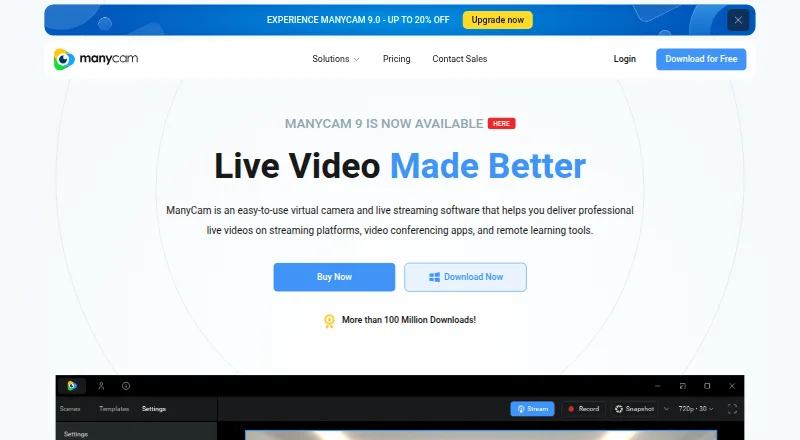
What ManyCam is
ManyCam is virtual camera and live-streaming software for video calls, streaming platforms and remote learning. It can blur, remove or replace a background with an image or video, without requiring a green screen. Sources can include webcams, video and image files, screen captures, apps and web sources, with plans listing support for up to 200. ManyCam can provide a virtual camera to Zoom, Webex, Microsoft Teams and Google Meet, and broadcast simultaneously to Facebook, YouTube, Twitch and other RTMP destinations. Its production tools include picture-in-picture layers, source switching, screen capture, recording, titles, a whiteboard and NDI support. The free version has limited features. Standard is $59 a year and includes one device, four video sources, Full HD quality and one RTMP stream. Studio is $79 a year as listed; Premium is $99 a year as listed. ManyCam lists Android, iOS, macOS and Windows, with desktop support specifically listed for Windows and macOS.
Good
- Works with Zoom, Webex, Teams and Google Meet
- Can broadcast to multiple destinations simultaneously
- Background replacement needs no green screen
- Supports up to 200 video sources
- Free download is available
Watch out
- Free version has limited features
- Standard is limited to one device
- Standard allows four video sources
- Standard includes one RTMP stream
Who it suits
ManyCam suits people who need virtual-camera or streaming tools for business, education, gaming or telehealth. It may also suit users who want to combine several video sources or change backgrounds without a green screen.
Verdict
ManyCam combines virtual-camera functions with tools for producing and streaming video. The free version is limited; paid plans list different device, source and streaming allowances.
Plans and prices
From ManyCam's own pricing page, checked 29 Sep 2026.
| Plan | Price | What it gives you |
|---|---|---|
| Standard | $59 a year | 1 Device · 4 Video sources · Full HD Video Quality · 1 RTMP Stream · /Year |
| Studio | $79 a year | 2 Devices · 50 Video sources · 4K Video Quality · Unlimited RTMP Streams · $99 /Year |
| Premium | $99 a year | 3 Devices · 200 Video sources · 4K Video Quality · Unlimited RTMP Streams · $119 /Year |
| Enterprise | Priced on request | 2 Devices per user · 200 Video sources · 4K Video Quality · User management platform · Business customer support · Contact us |
The facts
Each one read from ManyCam's own pages, with the date it was checked.
What it does
- Data protection
- ManyCam says it is GDPR compliant and protects account and purchase information with AES-256 encryption.checked 29 Sep 2026
- Desktop signing
- ManyCam says its Windows application is signed with an EV certificate and its Mac application is signed and Apple-notarized with each release.checked 29 Sep 2026
- Integrations
- The site lists Zoom, Webex, Microsoft Teams, and Google Meet as video conferencing apps that can use ManyCam as a virtual camera.checked 29 Sep 2026
- Intended users
- The site presents ManyCam for business, education, gaming, and telehealth use.checked 29 Sep 2026
- Product
- ManyCam is virtual camera and live streaming software for streaming platforms, video conferencing apps, and remote learning tools.checked 29 Sep 2026
- Production tools
- Features include picture-in-picture layers, a media source switcher, screen capture, recording, titles, whiteboard, and NDI support.checked 29 Sep 2026
- Security
- ManyCam says video compositing, editing, and encoding happen on the user's machine and that it does not store audio, video, or images on its servers.checked 29 Sep 2026
- Streaming
- ManyCam says it can broadcast simultaneously to Facebook, YouTube, Twitch, and other RTMP destinations.checked 29 Sep 2026
- Support
- The Enterprise plan includes business customer support; Standard, Studio, and Premium list priority support.checked 29 Sep 2026
- Video sources
- ManyCam supports up to 200 video sources, including webcams, videos, images, screen captures, apps, and web sources.checked 29 Sep 2026
- Virtual backgrounds
- Users can blur, remove, or replace backgrounds with images or video sources without a green screen.checked 29 Sep 2026
Money
- Free plan
- Yeschecked 20 Sep 2026
- Free use
- ManyCam offers a free download, and its site describes the free version as having limited features.checked 29 Sep 2026