MailEditor
MailEditor is an email design platform for creating responsive emails with a drag-and-drop editor.
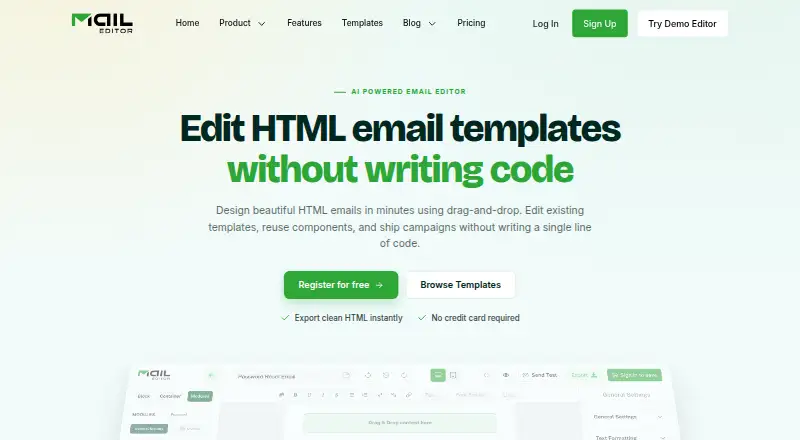
What MailEditor is
MailEditor is an email design platform for creating responsive emails with a drag-and-drop editor. Users can build layouts from reusable modules or upload an existing HTML email template, edit it visually and export the result. The platform can also turn a design prompt into an editable template draft. Templates can be downloaded or copied as HTML, with images remaining hosted online, or saved to a MailEditor account for reuse. A Gmail add-on gives users access to their template library and lets them insert templates from Gmail. Export integrations include Mailchimp, Gmail, Klaviyo, ActiveCampaign, SendGrid, Brevo, HubSpot, Outlook Web and Salesforce Pardot. MailEditor also offers an embeddable JavaScript component for editing HTML and CSS within another application and returning updated code. Its free plan includes 2 members, 10 HTML exports, 5 ESP exports, 40 test emails, 20 saved templates, 300 MB of storage and 2 AI templates. MailEditor says templates are its only stored customer content and are private by default.
Good
- Drag-and-drop editor includes reusable modules.
- Can visually edit and export existing HTML templates.
- Offers an editable AI-generated template draft.
- Gmail add-on inserts templates from a library.
- Free plan includes 10 HTML exports.
Watch out
- Images remain hosted online when HTML is copied or downloaded.
- Starter costs $9 a month, billed yearly.
- Free plan is limited to 10 HTML exports.
Who it suits
MailEditor suits teams, creators and developers who need to design responsive emails or edit existing HTML templates. Its embeddable component may also suit application developers who want to add email editing to their software.
Verdict
MailEditor combines visual email layout editing with HTML export, Gmail access and integrations for common email platforms. Its free plan gives users a way to start, while listed export and storage limits vary by plan.
Plans and prices
From MailEditor's own pricing page, checked 15 Oct 2026.
| Plan | Price | What it gives you |
|---|---|---|
| Free (Forever) | Free | 2 members · 10 HTML exports · 5 ESP exports · 40 test emails · 20 saved templates · 300 MB storage · 2 AI templates · $0 billed yearly |
| Starter | $9 a month | 2 members · 100 HTML exports · 50 ESP exports · 200 test emails · 60 saved templates · 700 MB storage · 10 AI templates · $9 billed yearly |
| Team | $29 a month | 7 members · 600 HTML exports · 300 ESP exports · 700 test emails · 400 saved templates · 1,500 MB storage · 30 AI templates · $29 billed yearly |
| Agency | $59 a month | 30 members · unlimited HTML exports · unlimited ESP exports · unlimited test emails · unlimited saved templates · unlimited storage · 50 AI templates · $59 billed yearly |
The facts
Each one read from MailEditor's own pages, with the date it was checked.
What it does
- AI templates
- An AI assistant turns a written prompt into an editable, on-brand email template draft.checked 15 Oct 2026
- API capabilities
- The plugin documentation covers identity signing, embedded sessions, backend user and template endpoints, HTML retrieval and error codes.checked 15 Oct 2026
- Bulk signatures
- The bulk signature generator applies a customized signature to multiple employees at once.checked 15 Oct 2026
- Compliance statements
- MailEditor states GDPR readiness and CCPA rights, and lists AWS, Google, Stripe and OpenAI as subprocessors.checked 15 Oct 2026
- Data handling
- MailEditor says templates are its only stored customer content, are private by default, and it does not store subscriber lists or contact profiles from connected platforms.checked 30 Sep 2026
- Developer stacks
- Plugin documentation provides integration examples for Next.js, React, Vue, Svelte, Angular, vanilla JavaScript, WordPress, Laravel, Django and Ruby on Rails.checked 15 Oct 2026
- Documentation depth
- The public help center contains an index, getting-started material and a September 2025 overview of editing, tags, AI generation, exports, timers, sliders and signatures.checked 15 Oct 2026
- Email elements
- Available blocks include headings, rich text, images, video thumbnails, social icons, raw HTML, columns, tables, buttons, timers, sliders and editable banners.checked 15 Oct 2026
- Embeddable plugin
- MailEditor describes its plugin as a JavaScript component that can be embedded in an application to edit HTML and CSS and return the updated code.checked 30 Sep 2026
- Encryption
- The security policy states TLS 1.2 or higher in transit and AES-256 encryption at rest for RDS databases and S3 storage.checked 15 Oct 2026
- Export workflow
- Users can push templates to connected ESP accounts, copy HTML while keeping images hosted online, or save templates in folders for later reuse.checked 15 Oct 2026
- Gmail add-on
- The Gmail add-on lets users access saved templates and insert them into a Gmail compose window.checked 15 Oct 2026
- HTML editing
- Users can upload and visually edit existing HTML email templates, then export the edited template.checked 30 Sep 2026
- HTML export
- Users can download or copy template HTML while images remain hosted online, or save templates in their MailEditor account for later reuse.checked 30 Sep 2026
- HTML formatter
- The HTML Formatter indents, organizes and beautifies messy email template code.checked 15 Oct 2026
- Independent praise: coding quality
- A LinkedIn company update says its templates are hand-coded, responsive across devices and tested across Gmail, Outlook and Apple Mail.checked 15 Oct 2026
- Independent product update
- A LinkedIn update reported the addition of template theme changes, an advanced image editor, Mailchimp content sync, live chat support, premium modules, timer improvements, test email, signature copier and a code editor.checked 15 Oct 2026
- Integration data handling
- MailEditor says connected API keys and OAuth tokens are encrypted, subscriber lists and campaign analytics are not stored, and integration credentials are removed after disconnection.checked 15 Oct 2026
- Integrations
- The integration catalog lists Mailchimp, Gmail, Klaviyo, ActiveCampaign, SendGrid, Brevo, HubSpot, Outlook Web, Salesforce Pardot, Amazon SES, Braze, Campaign Monitor, Constant Contact, Iterable, MailUp and others.checked 15 Oct 2026
The company
- Company founded
- LinkedIn lists MailEditor as founded in 2019.checked 15 Oct 2026
- Company industry
- LinkedIn classifies MailEditor as an Embedded Software Products company.checked 15 Oct 2026
- Company size
- LinkedIn lists the company at 2–10 employees.checked 15 Oct 2026
- Company specialties
- LinkedIn lists email design, email editing, email building, email testing, email layout and email marketing as specialties.checked 15 Oct 2026
- Headquarters
- Albuquerque, New Mexico, United Stateschecked 23 Sep 2026
The full review of MailEditor
MailEditor is a visual email editor with HTML editing and export, Gmail access, and integrations for common email platforms. It is best suited to teams, creators, and developers who want to work across visual layouts and code. Its low-cost entry tier is useful for modest workloads, but capped exports and online-hosted images make it a poor fit for self-contained or high-volume production.
Overview
MailEditor pairs a drag-and-drop editor with the ability to upload and visually revise existing HTML email templates. Reusable modules help build layouts, while custom code editing and custom fonts give users options beyond a purely block-based workflow. That combination suits people who need visual assembly without giving up access to the underlying HTML.
Finished HTML can be downloaded or copied, or templates can be saved in a MailEditor account for reuse. Images remain hosted online rather than being bundled into exported code, a meaningful constraint for workflows that require a self-contained template package.
Key features
Template creation and AI drafts
MailEditor’s editor supports responsive email creation from reusable pre-built modules. Users can also describe a design prompt to receive an editable draft. The allowance is two AI templates on Free and ten on Starter, so AI is a limited starting aid at those levels rather than a high-volume production route.
Gmail and export connections
The Gmail add-on lets users access their template library and insert templates from Gmail. MailEditor lists integrations including Mailchimp, Klaviyo, ActiveCampaign, SendGrid, Brevo, HubSpot, Outlook Web, and Salesforce Pardot for template export. This makes the product more relevant to teams already using those platforms; the value depends on the export destinations they need.
Embedding and data safeguards
MailEditor describes an embeddable JavaScript component for editing HTML and CSS inside another application and returning updated code, a distinct option for developers building an editing workflow into their own product. The company says browser traffic and third-party connections use TLS 1.2 or higher, with databases and file storage encrypted at rest using AES-256. It says templates are the only customer content it stores, private by default, and that it does not retain subscriber lists or contact profiles from connected platforms. Stripe processes payments; MailEditor says it does not store card numbers or payment credentials on its servers.
Pricing
MailEditor is freemium, with paid plans starting at $9/mo. The paid prices below are billed yearly.
| Plan | Price | What it includes |
|---|---|---|
| Free (Forever) | $0 | 2 members, 10 HTML exports, 5 ESP exports, 40 test emails, 20 saved templates, 300 MB storage, and 2 AI templates. |
| Starter | $9.00 per month, billed yearly | 2 members, 100 HTML exports, 50 ESP exports, 200 test emails, 60 saved templates, 700 MB storage, 10 AI templates, 30 premium templates, and 5 workspaces. |
| Team | $29.00 per month, billed yearly | 7 members, 600 HTML exports, 300 ESP exports, 700 test emails, 400 saved templates, 1500 MB storage, 30 AI templates, 100 premium templates, and 20 workspaces. |
| Agency | $59.00 per month, billed yearly | 30 members, unlimited HTML and ESP exports, unlimited test emails, saved templates, and storage, 50 AI templates, 900 premium templates, and 100 workspaces. |
Free is a sensible way to try the workflow, but 10 HTML exports, 5 ESP exports, and 300 MB of storage constrain ongoing use. Starter keeps the same two-member limit while raising export and storage allowances, making it a practical fit for an individual or small team with predictable volume. Team adds seats and substantially larger quotas for collaborative work. Agency is the only tier with unlimited exports, tests, saved templates, and storage, alongside 30 members; its higher annual-billed price fits larger operations that would outgrow fixed caps. MailEditor describes Get Prime as including priority support 24/7.
Platforms
MailEditor is offered on web, as an extension, and through an API. The Gmail add-on is especially relevant to users who want to insert saved templates without leaving Gmail; the embeddable component gives developers an API-oriented way to incorporate editing in an application.
Who it's for
MailEditor is a good match for small teams and email creators who need visual composition, HTML access, and exports to common email services in one workflow. Developers may value the embeddable editor and the ability to return updated HTML and CSS. It is less suitable for users who need exported images packaged locally or require more than the free tier’s limited export and storage allowances without moving to a paid plan.
Pros and cons
- Pros: Existing HTML emails can be uploaded and edited visually, which bridges code-based templates and drag-and-drop work.
- Pros: Gmail access, export integrations, and reusable modules support a workflow from layout assembly to platform handoff.
- Pros: Starter begins at $9.00 per month billed yearly and increases the free tier’s export, test, and storage caps.
- Cons: Exported HTML relies on online-hosted images, so it is not a self-contained asset package.
- Cons: The Free plan allows only 10 HTML exports and 5 ESP exports, with 300 MB storage, limiting regular production.
- Cons: Starter still has only two members and fixed quotas, so teams needing more seats or unlimited use must step up to a higher plan.
Alternatives
Email Template Software and Email Design Software are broader category guides for comparing products by workflow. Consider Stripo if its free tier’s four exports monthly, five daily test emails, and ten stored emails are sufficient; its Basic plan is $20.00 per month, billed monthly or yearly. Postcards is worth considering for a free start with 10 template projects, 5 monthly exports, and unlimited teammates, or a Plus plan at $16.00 per month. Choose Blocks Edit if its web-based workflow and paid options, including Collaborate at $240.00 per year, suit your needs. Tabular offers a free tier with three stored emails, three monthly exports, and five daily previews; its Plus plan is €24.17 per month, billed yearly. Serious Email Studio is an alternative with a free allowance of one user, three projects, and 10 templates, and a Starter plan at $12.00 per month. Unitpost has a free tier oriented around sending email, including 5,000 emails monthly and 10,000 contacts. MJML is the alternative to consider if an open-source tool under the MIT license and a free-to-use REST API are the priority. PostBrix is another freemium option.
Verdict
Choose MailEditor if you want visual editing of both new and existing email HTML, with Gmail access and exports to common email platforms. The free tier offers a low-commitment entry point, and Starter raises the caps at a modest annual-billed price. Look elsewhere if your templates need locally bundled images, or if fixed export and storage allowances would interrupt your production workflow.
Alternatives to MailEditor
- 1
Canary
Free planOpen sourceAndroidiOSWebAPI8.4From $36 a year - 2
MJML
Free planOpen sourceWebAPIExtensionLinux7.6Free plan - 3

Blocks Edit
Free planWebAPI7.4Free plan - 4

EmailBuilder.ai
Free planWebAPIExtension7.4From $39 a month - 5

Mela
Free planWebAPI7.4From $33 a month - 6
PostBrix
Free planWebAPI7.4From $9 a month