LogoMakr
LogoMakr is a browser-based logo maker that uses a business name, industry, and style preferences to generate logo concepts, then lets users refine them on a…
What LogoMakr is
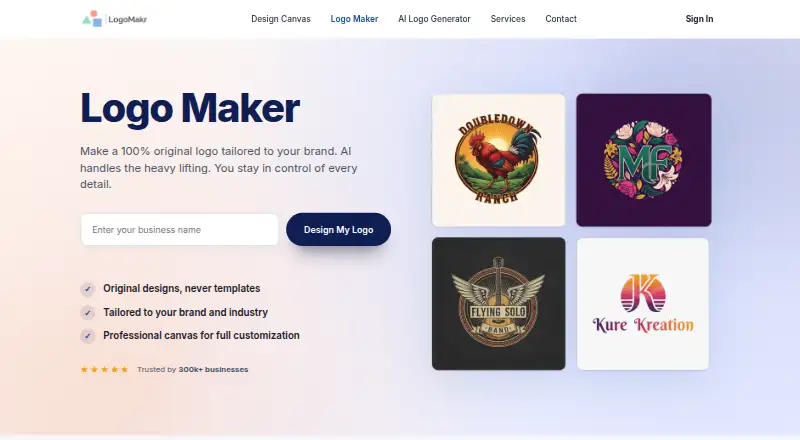
LogoMakr is a browser-based logo maker that uses a business name, industry, and style preferences to generate logo concepts, then lets users refine them on a design canvas. Editing controls cover fonts, icons, colors, and element placement. The canvas includes 3 million graphics, including shapes and illustrations. Exports include PNG, JPG, SVG, and PDF; vector files are intended for print and large-format use. The free download is a low-resolution PNG or JPG licensed for personal use, while high-resolution and vector files require a purchase. The Free plan costs nothing and supports designing, previewing, and low-resolution downloads. Basic costs $29, paid once and includes web-based PNG and JPG files with commercial rights. Pro costs $60, paid once, and Business costs $120, paid once; both add high-resolution and vector formats, commercial rights, and extra design credits. LogoMakr is described for entrepreneurs and small business owners without design experience, and runs in a browser without installation on Mac, Windows, Chromebook, and iPad.
Good
- AI generates concepts from business and style details.
- Canvas includes 3 million graphics.
- Exports PNG, JPG, SVG, and PDF.
- Paid files include full commercial rights.
- Works in a browser without installation.
Watch out
- Free downloads are low-resolution and personal-use only.
- High-resolution and vector files require payment.
- Privacy policy says absolute security cannot be guaranteed.
Who it suits
LogoMakr suits entrepreneurs and small business owners who want to create a logo without design experience. It also fits users who prefer browser-based editing and downloadable image or vector files.
Verdict
LogoMakr offers a free way to design and preview concepts, with paid one-time plans for commercial rights and higher-resolution or vector exports. Check the free download’s resolution and personal-use restriction before relying on it for business materials.
Plans and prices
From LogoMakr's own pricing page, checked 29 Sep 2026.
| Plan | Price | What it gives you |
|---|---|---|
| Free | Free | Design and preview logos · low-resolution PNG/JPG download |
| Basic | $29, paid once | Web-based PNG and JPG files · full commercial rights · One-time payment |
| Pro | $60, paid once | Web-based PNG and JPG · high-resolution JPG and PNG · SVG, EPS, PDF · full commercial rights · 6 extra design credits · One-time payment |
| Business | $120, paid once | Web-based PNG and JPG · high-resolution JPG and PNG · SVG, EPS, PDF · full commercial rights · 30 extra design credits · One-time payment |
The facts
Each one read from LogoMakr's own pages, with the date it was checked.
What it does
- AI generation
- Its AI generates original logo concepts based on a business name, industry, and style preferences.checked 29 Sep 2026
- Audience
- LogoMakr describes the tool as designed for entrepreneurs and small business owners without design experience.checked 29 Sep 2026
- Commercial rights
- The maker says purchased logo files include full commercial rights and no royalties or licensing fees.checked 29 Sep 2026
- Data collection
- The privacy policy says collected information may include contact details, cookies, IP address, browser information, and usage data.checked 29 Sep 2026
- Editing
- Users can edit generated logos on the canvas by changing fonts, icons, colors, and element positions.checked 29 Sep 2026
- Exports
- Logo files are available in PNG, JPG, SVG, and PDF, with vector files intended for print and large-format use.checked 29 Sep 2026
- Graphics library
- The design canvas provides a library of 3 million graphics, including icons, shapes, and illustrations.checked 29 Sep 2026
- Integrations
- The maker's product page describes browser-based design and file exports but does not identify third-party product integrations.checked 29 Sep 2026
- Product
- LogoMakr is an online logo maker that combines AI-generated concepts, editable templates, and a design canvas.checked 29 Sep 2026
- Security and privacy
- The privacy policy says LogoMakr uses security cookies and commercially acceptable measures to protect personal data, while noting that absolute security cannot be guaranteed.checked 29 Sep 2026
- Support
- Users can contact support by phone, email, or ticket, and the contact page says replies come within hours during weekday business hours.checked 29 Sep 2026
The company
- Founded
- The about page says LogoMakr was founded in 2013 by brothers Michael and Tyler, with brother Ryan joining later.checked 29 Sep 2026
- Headquarters
- Manhattan Beach, California, United Stateschecked 28 Sep 2026
Money
- Free download limit
- The free download is low resolution and licensed for personal use; high-resolution and vector files require a paid purchase.checked 29 Sep 2026
Where it runs
- Platform access
- LogoMakr runs in a browser and its page says it works on Mac, Windows, Chromebook, and iPad without installation.checked 29 Sep 2026
The full review of LogoMakr
Overview
LogoMakr is a browser-based logo maker that pairs AI-generated concepts with an editable design canvas. It is best suited to entrepreneurs and small-business owners who need a starting point for a logo and want to refine it themselves. Its free tier is useful for exploration, but commercial use and print-ready files require a paid purchase.
Enter a business name, industry, and style preferences to generate concepts, then adjust fonts, icons, colors, and element positions. A library of 3 million graphics gives users plenty of material to work with, though the breadth of options still leaves the user responsible for shaping a coherent design.
Exports include PNG, JPG, SVG, and PDF; vector files are intended for print and large-format use. Purchased files carry full commercial rights without royalties or licensing fees. The free download, by contrast, is a low-resolution PNG or JPG licensed for personal use, so it is not suitable for business materials.
Key features
- AI-generated concepts: LogoMakr uses a business name, industry, and style preferences to create original concepts. This can help users get past a blank canvas, but the editable canvas remains important for tailoring the result.
- Manual editing: Users can change fonts, icons, colors, and element positions. That flexibility makes the generated concepts a starting point rather than a fixed output.
- Graphics library: The canvas includes 3 million icons, shapes, and illustrations, alongside custom fonts and dimensions. The large library offers room to customize, though users will need to choose elements that work together.
- Exports and brand tools: PNG and JPG serve common image needs, while SVG and PDF provide vector output for print and larger formats. LogoMakr also offers a brand kit and transparent export.
- Browser-based access: The editor runs in a browser, with access described for Mac, Windows, Chromebook, and iPad without installation. The product page does not identify third-party integrations, so the stated workflow is based on editing and exporting files.
Pricing
LogoMakr uses a freemium model with one-time paid purchases rather than recurring subscriptions. The free option lets users design and preview logos and download low-resolution PNG or JPG files for personal use. It is a low-risk way to explore concepts, but not a route to a commercial logo.
- Free — free: Design and preview logos, with low-resolution PNG/JPG download. Commercial rights and higher-resolution or vector files are not included.
- Basic — $29, paid once: Web-based PNG and JPG files with full commercial rights. This is the least expensive paid route for a business that only needs those formats and does not require high-resolution or vector files.
- Pro — $60, paid once: Web-based and high-resolution PNG/JPG, SVG, EPS, and PDF files, full commercial rights, and 6 extra design credits. It suits buyers who need vector output or higher-resolution files without the larger credit allowance of Business.
- Business — $120, paid once: The same stated file formats and commercial rights as Pro, with 30 extra design credits. It is the better fit for buyers who expect to use more credits; the higher price does not add a different export format in the stated plan benefits.
All paid plan prices are one-time payments, not monthly or annual renewals. The free download’s personal-use restriction is the key limit to keep in mind before using a design for a business.
Platforms
LogoMakr is a web-based tool and is also listed for iOS, macOS, and Windows. Its browser access is described for Mac, Windows, Chromebook, and iPad without installation, making it accessible across several device types without a desktop install.
Who it's for
LogoMakr is a sensible choice for entrepreneurs and small-business owners without design experience who want AI-assisted concepts and enough editing control to refine them. The free tier suits personal exploration; Basic fits businesses that need commercial rights in PNG or JPG. Pro is more appropriate when high-resolution or vector files matter, while Business makes sense when the extra design credits justify its higher one-time cost.
It is less suitable for someone who needs a commercial logo at no cost, or who wants a logo ready for print without paying for a plan that includes vector files.
Pros and cons
- Pro: AI concepts and a large graphics library offer multiple ways to move from an initial idea to a customized logo.
- Pro: One-time paid plans include full commercial rights, avoiding a stated recurring subscription for the logo purchase.
- Pro: Pro and Business include high-resolution images and vector formats for buyers with print or large-format needs.
- Con: The free download is low resolution and personal-use only, so businesses must pay to use a logo commercially.
- Con: Basic omits high-resolution and vector files, leaving buyers who need those outputs to pay more for Pro or Business.
- Con: Business costs more than Pro while the stated difference is the extra design credits, rather than additional formats or commercial rights.
Alternatives
Logo Design Software is the broader category guide for comparing logo tools.
- Design.com is worth considering if high-resolution PNG/JPG and vector files, a brand kit, and commercial rights are priorities even on its free plan.
- SologoAI may suit users who want to try a credit-based logo generator, with 10 one-time credits for new accounts and name-to-logo and brand-kit generation using no credits.
- LOGO.com is an option for someone who can work within a free plan of one PNG logo and 100 MB media storage.
- Logo Diffusion offers a free monthly allowance of 24 credits, roughly 12 logos, but its free downloads are watermarked 512x512 images and include no commercial rights.
- Wix Logo Maker is an alternative for users who want an Android or iOS app as well as web access; its free plan includes 120 AI credits per month, capped at 30 per day.
- Looka is another logo and brand-kit option for buyers considering packages that range from a single PNG to 300-plus brand assets.
- FreeLogoDesign may work for someone who can start with a 200 × 200 pixel PNG on a colored background and pay for a one-time upgrade if needed.
- Brandmark is another logo maker to compare.
Verdict
It is strongest for small-business owners prepared to refine a concept and pay for the file quality and rights they need. Look elsewhere if a free commercial logo or high-resolution business-ready download is essential.
Alternatives to LogoMakr
- 1

DesignEvo
Free planAndroidiOSWebLinux8.3$24.99 one-time - 2

Design.com
Free planAndroidiOSWeb8.2From $12 a month - 3
Wix Logo Maker
Free planAndroidiOSWebAPI8.2Free plan - 4

Renderforest Logo Maker
Free planAndroidiOSWebAPI8.1From $9 a month - 5
Logo Foundry
Free planAndroidiOSWebWindows8.0From $99 a year - 6
LOGO.com
Free planWebAPI7.6Free plan