Linux Virtual Server
Linux Virtual Server builds a scalable, highly available service from a cluster of real servers that appears to users as one virtual server.
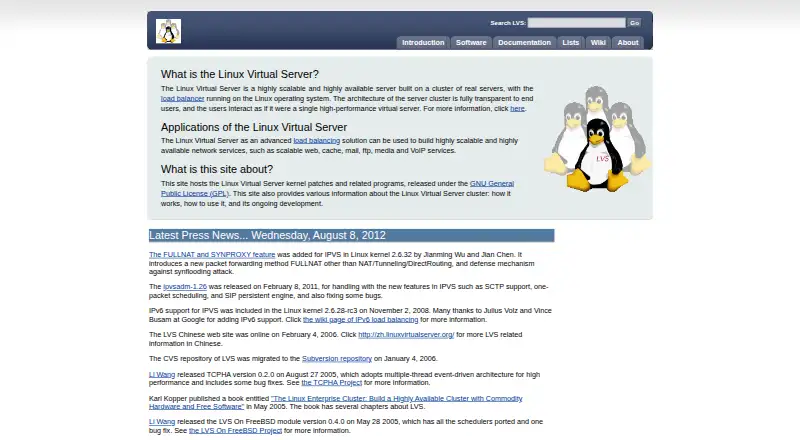
What Linux Virtual Server is
Linux Virtual Server builds a scalable, highly available service from a cluster of real servers that appears to users as one virtual server. Its IPVS component handles transport-layer balancing inside the Linux kernel, directing TCP and UDP requests sent to a virtual service IP toward the real servers behind it. Supported forwarding methods include NAT, FULLNAT, tunneling, and direct routing. The project lists web, cache, mail, FTP, media, and VoIP services among possible applications. Capacity can be adjusted by adding or removing cluster nodes, while availability is maintained by detecting node or daemon failures and reconfiguring the system. Keepalived monitors server-pool state at layers 3, 4, and 5 and tells the kernel to remove a server when it is down. KTCPVS provides an application-level load-balancing component, but the project describes it as under development. The software is free, GPL-licensed, and runs on Linux. Its documentation links configuration guides and community mailing lists; the listed download information includes old releases, including a kernel 2.6 stable version dated 2004.
Good
- Free GPL-licensed software
- Supports Layer 4 balancing in the Linux kernel
- Offers NAT, FULLNAT, tunneling, and direct routing
- Keepalived monitors server-pool health
Watch out
- KTCPVS is described as under development
- Listed stable kernel 2.6 version dates to 2004
- Listed ipvsadm 1.26 download dates to 2011
Who it suits
Linux Virtual Server suits administrators building Linux server clusters for services such as web, mail, or media delivery. It is relevant to teams that can configure IPVS and manage a self-hosted setup.
Verdict
Linux Virtual Server provides Linux-based cluster balancing and high-availability mechanisms, with several forwarding options and linked setup guidance. Its listed download information is dated, so administrators should account for that when evaluating the project.
Plans and prices
From Linux Virtual Server's own pricing page, checked 9 Oct 2026.
| Plan | Price | What it gives you |
|---|---|---|
| Linux Virtual Server | Free | GPL-licensed software · runs on Linux |
The facts
Each one read from Linux Virtual Server's own pages, with the date it was checked.
What it does
- Administration
- The IPVS page directs users to ipvsadm to administer IPVS in the Linux kernel.checked 9 Oct 2026
- Community support
- The project lists user and development mailing lists for questions, problem reports, user help, and release notifications.checked 9 Oct 2026
- Forwarding methods
- The home page says IPVS supports FULLNAT in addition to NAT, tunneling, and direct routing.checked 9 Oct 2026
- Guides
- The documentation page links instructions for NAT, tunneling, and direct-routing configurations, along with scheduling, high-availability, and DoS-defense documents.checked 9 Oct 2026
- Health monitoring
- The software page says Keepalived checks server-pool state at layers 3, 4, and 5, and informs the kernel to remove a server when it is down.checked 9 Oct 2026
- IPv6
- The IPVS page says IPv6 support was included in Linux kernel 2.6.28-rc3.checked 9 Oct 2026
- Layer 4 balancing
- IPVS performs transport-layer load balancing inside the Linux kernel and directs TCP/UDP service requests to real servers behind a virtual service IP.checked 9 Oct 2026
- Layer 7 component
- KTCPVS implements application-level load balancing inside the Linux kernel and is described as under development.checked 9 Oct 2026
- License
- The site says its kernel patches and related programs are released under the GNU General Public License.checked 9 Oct 2026
- Notable age of downloads
- The IPVS page labels version 1.2.1 as the latest stable version for kernel 2.6 and dates it to 2004; its listed ipvsadm 1.26 download is dated 2011.checked 9 Oct 2026
- Project history
- The software page says the site was created on 1998-05-28.checked 9 Oct 2026
- Purpose
- Linux Virtual Server builds a scalable, highly available server from a cluster of real servers, presented to users as one virtual server.checked 9 Oct 2026
- Scaling and availability
- The introduction says capacity can be scaled by adding or removing cluster nodes, while availability is provided by detecting node or daemon failures and reconfiguring the system.checked 9 Oct 2026
- Use cases
- The project lists scalable web, cache, mail, FTP, media, and VoIP services as applications.checked 9 Oct 2026
The full review of Linux Virtual Server
Linux Virtual Server is a free, GPL-licensed toolkit for Linux administrators who need to present a group of servers as one service endpoint. It is strongest when transport-layer performance, self-hosting, and operator control matter more than application-aware decisions.
Overview
LVS combines real machines into a cluster that clients see as a single virtual server. It is aimed at scalable web, cache, mail, FTP, media, and VoIP deployments. Capacity can be changed by adding or removing nodes, while failure detection and reconfiguration are intended to keep service available when a node or daemon fails.
This is software you run and maintain on Linux, not a hosted balancing service. IPVS is administered with ipvsadm, and Keepalived can monitor the pool at layers 3, 4, and 5 and instruct the kernel to remove an unhealthy server. That arrangement offers direct control and avoids a service subscription, but requires administrators to design the network, configure forwarding, and operate the failover process themselves.
Key features
Kernel-level Layer 4 routing
IPVS handles TCP and UDP requests inside the Linux kernel, directing traffic sent to a virtual service IP toward real servers. This is a sensible choice for predictable, high-volume transport routing where low-level control is more important than inspecting request content. IPv6 support was included in Linux kernel 2.6.28-rc3.
Multiple forwarding modes
The project supports NAT, tunneling, direct routing, and FULLNAT. Those alternatives let an administrator match the forwarding design to the topology and return-traffic requirements instead of being locked to one architecture.
Health and high availability
Keepalived checks server-pool condition across three protocol layers and can remove a failed member from service through the kernel. Combined with node addition and removal, this gives LVS a practical path to both elasticity and failover, provided the surrounding configuration is maintained correctly.
Layer 7 component
KTCPVS provides application-level balancing inside the kernel, but it is described as under development. Treat that capability as an experimental direction rather than the reason to select LVS for content-based routing.
Documentation and administration
Guidance covers NAT, tunneling, direct routing, scheduling, high availability, and denial-of-service defense. User and development mailing lists cover questions, problem reports, help, and release notices. The project is released under the GNU General Public License, making the core software suitable for organizations that require an open license.
Pricing
Linux Virtual Server: free (GPL-licensed software; runs on Linux). There is no trial period because the software is free to use. The cost advantage is real, but it does not include managed operations, hosting, or support beyond the project's community channels. Budget for Linux infrastructure expertise and maintenance rather than a recurring product fee.
Platforms
LVS runs on Linux in a self-hosted deployment. It is therefore appropriate for Linux server estates and unsuitable for teams seeking a platform-neutral, vendor-managed endpoint.
Who it's for
LVS fits Linux administrators building their own web, cache, mail, FTP, media, or VoIP clusters, especially when TCP/UDP balancing, selectable forwarding methods, and kernel-level control are priorities. It is less suitable for teams that want a graphical managed service, turnkey cloud integration, or dependable application-layer routing without operating the underlying cluster.
Pros and cons
- Pro: Free GPL-licensed software removes license fees and permits self-hosted deployment.
- Pro: IPVS offers TCP and UDP balancing in the Linux kernel with NAT, tunneling, direct routing, and FULLNAT choices.
- Pro: Keepalived health checks and node reconfiguration support failover-oriented designs.
- Con: Operations remain the administrator's responsibility; ipvsadm, network topology, and health handling require Linux expertise.
- Con: KTCPVS Layer 7 routing is still under development, limiting its value for application-content decisions.
- Con: The published stable IPVS 1.2.1 download targets kernel 2.6 and dates to 2004, while ipvsadm 1.26 is dated 2011, so version currency warrants careful evaluation.
Alternatives
For a broader comparison, see Load Balancing Software.
- VMware Workstation Pro is another free Linux self-hosted option, also available on Windows hosts, with no subscription or license key required; choose it when running virtual machines is the priority rather than kernel load balancing.
- F5 BIG-IP APM is a paid product with a free trial and deployments spanning Linux, Windows, macOS, mobile, web, API, and self-hosted environments; consider it when that broader platform coverage and commercial model fit.
- AWS Elastic Load Balancing is a paid cloud service with a free tier for new AWS customers; pick it when managed API- or web-based balancing is preferable to operating Linux nodes.
- HAProxy Community Edition is free Linux self-hosted software for TCP and HTTP proxying; choose it when an established proxy focus is a better match.
- MetalLB is a free open-source project for Kubernetes load balancing, making it the more natural choice for Kubernetes clusters.
- PureLB is a free self-hosted option for Linux and macOS environments.
- Array APV is a paid option for API, Linux, self-hosted, and web deployments.
- Vultr Block Storage is paid storage beginning at $0.03 a month, with HDD and NVMe volumes up to 40,000 GB; select it for bootable cloud volumes rather than traffic distribution.
Verdict
Choose Linux Virtual Server if you are a Linux operator who wants free, self-hosted Layer 4 balancing with several forwarding designs and controllable failover. Its main reason to look elsewhere is the operational burden and the dated published download trail, especially when you need current, application-aware routing or a managed service.
Alternatives to Linux Virtual Server
- 1
HAProxy Community Edition
Free planOpen sourceAPILinuxmacOSSelf-hosted7.4Free plan - 2

AWS Elastic Load Balancing
Free planWebAPILinuxmacOS7.2Free plan - 3

Loadbalancer.org Enterprise
WebAPILinuxSelf-hosted7.0From $150 a month - 4
A10 Thunder ADC
APILinuxSelf-hosted6.2 - 5

Oracle Cloud Infrastructure DNS
WebAPILinux6.1 - 6
Progress Kemp LoadMaster
WebAPILinuxSelf-hosted6.0