
Light Image Resizer
Light Image Resizer is a Windows app for resizing, compressing, and converting single images or batches.
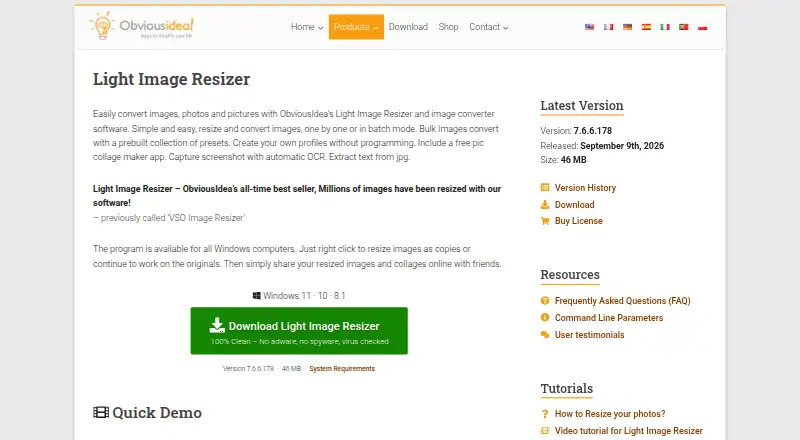
What Light Image Resizer is
Light Image Resizer is a Windows app for resizing, compressing, and converting single images or batches. It handles camera RAW formats and common file types including JPEG, PNG, GIF, TIFF, WebP, and HEIC; AVIF needs a free plugin. Batch jobs use presets, dimensions, and quality controls. Other tools include watermarking, bulk renaming, sorting, collages, and creating PDFs from images. Windows shell integration puts image profiles in the context menu, including in Windows 11 File Explorer. The bundled Light Image Editor includes AI Vision, which can analyze images using Google Gemini or OpenAI ChatGPT with your API key and pay-as-you-go billing. Those images are resized and sent to the cloud; ObviousIdea says it does not keep a copy, and recommends Ollama with a local model for fully local processing. A single-user license covers up to two computers owned by the user. The stated minimum requirements include Windows 11, 10, or 8.1, a 2.0 GHz processor, 4 GB RAM, and 500 MB free disk space.
Good
- Processes individual images and batches.
- Includes watermarking, renaming, sorting, collages, and PDF creation.
- Windows context-menu profiles include Windows 11 File Explorer.
- Single-user license covers up to two owned computers.
- Free plan and trial are available.
Watch out
- AVIF support requires a free plugin.
- No native Mac version; Linux via Wine is unsupported.
- AI image analysis sends resized images to the cloud.
- Minimum requirements specify Windows 11, 10, or 8.1.
Who it suits
It suits Windows users who need batch image conversion or resizing alongside organization and export tools. The local-model recommendation may matter to users who want fully local AI image analysis.
Verdict
Light Image Resizer combines batch image work with a range of organizing and export tools for Windows. Check its Windows requirements and cloud handling for AI image analysis before choosing it.
Plans and prices
From Light Image Resizer's own pricing page, checked 30 Sep 2026.
| Plan | Price | What it gives you |
|---|---|---|
| Light Image Resizer 7 | $24.99, paid once | Single user license · Lifetime license for the purchased major version (for example 7.x) |
The facts
Each one read from Light Image Resizer's own pages, with the date it was checked.
What it does
- AI image privacy
- For Gemini or ChatGPT image analysis, the app resizes and sends the image to the cloud; the maker says it does not store a copy, and recommends Ollama with a local model for fully local processing.checked 30 Sep 2026
- AI integrations
- The bundled Light Image Editor’s AI Vision feature can use Google Gemini or OpenAI ChatGPT with a user-provided API key and pay-as-you-go billing.checked 30 Sep 2026
- Editing features
- It supports watermarking, renaming, sorting, image collages, and PDF creation from images.checked 30 Sep 2026
- Formats
- Supported formats include JPEG, PNG, GIF, TIFF, WebP, HEIC, camera RAW formats, and others; AVIF requires a free plugin.checked 30 Sep 2026
- Image processing
- Light Image Resizer resizes, compresses, and converts individual or batches of images.checked 30 Sep 2026
- License limit
- A single-user license can be used on up to two computers owned by the user.checked 30 Sep 2026
- Security
- ObviousIdea says it uses encryption and security procedures to protect information, and its privacy policy describes usage data and device information that may be collected by product activation systems.checked 30 Sep 2026
- Support
- The purchase includes priority support by email or live chat and a 30-day money-back guarantee.checked 30 Sep 2026
The company
- Maker history
- ObviousIdea says it was created in 2011 to develop and promote consumer software, web services, and mobile applications.checked 30 Sep 2026
Where it runs
- Other platforms
- The maker says there is no native Mac version; Linux use through Wine is possible but unsupported and may have limited functionality.checked 30 Sep 2026
- Windows integration
- Windows shell integration adds image profiles to the context menu, including in Windows 11 File Explorer.checked 30 Sep 2026
- Windows requirements
- The stated minimum requirements are Windows 11, 10, or 8.1, a 2.0 GHz processor, 4 GB RAM, and 500 MB of free disk space.checked 30 Sep 2026
Alternatives to Light Image Resizer
- 1

Convertio
Free planAndroidiOSWebAPI8.3From $6.99 a month - 2
FreeConvert GIF Maker
Free planAndroidiOSWebAPI8.2From $12.99 a month - 3
Zamzar API
Free planAndroidiOSWebAPI8.2From $25 a month - 4
Aspose.Imaging
Free planAndroidiOSWebAPI8.1$999 one-time - 5

CloudConvert Audio Converter
Free planAndroidiOSWebAPI8.1From $10 a month - 6
XnConvert
Free planAndroidLinuxmacOSWindows7.9€6.50 one-time