Learning with Texts
Learning with Texts (LWT) is a free language-learning tool centered on reading and listening to texts.
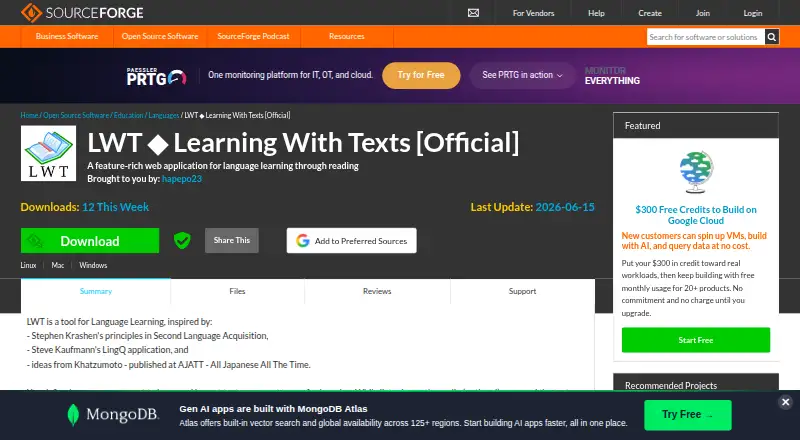
What Learning with Texts is
Learning with Texts (LWT) is a free language-learning tool centered on reading and listening to texts. Learners import material, optionally connect an MP3 URL, then save words or expressions to review and test. Saved terms can hold translations, romanization, and an example sentence, with learning status shown in texts. Tests can present terms with or without sentence context, and include Massive-Context Cloze Deletion. Users can configure external web dictionary links for each language. Terms can be imported from CSV or TSV and exported to TSV or Anki. LWT can also produce annotated texts that place selected word-by-word translations above the original passage for online or offline study. It is listed for Linux, macOS, Windows, and web use. Running it requires a modern browser, a local web server with PHP, and a database server such as MySQL. Texts and vocabulary terms with Unicode characters above U+FFFF are unsupported.
Good
- Save terms with translations and example sentences
- Tests can include sentence context
- Supports CSV and TSV imports
- Exports terms to TSV or Anki
- Annotated texts support online or offline study
Watch out
- Requires a local web server
- PHP and a database server are required
- Characters above U+FFFF are unsupported
Who it suits
LWT suits language learners who want to build vocabulary while reading or listening to imported texts. It is a fit for users able to run a local web server with PHP and a database server.
Verdict
LWT puts reading, listening, vocabulary review, and testing in one workflow. Its server requirements and Unicode limitation are worth checking before setting it up.
Plans and prices
From Learning with Texts's own pricing page, checked 19 Oct 2026.
| Plan | Price | What it gives you |
|---|---|---|
| Free | Free | All core features · self-hosted installation required · 100% free |
The facts
Each one read from Learning with Texts's own pages, with the date it was checked.
What it does
- Anki export
- Vocabulary can be exported for use in Anki and other programs.checked 19 Oct 2026
- Annotated texts
- Since version 1.5.0, users can create editable interlinear or hyperliteral annotated texts for online or offline study.checked 19 Oct 2026
- Audio
- Users can associate an MP3 URL with a text to listen while reading.checked 12 Oct 2026
- Audio playback
- A text may be linked to an MP3 URL so learners can listen while reading.checked 19 Oct 2026
- Bundled licences
- Bundled libraries such as jQuery, jPlayer, Mobile_Detect, and iUI retain their own licences.checked 19 Oct 2026
- Community fork
- The HugoFara repository describes itself as a community-maintained fork created from the original LWT released by hapepo23 in 2011.checked 19 Oct 2026
- Context testing
- Users can test vocabulary with or without sentence context, including recognition, recall, and sentence-based exercises.checked 19 Oct 2026
- CSV and TSV exchange
- Terms can be imported from CSV or TSV files and exported in TSV format.checked 19 Oct 2026
- Current downloadable release
- SourceForge lists learning-with-texts-25.10.0.zip at 7.8 MB, dated October 28, 2025.checked 19 Oct 2026
- Dictionaries
- Users can configure web dictionary links for each language and look up words through external dictionaries.checked 12 Oct 2026
- Dictionary integration
- Clicking a word opens configured external dictionary lookups and can also use Google Translate links.checked 19 Oct 2026
- Documentation depth
- The author describes the code as mostly undocumented and the project as a one-person hobby project.checked 19 Oct 2026
- Import and export
- Terms can be imported in CSV or TSV formats and exported to TSV or Anki.checked 12 Oct 2026
- Installation model
- LWT runs in a modern browser with a local web server, PHP, and MySQL rather than as a hosted SaaS service.checked 19 Oct 2026
- Integration
- The changelog describes integration with Translate Shell through a special dictionary link, available locally on macOS and Linux.checked 12 Oct 2026
- Language configuration
- Learners define study languages, word and sentence-splitting rules, and the web dictionaries used for lookups.checked 19 Oct 2026
- Licence
- The original application is released into the public domain under an Unlicense-style dedication allowing copying, modification, commercial use, and redistribution.checked 19 Oct 2026
- Limit: mostly undocumented
- The author acknowledges that the programming style is chaotic and the software is mostly undocumented.checked 19 Oct 2026
- Limit: technical setup
- The Mezzofanti Guild warns that running LWT requires web-server and database software that may be confusing for less technical users.checked 19 Oct 2026
- MCD testing
- Massive-Context Cloze Deletion testing is built into LWT.checked 19 Oct 2026
- Multi-word terms
- The application supports saving expressions containing two to nine words with translations, romanization, example sentences, and status values.checked 19 Oct 2026
The company
- Founded
- 2010checked 28 Sep 2026
- Maker identity
- The documentation presents the project as a one-person hobby effort; AlternativeTo identifies the developer as Anonymous, also called Language Learning Guy.checked 19 Oct 2026
Money
- Free plan
- Yeschecked 21 Sep 2026
The full review of Learning with Texts
Overview
Learning with Texts (LWT) is a free language-learning tool built around reading and listening to texts, with vocabulary saved and reviewed in context. It suits self-directed learners who want to study their own material and are comfortable managing a local server. The focused workflow is appealing, but its setup requirements and character restriction narrow its audience.
Key features
Import a text, optionally pair it with an MP3 URL, and save unfamiliar words or expressions as you read. Terms can hold a translation, romanization and example sentence, while their learning status remains visible in the text. That makes LWT a good fit for learners who want review tied to the material they encountered, rather than a separate vocabulary list.
Tests can present terms with or without sentence context, and Massive-Context Cloze Deletion provides another way to check recall. Personalized review supports returning to saved vocabulary. Configurable web dictionary links open external dictionaries for lookups; terms can also be imported from CSV or TSV and exported to TSV or Anki.
Annotated texts place selected word-by-word translations above the original, for online or offline study. A special dictionary link integrates Translate Shell locally on macOS and Linux. These tools support a text-centered routine, though they do not change the fact that LWT requires learners to bring their own texts and dictionary services.
Pricing
LWT has one plan: Free, at no cost. There is no paid tier or free trial. The plan includes the software without a subscription charge, but it requires a local web server, PHP and MySQL. That makes the price straightforward for technically equipped learners, while the server setup is a real cost in time and effort for anyone expecting a ready-hosted app.
Platforms
LWT supports Linux, macOS, Windows, web and self-hosted use. It requires a modern browser, a local web server with PHP and a database server such as MySQL. The offline lesson option is useful for studying annotated texts without an online connection, but it does not remove the server requirements for running LWT.
One important limitation: texts and vocabulary terms containing Unicode characters above U+FFFF are unsupported. Learners working with such characters should choose another tool. LWT is provided as is, without warranty, and its authors disclaim liability; the author invites problem reports, feedback and ideas.
Who it's for
LWT is best for learners who want to build vocabulary while reading or listening to their own texts, value export to Anki, and can set up or maintain a local web stack. It is a poor fit for anyone who wants a hosted, turnkey service or whose study material contains unsupported Unicode characters.
Pros and cons
- Pros: Vocabulary stays connected to the text, with translations, romanization, examples and learning status available for review.
- Pros: Contextual tests, annotated texts and optional audio support several parts of a reading-based study routine.
- Pros: The free plan has no subscription price, and CSV/TSV import plus TSV or Anki export help move terms between workflows.
- Cons: Running it requires a local web server, PHP and a database server, which adds setup and maintenance work.
- Cons: Characters above U+FFFF are unsupported, ruling out some texts and terms.
Alternatives
For a broader selection, browse Language learning apps. Choose Duolingo if you want an app on Android or iOS as well as the web and macOS, and prefer a freemium service with a free trial; its free plan is free and the trial lasts one week.
Sotto is another free, self-hosted option, available on Android, iOS, Linux, macOS, Windows and web, with an API. Its self-hosted plan is free; users pay configured providers directly. Choose Busuu for a freemium option on Android, iOS and web, with a free plan and paid Premium and Premium Plus plans.
LingQ is worth considering if you want mobile apps and a browser extension alongside the web app; its free membership is capped at 20 saved words and phrases, 5 imported lessons and 1 audio playlist. mLearn is a free alternative for Android, iOS, Linux, macOS and Windows, with an extension; its optional cloud features have usage limits.
Innovative Language Learning offers a free lifetime account with lessons, transcripts and mobile access, plus a trial and a Basic plan at $8 a month billed monthly. JapanesePod101 is a freemium alternative with a free plan and trial, available on Android, iOS and web. Talktiko has a free plan capped at one language and three lessons per day, with basic text-to-speech, and is available on Android, iOS and web.
Verdict
Choose LWT if your ideal study session starts with your own text and you want reading, listening, vocabulary review and testing in one free workflow. Its strongest reason to choose it is that close link between source material and saved terms. Look elsewhere if you need a turnkey hosted app, or if your texts use characters above U+FFFF.
Alternatives to Learning with Texts
- 1

Talkpal
Free planAndroidiOSWebmacOS9.0From $6.24 a month - 2

Langua
Free planAndroidiOSWebmacOS8.9Free plan - 3

LingQ
Free planAndroidiOSWebExtension8.8From $215.76 a year - 4

Clozemaster
Free planAndroidiOSWebAPI8.7From $60 a year - 5
Innovative Language Learning
Free planAndroidiOSWebmacOS8.7From $60 a year - 6
Enverson AI
Free planAndroidiOSWeb8.6From $8.25 a month