Karaoke Mugen
Karaoke Mugen is a karaoke playlist manager for private sessions and public events where an operator coordinates song requests.
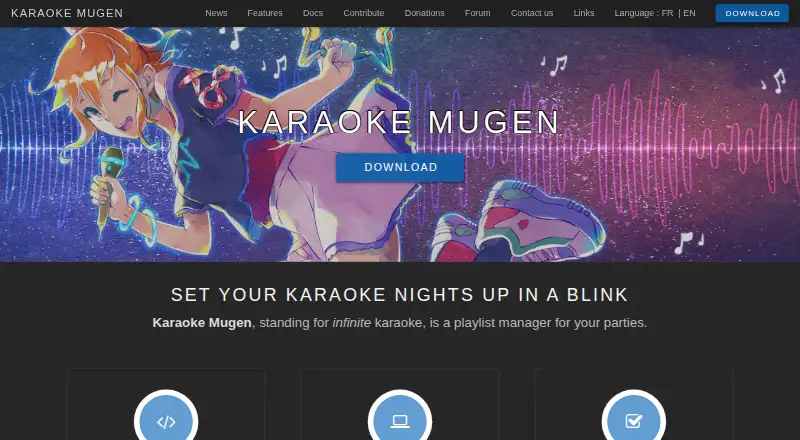
What Karaoke Mugen is
Karaoke Mugen is a karaoke playlist manager for private sessions and public events where an operator coordinates song requests. Operators can add, remove, reorder, shuffle, import, and export songs; guests can suggest tracks from their devices, and voting can determine what plays next. The software also supports automixes, quiz mode, and quotas for songs or singing time, alongside song blacklists and whitelists. Its player offers playback controls, automatic volume adjustment, pitch and speed changes, and a synchronized second video player. It accepts video formats supported by mpv, uses ASS subtitles, and imports formats including Ultrastar, Karafun, and KBP. Users can link AniList, Kitsu, or MyAnimeList accounts for song lists based on watched anime, and the current song can appear on Discord profiles. Once installed, configured, and up to date, it can run offline; guests must share the same Wi-Fi network. Karaoke Mugen is free, open source under the MIT license, and has Windows, macOS, and Linux builds. Linux binaries require GLIBC 2.31 or higher.
Good
- Guests can suggest songs from their own devices.
- Operators can enable voting for the next song.
- Works offline after installation, configuration, and updating.
- Supports Windows, macOS, and Linux builds.
- Free and open source under the MIT license.
Watch out
- Guests must use the same Wi-Fi network.
- Linux binaries require GLIBC 2.31 or higher.
- Windows portable version cannot update automatically.
Who it suits
Karaoke Mugen suits hosts who want to manage song requests and participation at home or at public events. It can also suit users who want anime-linked song lists or quiz and voting features.
Verdict
Karaoke Mugen combines playlist control with ways for guests to request and vote on songs. Its offline mode still depends on advance setup, and Linux users should check the GLIBC requirement.
Plans and prices
From Karaoke Mugen's own pricing page, checked 4 Oct 2026.
| Plan | Price | What it gives you |
|---|---|---|
| Karaoke Mugen | Free | MIT-licensed software; no paid plan listed |
The facts
Each one read from Karaoke Mugen's own pages, with the date it was checked.
What it does
- API
- The project provides a WebSockets API for additional interfaces or clients.checked 4 Oct 2026
- Audience features
- The software supports song voting, user quotas, automixes, sessions, and quiz mode.checked 4 Oct 2026
- Audience participation
- Guests can suggest songs from their devices, and operators can let the audience vote on which song plays next.checked 4 Oct 2026
- Discord
- The app can show the currently sung song on a user's Discord profile.checked 4 Oct 2026
- Downloads
- The download page lists Windows, macOS, and Linux builds; it states Linux binaries require GLIBC 2.31 or higher.checked 4 Oct 2026
- Formats and API
- The software accepts video formats supported by mpv, uses ASS subtitles, can import several other subtitle formats, and provides a WebSockets API.checked 4 Oct 2026
- Group requests
- Guests can suggest songs from their own devices, while an operator selects songs from the suggestions.checked 4 Oct 2026
- Integrations
- Users can link accounts to AniList, Kitsu, or MyAnimeList to get song lists from anime they have watched.checked 4 Oct 2026
- Intended users
- The site describes private karaoke with friends and public events where an operator manages audience suggestions.checked 4 Oct 2026
- License and source
- Karaoke Mugen is open source and published under the MIT license.checked 4 Oct 2026
- Media formats
- The app accepts video formats supported by mpv and uses ASS subtitles, with import support for formats including Ultrastar, Karafun, and KBP.checked 4 Oct 2026
- Media playback
- The player supports playback controls, automatic volume adjustment, pitch and speed changes, and a synchronized second video player.checked 4 Oct 2026
- Offline use
- Karaoke Mugen can be used without an internet connection; on a local network, users need to be on the same Wi-Fi network.checked 4 Oct 2026
- Optional online features
- Optional online features include update checks, downloading songs from karaoke repositories, online user accounts, and a shortened session URL.checked 4 Oct 2026
- Playlist management
- Operators can add, remove, shuffle, import, export, and reorder songs in playlists.checked 4 Oct 2026
- Playlist tools
- Operators can manage, import, export, shuffle, and reorganize playlists, including smart shuffle.checked 4 Oct 2026
- Portable update limit
- The Windows portable version is not compatible with automatic updates and must be updated by replacing its files from a new ZIP archive.checked 4 Oct 2026
- Privacy setting
- Usage statistics can be sent to Karaoke Mugen Server only with the user's consent.checked 4 Oct 2026
- Purpose
- Karaoke Mugen is a playlist manager for karaoke parties.checked 4 Oct 2026
- Security and privacy
- Usage statistics can be sent to Karaoke Mugen Server only if the user gives consent.checked 4 Oct 2026
- Support
- The project directs users to its forum, Discord server, email address, and issue trackers for questions and bug reports.checked 4 Oct 2026
- Supported desktop systems
- The maker lists Windows, macOS, and Linux support; its download page provides installers or packages for all three.checked 4 Oct 2026
- User accounts
- Users can save profiles and favorites online and link accounts to AniList, Kitsu, or MyAnimeList to get songs from anime they have watched.checked 4 Oct 2026
Where it runs
- Linux requirement
- The Linux binaries require GLIBC 2.31 or higher.checked 4 Oct 2026
The full review of Karaoke Mugen
Karaoke Mugen is free, open-source software for organizing karaoke playlists at private parties and public events. It suits hosts who want guests to take part in choosing songs while keeping an operator in charge of the session. Its range of queue and playback controls is compelling, provided the host is willing to configure the setup and manage the event.
Overview
The app puts a host in control of the playlist but gives the audience ways to shape it: guests can suggest songs from their own devices, and the operator can enable voting on what plays next. That balance is useful when requests should be welcome without letting the queue run itself. Song and singing-time quotas, plus blacklists and whitelists, give the host further control, at the cost of some setup and rule-setting.
After installation, configuration, and updates, Karaoke Mugen can run without an internet connection. Guests must still be on the same Wi-Fi network, so this works for a prepared local event, not a remote crowd. Optional online features include update checks, karaoke repository downloads, online accounts, and shortened session URLs.
Key features
Playlist and event controls
Operators can add, remove, reorder, shuffle, import, and export songs; smart shuffle helps vary the queue without requiring the host to arrange every transition. Sessions, automixes, and quiz mode extend its use beyond a simple list of requests. These tools make it suited to an event with a host and a planned flow, rather than someone looking only for a personal singing app.
Playback, formats, and integrations
The player offers playback controls, automatic volume adjustment, pitch and speed changes, and a synchronized second video player. It accepts video formats supported by mpv, uses ASS subtitles, and can import formats including Ultrastar, Karafun, and KBP. Users can create tracks and display lyrics in dual-screen mode.
Users can connect AniList, Kitsu, or MyAnimeList accounts to get song lists from anime they have watched, and the current song can appear on a user's Discord profile. Online profiles can store favorites. A WebSockets API gives developers a way to build additional interfaces or clients, though that flexibility is most relevant to technically minded hosts.
Privacy and updates
Usage statistics are sent to Karaoke Mugen Server only with the user's consent. The Windows portable version does not support automatic updates; users must replace its files with a new ZIP archive to update it. That is a manageable trade-off for portable use, but less convenient than an installer-based update path.
Pricing
Karaoke Mugen is free, with no paid plan listed. Its MIT license also makes the software open source. There is no free trial because the free plan is the product's pricing model.
| Plan | Price | What it includes |
|---|---|---|
| Karaoke Mugen | free | MIT-licensed software |
Platforms
Desktop builds are available for Windows, macOS, and Linux. Linux users need GLIBC 2.31 or higher, so older distributions may not run the supplied binaries. The web platform is also supported; guests can use their devices to suggest songs, but they need to share the host's Wi-Fi network.
Who it's for
Karaoke Mugen is a strong fit for a host running karaoke for friends or a public event who wants to combine audience requests with a controlled queue. It is less suitable for a remote group, since guest participation depends on the same Wi-Fi network, or for someone who wants karaoke without taking responsibility for managing playlists and session rules.
Pros and cons
Pros
- Guest requests and optional voting: the audience can contribute from their own devices while the operator retains control of song selection.
- Useful event controls: quotas, song filters, automixes, sessions, and quiz mode support more than an unstructured queue.
- Broad playback flexibility: mpv-supported video, ASS subtitles, multiple import formats, and pitch and speed controls accommodate varied karaoke libraries.
- Free and open source: the MIT-licensed app has no paid tier to weigh against its event-management features.
Cons
- Local-network constraint: guests must share the host's Wi-Fi, limiting participation to a local room or venue.
- Preparation is required for offline use: the app must be installed, configured, and up to date before it can run without internet.
- Linux compatibility has a floor: GLIBC 2.31 or higher is required for the supplied binaries.
- Portable Windows updates are manual: updating means replacing files from a new ZIP archive.
Alternatives
Karaoke Software is the broader category to explore when comparing options. Karaoke 5 is worth considering for Windows, macOS, Android, or iOS users who want a player and manager on a free plan, but that plan gives up synchronization, YouTube downloads, mobile management, and music quiz features.
OpenKJ is another free, open-source hosting option, with a separate Songbook plan at $9.99 a month for readers considering a paid songbook. KaraFun may suit people who want a freemium app with free songs and Premium previews; its Premium plan costs £7.99 a month.
Nightingale is another free, open-source karaoke app. Smule is a better alternative for someone who wants to join existing duets at no cost, with a VIP All Access Pass at $19.99 a month.
TKaraoke is a freemium alternative for Android, iOS, or Windows users. Kanto Karaoke Player&Recorder has a free Windows version capped at five playlist songs, one-minute recordings, and one-minute MIDI-to-MP3 conversions, with no professional use. Performous is another free option for Linux, macOS, and Windows.
Verdict
Choose Karaoke Mugen if you want a free, flexible way to run a host-led karaoke event where guests can request songs and vote. Its event controls and wide playback support make it more than a basic player, but the shared-network requirement and preparation burden make it a poor fit for remote participation or hands-off karaoke.
Getting started
- Download the Windows, macOS, or Linux build from the Karaoke Mugen website
- Install, configure, and update the application
- Place guests on the same Wi-Fi network for offline sessions
- Create or import a playlist and arrange songs
- Enable requests, voting, quotas, filters, automixes, or quiz mode as needed
- Optionally link AniList, Kitsu, or MyAnimeList accounts and configure online profiles
Limits worth knowing
Linux binaries require GLIBC 2.31 or higher. The Windows portable version must be updated by replacing its files with a new ZIP archive.
Questions
How much does Karaoke Mugen cost?
It is free software, with a free plan listed at 0.00 USD.
Which systems can run it?
Builds are available for Windows, macOS, and Linux, and the project also lists web access.
Can it work without internet?
Yes, after installation, configuration, and updating. Guests must be connected to the same Wi-Fi network.
Is Karaoke Mugen open source?
Yes. It is published under the MIT license.
What does it support for media?
The player accepts video formats supported by mpv, uses ASS subtitles, and can import formats including Ultrastar, Karafun, and KBP.
Are usage statistics shared?
Usage statistics are sent to Karaoke Mugen Server only when the user gives consent.
Alternatives to Karaoke Mugen
- 1
KaraFun
Free planAndroidiOSWebAPI8.0From $9.99 a month - 2
Karaoke 5
Free planAndroidiOSmacOSWindows7.9From €35 a year - 3
OpenKJ
Free planAndroidiOSWebLinux7.3From $9.99 a month - 4
Smule
Free planAndroidiOSWeb7.2From $19.99 a month - 5
Performous
Free planOpen sourceLinuxmacOSWindows7.1Free plan - 6
TKaraoke
Free planAndroidiOSWindows7.1$1 one-time