Karaoke 5
Karaoke 5 combines a karaoke player, lyrics synchronizer, and tools for singers, DJs, and karaoke hosts.
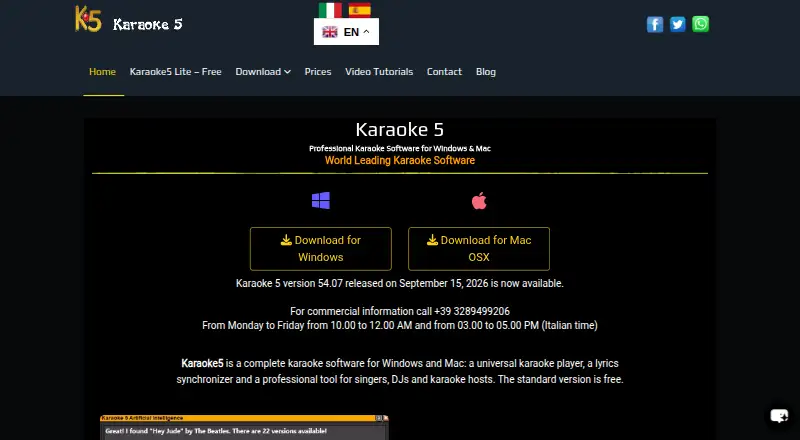
What Karaoke 5 is
Karaoke 5 combines a karaoke player, lyrics synchronizer, and tools for singers, DJs, and karaoke hosts. It plays K5, MIDI, KAR, KFN, MP3, WMA, CD+G, and video formats including MP4 and FLV. In dual-screen mode, lyrics appear on a second monitor or TV while the operator controls the program on the computer. Guests can use smartphones to request songs, send on-screen messages, vote, and chat.
The voice assistant searches a user's music database, a P2P network, and YouTube, and supports eight languages. YouTube tools include search, previews, and downloading tracks into a database or playlist. A real-time vocal remover can make a karaoke backing track from an original song. The music quiz generates questions from the user's library and offers multiplayer and multiple game modes.
Karaoke 5 is freemium. The free player and manager exclude synchronization, YouTube downloads, mobile management, and the music quiz. Paid choices include annual subscriptions and one-time licenses: HOME options are for one PC and home use, while PRO options cover three PCs. The listed platforms are Android, iOS, macOS, and Windows; the download page offers Windows and Mac OS X versions. The maker is based in Sortino, Italy.
Good
- Plays K5, MIDI, KAR, KFN, MP3, WMA, CD+G, and video formats.
- Displays lyrics on a second monitor or TV.
- Lets guests request songs, message, vote, and chat by smartphone.
- Voice assistant searches a database, P2P network, and YouTube.
- Includes a real-time vocal remover and library-based music quiz.
Watch out
- The free plan excludes synchronization and YouTube downloads.
- Freeware also excludes mobile management and the music quiz.
- Annual subscriptions do not renew automatically.
- Paid technical assistance is in Italian only.
Who it suits
Karaoke 5 suits singers, DJs, and hosts who need playback, lyric display, and ways for guests to participate from smartphones. Its paid HOME and PRO licenses serve home users and people who need coverage for multiple PCs.
Verdict
Choose Karaoke 5 if you need karaoke playback alongside live lyric display and smartphone guest requests. The free plan omits several hosting and music tools, so check the paid HOME or PRO options if you need synchronization, mobile management, YouTube downloads, or the quiz.
Plans and prices
From Karaoke 5's own pricing page, checked 7 Oct 2026.
| Plan | Price | What it gives you |
|---|---|---|
| Karaoke5 Freeware | Free | Player and manager · No synchronization · No YouTube downloads · No mobile management · No music quiz |
| Lite Freeware | Free | Essential playback · YouTube streaming · second-screen TV · MIDI K5 Instrument · transpose/tempo · MIDI vocal removal |
| 1 Year HOME Upgrade Service | €25 a year | For existing full HOME license holders and users with version 45 or later · One-year upgrade service |
| HOME upgrade service | €25 a year | Existing HOME purchasers or version 45+ · €25 for 1 year |
| Immediate Technical Assistance | €30, paid once | For existing full program purchasers · Italian language only · Covers program technical functions · One-time assistance |
| Annual Subscription HOME for 1 PC | €35 a year | 1 PC · Home use · Annual subscription; no automatic renewal |
| Annual Subscription HOME | €35 a year | 1 PC · home use · €35 annually; no automatic renewal |
| HOME one-time license | €55, paid once | 1 PC · home use · €55 once; 1 year of free updates |
| 1 Year PRO Upgrade Service | €65 a year | For existing full PRO license holders and users with version 45 or later · One-year upgrade service |
| PRO upgrade service | €65 a year | Existing PRO purchasers or version 45+ · €65 for 1 year |
| Annual Subscription PRO | €75 a year | 3 PCs · professional use · €75 annually; no automatic renewal |
| Annual Subscription PRO for 3 PC | €75 a year | 3 PCs · Annual subscription; no automatic renewal |
| HOME one-time license with immediate technical assistance | €85, paid once | Home version · Immediate technical assistance · One-time |
| HOME with immediate technical assistance | €85, paid once | Home edition · technical assistance · €85 once |
| HOME to PRO upgrade | €120, paid once | Existing full HOME purchasers · €120 once |
| PRO one-time license | €155, paid once | 3 PCs · professional use · €155 once; 1 year of free updates |
| PRO one-time license with immediate technical assistance | €185, paid once | Professional version · Immediate technical assistance · One-time; unlimited time |
| PRO with immediate technical assistance | €185, paid once | Professional edition · technical assistance · €185 once |
The facts
Each one read from Karaoke 5's own pages, with the date it was checked.
What it does
- AI voice assistant
- The assistant accepts voice or text requests, searches the local database, P2P network and YouTube together, and understands eight languages.checked 15 Oct 2026
- Documentation
- The official download page links English, Italian and Spanish manuals plus Windows and macOS setup guides and support tools.checked 15 Oct 2026
- Dual-screen output
- A second monitor or TV can show lyrics while the operator controls the program on the computer.checked 15 Oct 2026
- Feature gating
- The freeware edition omits synchronization, YouTube downloads and internet search, while mobile management and quizzes are restricted and TV output is Pro-only.checked 15 Oct 2026
- Feature limits
- The download comparison says HOME supports mobile management and music quiz for up to 5 users, while PRO supports both without that stated cap.checked 7 Oct 2026
- Formats
- The player supports K5, MIDI, KAR, KFN, MP3, WMA, CD+G, and video formats including MP4 and FLV.checked 7 Oct 2026
- Google Play data safety
- The developer-declared Google Play disclosure says no data is shared with third parties and no data is collected.checked 15 Oct 2026
- Guest requests
- Guests can use smartphones to book songs, send requests and on-screen messages, vote, and chat.checked 7 Oct 2026
- Karaoke file creation
- Home and Pro editions synchronize lyrics and create K5, MIDI, MP3 and MP4 karaoke files, with live K5 virtual instruments.checked 15 Oct 2026
- Library management
- Fast searches cover internal and external drives, with dual playlists and headphone cueing.checked 15 Oct 2026
- Licence
- The EULA describes a proprietary, non-exclusive, non-transferable licence for one copy on up to three computers and bans redistribution, reverse engineering and modification.checked 15 Oct 2026
- License limit
- The download page's EULA describes a personal, non-transferable license to install and use one copy on up to three computers belonging to the same person.checked 7 Oct 2026
- Limit: interface learning curve
- Softpedia said the multi-section floating interface initially felt confusing until rearranged.checked 15 Oct 2026
- Limit: paid feature dependency
- Softpedia lists synchronization, YouTube downloads, internet search, mobile management, quizzes, MIDI instruments, metronome and TV output as unavailable or restricted in unregistered editions.checked 15 Oct 2026
- Lite availability
- Karaoke5 Lite is described as completely free with no trial or payment requirement and is downloadable for Windows and macOS.checked 15 Oct 2026
- Live hosting
- Dual-screen mode sends lyrics to a second monitor or TV while the operator controls the program on the computer.checked 7 Oct 2026
- Mixer
- Mix Control provides key changes, equalizers, applause and jingles, screen messages, and transitions to the next song.checked 15 Oct 2026
- Music quiz
- The quiz generates questions from the user’s library and supports multiple modes and multiplayer play on Windows, macOS, iOS and Android.checked 15 Oct 2026
- Plugin support
- The download comparison lists VSTi Plugin support in both freeware and paid editions.checked 15 Oct 2026
The company
- Company age
- The Lite page says the team has developed Karaoke5 Professional for 30 years, implying origins around 1996 as of 2026.checked 15 Oct 2026
- Company legal name
- The EULA identifies the rights owner as Karaoke 5 at Via Magenta 47, 96010 Sortino, Italy.checked 15 Oct 2026
- Headquarters
- Sortino, Italychecked 23 Sep 2026
Where it runs
- Google Play app
- The Karaoke 5 - RC Android app provides chat, playlists, booking, voting, quizzes and remote control, with 1K+ downloads.checked 15 Oct 2026
- Platforms and requirements
- The download page offers Windows and Mac OS X versions and lists Windows 11, 10, and 8 and Mac OS versions 10.15 through 26 as requirements.checked 7 Oct 2026
The full review of Karaoke 5
Karaoke 5 is a karaoke player and hosting tool for singers, DJs, and anyone running a live sing-along. It suits hosts who want lyric display and smartphone requests alongside playback, though its free edition leaves several useful preparation and event tools out.
Overview
Karaoke 5 brings playback, lyric synchronization, library management, and audience interaction into one program. Its broad format support helps when a collection includes more than standard karaoke files, and dual-screen output keeps lyrics visible to a room while the operator stays at the computer. The main trade-off is that Freeware is limited to playback and management: synchronization, YouTube downloads, mobile management, and the music quiz require a paid option.
Key features
The player handles K5, MIDI, KAR, KFN, MP3, WMA, CD+G, and video formats including MP4 and FLV. That range is useful for hosts working with a mixed library. Karaoke 5 also offers vocal controls and track creation; its real-time vocal remover can make a backing track from an original song, though the quality of any result depends on the source track.
Dual-screen mode sends lyrics to a second monitor or TV while the operator controls the program from the computer. Guests can use smartphones to book songs, send requests and on-screen messages, vote, and chat. Together, these functions make Karaoke 5 a stronger fit for hosted sessions than for someone who only needs a personal sing-along player. Mobile management is not part of Freeware.
The voice assistant searches the user's library, a P2P network, and YouTube, with support for eight languages. Separate YouTube tools let users search and preview videos and download tracks into a database or playlist; downloads are excluded from Freeware. The music quiz creates questions from the user's music library and includes multiplayer and multiple game modes. HOME supports mobile management and the quiz for up to five users; PRO has no stated cap for those features.
Pricing
Karaoke 5 has a free edition and paid licenses for home and professional use. The Freeware plan costs nothing and includes the player and manager, but omits synchronization, YouTube downloads, mobile management, and the music quiz. It is a reasonable way to play and organize tracks, but not a full hosting or lyric-preparation setup.
The Annual Subscription HOME for 1 PC costs €35 a year, with no automatic renewal, and is for home use on one computer. The HOME one-time license costs €55, paid once, covers one PC for home use, and includes one year of free software updates. Choose the subscription for a lower initial cost if yearly access suits you; choose the one-time license if you prefer a perpetual license and accept the higher upfront price.
For multiple computers, the Annual Subscription PRO for 3 PC costs €75 a year, with no automatic renewal. The PRO one-time license costs €155, paid once, is for unlimited time on three PCs, and includes one year of free software updates. Both are the more suitable choices for professional use; HOME is explicitly limited to home use. HOME one-time license with immediate technical assistance costs €85, paid once, and PRO one-time license with immediate technical assistance costs €185, paid once. The assistance add-on covers Karaoke 5's technical functions, not PC, operating system, hardware, firewall, or third-party software problems.
Existing full HOME or PRO license holders on version 45 or later can buy a one-year upgrade service for €25 a year or €65 a year, respectively. Immediate Technical Assistance costs €30, paid once for existing full program purchasers and is offered in Italian only. There is no free trial. The personal, non-transferable license permits one copy on up to three computers belonging to the same person.
Platforms
Karaoke 5 is offered for Android, iOS, macOS, and Windows. The download page provides Windows and Mac OS X versions; its requirements include Windows 11, 10, or 8 and Mac OS versions 10.15 through 26.
Who it's for
Karaoke 5 fits DJs and home or professional hosts who want to run playback from a computer, display lyrics separately, and let guests participate through their phones. It is also useful for singers who want broad format support, lyric synchronization, or a way to create backing tracks from original songs. Someone who only needs free playback can start with Freeware; anyone who needs synchronization, mobile management, YouTube downloads, or quizzes should budget for a paid license.
Pros and cons
Pros
- Broad audio, karaoke, and video format support helps accommodate an existing mixed collection.
- Dual-screen lyrics and smartphone requests, voting, messages, and chat support a more interactive hosted session.
- The vocal remover and library-based music quiz add tools for creating backing tracks and running music games.
- HOME and PRO perpetual licenses offer one-time purchase options, and the subscriptions do not automatically renew.
Cons
- Freeware excludes lyric synchronization, YouTube downloads, mobile management, and the quiz, limiting its usefulness for full event preparation.
- HOME restricts mobile management and the quiz to up to five users, while PRO is the option without that stated cap.
- HOME is for home use on one PC, so professional use or three-computer coverage calls for PRO.
- Immediate technical assistance is Italian-only and does not cover computer, operating system, hardware, firewall, or third-party software issues.
Alternatives
Compare karaoke software if you want to explore the category before choosing a player or hosting setup.
- OpenKJ is a free, open-source karaoke hosting option with versions for Android, iOS, Linux, macOS, web, and Windows; its Songbook plan starts at $9.99 a month.
- KaraFun is another freemium option, with a free tier for songs, premium previews, and a quiz, and a Premium plan at £7.99 a month. Consider it if those song and quiz provisions better match your needs.
- Karaoke Mugen is a free, MIT-licensed option for Linux, macOS, web, and Windows, with no paid plan.
- Encore Karaoke is a free, open-source karaoke player for Android, Linux, macOS, and Windows; its song library is not included.
- Nightingale is a free, open-source karaoke app for Linux, macOS, self-hosted use, web, and Windows.
- Smule suits singers who want to join existing duets at no cost, with a VIP All Access Pass at $19.99 a month that renews automatically unless canceled at least 24 hours before renewal.
- TKaraoke is a freemium alternative for Android, iOS, and Windows.
- Kanto Karaoke Player&Recorder has free trial versions for macOS and Windows; its Windows free edition caps playlists at five songs, recordings at one minute, and MIDI-to-MP3 conversion at one minute, and bars professional use.
Verdict
Choose Karaoke 5 if you host karaoke from a computer and want separate lyric display, smartphone guest requests, and playback across a broad range of formats. Freeware handles basic playback and library management, while paid HOME and PRO plans unlock the synchronization and event tools that make the product more complete. Look elsewhere if you need those capabilities without a paid license or want a simpler free player.
Getting started
- Visit https://www.karaoke5.com/.
- Choose a Windows or Mac OS X download; listed requirements include Windows 11, 10, or 8, or Mac OS 10.15 through 26.
- Start with Karaoke5 Freeware or choose a paid HOME or PRO option.
- For live hosting, connect a second monitor or TV for lyrics.
- Guests can use smartphones to request songs, message, vote, and chat.
Limits worth knowing
Karaoke5 Freeware includes the player and manager but excludes synchronization, YouTube downloads, mobile management, and the music quiz. HOME supports mobile management and the music quiz for up to five users; PRO has no stated cap for those features.
Questions
Is Karaoke 5 free?
Yes. Karaoke5 Freeware is free and includes the player and manager. Paid plans include annual subscriptions and one-time licenses.
What is the cheapest paid plan?
Annual Subscription HOME for 1 PC costs €35 a year. It is for home use and has no automatic renewal.
Which platforms are available?
The listed platforms are Android, iOS, macOS, and Windows. The download page offers Windows and Mac OS X versions.
What does the free plan leave out?
Karaoke5 Freeware does not include synchronization, YouTube downloads, mobile management, or the music quiz.
What is the difference between HOME and PRO for mobile management and the quiz?
HOME supports both for up to five users. PRO supports both without a stated user cap.
How many computers does a license cover?
The EULA describes a personal, non-transferable license for one copy on up to three computers belonging to the same person. The listed HOME subscriptions and licenses cover one PC, while PRO options cover three PCs.