
JSON OS
JSON OS is a free web workbench that brings together a JSON editor and Markdown Studio.
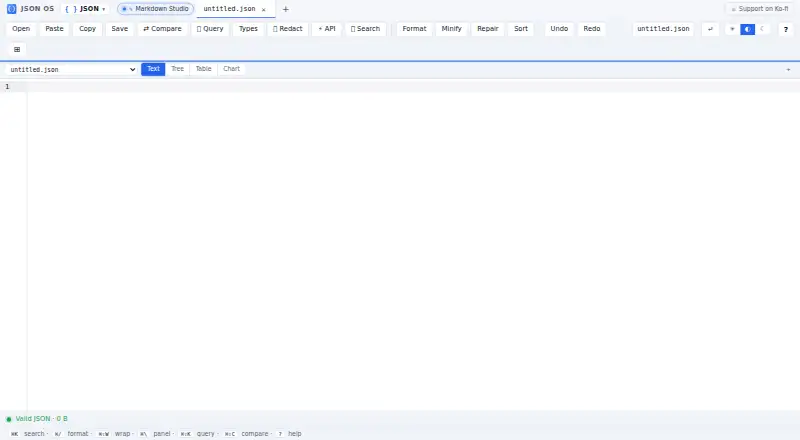
What JSON OS is
JSON OS is a free web workbench that brings together a JSON editor and Markdown Studio. The JSON editor can show and edit data in tree, text, or table form, and lets users format, minify, sort, validate against JSON Schema, and repair malformed input. It can compare two documents side by side, apply MongoDB-style filters, and export JSON arrays to CSV. The workspace supports up to three panes. Markdown Studio handles GitHub-Flavored Markdown, diagrams, math, highlighted code, and URL embeds from services including YouTube, Vimeo, GitHub Gist, and Twitter/X. It can export Markdown source, copy rendered HTML, or download a standalone HTML file. Users can open or drop JSON and Markdown files. The maker says the app needs no signup and processes data locally, with nothing leaving the device. It also says rendered Markdown is sanitized, stripping scripts and untrusted iframes. JSON OS is available in a browser and has a free plan.
Good
- Tree, text, and table JSON views
- Schema validation and malformed JSON repair
- Side-by-side comparison and MongoDB-style filters
- Markdown supports diagrams, math, and embeds
- Exports JSON arrays to CSV
Watch out
- JSON workspace is limited to three panes
- Available on web only
Who it suits
JSON OS suits people who need browser-based tools for editing, checking, comparing, or exporting JSON, as well as writing and previewing Markdown. It may also fit users who want a no-signup workflow and local processing, as described by the maker.
Verdict
JSON OS combines several JSON editing and Markdown tasks in one browser workbench. Its three-pane workspace limit and web-only availability are worth considering.
Plans and prices
From JSON OS's own pricing page, checked 8 Oct 2026.
| Plan | Price | What it gives you |
|---|---|---|
| Free | Free | Browser-based JSON editor and Markdown previewer |
The facts
Each one read from JSON OS's own pages, with the date it was checked.
What it does
- Compare and query
- The editor compares two documents side by side and supports MongoDB-style filters for querying JSON.checked 8 Oct 2026
- CSV export
- JSON arrays can be exported to CSV with a UTF-8 BOM for Excel compatibility.checked 8 Oct 2026
- Embed integrations
- Markdown URL embeds include YouTube, Vimeo, CodePen, CodeSandbox, JSFiddle, GitHub Gist, and Twitter/X.checked 8 Oct 2026
- Embeds
- Markdown URL embeds include YouTube, Vimeo, CodePen, CodeSandbox, JSFiddle, GitHub Gist, and Twitter/X.checked 8 Oct 2026
- Exports
- JSON arrays can be exported to CSV, and Markdown can be exported as source, copied as rendered HTML, or downloaded as standalone HTML.checked 8 Oct 2026
- File use
- Users can open or drop JSON and Markdown files, and the Markdown Studio can import .md files by drag and drop.checked 8 Oct 2026
- Formatting
- The editor can format, beautify, minify, and sort JSON keys.checked 8 Oct 2026
- JSON editing
- The JSON editor supports tree, text, and table views, plus formatting, minifying, and sorting keys.checked 8 Oct 2026
- JSON views
- The JSON editor can display and edit data in tree, text, or table view, with columns switchable independently.checked 8 Oct 2026
- Local processing
- The maker says processing runs locally in a Web Worker, data is persisted in IndexedDB, and nothing leaves the device.checked 8 Oct 2026
- Markdown exports
- Markdown Studio can export Markdown source, copy rendered HTML, or download a standalone HTML file.checked 8 Oct 2026
- Markdown features
- Markdown Studio supports GitHub-Flavored Markdown, Mermaid diagrams, KaTeX math, syntax-highlighted code, and embeds.checked 8 Oct 2026
- Markdown safety
- The maker says rendered HTML is sanitized with DOMPurify and scripts and untrusted iframes are stripped.checked 8 Oct 2026
- Output sanitization
- Rendered Markdown HTML is processed through DOMPurify, and scripts and untrusted iframes are stripped.checked 8 Oct 2026
- Privacy and signup
- The site says the app requires no signup, uploads, or server processing.checked 8 Oct 2026
- Product
- JSON OS is a free, browser-based workbench with a JSON editor and Markdown previewer; the maker says it requires no signup.checked 8 Oct 2026
- Query and compare
- It supports MongoDB-style JSON filters and side-by-side document comparison with sync-scroll and ignore rules.checked 8 Oct 2026
- Repair
- The editor repairs malformed JSON including smart quotes, trailing commas, unquoted keys, comments, and unclosed brackets.checked 8 Oct 2026
- Schema validation
- The editor validates JSON against JSON Schema using Ajv with format checks.checked 8 Oct 2026
- Validation and repair
- It validates JSON against JSON Schema and can repair issues including trailing commas, unquoted keys, and unclosed brackets.checked 8 Oct 2026
- Workspace limit
- The JSON workspace supports up to three panes.checked 8 Oct 2026
Alternatives to JSON OS
- 1

JSONZen
Free planWebAPILinuxmacOS7.6$1 one-time - 2
jaq
Free planOpen sourceWebAPILinuxmacOS7.5Free plan - 3
jq
Free planWebLinuxmacOSSelf-hosted7.2Free plan - 4
Dadroit JSON Viewer
Free planWebLinuxmacOSWindows6.9From $98 a year - 5

BracketView
Free planWebLinuxWindows6.7From $27 a year - 6
jidoujisho
Free planAndroid6.6Free plan