JPEGView
The facts below are what the maker publishes about JPEGView, checked and dated. Our editors have not written about it yet.
The facts
Each one read from JPEGView's own pages, with the date it was checked.
What it does
- Documentation
- The maker says the documentation is somewhat out of date but should still summarize the features.checked 7 Oct 2026
- Downloads
- Official releases provide portable ZIP/7z archives, Windows MSI installers, and source code.checked 7 Oct 2026
- Editing
- Its on-the-fly processing adjusts sharpness, color balance, rotation, perspective, contrast, and local under- or overexposure.checked 7 Oct 2026
- Image adjustments
- Its on-the-fly image processing includes sharpness, color balance, rotation, perspective, contrast, and local exposure adjustments.checked 8 Oct 2026
- Image formats
- Built-in support includes JPEG, GIF, BMP, PNG, TIFF, PSD, WEBP, JXL, HEIF/HEIC, AVIF, legacy formats, and camera RAW formats.checked 8 Oct 2026
- Installer security
- The maker says its MSI release is not signed because it does not yet have a code-signing certificate, and advises users to verify checksums.checked 7 Oct 2026
- Install options
- Official releases include portable ZIP/7z archives, Windows MSI installers, and source code; the project also documents WinGet and Scoop installation.checked 8 Oct 2026
- Latest release
- The releases page lists v1.3.46 with modern camera RAW and PSD support, EXIF reader updates, decoding improvements, and a libwebp CVE fix.checked 8 Oct 2026
- License
- The repository identifies its license as GPL-2.0.checked 8 Oct 2026
- Limits
- The latest release notes say PSD support is basic and limited to 8-bit files with raw/uncompressed or RLE compression.checked 7 Oct 2026
- Performance
- The project says JPEGView uses AVX2/SSE2 and up to four CPU cores, with a high-quality resampling filter.checked 8 Oct 2026
- Portable use
- JPEGView can run without installation from an extracted archive and can store settings in that folder.checked 8 Oct 2026
- Project history
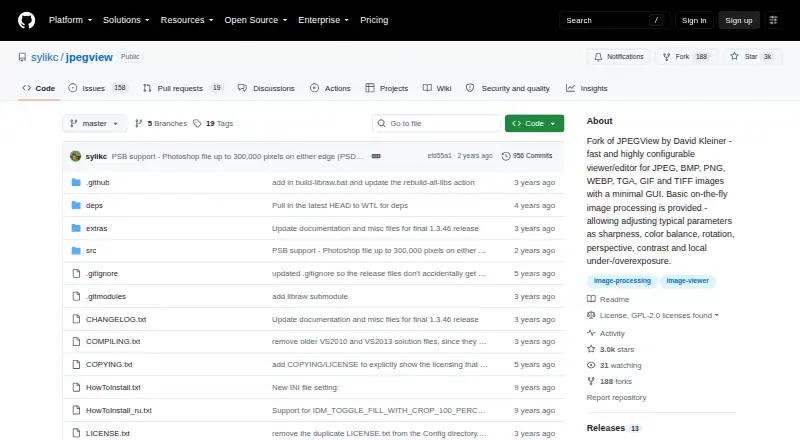
- The repository describes itself as a continuation of David Kleiner's JPEGView project, which it says had been essentially abandoned since 2020.checked 8 Oct 2026
- Purpose
- JPEGView is a lean, fast, configurable image viewer and editor with a minimal graphical interface.checked 8 Oct 2026
- Release verification
- The latest release page provides SHA-256 checksums for its release files.checked 8 Oct 2026
- Security
- The project says its MSI release is not code-signed because it does not yet have a signing certificate, and asks users to verify checksums.checked 8 Oct 2026
- Slideshow
- Movie/slideshow mode can play a folder of JPEGs as a movie.checked 8 Oct 2026
- Support and documentation
- The project links to documentation and notes that it is somewhat out of date but should still summarize the features.checked 8 Oct 2026
Where it runs
- Windows requirements
- The 64-bit version supports Windows 7/8/10/11 or later, and the 32-bit version supports Windows 7 or later.checked 7 Oct 2026
- Windows support
- The project lists 64-bit Windows 7/8/10/11 or later and 32-bit Windows 7 or later as system requirements.checked 8 Oct 2026
Alternatives to JPEGView
- 1

ImageGlass
Free planOpen sourceAPILinuxmacOSWindows7.9From $9.99 a month - 2
Pineapple Pictures
Free planOpen sourceLinuxmacOSSelf-hostedWindows7.3Free plan - 3

ApolloOne
Free planmacOS7.2From $14.99 a year - 4

Pictureflect Photo Viewer
Free planWindows7.2$4.99 one-time - 5
FastStone Image Viewer
Free planWindows6.8Free plan - 6
IrfanView
Free planWindows6.8Free plan