iToolab RecoverGo
The facts below are what the maker publishes about iToolab RecoverGo, checked and dated. Our editors have not written about it yet.
Plans and prices
From iToolab RecoverGo's own pricing page, checked 8 Oct 2026.
| Plan | Price | What it gives you |
|---|---|---|
| 1 Month Plan | $39.99 a month | Unlimited devices · 2 PCs · 1-month license · Automatically renews every 1 month; cancel any time. |
| 1 Year Plan | $49.99 a year | Unlimited devices · 2 PCs · 1-year license · Automatically renews every 1 year; cancel any time. |
| Lifetime Plan | $69.99, paid once | Unlimited devices · 2 PCs · Lifetime license · One-time fee. |
The facts
Each one read from iToolab RecoverGo's own pages, with the date it was checked.
What it does
- Compatibility requirements
- The product page lists a 1 GHz 64-bit CPU, at least 200 MB of free disk space, and at least 256 MB RAM, with 1024 MB recommended.checked 8 Oct 2026
- Data handling
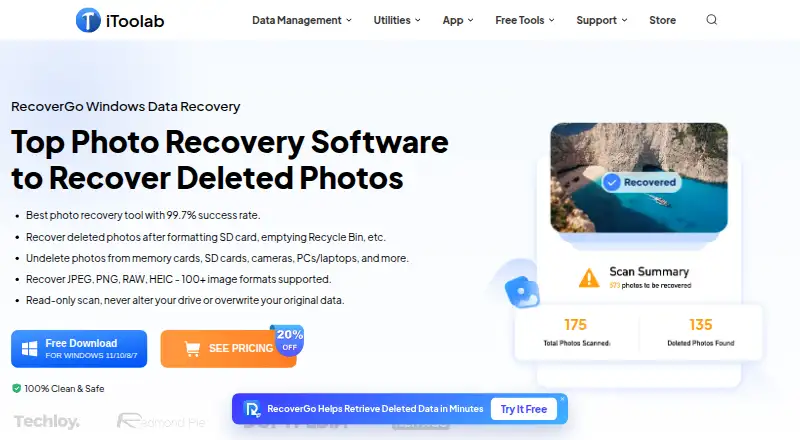
- The product page describes scanning as read-only and says it does not alter the drive or overwrite original data.checked 8 Oct 2026
- File types
- The page says RecoverGo supports more than 100 image formats, including JPEG, PNG, RAW, and HEIC.checked 8 Oct 2026
- Preview and filters
- Users can preview found photos during a scan and filter results by file type, size, or date.checked 8 Oct 2026
- Privacy
- iToolab’s privacy policy says its services do not collect users’ photos or videos, and describes collecting service usage data such as IP addresses, cookies, and requested pages.checked 8 Oct 2026
- Purpose
- RecoverGo scans for deleted photos and other lost data on Windows computers and connected storage devices.checked 8 Oct 2026
- Scan modes
- RecoverGo offers Quick, Deep, and Advanced scan modes and allows users to pause and resume scans.checked 8 Oct 2026
- Security
- The purchase page says its website uses HTTPS and that its Windows software is signed with a Symantec Certificate.checked 8 Oct 2026
- Storage media
- Listed sources include PCs and laptops, HDDs and SSDs, SD and CF cards, USB flash drives, and digital cameras.checked 8 Oct 2026
- Target users
- The product page presents RecoverGo for photographers and everyday users recovering photos from devices such as cameras, cards, and computers.checked 8 Oct 2026
- Vendor support
- iToolab’s homepage advertises support available 24/7/365.checked 8 Oct 2026
Money
- Free access
- The product page advertises free scanning and preview before purchase, while its buy page lists paid license plans.checked 8 Oct 2026
Where it runs
- Loss scenarios
- The product page describes recovery after accidental deletion, formatting, corrupted SD cards, lost partitions, power outages, malware, and Windows updates.checked 8 Oct 2026
- Windows support
- The listed supported operating systems are Windows 11, 10, 8.1, 8, and 7.checked 8 Oct 2026
Alternatives to iToolab RecoverGo
- 1
EaseUS Data Recovery Wizard
Free planAndroidiOSmacOSWindows8.2Free plan - 2
DoYourData Recovery
Free planiOSmacOSWindows7.8From $69 a year - 3

Disk Drill
Free planmacOSWindows7.6From $89 a year - 4
DiskGenius
Free planWindows7.5From $99.90 a year - 5
MiniTool Power Data Recovery
Free planmacOSWindows7.5From $89 a year - 6
AOMEI FastRecovery
Free planWindows7.4Free plan