
Ionicons
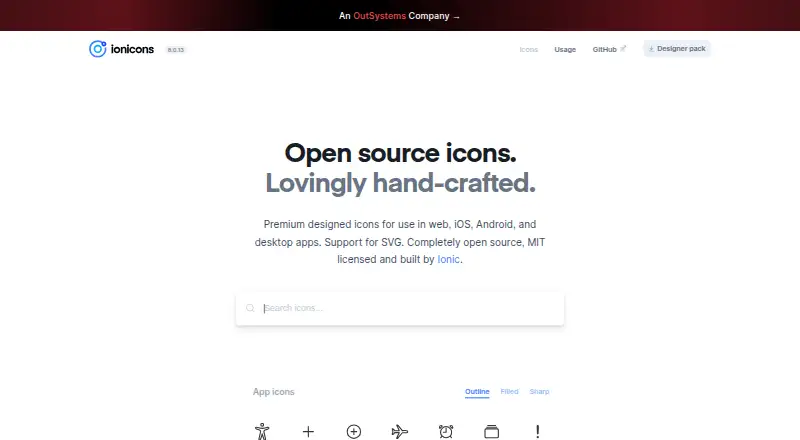
Ionicons is a free, open-source icon set for web, mobile and desktop applications.
What Ionicons is
Ionicons is a free, open-source icon set for web, mobile and desktop applications. Its usage guide describes 1,300 icons, released under the MIT License, with SVG and Web Component formats. App icons have filled, outline and sharp variants; logo icons do not include outline or sharp styles. In Ionic Framework, developers can specify separate iOS and Material Design icons. The web component loads SVGs for requested icons and fetches only those that are visible. Icons can be customized by size and color through attributes or CSS, and outline stroke width can be adjusted with a CSS custom property. A custom SVG can also be loaded from a URL, provided it contains no scripts or events. For accessibility, the guide recommends hiding decorative icons from assistive technology and supplying aria-label text for interactive icons. Listed browser support includes Chrome 79+, Safari 14+, Edge 79+ and Firefox 70+; Internet Explorer 11 is not supported. The set is available for Android, iOS, Linux, macOS, web and Windows.
Good
- Includes 1,300 icons under the MIT License.
- App icons have filled, outline and sharp variants.
- Supports SVG and Web Component formats.
- Size and color can be customized.
Watch out
- Logo icons lack outline and sharp variants.
- Internet Explorer 11 is not supported.
- Custom SVGs cannot contain scripts or events.
Who it suits
Ionicons is suited to developers who need a reusable icon set for apps or websites, especially those working with Ionic Framework. It also fits projects that need SVG or Web Component icons under an MIT license.
Verdict
Ionicons offers a broad icon set with multiple app-icon styles and customization options. Check its browser support and the more limited logo variants if those matter to your project.
Plans and prices
From Ionicons's own pricing page, checked 9 Oct 2026.
| Plan | Price | What it gives you |
|---|---|---|
| Ionicons | Free | Completely open source · MIT licensed |
The facts
Each one read from Ionicons's own pages, with the date it was checked.
What it does
- Accessibility
- The guide recommends aria-hidden for decorative icons and aria-label text for interactive icons.checked 9 Oct 2026
- Custom icons
- The component can load a custom SVG from a URL, and the SVG must not contain scripts or events.checked 9 Oct 2026
- Customization
- Icon size and color can be set with attributes or CSS, and outline stroke width can be adjusted with a CSS custom property.checked 9 Oct 2026
- Icon count
- The usage guide describes the open-source set as containing 1,300 icons.checked 9 Oct 2026
- Ionic integration
- Ionicons is packaged by default when using Ionic Framework.checked 9 Oct 2026
- License
- Ionicons is released under the MIT License.checked 9 Oct 2026
- Product
- Ionicons is a hand-crafted icon set for use in web, iOS, Android, and desktop apps.checked 9 Oct 2026
- Support and requests
- The product page invites users to file a GitHub issue to suggest a missing icon.checked 9 Oct 2026
- SVG support
- The product page states that Ionicons supports SVG.checked 9 Oct 2026
- Visual variants
- App icons have filled, outline, and sharp variants; logo icons do not have outline or sharp variants.checked 9 Oct 2026
- Web component
- Its web component dynamically loads SVGs for requested icons and only fetches visible icons.checked 9 Oct 2026
Where it runs
- Browser support
- The usage guide lists Chrome 79+, Safari 14+, Edge 79+, and Firefox 70+ as supported, and says IE 11 is not supported.checked 9 Oct 2026
- Platform styling
- In Ionic Framework, apps can specify separate iOS and Material Design icons with the ios and md attributes.checked 9 Oct 2026
The full review of Ionicons
Ionicons is a free, open-source icon set for web, mobile and desktop apps. It is best suited to developers who want a sizable, styleable library, particularly teams building with Ionic Framework. Its breadth and MIT license make it a practical default, provided its browser requirements and logo-style limits fit your project.
Overview
The library contains 1,300 icons and is released under the MIT License, with commercial use permitted. SVG and web component formats give developers options for using the icons in different implementations without paying for the set. App icons come in filled, outline and sharp styles; logos do not, so projects that need those treatments consistently across every icon may prefer another library.
Key features
Ionicons’ web component loads SVGs for requested icons and fetches only those that are visible. That makes it a useful option for interfaces that use the component and do not need every icon loaded at once. In Ionic Framework, Ionicons is included by default, and the ios and md attributes let an app select different icons for iOS and Material Design.
Developers can set icon size and color through attributes or CSS, and adjust outline stroke width with a CSS custom property. The component can also load a custom SVG by URL, but that SVG must not contain scripts or events. For accessible interfaces, decorative icons should use aria-hidden; interactive icons should have an aria-label. Users can propose missing icons through a GitHub issue.
Pricing
The Ionicons plan costs free and includes 1,300 icons, multiple styles, SVG and web component formats, and commercial use. It is completely open source under the MIT License, with no paid tier or free-plan cap to weigh against a subscription. That makes it a strong fit for individual developers and teams that want an icon library without a license fee; it does not offer a paid tier for a larger collection or additional service.
Platforms
Ionicons is intended for web, iOS, Android and desktop apps, and its supported platforms include Android, iOS, Linux, macOS, web and Windows. Browser support covers Chrome 79+, Safari 14+, Edge 79+ and Firefox 70+. Internet Explorer 11 is not supported, which rules it out for projects that must accommodate that browser.
Who it's for
Ionicons is a good choice for developers who want a free, commercially usable icon set with SVG and web component options, especially those already using Ionic Framework. Its app-icon variants and direct CSS customization suit interfaces that need flexible styling without a paid plan. Look elsewhere if Internet Explorer 11 support is required or if outline and sharp treatments are essential for logo icons.
Pros and cons
- Pro: 1,300 MIT-licensed icons are free for commercial use, avoiding a recurring library cost.
- Pro: The web component fetches only visible requested icons, while size, color and outline stroke width can be customized.
- Pro: Ionic Framework includes Ionicons by default and supports separate iOS and Material Design icon choices.
- Con: Internet Explorer 11 is unsupported, limiting suitability for projects that must serve that browser.
- Con: Logo icons lack outline and sharp variants, unlike app icons.
Alternatives
Browse Icon Libraries for more options. Choose Font Awesome if its free plan’s 2,163 icons, one Kit and 10,000 pageviews better match your needs, or if you want a freemium option with a Starter plan at $4 a month, billed $48 per year annually. Lordicon is a better fit when animated icons are the priority: its free plan includes 9,700 animated icons and unlimited exports, but requires attribution.
Ant Design Icons is another free, MIT-licensed option, with npm packages for Vanilla, React, React Native, Angular and Vue. Pick The Noun Project if its PNG and SVG downloads suit your workflow; free-use icons require attribution and do not include commercial licenses. Eva Icons offers a free MIT-licensed set of 480+ icons.
Consider Hugeicons if its free plan’s 6,000+ Stroke Rounded icons and design and development plugins suit your project better; its Pro plan costs $99 a year and offers 60,000+ Pro icons. IcoMoon may fit a web-focused workflow that needs a free library and local project storage, though it does not save projects to an account and generated links expire after 24 hours. IconArchive is a free alternative with 800,000+ icons and no login or subscription.
Verdict
Choose Ionicons if you want a substantial, free icon set that can be styled directly and is especially convenient in Ionic Framework. Its commercial-use permission and multiple app-icon variants are compelling strengths. Look elsewhere if you need Internet Explorer 11 support or consistent outline and sharp logo variants.
Getting started
- Open the Ionicons website.
- Choose SVG or Web Component icons for your app.
- For Ionic Framework, use the icons packaged with the framework.
- Set icon size and color with attributes or CSS as needed.
- Use aria-hidden for decorative icons and aria-label text for interactive ones.
Questions
How much does Ionicons cost?
Ionicons is free under the MIT License, and commercial use is permitted.
How many icons are included?
The usage guide describes a set of 1,300 icons.
What formats does Ionicons support?
The listed formats are SVG and Web Component.
Which platforms can use Ionicons?
It is listed for Android, iOS, Linux, macOS, web, and Windows.
Does Ionicons work in Internet Explorer 11?
No. The usage guide says Internet Explorer 11 is not supported.
Alternatives to Ionicons
- 1

Font Awesome
Free planWebAPILinuxmacOS7.5From $4 a month - 2

Lordicon
Free planAndroidiOSWebAPI7.4Free plan - 3
Ant Design Icons
Free planAndroidiOSWeb7.1Free plan - 4

Hugeicons
Free planAndroidiOSWeb7.1From $99 a year - 5

Tabler Icons
Free planAndroidiOSWeb7.1$9 one-time - 6
Icons8 Background Remover
WebAPIExtensionmacOS7.0From $13 a year