GraphicConverter
GraphicConverter is a paid macOS application for editing and managing images.
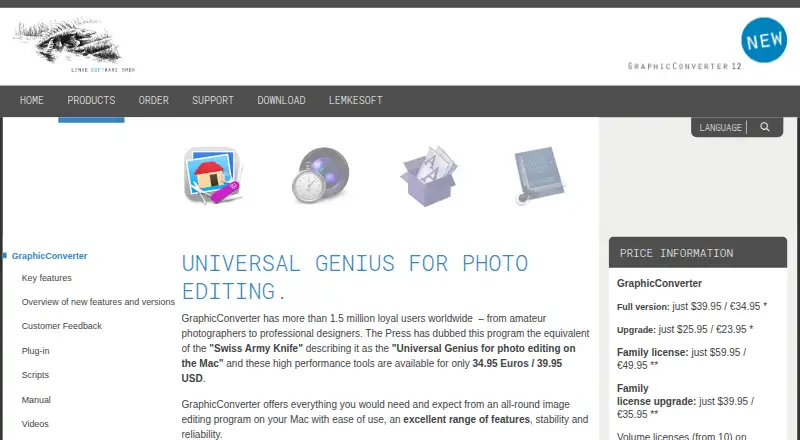
What GraphicConverter is
GraphicConverter is a paid macOS application for editing and managing images. It imports approximately 200 graphic formats and exports approximately 80, including HEIC/HEIF, WebP, JPEG 2000, AVIF, JPEG XL, and HDR. Its tools include image effects and filters, face detection, 3D image support, a graphical file and picture browser, and batch conversion. Metadata features cover management, reverse geotagging, and automatic AI-based keywording with multiple AI engines. You can import pictures directly from cameras, including RAW files, and use scanners. ColorSync and ICC profile support serves color-managed workflows. AppleScript compatibility lets you automate complex routines in the background. The current download is a universal binary for Intel and Apple Silicon Macs and requires macOS 10.13 through macOS 27.x. A free trial is available, while the unregistered version starts slightly more slowly and disables batch processing. Pricing lists the Full version at $39.95 a month.
Good
- Imports approximately 200 graphic formats
- Batch conversion handles groups of files
- Supports RAW camera import and scanners
- AppleScript automates complex routines
- Includes AI-based keywording options
Watch out
- Paid software with no free plan
- Available only for macOS
- Unregistered trial disables batch processing
- Full version listed at $39.95 a month
Who it suits
It suits Mac users ranging from amateur photographers to professional designers who need broad format support, metadata tools, camera or scanner import, and automated workflows.
Verdict
GraphicConverter combines extensive format handling with editing, metadata, import, and automation tools for Mac. Its paid model and macOS-only availability are the main constraints.
Plans and prices
From GraphicConverter's own pricing page, checked 7 Oct 2026.
| Plan | Price | What it gives you |
|---|---|---|
| Family license | $59.95, paid once | Up to five computers in one household · non-commercial use · One-time purchase; price shown as $59.95 / €49.95 |
| Upgrade | $25.95, paid once | For customers upgrading from earlier versions · One-time purchase; price shown as $25.95 / €23.95 |
| Full version | $39.95, paid once | Download · taxes may apply depending on location and payment method · One-time purchase; price shown as $39.95 / €34.95 |
The facts
Each one read from GraphicConverter's own pages, with the date it was checked.
What it does
- Automation
- GraphicConverter is compatible with AppleScript for automating complex routines and running them in the background.checked 7 Oct 2026
- Camera and scanner support
- It supports direct picture import from cameras, including RAW, and scanner support.checked 7 Oct 2026
- Color and formats
- It supports ColorSync and ICC profiles, as well as HEIC/HEIF, WebP, JPEG 2000, AVIF, JPEG XL, and HDR.checked 7 Oct 2026
- Compatibility
- The current download is a universal binary for Intel and Apple Silicon Macs and requires macOS 10.13 through macOS 27.x.checked 7 Oct 2026
- Editing and workflow
- Features include batch conversion, a graphical file and picture browser, face detection, image editing effects and filters, and 3D image support.checked 7 Oct 2026
- Image formats
- It offers import of approximately 200 graphic formats and export of approximately 80.checked 7 Oct 2026
- Metadata
- The feature list includes metadata management, reverse geotagging, and automatic AI-based keywording with multiple AI engines available.checked 7 Oct 2026
- Purpose
- GraphicConverter is an all-round image editing program for Mac.checked 7 Oct 2026
- Support
- The maker says it normally replies to support questions within 24 hours and provides a user forum.checked 7 Oct 2026
- Target users
- The maker says its more than 1.5 million users range from amateur photographers to professional designers.checked 7 Oct 2026
- Third-party tools
- The maker lists third-party tools for alternative X3F import, JBIG decoding, and pixel-art upscaling.checked 7 Oct 2026
- Website privacy and security
- The maker says website personal data is transmitted using TLS and that it uses technical and organisational measures to protect data.checked 7 Oct 2026
Money
- Free plan
- Nochecked 23 Sep 2026
- Trial restriction
- The unregistered version takes slightly longer to start and has batch processing disabled.checked 7 Oct 2026
The company
- Headquarters
- Peine, Germanychecked 28 Sep 2026
Alternatives to GraphicConverter
- 1

Convertio
Free planAndroidiOSWebAPI8.3From $6.99 a month - 2
FreeConvert GIF Maker
Free planAndroidiOSWebAPI8.2From $12.99 a month - 3
Zamzar API
Free planAndroidiOSWebAPI8.2From $25 a month - 4
Aspose.Imaging
Free planAndroidiOSWebAPI8.1$999 one-time - 5

CloudConvert Audio Converter
Free planAndroidiOSWebAPI8.1From $10 a month - 6
XnConvert
Free planAndroidLinuxmacOSWindows7.9€6.50 one-time