
GoVenture
GoVenture is a collection of educational games and simulations covering business, money, health, and STEAM education.
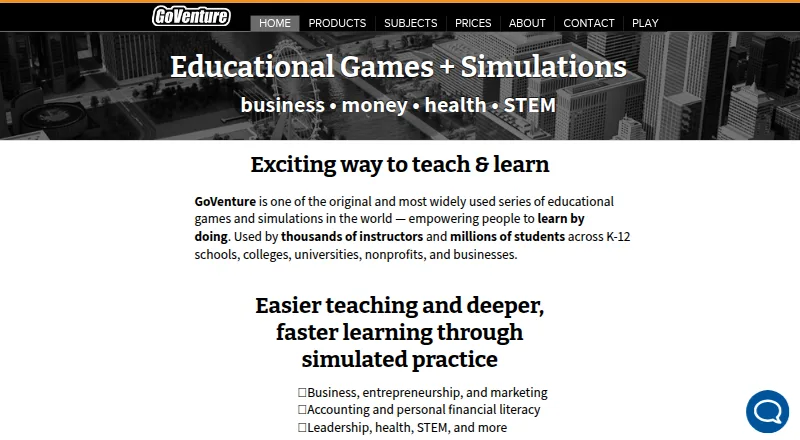
What GoVenture is
GoVenture is a collection of educational games and simulations covering business, money, health, and STEAM education. Its learning approach combines experiential and social activities with gamified learning and skill-based, automated assessment. In the Entrepreneur simulation, learners start and operate a small business, moving from a lemonade stand to a kiosk; the Advanced version expands the scenario to a full business. The programs are designed for youth and adults and used in schools, homes, nonprofits, governments, and businesses. The K-12 online subscription runs in a browser on tablets, Chromebooks, Windows, Macintosh, and Linux computers, and includes an instructor website for student accounts and assessments. The separate K-12 perpetual license installs on Windows and Macintosh computers and works without internet access or student accounts. K-12 online accounts do not integrate with other school systems. GoVenture offers fully working product trials. K-12 online student accounts can use instructor-generated usernames without email disclosure, and instructors can delete student data. Pricing depends on the product and license: K-12 online Entrepreneur Basic is $14 a year per reassignable student account, while the K-12 perpetual Entrepreneur Basic license costs $1,495, paid once.
Good
- Covers business, money, health, and STEAM topics
- Entrepreneur simulation progresses from lemonade stand to business
- K-12 online supports tablets, Chromebooks, and computers
- K-12 perpetual license works offline
Watch out
- Online subscriptions do not integrate with other school systems
- Perpetual license does not work with tablets or Chromebooks
- Perpetual license has limited assistive-device accessibility
Who it suits
GoVenture suits educators, organizations, and families looking for business, money, health, or STEAM learning activities for youth or adults. Its online and offline K-12 options address different device and internet needs.
Verdict
GoVenture pairs simulated business activities with a broad set of education topics and deployment options. Choose between the browser subscription and perpetual license based on device and internet requirements.
Plans and prices
From GoVenture's own pricing page, checked 28 Sep 2026.
| Plan | Price | What it gives you |
|---|---|---|
| K-12 Online Subscription — Entrepreneur Basic | $14 a year | Accounts purchased in multiples of 5 · One-year access · $14 for each reassignable Student Account |
| K-12 Online Subscription — Entrepreneur Advanced | $19 a year | Accounts purchased in multiples of 5 · One-year access · $19 for each reassignable Student Account |
| College, Business, Nonprofit Online Subscription — Entrepreneur Basic | $20 a month | Student accounts cannot be reassigned · Internet required · $20 per student account for a 6-month subscription |
| College, Business, Nonprofit Online Subscription — CEO | $35 a month | Student accounts cannot be reassigned · Internet required · $35 per student account for a 6-month subscription |
| K-12 Perpetual License — Entrepreneur Basic | $1,495, paid once | One school site · Unlimited computers and users · Free upgrades and support for 1 year · $1,495 |
| K-12 Perpetual License — Entrepreneur Advanced | $1,995, paid once | One school site · Unlimited computers and users · Free upgrades and support for 1 year · $1,995 |
The facts
Each one read from GoVenture's own pages, with the date it was checked.
What it does
- Accessibility
- The site says many programs are accessible to people with disabilities and identifies WCAG 2.1 AA support for products including Entrepreneur and Project Management.checked 28 Sep 2026
- Business simulation
- Entrepreneur simulates starting and operating a small business, progressing from a lemonade stand to a kiosk and, in the Advanced version, a full business.checked 28 Sep 2026
- Instructor tools
- The K-12 online subscription includes a free instructor website for managing student accounts and assessments.checked 28 Sep 2026
- Integrations
- GoVenture says its online subscriptions do not integrate or communicate with other school systems.checked 28 Sep 2026
- Intended users
- GoVenture programs are designed for youth and adults and are used in schools, homes, nonprofits, governments, and businesses.checked 28 Sep 2026
- Notable limit
- The K-12 perpetual license does not work with tablets or Chromebooks, and its accessibility with assistive devices is limited.checked 28 Sep 2026
- Offline option
- The K-12 perpetual license installs on Windows and Macintosh computers and does not require internet access or student accounts.checked 28 Sep 2026
- Product scope
- GoVenture is a series of educational games and simulations covering business, money, health, and STEAM education.checked 28 Sep 2026
- Security
- The privacy page says passwords are hashed and encrypted and data is encrypted in transit using SSL/TLS and at rest in a database.checked 28 Sep 2026
- Student privacy
- For K-12 online subscriptions, students can use instructor-generated usernames without disclosing email, and instructors can delete student data.checked 28 Sep 2026
- Support
- GoVenture says customer support is provided by email and telephone by the product development team, with most requests handled within minutes, hours, or by the next business day.checked 28 Sep 2026
The company
- Maker
- GoVenture is produced and published by MediaSpark Inc., which says it was founded in 1994 and is based in Canada.checked 28 Sep 2026
Where it runs
- Online platforms
- The K-12 online subscription runs in a browser on tablets, Chromebooks, Windows, Macintosh, and Linux computers.checked 28 Sep 2026
- Teaching approach
- The products use experiential, social, and gamified learning, with skill-based assessment and automated assessment described on the site.checked 28 Sep 2026
Money
- Trial
- The company says fully working product trials are available and directs visitors to product pages to play a free trial.checked 28 Sep 2026
The full review of GoVenture
GoVenture is a collection of educational games and simulations spanning business, money, health and STEAM. It suits schools, organizations and individual learners looking for structured, activity-based learning, especially around entrepreneurship. Its strongest case is the choice between browser-based access and an offline school license; those options differ sharply in device support and account requirements.
Overview
GoVenture uses experiential, social and gamified activities, with skill-based and automated assessment. Its Entrepreneur simulation follows a business from a lemonade stand to a kiosk, with the Advanced version extending to a full business. That progression gives entrepreneurship learners a concrete context for practice, while the wider catalog reaches beyond business education.
Programs are designed for youth and adults and are used in schools, homes, nonprofits, government and business. The company also offers fully working product trials. GoVenture is produced by MediaSpark Inc., a Canadian company founded in 1994.
Key features
- Business progression: Entrepreneur Basic covers starting and operating a small business through the kiosk stage; Advanced adds the full-business stage.
- Teaching and assessment: Social, experiential and gamified learning is paired with skill-based assessment and automated assessment. An instructor dashboard is available, and the K-12 online subscription includes a free instructor website for student accounts and assessments.
- Flexible deployment: Online subscriptions run in a browser, while the K-12 perpetual license installs locally and works without internet or student accounts. The trade-off is that the perpetual license excludes tablets and Chromebooks.
- Privacy and security: K-12 online students can use instructor-generated usernames without providing email, and instructors can delete student data. Passwords are hashed and encrypted; data is encrypted in transit with SSL/TLS and at rest.
- Accessibility: GoVenture identifies WCAG 2.1 AA support for products including Entrepreneur and Project Management. The perpetual license has limited accessibility with assistive devices.
- Support and integrations: Support is provided by email and telephone by the product development team. Online subscriptions do not integrate or communicate with other school systems, a meaningful constraint for schools seeking connected workflows.
Pricing
GoVenture is freemium in pricing model, but it has no free plan. Fully working trials are available through product pages. The pricing note gives a starting point of $9/mo, while the listed Entrepreneur plans are priced as follows:
- K-12 Online Subscription — Entrepreneur Basic: $14 a year, billed $14 for each reassignable Student Account. Accounts are purchased in multiples of 5 and provide one year of access. Best suited to schools that want browser access and can use accounts across students over time.
- K-12 Online Subscription — Entrepreneur Advanced: $19 a year, billed $19 for each reassignable Student Account, with purchases in multiples of 5 and one year of access. Choose it over Basic for the expanded full-business scenario.
- College, Business, Nonprofit Online Subscription — Entrepreneur Basic: $20 a month, billed $20 per student account for a 6-month subscription. Accounts cannot be reassigned, and internet is required; this suits a defined cohort rather than rotating learners.
- College, Business, Nonprofit Online Subscription — CEO: $35 a month, billed $35 per student account for a 6-month subscription. Accounts likewise cannot be reassigned and require internet.
- K-12 Perpetual License — Entrepreneur Basic: $1,495, paid once, billed $1,495 for one school site, with unlimited computers and users and free upgrades and support for one year.
- K-12 Perpetual License — Entrepreneur Advanced: $1,995, paid once, billed $1,995 on the same one-site, unlimited-computer-and-user terms, with upgrades and support included for one year.
The perpetual licenses avoid per-student account limits and internet dependence, but cost substantially more up front and restrict use to Windows and Macintosh computers. Choose the online plans for browser flexibility; the K-12 per-account price is lower, but minimum purchases of five accounts apply.
Platforms
The online K-12 subscription works in a browser on tablets, Chromebooks, Windows, Macintosh and Linux computers. The K-12 perpetual license installs on Windows and Macintosh only. Although the product platform range includes Linux, macOS, web and Windows, deployment matters: the offline license is not a tablet or Chromebook option.
Who it's for
GoVenture is a good fit for educators and organizations teaching entrepreneurship through simulation, particularly when they need instructor assessment tools or a choice between online access and local installation. Its broader catalog can also suit youth and adult programs covering money, health and STEAM. It is less suitable for schools that depend on integration with other school systems, or for Chromebook and tablet users who need the perpetual license's offline access.
Pros and cons
Pros
- Range beyond business: The catalog spans business, money, health and STEAM, supporting programs with varied education topics.
- Clear progression in Entrepreneur: The move from a small stand to kiosk and then full business gives learners progressively broader operating scenarios.
- Choice of deployment: Browser subscriptions support a broad range of devices, while the perpetual license supports offline use and unlimited computers and users at one school site.
- Useful school controls: The K-12 online instructor website supports account and assessment management, and students need not disclose email.
Cons
- No free plan: Prospective users must rely on product trials rather than ongoing free access.
- Online accounts have constraints: K-12 accounts must be bought in multiples of five; college, business and nonprofit accounts cannot be reassigned and require internet.
- Offline deployment is device-limited: The perpetual license excludes tablets and Chromebooks, and assistive-device accessibility is limited.
- No school-system integrations: Online subscriptions do not connect to other school systems, which can complicate established administrative workflows.
Alternatives
Business Simulation Software is the broader category to browse when you want to compare options beyond GoVenture.
- Forio is worth considering when a free plan matters: its Epicenter Personal plan is free and allows unlimited projects, but has no end-user authentication or authenticated projects.
- Cesim Business Simulations is a web-based paid alternative with a free trial.
- MonsoonSIM suits learners who need Android or iOS access; its Education Single Course Subscription costs $20, paid once, billed USD 20 per learner for six months, with fixed class size.
- Capsim Business Simulations is a paid, web-based alternative.
- SimVenture is a paid option for macOS, web and Windows; its Evolution Personal License costs £50 a year for one user's personal use, with 12 months of remote maintenance and technical support.
- Marketplace Simulations offers a free plan and web access; its Individual Microsimulation costs $8, paid once per student and comprises 10–25 minute exercises students can replay.
- The Business School has a free six-step teacher demo with no credit card, PIN or license required, useful for a brief preview.
- Praxar is another paid, web-based alternative.
Verdict
Choose GoVenture if you need an entrepreneurship simulation with instructor assessment tools and a deployment option matched to your school: broad browser support or offline installation for Windows and Macintosh. Its main advantage is that choice, backed by a wider educational catalog. Look elsewhere if you need a free ongoing plan, school-system integrations, or offline use on tablets and Chromebooks.
Alternatives to GoVenture
- 1
The Business School
Free planWebmacOSWindows7.6£49 one-time - 2

AnyLogic
Free planWebAPILinuxmacOS7.3Free plan - 3

Forio
Free planWebAPISelf-hosted7.3From $1,970 a year - 4
ExtendSim
WebAPISelf-hostedWindows7.2From $10,000 a year - 5
OrgSimulator
Free planWeb7.2$50 one-time - 6

MonsoonSIM
AndroidiOSWeb6.8From $4,000 a year