
Google Family Link
Google Family Link helps parents guide a child’s online experience and build digital habits.
What Google Family Link is
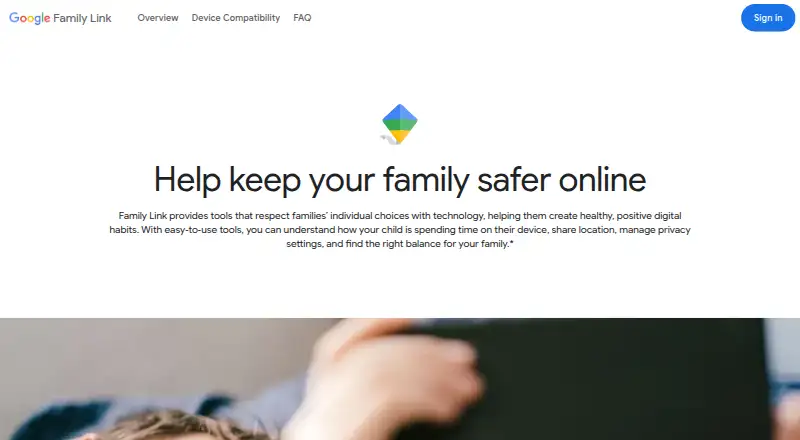
Google Family Link helps parents guide a child’s online experience and build digital habits. Parents can set daily screen-time limits and School Time or Downtime schedules, as well as individual app limits, unlimited time for selected apps, or app blocks. Controls cover Google Chrome, Play, YouTube, and Search, including site blocking and app approval. Activity reports and location tools add visibility: parents can view a child’s location when the device is powered on, recently active, and connected to the internet. Family Link can also alert parents when a child arrives at or leaves a location, ring devices, and show remaining battery life. Parents can manage settings through Android or iOS apps, with some settings available on the web. Child supervision supports Android 6.0 or later, Chromebook with Chrome OS 71 or later, and compatible Fitbit devices. It cannot supervise iPhones, iPads, or computers other than Chromebooks, and it cannot manage Google Workspace for Education accounts. The service is free; some features require a compatible device.
Good
- Daily screen-time limits and schedules are available.
- Parents can set individual app limits or block apps.
- Controls cover Chrome, Play, YouTube, and Search.
- Location alerts and device ringing are available.
- Free parental supervision tools.
Watch out
- iPhones and iPads cannot be supervised.
- Non-Chromebook computers are not supported for supervision.
- Workspace for Education accounts cannot be managed.
- Location needs an active, powered-on internet-connected device.
Who it suits
Family Link may suit parents who want to set screen-time routines, manage app and content access, and use location tools for supported child devices. Its supervision is not for iPhones, iPads, or non-Chromebook computers.
Verdict
Family Link combines usage limits, Google service controls, activity reports, and conditional location features at no charge. Device compatibility is the key limitation for families considering supervision.
Plans and prices
From Google Family Link's own pricing page, checked 11 Oct 2026.
| Plan | Price | What it gives you |
|---|---|---|
| Google Family Link | Free | Family Link app and parental supervision tools; some features require a compatible device |
The facts
Each one read from Google Family Link's own pages, with the date it was checked.
What it does
- Account management
- Parents can help change or reset a child’s password, edit personal information, and delete the child’s account.checked 11 Oct 2026
- Activity reports
- Yeschecked 20 Sep 2026
- Alerts
- Family Link can notify parents when a child arrives at or leaves a location, ring devices, and show remaining battery life.checked 11 Oct 2026
- Content controls
- Parents can manage controls for Google Chrome, Play, YouTube, and Search, including site blocking and app approval.checked 11 Oct 2026
- Content filtering
- Yeschecked 20 Sep 2026
- Integrations
- Family Link controls settings for Google services including Chrome, Google Play, YouTube, YouTube Kids, and Search.checked 11 Oct 2026
- Location
- Parents can see a child’s location on a map when the child is carrying a powered-on, recently active device connected to the internet.checked 11 Oct 2026
- Location tracking
- Yeschecked 20 Sep 2026
- Not supported
- iPhones, iPads, and computers other than Chromebooks cannot be supervised, and Google Workspace for Education accounts cannot be managed with Family Link.checked 11 Oct 2026
- Privacy
- Google says personalized advertising is prohibited for minors, though children may see contextual ads and ads from non-Google providers.checked 11 Oct 2026
- Purpose
- Family Link helps parents guide their child’s online experience and build digital habits.checked 11 Oct 2026
- Screen time
- Parents can set daily screen time limits and School Time or Downtime schedules.checked 11 Oct 2026
- Screen-time schedules
- Yeschecked 20 Sep 2026
- Support
- Google directs parents to its Help Center and offers feedback through the Family Link app, email, or phone.checked 11 Oct 2026
Where it runs
- App blocking
- Yeschecked 20 Sep 2026
- App management
- Parents can set individual app time limits, allow unlimited time for selected apps, and block apps.checked 11 Oct 2026
- Child device support
- Child supervision supports Android 6.0 or later, Chromebook with Chrome OS 71 or later, and compatible Fitbit devices.checked 11 Oct 2026
- Device platforms
- androidchecked 20 Sep 2026
- Parent platforms
- Parents can install the app on Android or iOS, and some settings can be managed on the web.checked 11 Oct 2026
- Purchase approval limit
- Purchase approval settings apply only to purchases made through Google Play’s billing system.checked 11 Oct 2026
Money
- Free plan
- Yeschecked 20 Sep 2026
The company
- Headquarters
- Mountain View, California, United Stateschecked 28 Sep 2026
The full review of Google Family Link
Google Family Link gives parents a no-cost way to shape a child’s screen habits, Google-account settings, and access to Google services. It suits families using Android phones, Chromebooks, or compatible Fitbit devices, especially when Chrome, Play, YouTube, and Search are central to daily use. The strongest case is broad routine management without a subscription; households with Apple devices or mixed, non-Google hardware should look elsewhere.
Overview
Family Link is designed to help parents guide online activity and establish digital habits. Parents can manage supervision from an Android or iOS app, with some settings also available on the web. The service combines time scheduling, app and content controls, activity visibility, and conditional location tools in one Google-focused system.
Key features
Time and app management
Daily screen-time limits provide a straightforward ceiling for device use, while School Time and Downtime schedules let families define periods when access should be restricted. Individual app limits add useful precision: a child can receive more time for an educational or essential app, selected apps can be allowed unlimited use, and distracting apps can be blocked. This layered approach fits families that need rules by time of day and by app rather than one blanket limit.
Content and account controls
Parents can manage settings for Google Chrome, Google Play, YouTube, YouTube Kids, and Search, including site blocking and app approval. That makes Family Link particularly coherent for children whose activity stays within Google’s ecosystem. Purchase approvals are limited to transactions using Google Play’s billing system, so they do not govern purchases made through other stores or payment routes.
Reports and location
Activity reports show how a child is using the device, giving parents a basis for adjusting limits. Location viewing works when the child is carrying a powered-on, recently active device connected to the internet. Family Link can send arrival and departure alerts, ring the device, and show its remaining battery. These are practical check-in tools, but location visibility is conditional rather than continuous when a device is offline, inactive, or powered down.
Account administration and privacy
Parents can help change or reset a child’s password, edit personal information, and delete the child’s account. Google says personalized advertising is prohibited for minors, although contextual ads and ads from non-Google providers may still appear. Support is provided through Google’s Help Center, with feedback options in the app, by email, or by phone.
Pricing
Google Family Link is free: the Google Family Link plan costs nothing and includes the app and parental-supervision tools. There is no free trial because the service has no paid tier. Some functions require a compatible device, so the zero price does not remove the platform requirements that determine whether supervision is possible.
Platforms
Parents can use Family Link on Android, iOS, or the web, while child supervision supports Android 6.0 or later, Chromebooks running Chrome OS 71 or later, and compatible Fitbit devices. iPhones, iPads, and computers other than Chromebooks cannot be supervised. Google Workspace for Education accounts also cannot be managed with Family Link. This is the central limitation for Apple households and families with children spread across unsupported computers.
Who it's for
Choose Family Link if your children use supported Android hardware or Chromebooks and you want scheduling, app limits, Google-service filtering, reports, and basic location tools without a recurring bill. It is less suitable when children use iPhones, iPads, Windows or Mac computers, non-Google app stores, or school accounts managed through Google Workspace for Education.
Pros and cons
Pros
- No subscription cost: the complete Family Link plan is free, with no trial or renewal charge.
- Granular time rules: daily limits, School Time, Downtime, and per-app controls support different rules for schoolwork and leisure.
- Strong Google integration: Chrome, Play, YouTube, YouTube Kids, and Search settings are managed together.
- Useful check-ins: reports, location conditions, arrival and departure alerts, ringing, and battery status cover common parental needs.
Cons
- Restricted child-device coverage: iPhones, iPads, and non-Chromebook computers cannot be supervised.
- Location depends on connectivity: map visibility requires a powered-on, recently active device with an internet connection.
- Limited purchase scope: approval controls cover only Google Play billing transactions.
- No Google Workspace for Education management: school-managed accounts are outside Family Link’s supported scope.
Alternatives
Browse Parental control apps for a wider comparison. Qustodio is the better fit for cross-platform households needing Android, iOS, macOS, and Windows coverage; its Basic plan costs $72.94 a year for five devices, while Complete costs $104.95 a year for unlimited family devices.
Kaspersky Safe Kids suits families wanting Android, iOS, macOS, web, and Windows support, with a free tier and a Premium plan with custom pricing. OurPact is an option for Android and iOS families; its free tier covers one child device, five manual blocks per month, and one automated schedule, while Premium costs $69.99 a year.
Apple households should choose Apple Screen Time, a free built-in feature requiring Family Sharing and individual Apple Accounts. Mobicip is another cross-platform choice, spanning Android, iOS, macOS, and Windows, with plans from a free two-device Basic option to paid tiers. Wondershare FamiSafe fits families seeking paid cross-platform coverage, including a 59.99 USD yearly plan for 10 devices after a three-day trial.
FamilyTime offers Android, iOS, macOS, and Windows support with a 2.41 USD monthly MyFamily plan billed as 29 USD annually after trial for one child device. Safe Lagoon is an Android-only alternative with free web filtering and a 6.99 USD monthly Premium plan for five profiles.
Verdict
Google Family Link is the right choice for families using supported Android devices or Chromebooks that want capable schedules, app controls, Google-service filtering, reports, and basic location features at no cost. Choose it first when Google’s ecosystem matches your household. Look elsewhere when supervision must include Apple devices, non-Chromebook computers, broader purchase channels, or a genuinely cross-platform child setup.
Getting started
- Open https://families.google.com/familylink/
- Install Family Link on an Android or iOS parent device
- Connect a supported child device running Android 6.0 or later, a Chromebook with Chrome OS 71 or later, or a compatible Fitbit device
- Set daily screen-time limits or School Time and Downtime schedules
- Configure app limits, blocks, unlimited-time apps, and content controls
- Enable location and arrival or departure notifications as needed
Limits worth knowing
Family Link is free, but some functions require a compatible device. Child supervision does not cover iPhones, iPads, computers other than Chromebooks, or Google Workspace for Education accounts.
Questions
How much does Google Family Link cost?
The Google Family Link plan costs nothing and includes the app and parental supervision tools.
Which devices can be supervised?
Child supervision supports Android 6.0 or later, Chromebooks with Chrome OS 71 or later, and compatible Fitbit devices.
Can parents use iPhones or the web?
Parents can install the app on Android or iOS, and some settings are available on the web.
What services can parents control?
Controls include Google Chrome, Google Play, YouTube, YouTube Kids, and Search.
When does location tracking work?
Location appears when the child carries a powered-on, recently active device connected to the internet.
Are purchase approvals universal?
Purchase approval settings apply only to purchases processed through Google Play’s billing system.
Alternatives to Google Family Link
- 1
Kaspersky Safe Kids
Free planAndroidiOSWebmacOS8.8From $14.99 a year - 2
Qustodio
Free planAndroidiOSmacOSWindows8.5From $72.94 a year - 3

MMGuardian
AndroidiOSWebmacOS8.3From $59.90 a year - 4

OurPact
Free planAndroidiOS8.2From $69.99 a year - 5

Mobicip
AndroidiOSmacOSWindows8.0From $2.99 a month - 6
FamilyTime
AndroidiOSmacOSWindows8.0From $2.41 a month