
GifLoop
GifLoop is a native iOS app for creating and editing animated GIFs on iPhone and iPad.
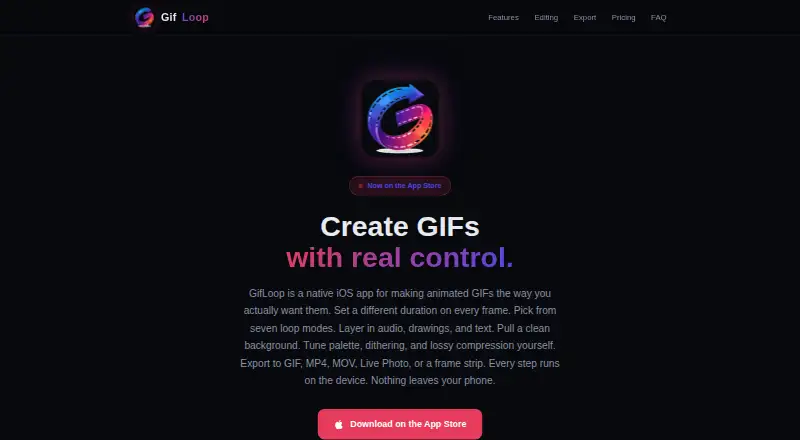
What GifLoop is
GifLoop is a native iOS app for creating and editing animated GIFs on iPhone and iPad. Projects can start with photos, camera captures, video frames, imported video, or a blank canvas. Tools include filters, text, drawing, onion skinning, glitch and jitter effects, and background removal. Seven loop modes include ping-pong, random, fade loop, and play-once; Pro adds per-frame timing. Free exports GIF and MP4, while Pro adds MOV, Live Photo, and frame strip formats. The encoder provides palette, dithering, lossy compression, file-size targeting, and resolution controls. Free costs nothing, supports 15 frames and two loop modes, and adds a watermark after three free Pro exports. GifLoop Pro costs $1.99, paid once, raises projects to 50 frames, unlocks all seven modes and per-frame timing, and removes the watermark. Editing and exports run offline on-device.
Good
- Supports photos, video, and blank canvases
- Seven loop modes available
- On-device editing and export
- Works offline
- One-time Pro purchase
Watch out
- Requires iOS 17 or later
- Free plan limited to 15 frames
- Free plan has two loop modes
- Watermark after three free Pro exports
Who it suits
GifLoop suits iPhone and iPad users creating animated GIFs from photos, video, or drawings. Pro is aimed at users needing longer projects, more loop controls, and extra export formats.
Verdict
GifLoop offers a broad on-device GIF workflow with offline editing and exports. The free tier is limited, while the $1.99, paid once Pro purchase adds timing, frame capacity, formats, and watermark-free output.
Plans and prices
From GifLoop's own pricing page, checked 11 Oct 2026.
| Plan | Price | What it gives you |
|---|---|---|
| Free | Free | Up to 15 frames per project · 2 loop modes · GIF and MP4 export · Watermark after 3 free Pro exports · forever |
| GifLoop Pro | $1.99, paid once | Up to 50 frames per project · All 7 loop modes · Per-frame timing · Audio, effects, text, drawing, and background removal · MOV, Live Photo, and frame strip export · No watermark · one-time purchase, yours forever, no subscription |
The facts
Each one read from GifLoop's own pages, with the date it was checked.
What it does
- Compatibility
- The app requires iOS 17 or later and runs on iPhone and iPad.checked 11 Oct 2026
- Editing tools
- Editing features include filters, text, drawing, onion skinning, glitch and jitter effects, and background removal.checked 11 Oct 2026
- Export formats
- GifLoop exports GIF and MP4 on Free, with MOV, Live Photo, and frame strip available on Pro.checked 11 Oct 2026
- Frame sources
- Projects can use photos, camera captures, video frames, or a blank canvas.checked 11 Oct 2026
- GIF controls
- The custom Swift encoder provides palette, dithering, lossy compression, file-size targeting, and resolution controls.checked 11 Oct 2026
- Local data storage
- The privacy policy says content stays in the app’s device storage and the trial counter is kept in Apple Keychain.checked 11 Oct 2026
- Offline use
- The editor and all five export formats work offline; Pro purchase and restore use the App Store.checked 11 Oct 2026
- Privacy and tracking
- The privacy policy says the app does not use analytics, advertising, crash-reporting, or tracking technologies.checked 11 Oct 2026
- Support
- The maker lists [email protected] for support requests.checked 11 Oct 2026
- Timing and loops
- The app offers per-frame timing on Pro and seven loop modes, including ping-pong, random, fade loop, and play-once.checked 11 Oct 2026
- What it does
- GifLoop is a native iOS app for creating and editing animated GIFs.checked 11 Oct 2026
The company
- Maker
- The site credits Ariel Agor as the builder of GifLoop.checked 11 Oct 2026
Where it runs
- On-device processing
- The maker says imports, editing, rendering, and exports run on the device, and creative content is not uploaded to its servers.checked 11 Oct 2026
Alternatives to GifLoop
- 1

Brush Ninja
Free planAndroidiOSWebLinux8.2From $48 a year - 2
FlexClip
Free planAndroidiOSWebWindows8.1From $143.88 a year - 3

GIPHY Create
Free planAndroidiOSWeb7.0Free plan - 4
MakeAGIF
Free planWebAPIExtension6.9Free plan - 5

Gifox
Free planmacOS6.8$14.99 one-time - 6

ImgPlay
Free planAndroidiOS6.8From $29.99 a year