
Gemini Notebook
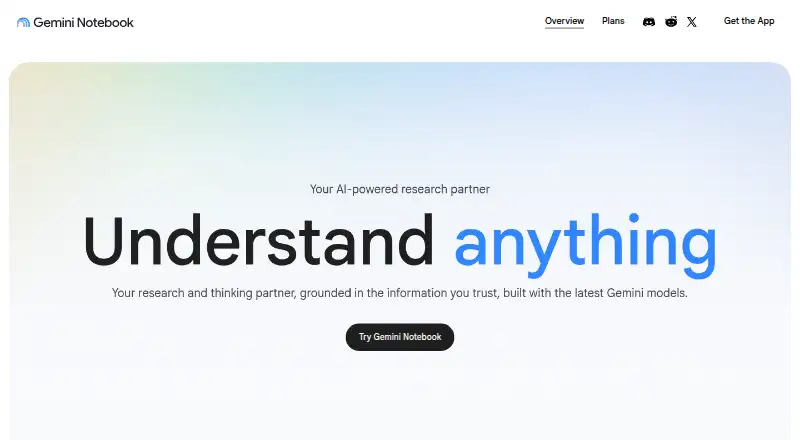
Gemini Notebook, formerly NotebookLM, is a standalone research tool for organizing sources and answering questions grounded in those materials.
What Gemini Notebook is
Gemini Notebook, formerly NotebookLM, is a standalone research tool for organizing sources and answering questions grounded in those materials. It accepts PDFs, websites, YouTube videos, audio files, Google Docs, Google Slides, and other sources. Responses cite exact quotes in the supplied material. Audio Overview turns notebook sources into a podcast-style discussion, and study notebooks can produce quizzes, interactive lessons, flashcards, and infographics from course materials.
Notebooks can sync with Gemini Apps, where users can manage them and ask questions. A secure cloud computer can write and execute code for source-grounded data analysis, with access rolling out by plan. The Free plan costs nothing and allows 50 sources per notebook, 100 notebooks, 50 chat queries per day, and three audio generations per day. It is available on web, Android, and iOS. Notebook memory, auto-saving chats, Drive sources, and study and business notebooks require Keep Activity to be enabled in Gemini Apps. Individual data is not used to train Gemini Notebook unless users provide feedback, which may allow review of the full interaction context.
Good
- Answers include citations to exact source quotes.
- Accepts documents, websites, video, and audio sources.
- Creates audio discussions and study materials.
- Free plan includes 100 notebooks and 50 sources each.
Watch out
- Free plan limits chats to 50 queries per day.
- Free plan limits audio generations to three per day.
- Some features require Keep Activity to be turned on.
- Notebook availability in Gemini Apps is rolling out gradually.
Who it suits
Gemini Notebook suits students and others who want to organize source materials, ask questions about them, or create study aids. It can also help organizations prepare onboarding materials.
Verdict
Gemini Notebook centers research and study around users’ own materials, with citations and several ways to review or transform sources. The Free plan has defined daily limits, and some features depend on Keep Activity being enabled.
Plans and prices
From Gemini Notebook's own pricing page, checked 20 Sep 2026.
| Plan | Price | What it gives you |
|---|---|---|
| Free | Free | 50 sources per notebook · 100 notebooks · 50 chat queries per day · 3 audio generations per day |
| Google AI Plus | — | 2 TB storage |
| Google AI Pro | — | 5 TB storage |
| Google AI Ultra | — | 20 TB storage |
| Gemini Notebook Standard | Free | 100 notebooks/user · 50 sources/notebook · 50 conversations/day · 3 audio overviews/day |
The facts
Each one read from Gemini Notebook's own pages, with the date it was checked.
What it does
- Audio
- Audio Overview turns notebook sources into a podcast-style discussion with one click.checked 5 Oct 2026
- Availability limits
- Gemini Notebook in Gemini Apps is available on the Gemini web app and mobile app, and notebook availability is being rolled out gradually.checked 5 Oct 2026
- Citations
- Responses include citations that point to exact quotes in the supplied sources.checked 5 Oct 2026
- Code analysis
- A secure cloud computer lets notebooks write and execute code for data analysis grounded in their sources; access is rolling out by plan.checked 5 Oct 2026
- Enterprise protection
- For Gemini Notebook for Enterprise, uploaded files remain within the customer’s Google Cloud project, data regionalization is honored, and files, chats, and outputs are not human-reviewed or used to improve generative AI models.checked 5 Oct 2026
- Feature limit
- Notebook memory, chat auto-saving, Drive sources, and study and business notebooks require Keep Activity to be turned on in Gemini Apps.checked 5 Oct 2026
- Integrations
- Notebooks can sync between Gemini Notebook and Gemini Apps, where users can manage notebooks and ask questions about them.checked 5 Oct 2026
- Privacy
- For individual users, data is not used to train Gemini Notebook unless they provide feedback, which may allow review of the full interaction context.checked 5 Oct 2026
- Product
- Gemini Notebook is the renamed NotebookLM and remains a standalone research tool.checked 5 Oct 2026
- Purpose
- It helps people research and learn by organizing their sources and answering questions grounded in that material.checked 5 Oct 2026
- Source types
- It accepts PDFs, websites, YouTube videos, audio files, Google Docs, Google Slides, and other materials.checked 5 Oct 2026
- Study tools
- Study notebooks can create diagnostic quizzes, personalized interactive lessons, flashcards, and infographics from course materials.checked 5 Oct 2026
- Who it serves
- Google says the product is used by students and organizations, including for converting study notes into audio and video summaries and creating onboarding materials.checked 5 Oct 2026
- Workspace privacy
- Workspace and Workspace for Education uploads, queries, and model responses are not reviewed by human reviewers or used to train AI models.checked 5 Oct 2026
Money
- Free plan
- Yeschecked 20 Sep 2026
The full review of Gemini Notebook
Gemini Notebook is a research and study app for working with materials you collect in notebooks. It suits students and anyone who needs to question a set of documents, web pages, videos, or audio files. Its source-linked answers and study tools are useful, but daily limits and a Keep Activity requirement can constrain regular use.
Overview
Now renamed from NotebookLM, Gemini Notebook remains a standalone research tool. It organizes user-provided sources and answers questions grounded in them, with citations pointing to exact quotes. That traceability is a practical advantage for checking an answer against its context; the focus on supplied materials is less suited to questions that call for open-ended exploration beyond a notebook.
It accepts PDFs, websites, YouTube videos, audio files, Google Docs, Google Slides, and other materials. Notebooks can sync with Gemini Apps, where users can manage them and ask questions. Availability in Gemini Apps is rolling out gradually, so that connected workflow may not be accessible to everyone yet.
Key features
Source-based research
Exact-quote citations make it easier to see where an answer comes from and decide whether it reflects the source fairly. Support for several formats helps users combine course readings, web material, and recorded content rather than keeping each in a separate tool. This is most valuable when the user already has a defined collection to work through.
Audio and study tools
Audio Overview converts notebook sources into a podcast-style discussion with one click, giving learners another way to revisit material. Study notebooks can also generate diagnostic quizzes, personalized interactive lessons, flashcards, and infographics from course materials. That range makes Gemini Notebook more than a question-answering workspace for students, though the daily audio allowance on the free plans is modest.
Analysis, syncing, and privacy
A secure cloud computer can write and execute code for data analysis grounded in notebook sources, but access is rolling out by plan. Individual users’ data is not used to train Gemini Notebook unless they provide feedback; that feedback may allow review of the full interaction context. Workspace and Workspace for Education uploads, queries, and responses are not human-reviewed or used to train AI models. Enterprise uploads remain in the customer’s Google Cloud project, honor data regionalization, and are not human-reviewed or used to improve generative AI models.
Notebook memory, chat auto-saving, Drive sources, and study and business notebooks require Keep Activity to be enabled in Gemini Apps. Users who prefer that activity setting off will lose access to those features.
Pricing
The free offering is generous enough to start a substantial collection: the Free plan allows 100 notebooks, 50 sources per notebook, 50 chat queries per day, and three audio generations per day for no cost. Gemini Notebook Standard is also free, with 100 notebooks per user, 50 sources per notebook, 50 conversations per day, and three audio overviews per day. The caps make either free option workable for intermittent study and research, but heavy daily querying or audio use may run into limits.
Google AI Plus includes 2 TB of storage, Google AI Pro includes 5 TB, and Google AI Ultra includes 20 TB. Each has custom pricing, so the storage tiers are easier to distinguish than their cost. The listed plan details do not establish changes to notebook quotas for these tiers; readers should weigh them on the storage included rather than assume higher research limits.
Platforms
Gemini Notebook is available on web, iOS, and Android. Gemini Apps also has web and mobile availability, although notebook access there is being rolled out gradually.
Who it's for
Students can use it to turn course materials into quizzes, lessons, flashcards, infographics, or audio summaries. Researchers benefit most when they need answers anchored to a collection of sources and want to verify the cited passages. Organizations may also use it for onboarding materials, with Workspace and Enterprise privacy provisions relevant to teams handling work content. It is a weaker fit for users who need uncapped daily use or do not want to enable Keep Activity for certain features.
Pros and cons
- Pros: Citations point to exact source quotes, giving readers a direct way to check answers.
- Pros: Broad source support and several study outputs let users work across documents, web pages, video, and audio.
- Pros: The free plans include 100 notebooks and three daily audio generations, making ongoing use possible without an upfront price.
- Cons: The free plans cap chat at 50 queries or conversations per day and limit audio to three daily generations or overviews.
- Cons: Notebook memory, auto-saving, Drive sources, and study and business notebooks depend on Keep Activity being enabled.
- Cons: Gemini Apps notebook availability is gradual, and code analysis access is rolling out by plan.
Alternatives
For dedicated flashcard practice, Brainscape is a focused alternative, with a Basic plan offering 2,500 pre-loaded flashcards and a Pro plan at $7.99 a year billed Year for unlimited AI flashcard creation. Choose it when flashcards, rather than source-grounded research across formats, are the priority. RemNote is another freemium option for learners who want annotated PDFs and image occlusion cards; its free plan includes three annotated PDFs, five image occlusion cards, one handwritten document, 20 files per day, files up to 8MB, and 250 AI credits per month.
Readers comparing broader study categories can browse AI Study Tools, AI Note-Taking Apps, and Note-taking apps.
Verdict
Gemini Notebook is a strong choice for students and researchers who want to interrogate their own material, verify answers through exact citations, and revisit it in several formats. Its free quotas and range of supported sources make it a capable starting point. Look elsewhere if you need unrestricted daily volume, broad research beyond supplied sources, or notebook features without enabling Keep Activity.
Getting started
- Open https://notebook.google/ in a web browser, or use the service on iOS or Android.
- Create a notebook and add source material such as PDFs, websites, or Google files.
- Ask questions about the collected sources and follow citations to the quoted passages.
- Use Audio Overview or study notebook tools to generate learning materials.
- Turn on Keep Activity in Gemini Apps if you need notebook memory, chat auto-saving, Drive sources, or study and business notebooks.
Limits worth knowing
The Free plan allows 50 sources per notebook, 100 notebooks, and 50 chat queries per day, and three audio generations or overviews per day. Notebook memory, chat auto-saving, Drive sources, and study and business notebooks require Keep Activity to be on in Gemini Apps; access to code analysis is rolling out by plan.
Questions
Is Gemini Notebook free?
Yes. Its Free plan is free. The listed Free and Gemini Notebook Standard plans include limits on notebooks, sources, daily conversations or queries, and audio.
Which platforms does it support?
Gemini Notebook is available on the web, iOS, and Android.
What kinds of sources can I add?
It accepts PDFs, websites, YouTube videos, audio files, Google Docs, Google Slides, and other materials.
Do its answers cite sources?
Yes. Responses include citations pointing to exact quotes in the supplied sources.
How does individual-user privacy work?
Individual data is not used to train Gemini Notebook unless users provide feedback; that feedback may allow review of the full interaction context.
Alternatives to Gemini Notebook
- 1

Talkpal
Free planAndroidiOSWebmacOS8.9From $6.24 a month - 2

Brainscape
Free planAndroidiOSWebAPI8.9From $7.99 a month - 3

StudyGlen
Free planAndroidiOSWeb8.7$4.99 one-time - 4

Quizly
Free planAndroidiOSWeb8.6From €2.91 a month - 5

Quizbot
Free planAndroidiOSWebExtension8.6From $35 a year - 6

Duolingo
Free planAndroidiOSWebmacOS8.5Free plan