FPS Monitor
FPS Monitor is paid Windows software that displays PC hardware information in an in-game overlay while you play.
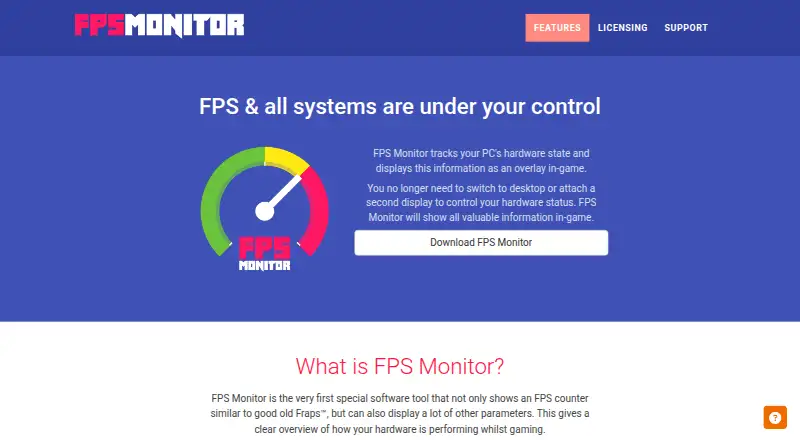
What FPS Monitor is
FPS Monitor is paid Windows software that displays PC hardware information in an in-game overlay while you play. It places an FPS counter beside readings for CPU, GPU, RAM, HDD, and network connection, helping show possible hardware bottlenecks. Overlay settings let you change sensor fonts, size, style, colors, and rendering options, switch sensors on or off, and create multiple overlays. The program can record hardware-usage statistics for a defined period and save them to a file for analysis. Hardware Alerts warn in the overlay when hardware reaches a dangerous or near-critical state. FPS Monitor has a free demo, while buying a license removes demo restrictions. Steam lists Windows 7, 1 GB RAM, a graphics card, DirectX 11, and 15 MB storage as minimum requirements, with administrator rights mandatory. A game may crash when other overlays or gameplay-recording tools run alongside it. Support is available by email or website widget.
Good
- In-game FPS and hardware readings
- Configurable fonts, colors, and sensors
- Multiple overlay support
- Usage statistics saved for analysis
- Hardware alerts for critical states
Watch out
- Paid software with no free plan
- Windows-only platform
- Administrator rights are mandatory
- Other overlays may cause crashes
Who it suits
It suits Windows gamers who want FPS readings and configurable hardware sensors during play. It also fits users who need saved usage statistics or in-game hardware alerts.
Verdict
FPS Monitor combines an FPS counter with configurable monitoring for major PC components. Its demo allows evaluation, but the full license is required to remove demo restrictions.
Plans and prices
From FPS Monitor's own pricing page, checked 4 Oct 2026.
| Plan | Price | What it gives you |
|---|---|---|
| Single license | — | License removes demo restrictions |
The facts
Each one read from FPS Monitor's own pages, with the date it was checked.
What it does
- Custom overlays
- Users can configure sensor fonts, size, style, colors, and rendering options, enable or disable sensors, and add multiple overlays.checked 4 Oct 2026
- Demo
- The maker offers a free demo, and says buying a license removes all demo restrictions.checked 4 Oct 2026
- Developer
- Steam lists Eduard Kozadaev as the developer and publisher of FPS Monitor.checked 4 Oct 2026
- FPS counter
- It shows an FPS counter along with other parameters about hardware performance while gaming.checked 4 Oct 2026
- Hardware alerts
- Hardware Alerts warn in the overlay when hardware is in a dangerous or near-critical state.checked 4 Oct 2026
- Hardware monitored
- The site names CPU, GPU, RAM, HDD, and network connection as monitored or potential bottleneck components.checked 4 Oct 2026
- Overlay conflicts
- The maker says a game may crash if other overlay or gameplay recording tools are running and asks users to report those tools.checked 4 Oct 2026
- Payment security
- The maker says payments are processed by Xsolla and that all operations are secured.checked 4 Oct 2026
- Purpose
- FPS Monitor tracks PC hardware state and displays information in an in-game overlay.checked 4 Oct 2026
- Support
- Support is available by email at [email protected] or through the website widget.checked 4 Oct 2026
- System requirements
- Steam lists Windows 7, 1 GB RAM, a graphics card, DirectX 11, and 15 MB storage as minimum requirements, and says administrator rights are mandatory.checked 4 Oct 2026
- Troubleshooting
- For program problems, the maker asks users to provide FPSMonitor.txt from the MyDocuments folder.checked 4 Oct 2026
- Usage statistics
- The software can collect hardware usage statistics for a defined period and write them to a file for analysis.checked 4 Oct 2026
Alternatives to FPS Monitor
- 1

OP.GG
Free planAndroidiOSWebExtension8.2From $3 a month - 2

GameGlass
Free planAndroidiOSWebLinux7.9From $49.90 a year - 3
Valorant Tracker
Free planAndroidiOSWebWindows7.4From $2.92 a month - 4

WeMod
Free planAndroidWindows7.4From $59.99 a year - 5

PLITCH
Free planAndroidiOSWindows7.2From zł199.92 a year - 6

MetaTFT
Free planWebWindows6.9From $3 a month