Foto Master FMX (FMX For Windows)
Foto Master FMX is paid photo booth software for Windows, with browser access through Foto Master Cloud.
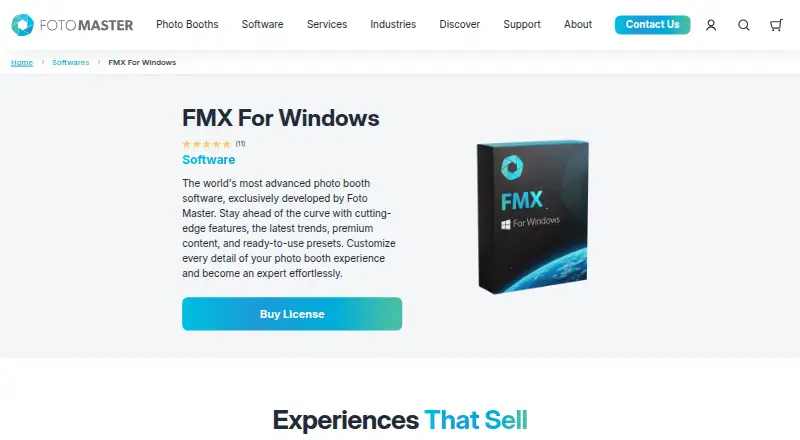
What Foto Master FMX (FMX For Windows) is
Foto Master FMX is paid photo booth software for Windows, with browser access through Foto Master Cloud. It creates customizable event experiences and captures still photos, strips, GIFs, boomerangs, and videos. Workflow, layout, and video builders support booth setup, while games, interactive animations, green screen, filters, and access codes add session options. Outputs can be printed or shared through offline galleries, email, SMS, QR codes, and FTP; Foto Master Cloud handles email, SMS, and QR sharing. The package supports lead capture and live event galleries, along with Canon DSLR cameras, webcams, Kinect, Windows printers, Nayax, Intercard, and Embed systems. After an event is synced, the booth runs locally, while internet access is needed for syncing, online galleries, sharing, and AI features. Current FMX requires an active Foto Master Cloud Basic or Pro plan and a license for each device. FMX For Windows costs $33 a year per device.
Good
- Captures photos, GIFs, boomerangs, and video
- Offline booth capture
- Printing and lead capture
- Live event galleries
- Supports Canon cameras and Windows printers
Watch out
- No free plan
- Requires Foto Master Cloud plan
- Each device needs a license
- Internet required for hosted features
Who it suits
It suits event professionals operating Windows-based photo booths who need multiple capture modes, printing, sharing, and lead collection. Cloud-dependent features are relevant for teams using online galleries or AI processing.
Verdict
FMX provides a broad event-booth toolkit with offline capture and several sharing routes. Buyers should account for the required cloud plan, per-device licensing, and internet needs for online and AI functions.
Plans and prices
From Foto Master FMX (FMX For Windows)'s own pricing page, checked 8 Oct 2026.
| Plan | Price | What it gives you |
|---|---|---|
| FMX For Windows | $33 a year | Per device · Active Foto Master Cloud Basic or Pro plan required · Billed Annually |
| Foto Master Cloud Pro | $79 a month | One subscription per company · 10 GB storage · AI credits charged per use |
The facts
Each one read from Foto Master FMX (FMX For Windows)'s own pages, with the date it was checked.
What it does
- AI
- Foto Master Cloud provides AI features, including AI image creation, transformations, and image-to-video processing, with usage prices listed by feature.checked 8 Oct 2026
- Cloud requirement
- Current FMX requires an active Foto Master Cloud Basic or Pro plan, and each device requires its applicable software license.checked 8 Oct 2026
- Features
- The software package lists workflow, layout, and video builders, games, interactive animations, green screen, filters, and access codes.checked 8 Oct 2026
- Integrations
- Listed supported devices and payment systems include Canon DSLR cameras, webcams, Kinect, Windows printers, Nayax, Intercard, and Embed.checked 8 Oct 2026
- Internet
- After syncing an event, the booth runs the experience locally; internet is needed for syncing and hosted functions such as online sharing, galleries, and AI.checked 8 Oct 2026
- License model
- Current software is generally licensed by subscription per device; verified legacy lifetime entitlements may continue under their original terms.checked 8 Oct 2026
- Media
- The software captures still photos, GIFs, boomerangs, and videos.checked 8 Oct 2026
- Operating system
- FMX is software for Windows OS and installs on Windows computers.checked 8 Oct 2026
- Privacy
- Foto Master’s privacy policy says it does not store full payment card numbers and notes event content may include photos, videos, audio, and face recordings.checked 8 Oct 2026
- Purpose
- FMX is photo booth software developed by Foto Master for creating and running customizable event photo booth experiences.checked 8 Oct 2026
- Sharing
- Outputs can be shared through printing, offline galleries, email, SMS, QR codes, and FTP, with email, SMS, and QR sharing via Foto Master Cloud.checked 8 Oct 2026
- Support
- The product page offers optional 24/7 support and says a one-hour online training session is included when that support is purchased with the license.checked 8 Oct 2026
- Target users
- Foto Master describes its business as serving event professionals and customers worldwide with photo booth hardware, software, and support.checked 8 Oct 2026
The company
- Founded
- 2011checked 28 Sep 2026
Alternatives to Foto Master FMX (FMX For Windows)
- 1
RevoSpin 360
Free planAndroidiOSWeb7.6$49.99 one-time - 2
Touchpix
AndroidiOSWebAPI7.6From $36.66 a month - 3
FreeBooth
Free planOpen sourceWebLinuxmacOSWindows7.5Free plan - 4
FotoBox
Free planOpen sourceLinuxmacOSSelf-hosted7.1Free plan - 5

LumaBooth
AndroidiOSWebmacOS7.0From $7.99 a month - 6

AI Photo Booth Pro
AndroidiOSmacOSWindows6.8From $49 a month