Fortra Automate
Fortra Automate is paid, no-code robotic process automation software for repetitive IT and business processes.
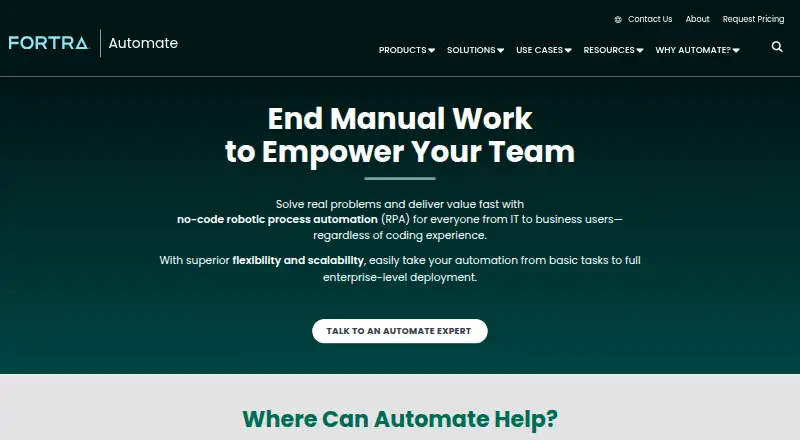
What Fortra Automate is
Fortra Automate is paid, no-code robotic process automation software for repetitive IT and business processes. Workflows can be designed with drag-and-drop tools, an Automate Recorder, and more than 700 pre-built actions. Automate Desktop targets automation on one machine, while Automate Enterprise centrally manages work across departments, systems, and environments. Deployments can run on premises or in the cloud. Listed integrations include AWS, Azure, VMware, SharePoint, Exchange, Active Directory, Dynamics CRM, Excel, Chrome, Firefox, Oracle, MySQL, and PowerShell. An API Integration Kit connects applications and services through APIs. Intelligent Document Processing uses machine learning and AI to extract and route structured or unstructured document data. Enterprise capabilities include role-based access, encryption, and audit-ready logs. The software supports attended and unattended automation, browser automation, bot orchestration, and Windows. Pricing is available by request, and Fortra offers a fully functional 14-day trial with onboarding.
Good
- More than 700 pre-built workflow actions
- Desktop and centrally managed Enterprise options
- On-premises or cloud deployment
- API Integration Kit for connected services
- 14-day functional trial with onboarding
Watch out
- No free plan
- Pricing requires a quote
- Windows requirements are specified
- Enterprise security capabilities are product-specific
Who it suits
It suits organizations automating repetitive work across departments and teams, as well as users handling tasks on one Windows machine. It is relevant when attended, unattended, browser, or bot-based automation is needed.
Verdict
Fortra Automate covers single-machine and centrally managed automation with broad integrations and document processing. Its quote-based pricing and Windows-focused requirements should be reviewed before deployment.
Plans and prices
From Fortra Automate's own pricing page, checked 7 Oct 2026.
| Plan | Price | What it gives you |
|---|---|---|
| Automate Desktop | Priced on request | Single-machine automation · 73 actions · 15 triggers · Automate Recorder · Automate Care |
| Automate Standard, Advanced, Professional, Ultimate | Priced on request | Standard: 1 automation agent · 1 automation studio; Advanced: 2 agents · 2 studios · 1 non-prod environment; Professional: 5 agents · 5 studios · 1 non-prod environment; Ultimate: custom agents and studios · 1 non-prod environment · 1 HA/DR environment |
The facts
Each one read from Fortra Automate's own pages, with the date it was checked.
What it does
- API
- Automate includes an API Integration Kit to connect with applications and services through APIs.checked 7 Oct 2026
- Audience
- Fortra presents Automate Enterprise for organizations scaling automation across teams and Automate Desktop for repetitive work on a single machine.checked 7 Oct 2026
- Deployment
- Automate Desktop runs on a single machine, while Automate Enterprise centrally manages automation across departments, systems, and environments.checked 7 Oct 2026
- Deployment options
- The Automate Desktop overview says Automate solutions can be deployed on premises or in the cloud.checked 7 Oct 2026
- Document processing
- Automate Intelligent Document Processing uses machine learning and AI to extract and route structured and unstructured document data.checked 7 Oct 2026
- Integrations
- Listed integrations include AWS, Azure, VMware, SharePoint, Exchange, Active Directory, Dynamics CRM, Excel, Chrome, Firefox, Oracle, MySQL, and PowerShell.checked 7 Oct 2026
- Pricing
- The pricing page asks buyers to request a quote based on automation goals, deployment requirements, and budget.checked 7 Oct 2026
- Purpose
- Fortra Automate is no-code robotic process automation software for automating repetitive IT and business processes.checked 7 Oct 2026
- Security
- The enterprise product listing describes role-based access, encryption, and audit-ready logs as enterprise security capabilities.checked 7 Oct 2026
- Support
- Automate support is available by phone, live chat, or email, and Fortra also offers consulting, training, security, and managed services.checked 7 Oct 2026
- Workflow building
- The product offers drag-and-drop workflow design, an Automate Recorder, and a library of more than 700 pre-built actions.checked 7 Oct 2026
The company
- Founded
- 1982checked 28 Sep 2026
- Headquarters
- Eden Prairie, Minnesota, United Stateschecked 28 Sep 2026
Where it runs
- Platform requirements
- The Automate Desktop overview lists compatible operating systems as Microsoft Windows Server 2019, 2016, 2012 R2, 2012, 2008 R2 SP1, and Windows 10.checked 7 Oct 2026
Money
- Trial
- Fortra offers a fully functional 14-day trial with onboarding from an Automate specialist.checked 7 Oct 2026
Alternatives to Fortra Automate
- 1
EdgeVerve AssistEdge
Free planWebAPILinuxSelf-hosted7.8Free plan - 2
Microsoft Power Automate
WebWindows6.9From $15 a month - 3

Zoho RPA
Free planWebAPIExtensionLinux6.7Free plan - 4
Nintex eSign
WebAPI6.6 - 5

Rocketbot
WebAPILinuxmacOS6.5From $7,990 a year - 6
SAP Extended Enterprise Content Management by OpenText
AndroidiOSWebLinux6.4