Fort Firewall
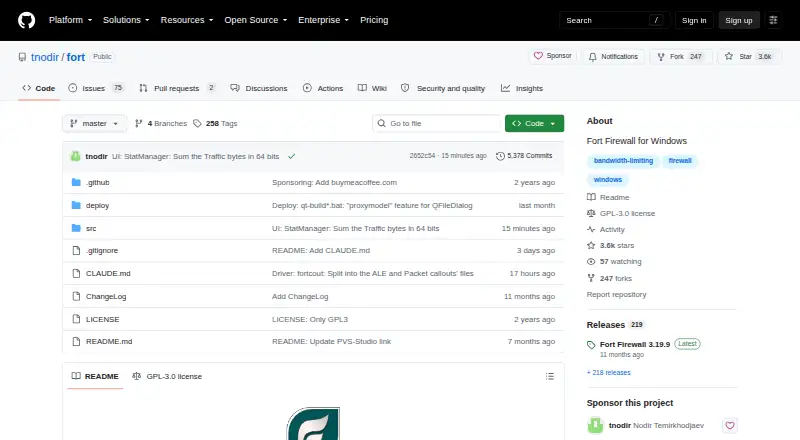
The facts below are what the maker publishes about Fort Firewall, checked and dated. Our editors have not written about it yet.
Plans and prices
From Fort Firewall's own pricing page, checked 11 Oct 2026.
| Plan | Price | What it gives you |
|---|---|---|
| Fort Firewall | Free | Windows 7 and later · GPL-3.0 licensed |
The facts
Each one read from Fort Firewall's own pages, with the date it was checked.
Where it runs
- Application rules
- Yeschecked 22 Sep 2026
- Supported platforms
- Windowschecked 22 Sep 2026
What it does
- Bandwidth
- Fort supports per-program download and upload speed limits.checked 11 Oct 2026
- Capacity limits
- The guide lists maximums of 32 groups, 32 speed limits, 32 zones, 64 time periods and 1,024 total rules.checked 11 Oct 2026
- Compatibility limit
- The guide says Windows Memory integrity (HVCI) must be off to install Fort on Windows 10 and later.checked 11 Oct 2026
- Connection alerts
- Yeschecked 22 Sep 2026
- Default behavior
- Fort starts in Auto-Learn mode, which allows new programs; the FAQ advises switching to Block, if not allowed, to block unapproved programs.checked 11 Oct 2026
- Driver
- Fort uses its own Windows Filtering Platform driver and does not configure Windows Defender Firewall.checked 11 Oct 2026
- Filter modes
- Its filter modes include Auto-Learn, Block if not allowed, Allow if not blocked and Ignore; Ask to Connect is listed as unavailable in this version.checked 11 Oct 2026
- Integration
- The installer can add Windows Explorer integration, and My Fort lists Control Panel Sounds integration and auto-run settings.checked 11 Oct 2026
- License
- The public repository identifies Fort Firewall as licensed under GPL-3.0.checked 11 Oct 2026
- Monitoring
- The software provides traffic statistics, a connection log with block reasons, a live traffic graph and a filter simulator.checked 11 Oct 2026
- Network filtering
- It can filter connections by address, port, protocol, direction, network area and network profile.checked 11 Oct 2026
- Other requirements
- Installation requires the matching Microsoft Visual C++ Redistributable, and installing the driver requires administrator rights.checked 11 Oct 2026
- Outbound control
- advancedchecked 22 Sep 2026
- Program controls
- Programs can be allowed, blocked or stopped from starting, with wildcard paths, parent process rule inheritance and per-service filtering for svchost.exe.checked 11 Oct 2026
- Purpose
- Fort Firewall is a firewall for Windows 7 and later that allows or blocks network access per program.checked 11 Oct 2026
- Rule direction
- bothchecked 22 Sep 2026
- Rules
- Network rules can be configured per program or globally using addresses, ports, protocols and other criteria.checked 11 Oct 2026
- Security controls
- Optional password protection covers configuration and monitoring windows, alerts and most command-line commands.checked 11 Oct 2026
- Self-protection
- Options include blocking traffic while Fort is not running, silently dropping inbound packets Windows would reject, and disabling service controls.checked 11 Oct 2026
- Standalone driver
- Fort uses its own Windows Filtering Platform driver and does not configure Windows Defender Firewall.checked 11 Oct 2026
- Support
- The project directs users to report bugs and discuss ideas through its GitHub repository.checked 11 Oct 2026
- Traffic controls
- Fort supports per-program download and upload speed limits, program groups and scheduled time periods.checked 11 Oct 2026
Alternatives to Fort Firewall
- 1

OPNsense
Free planOpen sourceAndroidiOSWebAPI9.4Free plan - 2

CrowdSec
Free planOpen sourceiOSWebAPIExtension9.0From $49 a month - 3

IPFire
Free planOpen sourceWebAPILinuxSelf-hosted8.7From $1,099 a year ($91.58 a month) - 4

Comodo Internet Security
AndroidiOSExtensionWindows8.5 - 5
GlassWire
Free planAndroidWebWindows8.4From $2.99 a month - 6

NethSecurity
Free planOpen sourceWebAPILinuxSelf-hosted8.4From €150 a year (€12.50 a month)