FocusWindow
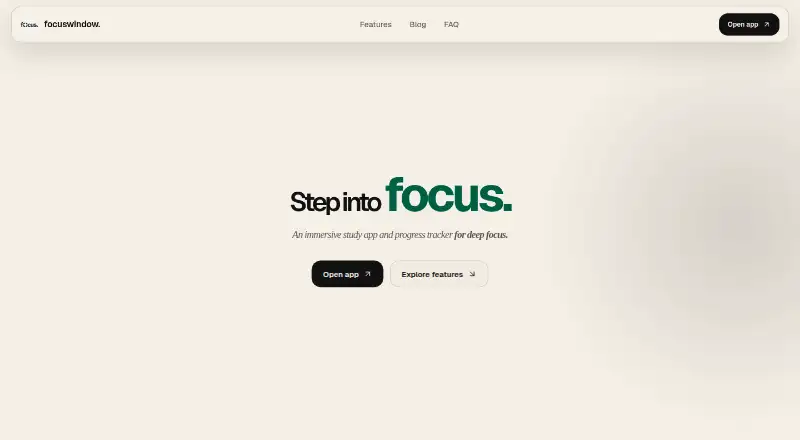
FocusWindow is a Windows study app that combines a desktop workspace with focus tracking for students.
What FocusWindow is
FocusWindow is a Windows study app that combines a desktop workspace with focus tracking for students. Its workspace can bring together a Pomodoro timer, tasks, notes, ambient sounds, music, tabs, and other study tools. Users can assemble a workspace or choose an ambient scene, and FocusTabs can keep course materials, documentation, notes, and websites within the desktop environment. Tasks can be grouped by subject, including assignments and exams; progress tracking covers focus sessions, daily history, and longer-term trends.
Core desktop tools can remain useful offline, but sync, connected music services, and web-based FocusTabs need an internet connection. The privacy policy names Spotify and YouTube or Google as connected services. Some workspace data is stored locally, while synced account data is stored in Supabase. FocusWindow uses PostHog for limited product analytics and sanitized renderer exception diagnostics; its policy says session replay and autocapture are not enabled. The free plan costs nothing and includes the core workspace, essential scenes and sounds, Pomodoro, tasks, and focus progress. The terms warn that features may change, break, or become unavailable, especially during early testing.
Good
- Combines Pomodoro, tasks, notes, and ambient sounds.
- FocusTabs hold study materials and websites.
- Tasks can be organized by subject.
- Progress tracking includes daily history and longer-term trends.
- Core desktop tools can remain useful offline.
Watch out
- Sync and web-based FocusTabs require internet access.
- Features may change or become unavailable during early testing.
- The listed platform is Windows.
Who it suits
FocusWindow suits students who want focus timers, subject-organized tasks, study materials, and ambient options in a Windows workspace. It may also suit students who want to track sessions and progress over time.
Verdict
FocusWindow brings study materials and focus tracking into a single desktop workspace. Its free plan covers core tools, while connected features and early-testing changes are worth considering.
Plans and prices
From FocusWindow's own pricing page, checked 7 Oct 2026.
| Plan | Price | What it gives you |
|---|---|---|
| Free | Free | Core workspace · essential scenes and sounds · Pomodoro · tasks · focus progress |
| Pro | Priced on request | Expanded study spaces and ambient layers · richer workspace customization · complete progress history · goals · workspace sync |
The facts
Each one read from FocusWindow's own pages, with the date it was checked.
What it does
- Analytics
- The app uses PostHog for limited product analytics and sanitized renderer exception diagnostics, and the policy says it does not enable app session replay or autocapture.checked 7 Oct 2026
- Availability
- The terms say features may change, break, or become unavailable, especially while the app is in early testing.checked 7 Oct 2026
- Customization
- Users can build a study workspace or choose an ambient scene.checked 7 Oct 2026
- Data storage
- Some workspace data is stored locally, while synced account data is stored in Supabase; browser data and cookies remain local, according to the homepage FAQ.checked 7 Oct 2026
- FocusTabs
- FocusTabs can hold notes, documentation, course material, and other websites inside the desktop workspace.checked 7 Oct 2026
- Focus tools
- The app includes a Pomodoro timer, tasks, notes, ambient sounds, and focus progress tracking.checked 7 Oct 2026
- Integrations
- The privacy policy names Spotify and YouTube or Google as connected music and media services.checked 7 Oct 2026
- Intended users
- FocusWindow presents the product as a workspace for students who want study tools, material, focus music, and an ambient workspace together.checked 7 Oct 2026
- Offline use
- Core desktop tools can remain useful offline, while sync, connected music services, and web-based FocusTabs need internet access.checked 7 Oct 2026
- Organization
- Tasks can be organized by subject, including assignments and exams.checked 7 Oct 2026
- Product
- FocusWindow describes itself as an immersive study app and progress tracker for students.checked 7 Oct 2026
- Progress
- The progress tracker can show focus sessions, daily history, and longer-term trends.checked 7 Oct 2026
- Security
- The privacy policy says supported online services use encrypted network connections and FocusTab browser session data is separated from the main app session.checked 7 Oct 2026
- Support
- Privacy questions and account data deletion requests can be sent to [email protected] or through the support contact on the Microsoft Store listing.checked 7 Oct 2026
- Workspace
- The workspace brings together timers, tasks, notes, music, tabs, and other study tools.checked 7 Oct 2026
Alternatives to FocusWindow
- 1

Brainscape
Free planAndroidiOSWebAPI8.2From $7.99 a month - 2

Forest
Free planAndroidiOSWebExtension8.1From $35.99 a year - 3
Study Bunny
Free planAndroidiOSmacOS7.8$1.99 one-time - 4
Cloud Outliner
Free planiOSmacOS7.7$4.99 one-time - 5
FLIP
Free planAndroidiOS7.4From $8.99 a year - 6
FlashPrep
Free planAndroidWeb7.3From ₹499 a year