Focus Timer
Focus Timer is a free Linux utility for managing work periods and breaks with the Pomodoro technique.
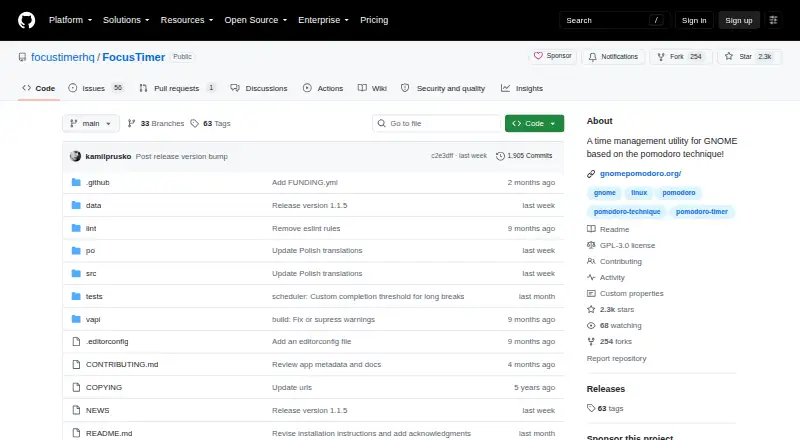
What Focus Timer is
Focus Timer is a free Linux utility for managing work periods and breaks with the Pomodoro technique. Users choose focus and break durations, then pause, rewind, extend, or skip sessions; automatic progression is enabled by default. Break reminders can use a full-screen overlay, notifications, sounds, and announcements. The app records daily, weekly, and monthly focus statistics and stores session history in a local database. Daily automatic backups are restored if the database becomes corrupted, according to the website. Desktop controls include a system tray icon, global shortcuts, and awareness of idle time and the lock screen. An optional GNOME Shell extension is available. Focus Timer can pause media and connect to shell commands, D-Bus, and CLI tools. The README notes that the Flathub version cannot run custom scripts in its Automation panel, while Flathub lists version 1.1.5 as adding that panel. It is GPL 3 or later and free on Flathub, with Fedora and Arch packages listed.
Good
- Custom focus and break durations
- Daily, weekly, and monthly statistics
- Daily database backups and recovery
- Global shortcuts and system tray controls
- Free GPL 3-or-later software
Watch out
- Linux-only platform
- Flathub cannot run custom automation scripts
- Pomodoro-oriented workflow may not suit every method
Who it suits
It suits Linux users, especially GNOME users, who want configurable focus sessions, break reminders, and local progress history. People needing automation hooks can connect shell, D-Bus, and CLI tools.
Verdict
Focus Timer offers a broad set of session controls, reminders, statistics, and desktop integrations at no cost. Check the Flathub automation limitation if custom scripts are important.
Plans and prices
From Focus Timer's own pricing page, checked 8 Oct 2026.
| Plan | Price | What it gives you |
|---|---|---|
| Free | Free | Free to download on Flathub · Linux packages listed for Fedora and Arch |
The facts
Each one read from Focus Timer's own pages, with the date it was checked.
What it does
- Automation
- The app can pause media and connect to shell commands, D-Bus, and CLI tools.checked 8 Oct 2026
- Break reminders
- The app offers a full-screen break overlay, notifications, sounds, and announcements before breaks.checked 8 Oct 2026
- Current Flathub update
- Flathub lists version 1.1.5 as adding the Automation panel to the Flatpak version.checked 8 Oct 2026
- Data recovery
- The website says the local database is backed up daily and automatically restored if it becomes corrupted.checked 8 Oct 2026
- Desktop controls
- Desktop features include a system tray icon, global shortcuts, idle and lock-screen awareness, and an optional GNOME Shell extension.checked 8 Oct 2026
- Integration limit
- The project README says the Flathub version does not have the ability to run custom scripts in its Automation panel.checked 8 Oct 2026
- Intended audience
- The project describes Focus Timer as a time-management utility for GNOME based on the Pomodoro technique.checked 8 Oct 2026
- License
- The software is licensed under GPL 3 or later.checked 8 Oct 2026
- Purpose
- Focus Timer is a Pomodoro-based time-management app for scheduling focused work and regular breaks.checked 8 Oct 2026
- Session controls
- Users can set focus and break durations, pause, rewind, extend, or skip sessions, with automatic progression enabled by default.checked 8 Oct 2026
- Statistics and storage
- It shows daily, weekly, and monthly focus statistics and stores session history in a local database with daily automatic backups.checked 8 Oct 2026
- Support
- The project directs users to its GitHub issue tracker for problems and feature requests and GitHub Discussions for questions.checked 8 Oct 2026
Alternatives to Focus Timer
- 1

Brainscape
Free planAndroidiOSWebAPI8.2From $7.99 a month - 2

Forest
Free planAndroidiOSWebExtension8.1From $35.99 a year - 3
Study Bunny
Free planAndroidiOSmacOS7.8$1.99 one-time - 4
Cloud Outliner
Free planiOSmacOS7.7$4.99 one-time - 5
FLIP
Free planAndroidiOS7.4From $8.99 a year - 6
FlashPrep
Free planAndroidWeb7.3From ₹499 a year