FlipBuilder Flip PDF
FlipBuilder Flip PDF converts PDFs or images into HTML5 flipbooks for digital publishing.
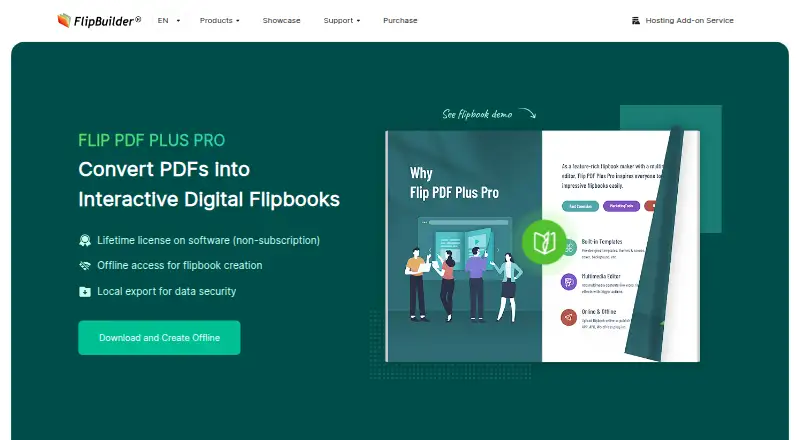
What FlipBuilder Flip PDF is
FlipBuilder Flip PDF converts PDFs or images into HTML5 flipbooks for digital publishing. It can merge PDFs and process files in batches, then publish in formats that include HTML, a WordPress plug-in, and files for offline reading on Windows, Mac, or Android. The Pro editor adds links, images, text, audio, video, trigger actions, and animation effects. Plus has 17 templates; Pro and Corporate have 23. Other listed options include Google Analytics 4 event tracking, password protection, custom branding, reader analytics, and website embeds. The page limit is 1,000 pages. FlipBuilder describes the product for publishing eBooks, magazines, newspapers, brochures, reports, educational books, and product catalogs. It is available for Android, iOS, macOS, web, and Windows. A free trial is available, but the demo watermark is removed only after registering with a license code. FlipBuilder says it was established in 2007 and launched the Flip PDF Plus series in 2021.
Good
- Converts PDFs and images into HTML5 flipbooks.
- Supports PDF merging and batch conversion.
- Pro includes multimedia and animation editing.
- Lists analytics, password protection, and custom branding.
- Offers offline formats for Windows, Mac, and Android.
Watch out
- No free plan is listed.
- Plus license costs $149.00 per once.
- Demo watermark remains until license registration.
- Page limit is 1,000 pages.
Who it suits
It suits publishers, educators, and businesses turning documents into digital publications. The different publishing formats and offline reading options may help teams preparing material for varied devices.
Verdict
FlipBuilder Flip PDF combines document conversion with publishing, multimedia editing, and reader analytics. Check the plan and hosting details against your publishing needs, especially if you need offline formats or more than the Plus template set.
Plans and prices
From FlipBuilder Flip PDF's own pricing page, checked 2 Oct 2026.
| Plan | Price | What it gives you |
|---|---|---|
| Hosting Add-on Pay-As-You-Go | $1.10 a month | One book online per point per month · discounts for ordering more points · One point costs US $1.10 or less to keep one book online for one month |
| Hosting Add-on Subscription | $9.99 a month | Upload limit: 1,000 books · US $9.99/month |
| Hosting Add-on Subscription | $99 a year | Upload limit: 1,000 books · US $99.0/year |
| Flip PDF Plus | $149, paid once | 1 computer · 17 templates · hosting add-on subscription or pay-as-you-go · One-Time Payment for 1 computer |
| Flip PDF Plus Pro | $399, paid once | 2 computers (same OS) · multimedia and animation editor · 1-year hosting subscription free for one account, then $99 for the 2nd year · One-Time Payment for 2 computers |
| Flip PDF Plus Corporate | $699, paid once | 4 computers (same OS) · each additional seat costs US $50 · 2-year hosting subscription free for one account, then $99 for the 3rd year · One-Time Payment for 4 computers |
The facts
Each one read from FlipBuilder Flip PDF's own pages, with the date it was checked.
What it does
- Analytics
- The comparison lists Google Analytics 4 event tracking.checked 2 Oct 2026
- Content protection
- The comparison lists password protection, and the homepage says users can protect all or selected flipbook pages with a password or user list.checked 2 Oct 2026
- Hosting limit
- The Hosting Add-on subscription allows uploads of up to 1,000 books.checked 2 Oct 2026
- Intended users
- The company describes the product as suitable for publishing eBooks, magazines, newspapers, brochures, reports, educational books, and product catalogs.checked 2 Oct 2026
- Multimedia
- The Pro editor can add links, images, text, audio, videos, trigger actions, and animation effects to flipbooks.checked 2 Oct 2026
- PDF conversion
- The software converts PDFs or images into HTML5 flipbooks and supports merging PDFs and batch conversion.checked 2 Oct 2026
- Privacy
- The privacy policy says payment card numbers, CVV codes, and PayPal addresses are processed and stored by payment processors rather than FlipBuilder’s database or servers.checked 2 Oct 2026
- Privacy controls
- The privacy policy says account passwords are non-reversibly encrypted and that FlipBuilder does not sell user information.checked 2 Oct 2026
- Publishing formats
- The comparison lists publishing as HTML, WordPress plug-in, EXE for offline Windows reading, APP for offline Mac reading, and APK for offline Android reading.checked 2 Oct 2026
- Purpose
- FlipBuilder converts static PDFs into dynamic online flipbooks for digital publishing.checked 2 Oct 2026
- Support
- Customer support is available through its ticket system, and the Help Center lists quick start, issue reporting, manuals, license, payment, and PDF document articles.checked 2 Oct 2026
- Templates
- The product comparison lists 17 pre-designed templates for Plus and 23 for Pro and Corporate.checked 2 Oct 2026
The company
- Company history
- FlipBuilder says it was established in 2007 and launched the Flip PDF Plus product series in 2021.checked 2 Oct 2026
- Founded
- 2007checked 28 Sep 2026
- Headquarters
- Kowloon, Hong Kongchecked 28 Sep 2026
Money
- Trial watermark
- The purchase page says the demo watermark is removed only after registering the program with a license code.checked 2 Oct 2026
Alternatives to FlipBuilder Flip PDF
- 1
AnyFlip
Free planAndroidiOSWebmacOS8.2From $13.08 a month - 2
FlowPaper
Free planAndroidiOSWebAPI8.2From $995 a year - 3

Flipsnack
Free planAndroidiOSWebAPI8.1Free plan - 4
FlipbookPDF.net
Free planAndroidiOSWebmacOS8.0From $45.90 a year - 5
FlippingBook
AndroidiOSWebAPI7.8From $20 a month - 6

DCatalog
AndroidiOSWebAPI7.6From $299 a year