
FleetCam
FleetCam is a fleet vehicle camera system for commercial fleets, combining AI dash cams, real-time in-cab alerts, and driver behavior coaching.
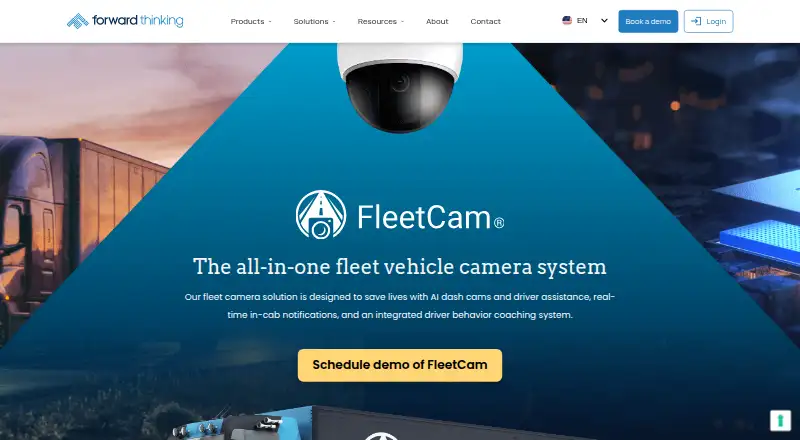
What FleetCam is
FleetCam is a fleet vehicle camera system for commercial fleets, combining AI dash cams, real-time in-cab alerts, and driver behavior coaching. Managers can remotely stream live video from up to five cameras on a vehicle, review historical footage, and download clips. Video stays on the device; event clips upload when triggered, and other footage can be requested while it remains stored there. Retention depends on onboard storage configuration. AI detection covers risks such as drowsiness, distraction, phone use, seatbelt violations, smoking, harsh driving, lane departure, and tailgating. Drivers can review and acknowledge safety events in a phone app or web portal, with training and supervisor intervention available. FleetCam Pro can collect vehicle data through OBD-II or JBUS, including speed, RPM, fuel level, odometer, and engine codes. Configurations can use up to eight cameras, including waterproof IP67-rated outside cameras. Pricing is on request and varies by fleet size, products, and contract terms; most fleets are priced per vehicle per month.
Good
- Streams live video from up to five cameras at once.
- Detects a broad range of driver risks.
- Drivers can review and dispute event clips.
- Supports up to eight cameras per vehicle.
- Collects diagnostics through OBD-II or JBUS.
Watch out
- Pricing is available on request.
- Retention depends on onboard storage configuration.
- API access must be requested from FTS Support.
Who it suits
FleetCam suits commercial fleets, including operators of school buses, tow trucks, landscaping and waste-management vehicles, street sweepers, and emergency services. It may also fit government entities that need camera footage, vehicle data, and driver coaching.
Verdict
FleetCam combines remote video, event detection, vehicle data, and driver coaching for commercial fleet operations. Buyers should account for storage-dependent retention and request pricing based on their fleet and deployment needs.
Plans and prices
From FleetCam's own pricing page, checked 30 Sep 2026.
| Plan | Price | What it gives you |
|---|---|---|
| FleetCam | Priced on request | Pricing customized by fleet size, products deployed, and contract terms; most fleets are priced per vehicle per month · Request a demo for a proposal |
The facts
Each one read from FleetCam's own pages, with the date it was checked.
What it does
- AI detection
- FleetCam detects unsafe behaviors including distracted driving, fatigue, phone use, seatbelt violations, smoking, harsh driving, lane departure, tailgating, and forward collision risk.checked 30 Sep 2026
- API
- FTS offers a FleetCam REST API for retrieving event footage, playing historical or live streams, and downloading videos; customers request API access from support.checked 30 Sep 2026
- Camera capacity
- The system can provide a 360-degree vehicle view with up to eight cameras.checked 30 Sep 2026
- Cameras
- The maker describes configurations with up to eight cameras and lists waterproof IP67-rated outside cameras.checked 29 Sep 2026
- Driver coaching
- Drivers can review and acknowledge safety events in the DriveShield phone app or web portal, with training courses and supervisor intervention available.checked 30 Sep 2026
- Geotab
- FTS provides a guide for linking FleetCam devices to vehicles in the FleetCam for Geotab add-in.checked 29 Sep 2026
- Installation
- Many fleets install FleetCam with their own team, and FTS can coordinate professional installation.checked 30 Sep 2026
- Integration
- FleetCam is integrated with IntelliHub, where video events appear in the dashboard alongside GPS tracking, dispatch, and reports.checked 30 Sep 2026
- Live video
- Users can remotely stream live or stored footage from up to five cameras on one vehicle at once.checked 30 Sep 2026
- Mobile setup
- The FleetCam quick-start guide instructs users to install the Titan app for Android or iOS to calibrate the camera.checked 29 Sep 2026
- Privacy
- FTS offers a privacy module that lets drivers turn off the driver-facing camera during breaks and describes configurations that detect some driver events without recording driver-facing video.checked 29 Sep 2026
- Privacy controls
- The optional privacy module lets drivers switch off the driver-facing camera during breaks, and drivers can review and dispute event clips.checked 30 Sep 2026
- Purpose
- FleetCam is an all-in-one fleet vehicle camera system with AI dash cams, driver assistance, real-time in-cab notifications, and driver behavior coaching.checked 30 Sep 2026
- Security
- FTS announced that it successfully completed a SOC 2 audit in June 2024.checked 29 Sep 2026
- Support
- FTS says it provides 24/7 customer support and identifies its support team as US-based.checked 30 Sep 2026
- Vehicle data
- FleetCam Pro can connect through OBD-II or JBUS to collect engine and vehicle data such as RPM, speed, fuel level, odometer, engine run time, and diagnostic codes without additional hardware.checked 30 Sep 2026
- Video history
- Managers can view historical footage and download clips remotely, while video is stored on the device and event clips upload when triggered.checked 29 Sep 2026
- Video storage
- Video is stored on the device; event clips upload automatically, while other footage can be requested as long as it remains on the device, and retention depends on onboard storage configuration.checked 30 Sep 2026
- Who it serves
- FleetCam is presented for commercial fleets and examples include school buses, tow trucks, landscaping, waste management, street sweepers, emergency services, and government entities.checked 30 Sep 2026
The company
- Founded
- 2005checked 23 Sep 2026
- Headquarters
- Jericho, New York, United Stateschecked 23 Sep 2026
The full review of FleetCam
Overview
FleetCam is a camera and driver-safety system for commercial fleets that need video evidence alongside vehicle and driver monitoring. It is best suited to operators seeking configurable camera coverage and safety coaching; fleets should weigh that breadth against per-vehicle custom pricing and storage-dependent video retention.
FTS, founded in 2005 and based in Jericho, New York, positions FleetCam for varied commercial operations, from school buses and tow trucks to waste management, emergency services and government vehicles. Its IntelliHub dashboard brings video events together with GPS tracking, dispatch and reports.
Key features
Video and event detection
Managers can stream from up to five cameras on a vehicle at once, review historical footage and download clips remotely. AI detection covers drowsiness, distraction, phone use, seatbelt violations, smoking, harsh driving, lane departure and tailgating. Risk scoring, video evidence and compliance tools add a safety-management layer beyond camera monitoring.
Camera configurations can reach eight units for a 360-degree vehicle view, including waterproof IP67-rated exterior cameras. That flexibility can suit vehicles with varied blind spots, though the live-stream limit is five cameras at a time.
Storage and privacy
Footage is stored on the device, and event clips upload automatically when triggered. Other video can be requested only while it remains on the device, making retention dependent on onboard storage configuration. Fleets that need a longer review window should account for that dependency when specifying a deployment.
An optional privacy module lets drivers switch off the driver-facing camera during breaks. FTS also describes configurations that detect some driver events without recording driver-facing video. Drivers can review and dispute event clips, a useful counterweight to monitoring, though the privacy module is optional.
Coaching and vehicle data
DriveShield lets drivers review and acknowledge safety events through a phone app or web portal. Training courses and supervisor intervention are also available, giving managers options for follow-up beyond collecting clips. FleetCam Pro can connect over OBD-II or JBUS to gather diagnostics including RPM, speed, fuel level, odometer readings and engine codes.
FTS integrates FleetCam with IntelliHub, and provides a guide for linking devices to vehicles through the FleetCam for Geotab add-in. Its REST API can retrieve event footage, play live or historical streams and download videos, but customers must request API access from FTS Support. Camera calibration uses the Titan app for Android or iOS.
Pricing
FleetCam: custom pricing based on fleet size, products deployed and contract terms. Most fleets are priced per vehicle per month, and FTS invites buyers to request a demo for a proposal. There is no published price or stated free plan, so buyers should compare proposals against their vehicle count, camera configuration and installation needs.
Many fleets install the system with their own teams; FTS can also coordinate professional installation. FTS says its USA-based support team is available 24/7 by phone at 1-866-221-1864 and email at [email protected]. It announced successful completion of a SOC 2 audit in June 2024.
Platforms
FleetCam supports Android, iOS, web and API access. The mobile setup guide calls for the Titan app on Android or iOS to calibrate cameras; API access requires a request to FTS Support.
Who it's for
FleetCam is a fit for commercial fleets that want configurable vehicle cameras, event detection and a process for driver coaching in one operation. Its listed use cases span school transportation, towing, landscaping, waste management, street sweeping, emergency services and government. Fleets that need predictable long-term access to all footage should pay particular attention to onboard storage and retention configuration.
Pros and cons
- Pros: Up to eight cameras support broad vehicle coverage, with IP67-rated exterior options for outside views.
- Pros: Event detection, risk scoring, compliance tools and DriveShield coaching connect video evidence to driver follow-up.
- Pros: Optional driver-facing privacy controls and clip disputes give drivers a role in how safety events are handled.
- Cons: Non-event footage remains available only while it is on the device, so retention hinges on onboard storage configuration.
- Cons: FleetCam uses custom pricing, requiring a proposal before buyers can assess per-vehicle costs.
- Cons: API access requires a separate request to FTS Support.
Alternatives
Compare FleetCam with the Fleet Safety Software and Fleet Dash Camera Software categories. Consider GoFleexo Driver Safety if you want an enterprise solution whose modules, integrations, deployment architecture and rollout are mapped to the fleet. Radius Driver Safety Software may suit buyers whose quote needs to account for fleet size, vehicle type, contract length, features and installation method. 5Keys Engage is another paid option for buyers willing to contact Smith System for plan details.
Lytx Fleet Safety is worth considering if a free trial is important; its pricing is by request and its sales form asks for fleet size and industry. Powerfleet VisionAI offers a stated fit across light, medium and heavy-duty vehicles, with single- or dual-lens cameras. Geotab is an alternative with a GO Plan that includes core features as well as advanced safety and AI scoring, compliance, predictive maintenance and fuel monitoring. CameraMatics is positioned for fleets of 10 or more vehicles and requires a quote request. For per-vehicle pricing with listed tracking, driver scores and rewards, reports, geofencing and two-minute location updates, consider Azuga's BasicFleet plan at $25 a month, billed per vehicle per month.
Verdict
FleetCam is a strong candidate for commercial operators that want multi-camera coverage, AI event detection and structured driver coaching connected to fleet operations. Its configurable cameras and privacy options are meaningful strengths; choose another system if storage-dependent retention or quote-based pricing makes it difficult to meet your budget or footage-access requirements.
Getting started
- Request a FleetCam demo and proposal from FTS
- Choose a configuration for your fleet and camera coverage
- Install the system with your own team or coordinate professional installation
- Install the Titan app on Android or iOS to calibrate the camera
- Connect FleetCam Pro through OBD-II or JBUS when vehicle diagnostics are needed
- Request API access from FTS Support if integrations require it
Questions
How much does FleetCam cost?
Pricing is customized by fleet size, products deployed, and contract terms. Most fleets are priced per vehicle per month, with proposals available by requesting a demo.
Which platforms does FleetCam support?
FleetCam supports Android, iOS, web, and API access.
How many cameras can it use?
Managers can remotely stream from up to five cameras at once. Configurations can include up to eight cameras for a 360-degree vehicle view.
Where is video stored?
Video is stored on the device. Event clips upload automatically, while other footage can be requested while it remains on the device; retention depends on onboard storage.
Can drivers review safety events?
Yes. DriveShield lets drivers review and acknowledge events in its phone app or web portal, and drivers can dispute event clips.
Is installation included?
Many fleets install FleetCam with their own team, and FTS can coordinate professional installation.
Alternatives to FleetCam
- 1

Motive
Free planAndroidiOSWebAPI7.7Free plan - 2
Nexar Fleets
Free planAndroidiOSWebAPI7.5Free plan - 3

GreenRoad
AndroidiOSWebAPI7.4From $12 a month - 4
Telematics inSights
Free planAndroidiOSWeb7.2From $70 a month - 5

Azuga
AndroidiOSWebAPI6.8From $25 a month - 6
Fleetr
AndroidiOSWeb6.8From $13.50 a month