
FinalPack
FinalPack is an online tool for creating parametric box dielines, packaging structures, and prepress checks before lithography and printing.
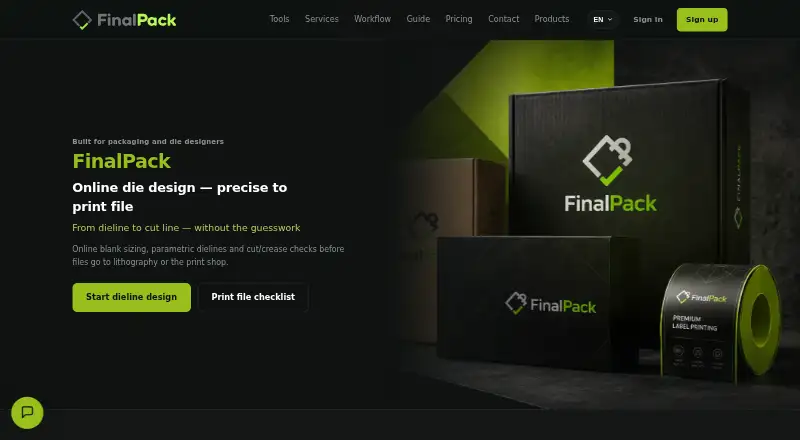
What FinalPack is
FinalPack is an online tool for creating parametric box dielines, packaging structures, and prepress checks before lithography and printing. It calculates blank dimensions using a box’s internal length, width, height, structure, and board thickness or grammage. Documented structures include pharma tuck-end, RSC, fast-food, six-corner, sleeve, and standard glue-flap boxes. A 3D preview lets users inspect open and closed forms before exporting. Production files can include separate cut, crease, and perforation vector layers, with PDF and SVG output described for handoff. The layers are intended for use with Illustrator, CorelDRAW, and lithography workflows. Prepress guidance covers CMYK, overprint, bleed, image resolution, and separating technical cut and crease layers. Die-maker guidance describes millimetre-based DXF/SVG for CNC, AutoCAD, Kongsberg, and laser cutters. A free plan allows five basic models monthly and interactive preview, but excludes PDF/DXF export and industrial rendering. Enterprise options include printing-house CRM, MIS/ERP integration, a custom API, and on-site deployment.
Good
- Calculates blank dimensions from box measurements and board properties.
- Previews open and closed box forms in 3D.
- Provides separate cut, crease, and perforation vector layers.
- Prepress guidance covers bleed, overprint, and image resolution.
Watch out
- Free plan limits users to five basic models monthly.
- Free plan excludes PDF/DXF export and industrial rendering.
Who it suits
FinalPack suits graphic designers, packaging studios, die makers, and lithography or prepress teams. It is also presented for packaging teams serving FMCG and pharma brands.
Verdict
FinalPack brings box sizing, structural previews, production output, and prepress guidance together. Check plan limits if you need export files or industrial rendering.
Plans and prices
From FinalPack's own pricing page, checked 2 Oct 2026.
| Plan | Price | What it gives you |
|---|---|---|
| Free Starter | Free | 5 basic models per month · interactive online 3D preview · no PDF/DXF file export · no industrial rendering · رایگان؛ بدون هزینه ماهانه |
| Enterprise | Priced on request | Printing-house CRM and order tracking · MIS/ERP integration · custom API · on-site deployment |
| Professional (Gold) | — | Includes Silver features · smart nesting · 10 Esko Quality industrial renders per month · production cutline output · priority support · ۴۹۹٬۰۰۰ تومان / ماه؛ ۲٬۳۹۵٬۲۰۰ تومان / سال؛ معادل ماهانه ۱۹۹٬۶۰۰ تومان |
| Silver | — | Unlimited structure library · PDF/DXF/SVG export · basic monochrome/white 3D render · 2 Esko Quality industrial renders per month · ۲۹۰٬۰۰۰ تومان / ماه؛ ۱٬۳۹۲٬۰۰۰ تومان / سال؛ معادل ماهانه ۱۱۶٬۰۰۰ تومان |
The facts
Each one read from FinalPack's own pages, with the date it was checked.
What it does
- 3D preview
- Users can inspect open and closed box forms in 3D before exporting a dieline.checked 2 Oct 2026
- Design software compatibility
- Separate vector layers are described as ready for Illustrator, CorelDRAW, and lithography workflows.checked 2 Oct 2026
- Dieline sizing
- It calculates blank dimensions from internal length, width, height, structure, and board thickness or grammage.checked 2 Oct 2026
- Die shop workflow
- Its die-maker guidance describes DXF/SVG in millimetres for CNC, AutoCAD, Kongsberg, and laser cutters.checked 2 Oct 2026
- Enterprise integrations
- The maker describes enterprise printing-house software with CRM, MIS/ERP integration, a custom API, and on-site deployment.checked 2 Oct 2026
- Intended users
- The tool is presented for graphic designers, packaging studios, die makers, lithography and prepress teams, and packaging teams serving FMCG and pharma brands.checked 2 Oct 2026
- Prepress checks
- Its prepress guidance covers CMYK, overprint, bleed, image resolution, and separation of technical cut and crease layers.checked 2 Oct 2026
- Purpose
- FinalPack is an online tool for parametric box dielines, packaging structures, and prepress checks before lithography and printing.checked 2 Oct 2026
- Structures
- The documented structures include pharma tuck-end, RSC, fast-food, six-corner, sleeve, and standard glue-flap boxes.checked 2 Oct 2026
- Support
- The Professional plan includes priority support; the maker's Persian-language homepage says technical support accompanies users through file delivery.checked 2 Oct 2026
- Vector output
- The tool provides separate cut, crease, and perforation vector layers and describes PDF/SVG output for production handoff.checked 2 Oct 2026
Money
- Free plan limits
- The Starter plan allows five basic models monthly and interactive 3D preview but excludes PDF/DXF export and industrial rendering.checked 2 Oct 2026
The company
- Headquarters
- Tehran, Iranchecked 28 Sep 2026
The full review of FinalPack
Overview
FinalPack is an online parametric packaging tool for turning box dimensions and board specifications into dielines and production guidance. It suits packaging designers, die makers, prepress departments, and print teams serving FMCG or pharmaceutical brands. The free tier is useful for early geometry work, while production exports, industrial rendering, and expanded production controls sit in paid plans.
Key features
The editor calculates blank dimensions from internal length, width, and height, selected structure, and board thickness or grammage. Documented structures include pharma tuck-end, RSC, fast-food, six-corner, sleeve, and standard glue-flap boxes, giving teams practical starting points for several common carton formats.
Interactive 3D preview shows both open and closed forms before export. That makes structural review possible before a file reaches a die shop, although the Starter tier stops at preview and cannot produce PDF or DXF files. Paid output separates cut, crease, and perforation vectors and supports PDF and SVG handoff for Illustrator, CorelDRAW, and lithography workflows.
Prepress guidance addresses CMYK, overprint, bleed, image resolution, and the separation of technical cut and crease layers. Die-maker guidance describes DXF and SVG in millimetres for CNC equipment, AutoCAD, Kongsberg, and laser cutters. Enterprise deployments add printing-house CRM and order tracking, MIS/ERP integration, a custom API, and on-site deployment, which are substantially more relevant to production organizations than to individual designers.
Pricing
FinalPack uses a freemium model. Free Starter costs nothing, billed “رایگان؛ بدون هزینه ماهانه.” It permits five basic models per month and interactive online 3D preview, but excludes PDF and DXF export and industrial rendering. It is a sensible way to validate dimensions and structures, not a standalone production plan.
Silver has custom pricing, billed ۲۹۰٬۰۰۰ تومان monthly or ۱٬۳۹۲٬۰۰۰ تومان yearly, equivalent to ۱۱۶٬۰۰۰ تومان per month. It adds an unlimited structure library, PDF/DXF/SVG export, basic monochrome or white 3D rendering, and two Esko Quality industrial renders per month. This is the practical entry point for teams that need files for manufacturing.
Professional (Gold) also has custom pricing, billed ۴۹۹٬۰۰۰ تومان monthly or ۲٬۳۹۵٬۲۰۰ تومان yearly, equivalent to ۱۹۹٬۶۰۰ تومان per month. It includes Silver features plus smart nesting, production cutline output, 10 Esko Quality industrial renders monthly, and priority support. Choose it when nesting, higher render volume, and production-ready cutlines justify the higher commitment.
Enterprise has custom pricing and provides printing-house CRM and order tracking, MIS/ERP integration, a custom API, and on-site deployment. It targets organizations integrating packaging generation into established operations rather than users seeking a personal design tool.
Platforms
FinalPack is offered through the web, an API, and self-hosted deployment. Its headquarters are in Tehran, Iran.
Who it's for
Graphic designers and packaging studios can use the editor and 3D review to develop carton concepts. Die makers and prepress teams benefit from separated technical layers, millimetre-based DXF/SVG guidance, and print checks. FMCG and pharma packaging teams gain relevant documented structures, while printing houses are the clearest fit for Enterprise integration and on-site deployment.
Pros and cons
- Pro: Parametric sizing ties internal dimensions and board specification directly to blank geometry.
- Pro: Separate cut, crease, and perforation layers support established vector and lithography workflows.
- Pro: Prepress and die-shop guidance covers practical handoff requirements, not just visual mockups.
- Pro: Gold expands industrial rendering from two to 10 Esko Quality renders monthly and adds smart nesting.
- Con: Starter is capped at five basic models monthly and cannot export PDF or DXF, limiting production use.
- Con: Industrial rendering is quota-based even on paid plans, so high-volume visualization may require Enterprise discussion.
- Con: Enterprise capabilities are oriented to printing-house operations and may be excessive for a solo designer.
Alternatives
Packaging Design Software is the broader category starting point when you want to compare several packaging tools rather than commit to FinalPack's dieline-focused workflow.
Choose ZebraDesigner instead for barcode label and tag design and printing, including a free Essentials 3 plan for Zebra Link-OS printers across Android, iOS, web, and Windows.
PACKZ is the better fit for production-PDF inspection on macOS or Windows; PACKZVIEW is free, while the full application uses contact-based pricing.
Pick Packly for a web service with a free allowance of three dieline templates and three 3D mockups monthly, or Light+ at €37 per month for higher limits.
Cubit Design Studio suits users seeking unlimited AI generations and canvas annotation with production ordering and designer handoff.
Dielineo is an alternative for unlimited free drawing, fast macros, and smart nesting; its Pro plan uses custom pricing.
Choose MediaBeacon when you need cloud or on-premise deployment from an enterprise media-management provider.
Pacdora is suited to template-led, AI-assisted packaging work, with a free plan offering 50 AI credits, one workspace member, and more than 3,000 dieline templates.
Packaging Dieline is attractive for a forever-free plan with four of 18 styles and unlimited PDF, AI, SVG, and DXF exports, while Studio starts at $19 per month.
Verdict
FinalPack is a strong choice for professionals who need dimension-driven dielines, structural preview, separated production vectors, and prepress guidance in one workflow. Start with Starter for concept validation, move to Silver for routine exports, and choose Gold or Enterprise when nesting, rendering volume, cutline output, or operational integration matters. Look elsewhere if your priority is label printing, broad media management, or a free plan that already includes unlimited production exports.
Alternatives to FinalPack
- 1
ZebraDesigner
Free planAndroidiOSWebWindows8.2$345 one-time - 2

MarkMagic
WebAPILinuxmacOS7.4From $2,585 a year - 3

BarTender
AndroidiOSWebAPI7.2From $199 a year - 4
Packdroid
AndroidiOSWebAPI6.7From $9 a month - 5

Packly
Free planWeb6.7From €379 a year - 6
EngView Packaging Suite
WebAPImacOSWindows6.6