
File Viewer Plus
File Viewer Plus is a Windows application for opening, viewing, editing, and converting more than 400 file formats.
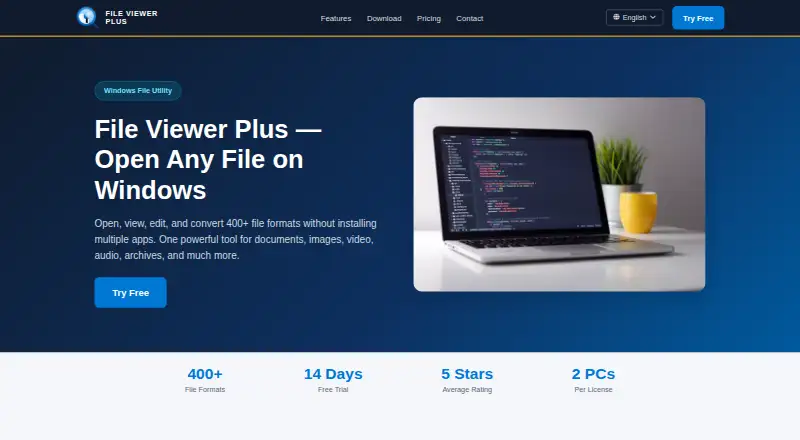
What File Viewer Plus is
File Viewer Plus is a Windows application for opening, viewing, editing, and converting more than 400 file formats. It edits Office documents, annotates PDFs, converts PDFs to editable DOCX, and provides syntax highlighting for more than 80 programming languages. Image tools support more than 50 formats, including RAW, with crop, resize, rotate, color adjustment, and filters. The application plays more than 150 audio and video formats, opens DWG and DXF drawings, and browses ZIP, 7Z, RAR, TAR, and JAR archives. Batch conversion processes folders and reports successful, skipped, and failed files. CAD and DICOM files are view-only but can be exported to common image formats. It supports command-line file opening; command-line batch conversion requires the Enterprise license. Windows requirements include Windows 10 version 1903 or later and Windows 11 with a 64-bit installer. An Android app opens more than 150 file types.
Good
- Supports more than 400 file formats
- Batch conversion reports file outcomes
- PDF editing and DOCX conversion
- RAW image tools included
- Opened files remain on the device
Watch out
- No free plan
- CAD and DICOM files are view-only
- Command-line batch conversion needs Enterprise
- Windows installer requires 64-bit system
Who it suits
It suits Windows users who need one application for documents, images, media, code, drawings, archives, and conversions. Android users can use the separate app for opening more than 150 file types.
Verdict
File Viewer Plus covers a broad mix of office, media, image, archive, code, and drawing formats. Its main limits are view-only CAD and DICOM handling and the Enterprise requirement for command-line batch conversion.
Plans and prices
From File Viewer Plus's own pricing page, checked 4 Oct 2026.
| Plan | Price | What it gives you |
|---|---|---|
| Annual Subscription | €22 a year | 400+ file formats · 2 PCs per household · continuous version updates · 2 years of free support · cancel anytime · 30-day money-back guarantee · EUR 22/user / year |
| One-Time Purchase | €45, paid once | 400+ file formats · 2 PCs per household · all version 6.x updates · 2 years of free support · 30-day money-back guarantee · EUR 45/per user |
| Enterprise / Volume | Priced on request | Volume pricing for 5 or more seats · centralized license management · priority support · MSI installer · invoice and PO accepted · dedicated account manager · Custom/contact us |
The facts
Each one read from File Viewer Plus's own pages, with the date it was checked.
Where it runs
- Android app
- The maker says File Viewer for Android opens more than 150 file types and is available as a free Google Play download.checked 4 Oct 2026
- Windows requirements
- The download page lists Windows 10 version 1903 or later and Windows 11, with a 64-bit installer.checked 4 Oct 2026
What it does
- Batch conversion
- The batch converter processes folders of files and can report successful conversions, skipped files, and errors.checked 4 Oct 2026
- Document tools
- It edits Office documents, annotates PDFs, converts PDFs to editable DOCX, and supports syntax highlighting for more than 80 programming languages.checked 4 Oct 2026
- File access limits
- CAD and DICOM files are view-only, though they can be exported to common image formats.checked 4 Oct 2026
- Images
- Its image tools support more than 50 formats, including RAW images, and provide crop, resize, rotate, color adjustment, and filters.checked 4 Oct 2026
- Integrations
- It is available through the Microsoft Store and supports command-line file opening; a command-line batch conversion API is available under the Enterprise license.checked 4 Oct 2026
- License activation
- License activation sends the license key and a hardware fingerprint to the license server to check the activation limit; the policy says file names and document contents are not sent.checked 4 Oct 2026
- Media, CAD, and archives
- It plays more than 150 audio and video formats, opens DWG and DXF drawings, and browses ZIP, 7Z, RAR, TAR, and JAR archives.checked 4 Oct 2026
- Privacy
- The privacy policy says the company does not collect data about files opened or edited, and that documents remain on the user's device.checked 4 Oct 2026
- Purpose
- File Viewer Plus opens, views, edits, and converts more than 400 file formats in one Windows application.checked 4 Oct 2026
- Support
- Support accepts inquiries by contact form and says it responds within one business day, Monday through Friday.checked 4 Oct 2026
Alternatives to File Viewer Plus
- 1
ViewAnyFile.app
Free planAndroidiOSWebLinux7.9From $9.99 a month - 2

Universal File Opener
Free planAndroidWebLinuxSelf-hosted7.8From $9.99 a year - 3

Okular
Free planLinuxmacOSWindows6.9Free plan - 4
FastStone Image Viewer
Free planWindows6.8Free plan - 5
IrfanView
Free planWindows6.8Free plan - 6
Evince
Free planLinux6.5Free plan