File Renamer
File Renamer is a free desktop app for batch renaming files on Linux and Windows.
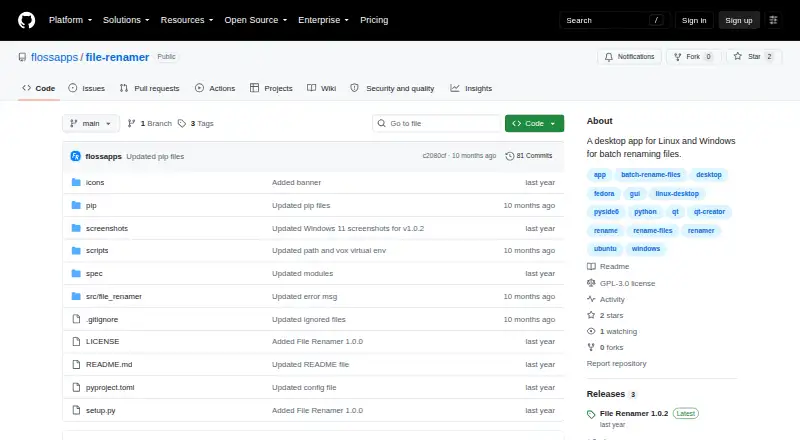
What File Renamer is
File Renamer is a free desktop app for batch renaming files on Linux and Windows. The project describes it as Free, Libre, Open Source Software and lists a GPL-3.0 license. Its documented workflow includes listing files, previewing proposed changes, and viewing renamed files. For portable use, the project wiki provides Linux and Windows installation instructions and says this method does not require root or administrator permission. The wiki also gives a pip installation command, `pip install io.github.flossapps.file-renamer`, and the launch command `file-renamer`. Portable installation is reported as tested with Fedora KDE Plasma Desktop, Ubuntu Desktop, and Windows 11. Ubuntu 24.04.4 LTS instructions call for installing `libxcb-cursor0`. Other desktop operating systems, including macOS, may work with pip, but that is untested. Its listed platform coverage is Linux and Windows, so users on other systems should check the installation details before relying on it.
Good
- Free, open-source software under GPL-3.0.
- Batch renaming includes a preview workflow.
- Portable setup needs no root or administrator permission.
- Pip installation instructions are provided.
Watch out
- Listed platforms are Linux and Windows.
- macOS compatibility through pip is untested.
- Ubuntu 24.04.4 LTS requires libxcb-cursor0.
Who it suits
File Renamer suits Linux and Windows users who want a free desktop tool for batch renaming files. The portable option may suit users who cannot or do not want to install with administrator permissions.
Verdict
File Renamer offers a free batch-renaming workflow with a preview and portable installation option. Its tested coverage is limited to listed Linux and Windows systems; other desktop platforms are untested.
Plans and prices
From File Renamer's own pricing page, checked 11 Oct 2026.
| Plan | Price | What it gives you |
|---|---|---|
| File Renamer | Free | Free, Libre, Open Source Software (FLOSS) |
The facts
Each one read from File Renamer's own pages, with the date it was checked.
Where it runs
- Cross-platform availability
- The wiki says other desktop operating systems, including macOS, may work with the pip installation but are untested.checked 11 Oct 2026
What it does
- Installation dependency
- For Ubuntu 24.04.4 LTS, the wiki instructs users to install `libxcb-cursor0`.checked 11 Oct 2026
- License
- The project describes itself as Free, Libre, Open Source Software (FLOSS) and lists a GPL-3.0 license.checked 11 Oct 2026
- Permissions
- The wiki says portable installation requires no root or administrator permission.checked 11 Oct 2026
- Pip installation
- The wiki gives the install command `pip install io.github.flossapps.file-renamer` and says to run the app with `file-renamer`.checked 11 Oct 2026
- Portable installation
- The wiki provides portable installation instructions for Linux and Windows.checked 11 Oct 2026
- Purpose
- File Renamer is a desktop app for batch renaming files.checked 11 Oct 2026
- Tested systems
- The wiki says portable installation was tested with Fedora KDE Plasma Desktop, Ubuntu Desktop, and Windows 11.checked 11 Oct 2026
- Usage flow
- The project README labels screenshots for listing files, previewing, and renamed files.checked 11 Oct 2026
Alternatives to File Renamer
- 1
Renamer.ai
Free planWebAPImacOSWindows7.6From $9.95 a month - 2
Avidemux
Free planOpen sourceWebLinuxmacOSWindows7.3Free plan - 3
Easy File Renamer
WebmacOSWindows7.2 - 4

Batch File Renamer
Free planOpen sourceWebSelf-hosted7.0Free plan - 5

Bulk Rename Utility
Free planWindows6.9Free plan - 6

Advanced Renamer
Free planAPImacOSWindows6.8Free plan