
eChalk
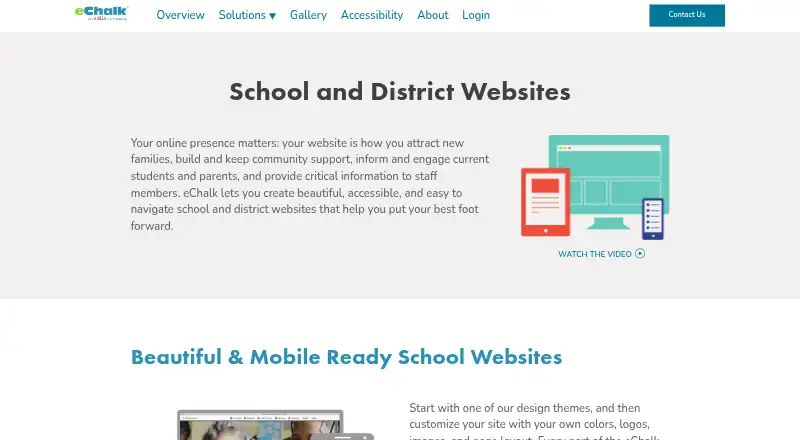
eChalk provides websites for K–12 schools and districts to communicate with families, students, staff, and their wider communities.
What eChalk is
eChalk provides websites for K–12 schools and districts to communicate with families, students, staff, and their wider communities. Its mobile-responsive website platform includes a content management system with drag-and-drop navigation, page layout tools, theme changes, and automated directories. District and school sites share a hierarchy that gives district webmasters visibility and control while allowing school staff to contribute content. Classes and groups can publish public webpages or password-protected spaces for students, families, and staff. The platform says it conforms to WCAG 2.1 and supports ADA and Section 504/508 accessibility requirements. eChalk GUIDE flags issues such as inaccessible PDFs, missing image alt text, and incorrectly used headings. Personal calendars can sync with Outlook and Google calendars, and eChalk Notify handles integrated mobile alerts. The website subscription includes basic phone and email support for district and school Super Users during regular support hours, with contact available for critical off-hours emergencies. Pricing for the website subscription is on request. eChalk offers Android, iOS, and web access.
Good
- District and school sites share a controlled hierarchy.
- Classes can have public pages and protected member spaces.
- GUIDE flags several types of accessibility problems.
- Personal calendars sync with Outlook and Google.
- Basic support includes unlimited phone and email help.
Watch out
- Website subscription pricing requires a custom quote.
- Basic support applies to Super Users during regular hours.
- eChalk merged with Edlio in early 2021.
Who it suits
It is designed for K–12 schools and districts that need public-facing websites and shared content management. Its district hierarchy and accessibility tools may suit organizations coordinating multiple school sites.
Verdict
eChalk brings school and district websites, content management, and accessibility checking into one platform. Schools considering it should request pricing and clarify how its support coverage fits their needs.
Plans and prices
From eChalk's own pricing page, checked 30 Sep 2026.
| Plan | Price | What it gives you |
|---|---|---|
| School and district websites | Priced on request | Custom quote required · website subscription includes basic support |
The facts
Each one read from eChalk's own pages, with the date it was checked.
What it does
- Accessibility
- The website platform states that it conforms to WCAG 2.1 and supports ADA and Section 504/508 accessibility requirements.checked 30 Sep 2026
- Accessibility checking
- eChalk GUIDE identifies website content accessibility problems, including inaccessible PDFs, missing image alt text, and misused headings.checked 30 Sep 2026
- Audience
- The website platform is designed for K–12 schools and districts.checked 30 Sep 2026
- Classes and groups
- Classes and groups can have public webpages and password-protected member spaces for students, families, and staff.checked 30 Sep 2026
- Content management
- The CMS includes drag-and-drop navigation, page layout tools, theme changes, and automated directories.checked 30 Sep 2026
- District hierarchy
- District and school websites share a hierarchy that lets district webmasters retain visibility and control while sharing content work with school staff.checked 30 Sep 2026
- Help resources
- The eChalk Help Center provides users 24/7 access to video tutorials and help articles.checked 30 Sep 2026
- Integrations
- Personal eChalk calendars can sync with Outlook and Google calendars.checked 30 Sep 2026
- Mobile notifications
- eChalk Notify is described as an integrated mobile notification system, and website alerts integrate with it.checked 30 Sep 2026
- Mobile responsive
- The application is mobile responsive and its websites are designed to work across devices.checked 30 Sep 2026
- Pricing disclosure
- The ADA Transition Package requires contacting eChalk for a quote; the opened pages do not state a website subscription price.checked 30 Sep 2026
- Purpose
- eChalk provides school and district websites for communicating with families, students, staff, and the wider community.checked 30 Sep 2026
- Setup services
- Professional services include content migration, website planning and design, project management, and online or onsite professional learning.checked 30 Sep 2026
- Support
- Basic support included in the website subscription offers unlimited phone and email support for district and school Super Users during regular support hours, plus anytime contact for critical off-hours emergencies.checked 30 Sep 2026
The company
- Company history
- eChalk says it merged with Edlio in early 2021.checked 30 Sep 2026
- Founded
- 1999checked 28 Sep 2026
- Headquarters
- New York, New York, USAchecked 28 Sep 2026
The full review of eChalk
Overview
eChalk is a website and content-management platform for K–12 schools and districts. It suits organizations that want school-level publishing under district oversight, especially when accessibility checks and family-facing communication matter. Its strongest case is coordinated control across multiple sites; buyers must be prepared to request a custom quote.
Key features
Drag-and-drop navigation, page layout tools, theme changes, and automated directories give school staff tools to maintain local pages and staff information. District and school sites share a hierarchy, so district webmasters can retain visibility and control while distributing content work. That division is useful for districts balancing consistent oversight with updates from individual schools, but may be more structure than a single school needs.
Classes and groups can publish public webpages or password-protected spaces for students, families, and staff. This lets schools serve public visitors and member communities within the same platform. The responsive websites are designed to work across devices, and eChalk is available on web, Android, and iOS.
eChalk says its platform conforms to WCAG 2.1 and supports ADA and Section 504/508 accessibility requirements. Its GUIDE tool flags issues including inaccessible PDFs, missing image alt text, and misused headings, giving site teams a way to identify common accessibility problems. Personal calendars can sync with Outlook and Google calendars; eChalk Notify provides mobile notifications, and website alerts integrate with it.
Event calendars, staff directories, accessibility tools, district multisite support, and custom domains are included capabilities. Setup services can cover content migration, website planning and design, project management, and online or onsite professional learning, which may help districts with a substantial rollout.
Pricing
eChalk is paid software, and the School and district websites subscription requires a custom quote. Basic support is included: district and school Super Users receive unlimited phone and email support during regular support hours, with anytime contact for critical emergencies outside those hours. Users also have 24/7 access to video tutorials and help articles through the eChalk Help Center.
The ADA Transition Package also requires contacting eChalk for a quote. No trial, seat limit, or subscription term is stated, so districts should confirm pricing and terms directly before comparing budgets. With no published entry price, eChalk is harder to assess for schools that need a firm cost before vendor discussions.
Platforms
eChalk supports web, Android, and iOS. Its responsive websites are intended to work across devices, while personal calendars can connect with Outlook and Google calendars.
Who it's for
eChalk is best suited to K–12 districts that need a shared web presence across schools, district-level visibility, and local staff participation in content work. Its calendars, group spaces, notifications, directories, and accessibility checking also fit schools communicating with families, students, staff, and the wider community. A standalone school with little need for district controls may prefer to compare simpler options.
Pros and cons
- District oversight with distributed publishing: the shared hierarchy lets district webmasters retain control while school staff contribute content.
- Accessibility checks are part of the platform: GUIDE flags issues such as missing alt text and inaccessible PDFs, alongside stated WCAG 2.1 conformance and support for ADA and Section 504/508 requirements.
- Public and restricted spaces: classes and groups can serve public audiences or password-protected members.
- Cost is not transparent: both the website subscription and ADA Transition Package require a quote, complicating early budget comparisons.
- Support has defined coverage: unlimited phone and email support applies to Super Users during regular hours; off-hours contact is for critical emergencies.
Alternatives
Browse School Website Builders to compare the category. Finalsite Websites is another paid web, Android, and iOS option; its pricing depends on district size, budget, and communication goals, with a district page saying prices begin at $5,000 annually. SchoolBlocks is a paid web, Android, and iOS alternative with no free plan; its yearly subscription includes unlimited users, training, support, and hosting.
FACTS Website Services is a paid web-based alternative. SchoolSitePro offers paid web, Android, and iOS service, with unlimited storage and user accounts; individual school sites have no setup fee, while district setup fees are quoted individually. E4 Education CMS is a paid web option with annual-maintenance-charge plans.
WPPersona K-12 is a paid web option with no free plan and published tiers, including Starter at $83 a month and Community at $208 a month. Greenhouse School Websites offers paid web, Android, and iOS service with a free trial and pre-designed plans. Schoolz is a paid web, Android, and iOS option with network and large-district plans.
Verdict
Choose eChalk if your K–12 organization needs district-level oversight across school websites while sharing publishing work locally, with accessibility checks and communication tools in the same platform. Its strongest reason to buy is that combination of hierarchy and school-level participation; its clearest reason to look elsewhere is the lack of a published subscription price, especially if you need to compare costs before engaging vendors.
Alternatives to eChalk
- 1

Schoolzine SZapp
Free planAndroidiOS7.6From A$349 a year - 2

Foxbright Communications Platform
AndroidiOSWeb7.5From $1,200 a year - 3
Website World
AndroidiOSWebAPI7.5 - 4
Greenhouse School Websites
AndroidiOSWeb6.9From £315 a year - 56.6From $83 a month
- 6
eSchools
AndroidiOSWeb6.5From £295 a year