EaseUS Disk Copy
EaseUS Disk Copy clones disks or partitions to a target, either as-is or resized proportionally.
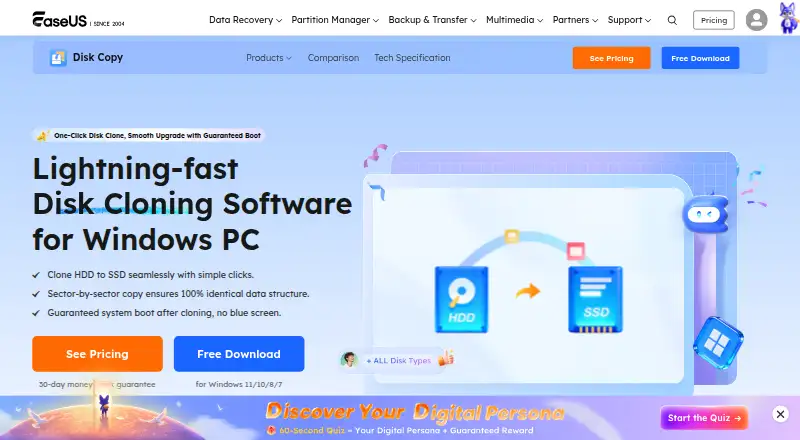
What EaseUS Disk Copy is
EaseUS Disk Copy clones disks or partitions to a target, either as-is or resized proportionally. Its 1-Click OS Migrate feature detects a new disk and can copy the system and boot partitions to it. A paid edition can also create bootable USB or CD/DVD media based on Windows WinPE for cloning. The software supports MBR and GPT disks, capacities up to 16 TB, as many as 32 disks, and FAT12, FAT16, FAT32, NTFS and EXT2/3 file systems. The demo lets you prepare a cloning plan, but it cannot carry out the actual operation. EaseUS warns that cloning erases all data on the destination disk or partition, so that target needs careful selection. Server or higher editions include Deploy Mode for making a clone image and deploying it to multiple PCs through PXE service. Licenses vary: Professional is for personal use on one non-server computer, while Technician covers one independent technician using it on up to 99 server or non-server devices. Listed purchase options include Individual Monthly at $19.90 a month and Individual Annual at $39.90 a year.
Good
- Clones disks or partitions as-is or resized
- Can migrate system and boot partitions
- Supports MBR and GPT disks
- Lists several FAT, NTFS and EXT file systems
Watch out
- Windows is the only listed platform
- Demo cannot apply the cloning operation
- Cloning erases data on the destination
- Professional license covers one non-server computer
Who it suits
EaseUS Disk Copy may suit Windows users who need to clone a disk or partition, migrate an operating system to a new disk, or resize a clone. Technicians handling multiple devices should review the license scope and editions that include Deploy Mode.
Verdict
EaseUS Disk Copy covers disk cloning, resizing and operating-system migration, with broader deployment options in higher editions. Before cloning, confirm the license fits your use and that the destination contains no data you need to keep.
Plans and prices
From EaseUS Disk Copy's own pricing page, checked 4 Oct 2026.
| Plan | Price | What it gives you |
|---|---|---|
| Education Monthly | $11.94 a month | 1 computer · student status verification · 1-month free upgrades · Auto-renew; cancel anytime · 40% off shown |
| Individual Monthly | $19.90 a month | 1 computer · 1-month free upgrades · Auto-renew; cancel anytime |
| Education Annual | $23.94 a year | 1 computer · student status verification · 1-year free upgrades · Auto-renew; cancel anytime · 40% off shown |
| 2 PCs Monthly | $29.90 a month | 2 computers · 1-month free upgrades · Auto-renew; cancel anytime |
| Education Lifetime Upgrades | $35.94, paid once | 1 computer · student status verification · lifetime free upgrades · One-time purchase · 40% off shown |
| Individual Annual | $39.90 a year | 1 computer · 1-year free upgrades · Auto-renew; cancel anytime |
| 2 PCs Lifetime | $59.90, paid once | 2 computers · lifetime paid major upgrade · One-time purchase |
| Individual Lifetime Upgrades | $59.90, paid once | 1 computer · lifetime free upgrades · One-time purchase |
| 2 PCs Lifetime Upgrades | $89.90, paid once | 2 computers · lifetime free upgrades · One-time purchase |
The facts
Each one read from EaseUS Disk Copy's own pages, with the date it was checked.
What it does
- Bootable media
- A paid edition can create bootable USB or CD/DVD media based on Windows WinPE for cloning.checked 4 Oct 2026
- Data loss precaution
- EaseUS says all data on the destination disk or partition will be erased during cloning.checked 4 Oct 2026
- Demo limitation
- The demo can create a cloning plan for testing but cannot apply the real operation.checked 4 Oct 2026
- Disk and file system support
- The product supports MBR and GPT disks, up to 16 TB and 32 disks, and lists FAT12, FAT16, FAT32, NTFS, and EXT2/3 file systems.checked 4 Oct 2026
- Disk and partition cloning
- Disk Copy clones source disks or partitions to a target as-is or proportionally resized.checked 4 Oct 2026
- Edition limits
- The Professional license is for personal use on one non-server computer; Technician allows one independent technician to use it on up to 99 devices, including server and non-server systems.checked 4 Oct 2026
- Network deployment
- Server or higher editions include Deploy Mode to create a clone image and deploy it to multiple PCs via PXE service.checked 4 Oct 2026
- Purchase security
- The purchase page says it uses advanced encryption and fraud protection and accepts credit card, PayPal, and wire transfer.checked 4 Oct 2026
- Refund policy
- The purchase page states products come with a 30-day money-back guarantee.checked 4 Oct 2026
- Support
- The product help page offers email and online chat support, while the product page advertises 24/7 Technician support via live chat and email.checked 4 Oct 2026
The company
- Company history
- EaseUS says the company was formally established in 2004.checked 4 Oct 2026
- Founded
- 2004checked 28 Sep 2026
Where it runs
- OS migration
- Its 1-Click OS Migrate feature detects a new disk and can clone the system and boot partitions to it.checked 4 Oct 2026
Alternatives to EaseUS Disk Copy
- 1

FOG Project
Free planOpen sourceWebAPILinuxmacOS7.7Free plan - 2
Lazesoft Recovery Suite
Free planLinuxWindows7.0$27.95 one-time - 3

Clonezilla
Free planLinuxmacOSSelf-hostedWindows6.7Free plan - 4

HDClone
Free planLinuxSelf-hostedWindows6.7€19.90 one-time - 5
Lazesoft Disk Image & Clone
Free planWindows6.6$17.95 one-time - 6
OpenSuperClone
Free planLinux6.5Free plan