Drive Snapshot
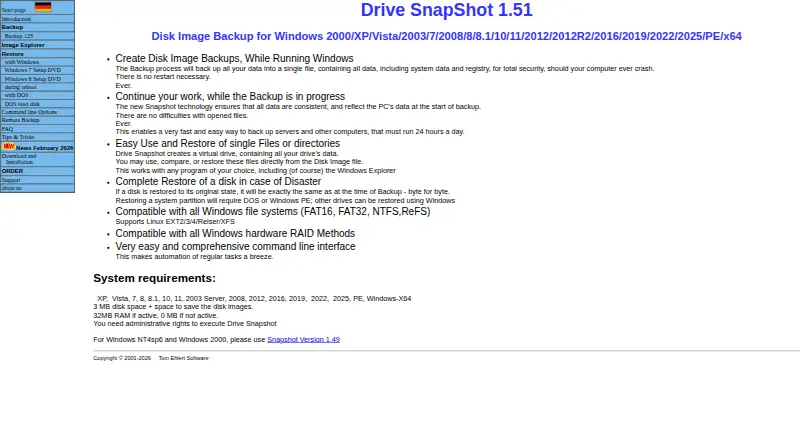
The facts below are what the maker publishes about Drive Snapshot, checked and dated. Our editors have not written about it yet.
The facts
Each one read from Drive Snapshot's own pages, with the date it was checked.
What it does
- ARM recovery limit
- For the native ARM64 version, restoring the system partition requires booting from Windows PE because recovery during restart is unavailable.checked 10 Oct 2026
- Automation
- A command-line interface supports scripted backups, restores, image checks, and mounting images as virtual drives.checked 11 Oct 2026
- Backup destinations
- The backup image can be saved to local, network, or removable drives.checked 11 Oct 2026
- Consistent images
- The maker says the image reflects the computer’s data at the start of backup, even while Windows continues writing to disk.checked 10 Oct 2026
- Encryption
- The command-line options support password-protected images and public-key-based encryption.checked 11 Oct 2026
- File recovery
- A disk image can be mounted as a virtual drive so users can browse, compare, or restore individual files without restoring the whole image.checked 10 Oct 2026
- Filesystem support
- The product lists Windows FAT16, FAT32, NTFS, and ReFS filesystems and Linux EXT2/3/4, Reiser, and XFS support.checked 10 Oct 2026
- Full restore
- The maker says restoring a disk to its original state reproduces it byte for byte; restoring a system partition requires DOS or Windows PE.checked 10 Oct 2026
- Image destinations
- Image files can be saved to local drives, network drives, or removable drives.checked 10 Oct 2026
- Image explorer
- Saved images can be mounted as virtual drives so users can view, compare, or restore files without restoring the whole image.checked 11 Oct 2026
- Installation
- The program can run without installation, and the maker also offers a conventional installer.checked 11 Oct 2026
- Integrations
- The command-line options include backup to SFTP servers and connections to network shares.checked 11 Oct 2026
- Intended users
- The maker describes the product as aimed at backup and disaster recovery, and says on-the-fly backup is useful for end users protecting their data regularly.checked 11 Oct 2026
- Live backup
- It can create disk images while Windows is running, including on servers that must stay online.checked 11 Oct 2026
- Purpose
- Drive Snapshot backs up, restores, and lets users view backed-up hard-disk data.checked 11 Oct 2026
- Requirements and limits
- Administrative rights are required, and restoring an ARM64 system partition requires starting from Windows PE.checked 11 Oct 2026
- SFTP
- Version 1.50 added support for backing up to an SFTP server.checked 10 Oct 2026
The company
- Founded
- 2000checked 28 Sep 2026
Where it runs
- Platform requirement
- The current product page lists Windows versions from XP through Windows 11 and Windows Server versions through 2025, as well as Windows PE; administrative rights are required.checked 10 Oct 2026
Money
- Trial
- The trial version has approximately 30 days of use and then stops backing up; the maker says there are no other trial restrictions.checked 11 Oct 2026
Alternatives to Drive Snapshot
- 1

DAEMON Tools Lite
Free planAndroidiOSmacOSWindows8.0$3 one-time - 2

Acronis True Image
AndroidiOSWebAPI7.7From $49.99 a year - 3

FOG Project
Free planOpen sourceWebAPILinuxmacOS7.7Free plan - 4
Iperius Backup
Free planWebSelf-hostedWindows7.7From €3.29 a month - 5
EaseUS Todo Backup
Free planmacOSSelf-hostedWindows7.5From $39.95 a year - 6
Vembu BDRCloud
WebAPILinuxmacOS7.5From $1.20 a month