DoYourClone for Windows
DoYourClone for Windows is paid software for cloning disks and partitions on Windows.
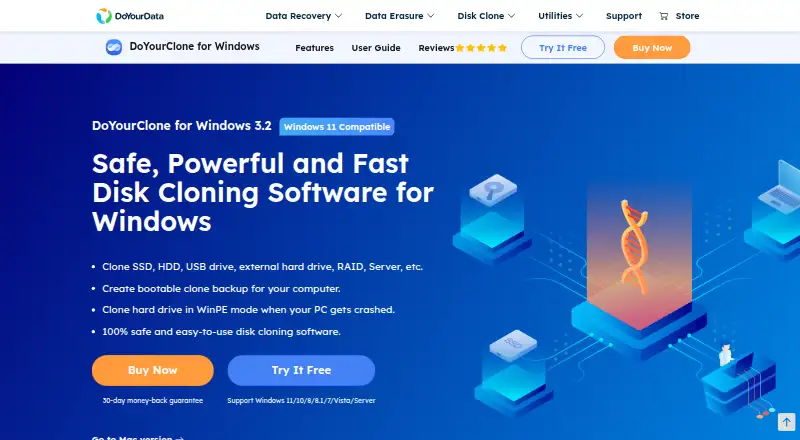
What DoYourClone for Windows is
DoYourClone for Windows is paid software for cloning disks and partitions on Windows. It can copy an entire disk or partition to another disk, partition, or external storage, including HDD-to-SSD and SSD migrations across SATA, NVMe, and M.2 drives. Bootable clones and WinPE bootable media are supported. Sector-by-sector mode can skip bad or blank sectors, and cloning layouts include sector-by-sector, existing-data-only, and auto-fit options, including transfers to smaller drives. Supported systems include Windows 11, 10, 8, 8.1, Vista, 7, and listed Windows Server releases from 2008 through 2025. Storage and file-system support covers PCs, laptops, flash drives, memory cards, cameras, RAID, servers, HDDs, SSDs, NTFS, exFAT, FAT variants, ReFS, and EXT2/3/4. A free trial is available, but no free plan is offered.
Good
- Clones disks or individual partitions
- Supports HDD, SSD, SATA, NVMe, and M.2
- Creates bootable clones and media
- Offers resize and sector modes
- Free trial available
Watch out
- No free plan
- Windows-only platform
- Starting license costs $59, paid once
- Minimum requirements include x86 CPU
Who it suits
It suits Windows users migrating or duplicating disks who need bootable media, resizing, or sector-handling choices. It also lists business and technician licensing options.
Verdict
DoYourClone for Windows provides broad cloning targets, layout choices, and bootable options. Its paid, Windows-specific model should be weighed against the required license and hardware environment.
Plans and prices
From DoYourClone for Windows's own pricing page, checked 7 Oct 2026.
| Plan | Price | What it gives you |
|---|---|---|
| DoYourClone for Windows — Lifetime License | $59, paid once | 1 license for 2 PCs · lifetime free updates · One-time payment; no subscription or auto-renew. |
| DoYourClone Enterprise — Lifetime License | $199, paid once | 1 license for 100 PCs · lifetime free updates · One-time payment; no subscription or auto-renew. |
The facts
Each one read from DoYourClone for Windows's own pages, with the date it was checked.
What it does
- Bootable clones
- It can create bootable clones on external drives and bootable media for cloning in WinPE mode.checked 7 Oct 2026
- Business and technician use
- The product page describes business use within one company and client disk-cloning services; its Technician version allows one license for unlimited PCs.checked 7 Oct 2026
- Clone layout options
- Before cloning, users can choose sector-by-sector, existing-data-only, or auto-fit layout options, including for cloning to a smaller drive.checked 7 Oct 2026
- Damaged drives
- Its sector-by-sector mode can skip bad or blank sectors when cloning a drive with bad sectors.checked 7 Oct 2026
- Disk and partition cloning
- The software can clone an entire disk or a partition to another disk, partition, or external storage device.checked 7 Oct 2026
- Drive migration
- It supports cloning HDDs to SSDs and SSDs to HDDs or SSDs, including SATA, NVMe, and M.2 drives.checked 7 Oct 2026
- Refund policy
- The maker says purchases are covered by a 30-day money-back guarantee and refunds are available if technical problems cannot be resolved.checked 7 Oct 2026
- Security claims
- The maker describes the software as safe and clean; its store says financial and personal data are protected with full encryption.checked 7 Oct 2026
- Storage and file systems
- The page lists PC, laptop, USB flash drive, memory card, camera, RAID, server, HDD, and SSD support, plus NTFS/NTFS+, exFAT, FAT12/16/32, ReFS, and EXT2/3/4 file systems.checked 7 Oct 2026
- Support
- The product page advertises free 24x7 technical support and says Personal and Technician versions include free technical support.checked 7 Oct 2026
- System requirements
- The listed minimum requirements are 100 MB of disk space, an x86 CPU, and 128 MB of RAM.checked 7 Oct 2026
The company
- Founded
- 2013checked 28 Sep 2026
- Headquarters
- Chengdu, Sichuan, Chinachecked 28 Sep 2026
- Maker and founding
- DoYourData Software says it was established in 2013; the company page lists Chengdu Shengxuan Technology Co. and a registered address in Chengdu, China.checked 7 Oct 2026
Money
- Free trial
- The store offers a free trial, which can be activated to the full version with a license code after purchase.checked 7 Oct 2026
Where it runs
- Supported Windows versions
- The listed operating systems are Windows 11, 10, 8, 8.1, Vista, 7, and Windows Server 2025, 2022, 2019, 2016, 2012, and 2008.checked 7 Oct 2026
Alternatives to DoYourClone for Windows
- 1

FOG Project
Free planOpen sourceWebAPILinuxmacOS7.7Free plan - 2
Lazesoft Recovery Suite
Free planLinuxWindows7.0$27.95 one-time - 3

Clonezilla
Free planLinuxmacOSSelf-hostedWindows6.7Free plan - 4

HDClone
Free planLinuxSelf-hostedWindows6.7€19.90 one-time - 5
Lazesoft Disk Image & Clone
Free planWindows6.6$17.95 one-time - 6
OpenSuperClone
Free planLinux6.5Free plan