Donemax Disk Clone
Donemax Disk Clone copies a disk’s contents to another drive while retaining its file structure.
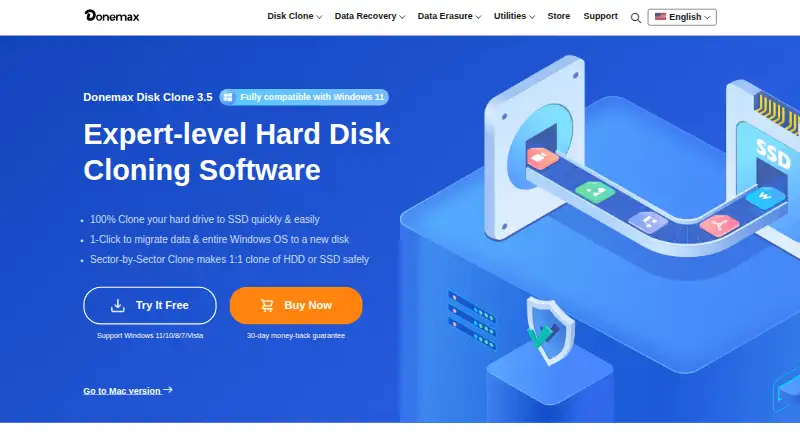
What Donemax Disk Clone is
Donemax Disk Clone copies a disk’s contents to another drive while retaining its file structure. The Windows edition offers disk-level and partition-level cloning, and can move a Windows system disk to a new drive that can boot without reinstalling Windows or applications. Sector-by-sector cloning can skip detected bad sectors and continue. A smaller destination drive is usable if it can hold all data on the source. Windows users can also create bootable WinPE media on USB or CD/DVD for starting a crashed PC or one without Windows. Listed storage includes HDDs, SSDs, external drives, RAID, USB drives, and memory cards; supported file systems include FAT12, FAT16, FAT32, exFAT, NTFS, NTFS5, ext2, ext3, and ext4. The Mac edition can create a bootable copy of a startup disk and DMG or ZIP disk image backups. Its product page lists Apple Silicon and T2 Macs and Mac OS X 10.9 and newer. A one-year license for two Macs or two PCs costs $39.95 a year; lifetime options are also listed.
Good
- Supports disk- and partition-level cloning on Windows.
- Can skip detected bad sectors during sector cloning.
- Creates bootable WinPE media on Windows.
- Mac edition supports bootable startup-disk copies.
Watch out
- No free plan.
- Smaller destination must hold all source data.
- One-year two-device license costs $39.95 a year.
Who it suits
Donemax Disk Clone suits people upgrading drives, making backups, restoring systems, or moving data between PCs or Macs. Its Windows and Mac editions offer distinct cloning and bootable-copy options.
Verdict
Donemax Disk Clone covers drive cloning and several bootable-copy workflows across Windows and Mac. Check the edition-specific features and destination capacity before choosing a license.
Plans and prices
From Donemax Disk Clone's own pricing page, checked 8 Oct 2026.
| Plan | Price | What it gives you |
|---|---|---|
| DMclone for Mac — 1 Year License | $39.95 a year | For 2 Macs · 1 year free upgrades · 1 Year License |
| DMclone for Windows — 1 Year License | $39.95 a year | For 2 PCs · 1 year free upgrades · 1 Year License |
| DMclone for Mac — Lifetime License | $49.95, paid once | For 2 Macs · Lifetime free upgrades · Lifetime License |
| DMclone for Windows — Lifetime License | $49.95, paid once | For 2 PCs · Lifetime free upgrades · Lifetime License |
| DMclone for Mac — Enterprise Lifetime License | $299, paid once | For 100 Macs · Lifetime free upgrades · Enterprise Lifetime License |
| DMclone for Windows — Enterprise Lifetime License | $299, paid once | For 100 PCs · Lifetime free upgrades · Enterprise Lifetime License |
The facts
Each one read from Donemax Disk Clone's own pages, with the date it was checked.
What it does
- Bad sectors
- Sector-by-sector cloning can skip detected bad sectors and continue cloning the drive.checked 8 Oct 2026
- Bootable recovery media
- The Windows version can create a bootable WinPE version for starting a crashed PC or a PC without Windows from USB or CD/DVD.checked 8 Oct 2026
- Disk and partition cloning
- The Windows product provides disk-level and partition-level cloning modes.checked 8 Oct 2026
- File systems
- Listed supported file systems include FAT12, FAT16, FAT32, exFAT, NTFS, NTFS5, ext2, ext3, and ext4.checked 8 Oct 2026
- Intended use
- The maker describes the software for drive upgrades, backups and restoration, and migrating data between PCs or Macs.checked 8 Oct 2026
- Notable limit
- Cloning a larger disk to a smaller one is possible if the destination can hold all the source disk’s data.checked 8 Oct 2026
- Purpose
- Donemax Disk Clone copies a disk’s contents to another drive to create a copy with the same file structure.checked 8 Oct 2026
- Security claim
- The maker says data and system are protected if cloning is interrupted, including by an unexpected shutdown.checked 8 Oct 2026
- Storage support
- The Windows product lists HDDs, SSDs, external drives, RAID, USB drives, and memory cards among supported storage devices.checked 8 Oct 2026
- Support and refund
- The store advertises 24x7 email support, free lifetime technical support, and a 30-day money-back guarantee.checked 8 Oct 2026
- System migration
- It can clone a Windows system disk to a new drive so the user can boot from the clone without reinstalling Windows and applications.checked 8 Oct 2026
Money
- Free trial
- The Windows product page offers a free trial and lists system migration, disk and partition cloning, clone application, bootable disk creation, and lifetime upgrades with it.checked 8 Oct 2026
Where it runs
- Mac compatibility
- The Mac product page says it supports Apple Silicon and T2 Macs and Mac OS X 10.9 and newer.checked 8 Oct 2026
- Mac features
- The Mac version can create a bootable copy of a Mac startup disk and create disk image backups in DMG or ZIP format.checked 8 Oct 2026
Alternatives to Donemax Disk Clone
- 1

FOG Project
Free planOpen sourceWebAPILinuxmacOS7.7Free plan - 2
Lazesoft Recovery Suite
Free planLinuxWindows7.0$27.95 one-time - 3

Clonezilla
Free planLinuxmacOSSelf-hostedWindows6.7Free plan - 4

HDClone
Free planLinuxSelf-hostedWindows6.7€19.90 one-time - 5
Lazesoft Disk Image & Clone
Free planWindows6.6$17.95 one-time - 6
OpenSuperClone
Free planLinux6.5Free plan