Dolby Vision Professional Tools
Dolby Vision Professional Tools is a command-line suite for processing and quality control in Dolby Vision post-production.
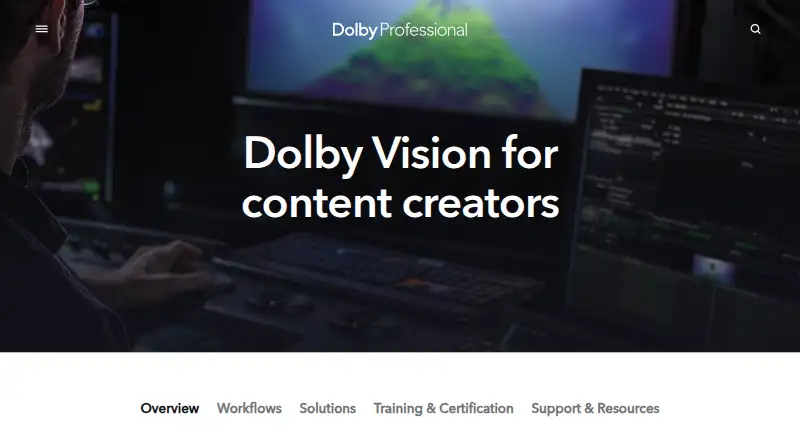
What Dolby Vision Professional Tools is
Dolby Vision Professional Tools is a command-line suite for processing and quality control in Dolby Vision post-production. Its workflows help content creators prepare HDR and SDR deliverables intended to maintain consistent presentation on HDR and legacy SDR devices. Metafier manages, edits, and verifies XML metadata; CM Offline renders Rec. 709 and other deliverables; Mezzinator creates Dolby Vision mezzanines; and CM Analyze makes shot- or frame-based analysis metadata from HDR10 files, including MaxFLL and MaxCLL values for Dolby Vision XML. Masters can be exported as image sequences with XML metadata, or as IMF packages or J2K mezzanines with interleaved metadata. Dolby says analysis metadata creation is included at no charge in many professional grading and mastering systems. The tools are available for Linux, macOS, and Windows. Command-line tools are free; the Trims License costs 1000.00 USD as a one-time purchase and enables artistic trim controls for home and cinema targets. Partner feature support and possible extra costs vary, so Dolby advises checking with each partner.
Good
- Free command-line tools for Dolby Vision processing and QC
- Includes XML metadata management and verification
- CM Analyze creates metadata from HDR10 files
- Supports Linux, macOS, and Windows
- Masters export in several listed formats
Watch out
- Artistic trim controls require a 1000.00 USD one-time license
- Free trial is not available
- Partner support and additional costs can vary
Who it suits
It suits content creators, colorists, engineers, studios, and production companies preparing content for streaming services, networks, or movie studios. The Trims License is for users who need artistic trim controls for home and cinema targets.
Verdict
Dolby Vision Professional Tools provides a free command-line workflow for Dolby Vision processing and QC, with separate paid artistic trim controls. Check partner compatibility and potential additional costs before relying on integrations.
Plans and prices
From Dolby Vision Professional Tools's own pricing page, checked 15 Oct 2026.
| Plan | Price | What it gives you |
|---|---|---|
| Dolby Vision Professional Tools | Free | Metafier metadata · CM Offline renders · Mezzinator mezzanines · CM Analyze analysis |
| Dolby Vision Trims License | $1,000, paid once | 21 primary trims · six-vector secondary trims · home and cinema targets · multiple facility machines · one-time purchase |
The facts
Each one read from Dolby Vision Professional Tools's own pages, with the date it was checked.
What it does
- CLI delivery
- The tools are delivered as executable command-line programs for Linux, macOS X or Windows.checked 15 Oct 2026
- CM Analyze
- CM Analyze generates shot or frame analysis metadata from HDR10 and can calculate MaxFLL and MaxCLL values for Dolby Vision XML.checked 15 Oct 2026
- CM Offline
- CM Offline creates standalone display-targeted renders from a Dolby Vision master, including Rec.709 outputs.checked 15 Oct 2026
- Deliverables
- Dolby Vision masters can be exported as image sequences with XML metadata or as IMF packages or J2K mezzanines with interleaved metadata.checked 2 Oct 2026
- Developer APIs
- Dolby support terms for licensed decoder development kits mention APIs, sample code, documentation and testing tools, but these terms concern licensed kits rather than the free Professional Tools binaries.checked 15 Oct 2026
- Developer licensing
- Dolby’s licensing terms describe its technology and implementation tools as licensed rather than sold, with Dolby retaining intellectual-property rights.checked 15 Oct 2026
- Documentation
- Dolby supplies a user manual covering CM Offline, Mezzinator, Metafier and CM Analyze through its support site and tool download.checked 15 Oct 2026
- GPU processing
- CUDA works with most NVIDIA CUDA-capable GPUs; systems without NVIDIA GPUs use CPU processing.checked 15 Oct 2026
- Integrated workflow
- Dolby’s no-license integrated workflow supports automatic shot or frame metadata, real-time iCMU mapping, XML interchange, mezzanine or IMF interchange, QC playback and SDR rendering.checked 15 Oct 2026
- Integrations
- Dolby lists compatible grading systems including Autodesk Flame, Blackmagic Design, DaVinci Resolve, Digital Vision Nucoda, FilmLight Baselight, Grass Valley RIO, and SGO Mistika.checked 2 Oct 2026
- Integrations: grading
- Listed grading integrations include Autodesk Flame 2021, Blackmagic Design, DaVinci Resolve, Digital Vision Nucoda, FilmLight Baselight, Grass Valley RIO and SGO Mistika.checked 15 Oct 2026
- Integrations: mastering and QC
- Listed mastering and QC integrations include Colorfront Transkoder, Fraunhofer EasyDCP Creator+, Greymeta IRIS, Interra Baton, Marquise MIST, MTI Film Cortex, Rohde & Schwarz Clipster and Venera Pulsar.checked 15 Oct 2026
- Intended users
- Dolby describes its tools and workflow for content creators, colorists, engineers, studios, and production companies creating content for streaming services, networks, and movie studios.checked 2 Oct 2026
- License caveat
- Partner tool support can vary, and Dolby advises checking with each partner for supported features and potential additional costs.checked 2 Oct 2026
- License scope
- The paid Trims License unlocks artistic trim controls and provides 21 primary and six-vector color secondary trim controls for home and cinema targets.checked 2 Oct 2026
- Licensing fees
- Dolby says there are no per-title or overarching studio licensing fees for creating and delivering Dolby Vision content.checked 15 Oct 2026
- Limit: command-line complexity
- A HardForum user says Dolby Vision workflows are fragmented and proprietary and require command-line knowledge, muxing and even hex editing.checked 15 Oct 2026
The company
- Company founding
- Dolby was founded in London, England in 1965 and reincorporated in Delaware in 2004.checked 15 Oct 2026
- Company headquarters
- Dolby’s principal corporate offices are at 1275 Market Street, San Francisco, California.checked 15 Oct 2026
- Company legal name
- The SEC registrant is Dolby Laboratories, Inc.checked 15 Oct 2026
- Company public status
- Dolby is a public company listed on the New York Stock Exchange under ticker DLB.checked 15 Oct 2026
- Company size
- Dolby reported 2,051 worldwide employees as of September 26, 2025, including 1,020 outside the United States.checked 15 Oct 2026
- Founded
- 1965checked 28 Sep 2026
- Headquarters
- San Francisco, California, USAchecked 28 Sep 2026
The full review of Dolby Vision Professional Tools
Dolby Vision Professional Tools is a focused suite for post-production teams creating and checking HDR and SDR deliverables. It fits colorists, engineers, studios, and production companies that already work in professional pipelines and are comfortable with command-line utilities. The free core is compelling for metadata and mastering operations, while artistic finishing requires a separate one-time license.
Overview
The suite is built to keep Dolby Vision presentations consistent across HDR and legacy SDR displays. Rather than acting as an all-purpose editor or grading application, it concentrates on processing, metadata, rendering, mezzanine creation, and quality control. That specialization makes it a sensible addition to a finishing pipeline, but a poor substitute for a graphical grading environment.
Its workflow targets content destined for streaming services, networks, and movie studios. Dolby has supported professional content creation since 1965, and directs users to a support center with documentation, FAQs, tutorials, webinars, and content-creation guidance.
Key features
Metafier manages, edits, and verifies XML metadata, giving technical operators a dedicated way to inspect and maintain Dolby Vision metadata. CM Offline renders Rec. 709 and other deliverables, which is useful when an HDR job also needs controlled SDR outputs. Mezzinator creates Dolby Vision mezzanines for downstream mastering and distribution work.
CM Analyze creates shot- or frame-based analysis metadata from an HDR10 file and can generate MaxFLL and MaxCLL values for a Dolby Vision XML. In many professional color-grading and mastering systems, analysis-metadata creation is included at no charge, so teams already using one of those systems may not need a separate analysis stage.
Masters can be exported as image sequences with XML metadata, or as IMF packages or J2K mezzanines with interleaved metadata. The paid Trims License adds artistic control: 21 primary color controls and six-vector secondary trim controls for home and cinema targets. That is a meaningful extension for finishing artists, but it is not part of the free command-line toolkit.
Dolby lists grading integrations with Autodesk Flame, Blackmagic Design DaVinci Resolve, Digital Vision Nucoda, FilmLight Baselight, Grass Valley RIO, and SGO Mistika. Mastering and QC compatibility includes Colorfront Transkoder, Fraunhofer EasyDCP Creator+, Greymeta IRIS, Interra Baton, Marquise Technologies MIST, MTI Film Cortex, Rohde & Schwarz Clipster, and Venera Pulsar. Partner implementations can differ, so facilities should confirm supported features and any extra charges with each partner.
Pricing
| Plan | Price | What you get |
|---|---|---|
| Dolby Vision Professional Tools | free | Command-line tools for Dolby Vision processing and QC |
| Dolby Vision Trims License | $1,000, paid once | Artistic trim controls; may be used on multiple machines in your facility |
The free plan has no trial countdown and covers the core processing and QC utilities, making it the appropriate starting point for technical workflows and smaller facilities evaluating Dolby Vision delivery. It does not provide the artistic trim controls. The $1,000 one-time Trims License is aimed at facilities whose finishing artists need primary and six-vector secondary adjustments for home and cinema targets; its multi-machine facility use is more practical for shared environments than a single-seat license. There is no recurring renewal charge stated for that license, and no separate free trial is offered.
Platforms
Dolby Vision Professional Tools supports Linux, macOS, and Windows. HDR finishing, camera RAW support, and managed color management are part of the stated workflow scope, giving facilities room to fit the tools into varied finishing pipelines.
Who it's for
Choose it if you are a colorist, engineer, studio, or production company delivering Dolby Vision masters and need dependable command-line handling for metadata, analysis, mezzanines, rendering, and QC. The free tier is particularly well suited to technical operators and facilities already using a compatible grading or mastering system. Look elsewhere if you need a single graphical application for creative grading, editing, and delivery.
Pros and cons
Pros
- Free core toolkit: Processing and QC utilities cover essential Dolby Vision operations without a subscription.
- Purpose-built deliverables: XML-backed image sequences, IMF packages, and J2K mezzanines address serious distribution workflows.
- Broad professional compatibility: Listed grading, mastering, and QC integrations can reduce pipeline handoffs.
- Facility-friendly trim licensing: The paid license can run on multiple machines in one facility.
Cons
- Command-line focus: It is not a standalone graphical grading suite for artists who want an all-in-one interface.
- Creative controls cost extra: Primary and six-vector secondary trims require the $1,000 license.
- Integration qualification required: Partner support and possible additional costs vary by system.
Alternatives
Video Color Grading Software is the broader category to browse when you want to compare complete grading environments rather than a Dolby-specific utility suite.
Colourlab Ai is a better fit for users seeking paid color software with a free trial; its public beta is free during testing but requires an Apple Silicon Mac, with Windows support coming in October.
fylm.ai suits creators wanting a freemium, cloud-oriented option with a free tier for one user and three cloud projects across desktop, web, and extension platforms.
DaVinci Resolve is the stronger choice when you need a full grading application with a free version or a $295 one-time Studio upgrade.
Baselight is worth considering for Linux and macOS facilities that want a professional grading system with a 14-day Baselight M trial and free-license options.
Mistika Boutique offers a freemium macOS and Windows route, including an educational tier with all features and H.264-only renders.
ColourSpace is the alternative for display calibration and verification; its free ZRO tier has no LUT capability.
Hance is a free Linux and macOS option for browser-based effects, built-in looks, and one-file-at-a-time H.264/H.265 export.
Colorfront Transkoder is a paid mastering alternative for facilities needing its broader system, with Dolby Vision encoding requiring a Dolby license.
Verdict
Dolby Vision Professional Tools is the right choice for professional teams that need a free, focused Dolby Vision processing and QC layer across Linux, macOS, or Windows. Choose it for disciplined metadata, analysis, rendering, and mezzanine workflows; look elsewhere if your priority is an integrated graphical grading experience or if the additional trims license and partner-specific costs do not fit your facility.
Alternatives to Dolby Vision Professional Tools
- 1
fylm.ai
Free planWebAPIExtensionLinux7.7From $7 a month - 2

DaVinci Resolve
Free planLinuxmacOSWindows7.6$295 one-time - 3

Mistika Boutique
Free planmacOSWindows6.9From €990 a year - 4

Baselight
Free planLinuxmacOS6.8From $7,500 a year - 5

Colourlab Ai
Free planLinuxmacOSWindows6.8From $129 a year - 66.7$449 one-time