
Dokan Multivendor Marketplace
Dokan turns WordPress and WooCommerce into a multivendor marketplace with vendor storefronts and commission controls.
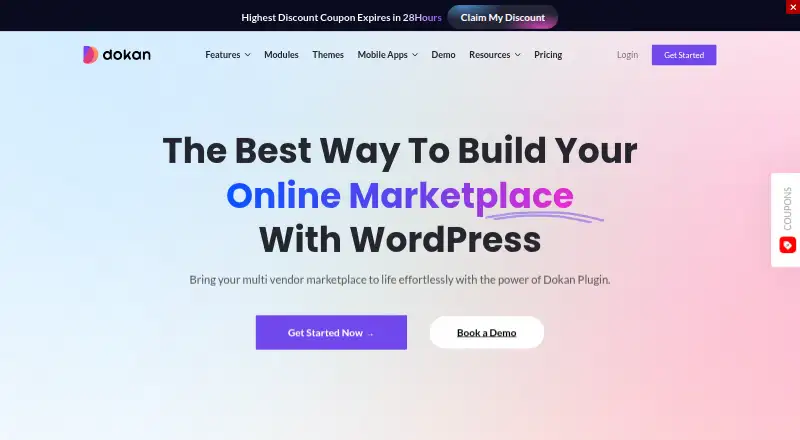
What Dokan Multivendor Marketplace is
Dokan turns WordPress and WooCommerce into a multivendor marketplace with vendor storefronts and commission controls. Its admin dashboard manages vendors, orders, commissions, and reports. Vendor tools cover shipping, earnings, product variations, store customization, withdrawals, order management, and tracking. Customer features include advanced and location-based search, vendor updates, returns, and direct product inquiries. Dokan describes uses for physical goods, digital downloads, service bookings, rentals, B2B wholesale, and creator marketplaces. Listed payment modules include Stripe Connect, Stripe Express, PayPal Marketplace, and MANGOPAY; other integrations include Printful, Elementor, Rank Math SEO, WooCommerce Bookings, and product add-ons. Installation takes place through the WordPress admin plugin interface, with a setup wizard to guide configuration. The free Lite plan has unlimited vendors and WordPress.org support. Dokan is not compatible with WordPress multisite, though its FAQ says it may be used on a single subsite in a multisite installation.
Good
- Admin tools manage vendors, orders, commissions, and reports.
- Vendor dashboard includes withdrawals and shipping tools.
- Supports varied marketplace types, including rentals and bookings.
- Free Lite plan allows unlimited vendors.
- Setup wizard guides configuration.
Watch out
- Not compatible with WordPress multisite.
- Free Lite plan lists WordPress.org support.
Who it suits
Dokan suits people building a WordPress and WooCommerce marketplace for physical or digital products, bookings, rentals, wholesale, or creators. It is not suitable for a WordPress multisite installation as a whole.
Verdict
Dokan provides marketplace administration and vendor tools within WordPress and WooCommerce, with modules for several selling models. Confirm multisite compatibility and the plan's site license and modules before choosing.
Plans and prices
From Dokan Multivendor Marketplace's own pricing page, checked 29 Sep 2026.
| Plan | Price | What it gives you |
|---|---|---|
| Lite | Free | Unlimited vendors · WordPress.org support · $0 /Free Forever |
| Starter (annual) | $149 a year | 1 site license · 4 premium modules · $149/y |
| Professional (annual) | $199 a year | 3 sites license · 23 premium modules · $199/y |
| Business (annual) | $374 a year | 5 sites license · 42+ premium modules · $374/y |
| Starter (lifetime) | $596, paid once | 1 site license · 4 premium modules · $596 |
| Enterprise (annual) | $699 a year | 20 sites license · all features · priority support · $699/y |
| Professional (lifetime) | $974, paid once | 3 sites license · 23 premium modules · $974 |
| Business (lifetime) | $1,497, paid once | 5 sites license · 42+ premium modules · $1,497 |
| Enterprise (lifetime) | $3,247, paid once | 10 sites license · all features · priority support · $3,247 |
The facts
Each one read from Dokan Multivendor Marketplace's own pages, with the date it was checked.
What it does
- Compatibility limit
- Dokan is not compatible with WordPress multisite, though the FAQ says it may be used on a single subsite in a multisite installation.checked 29 Sep 2026
- Customer features
- Customer features include advanced search, vendor updates, returns, location-based search, and direct product inquiries.checked 29 Sep 2026
- Installation
- Dokan is installed through the WordPress admin plugin interface, and its setup wizard guides configuration.checked 29 Sep 2026
- Licensing
- The terms say Dokan is released under GNU Public License version 2.0 and that each product includes 365 days of support and updates.checked 29 Sep 2026
- Marketplace management
- Its admin dashboard provides controls for managing vendors, orders, commissions, and reports.checked 29 Sep 2026
- Marketplace types
- Dokan describes use cases including physical goods, digital downloads, service bookings, rentals, B2B wholesale, and creator marketplaces.checked 29 Sep 2026
- Other integrations
- Listed integrations and modules include Printful, Elementor, Rank Math SEO, WooCommerce Bookings, and product add-ons.checked 29 Sep 2026
- Payment integrations
- The product page lists Stripe Connect, Stripe Express, PayPal Marketplace, and MANGOPAY among its payment modules.checked 29 Sep 2026
- Privacy
- Dokan’s GDPR documentation says the personal data collected and shared depends on enabled settings and additional plugins.checked 29 Sep 2026
- Product
- Dokan turns WordPress and WooCommerce into a multivendor marketplace with vendor storefronts and commissions.checked 29 Sep 2026
- Security updates
- The September 24, 2026 changelog lists fixes for stored cross-site scripting and permissions involving orders, refunds, and vendor data.checked 29 Sep 2026
- Support
- The product page advertises 24/7 customer support, while the free Lite plan lists WordPress.org support.checked 29 Sep 2026
- Vendor tools
- The vendor dashboard supports shipping, earnings, product variations, store customization, withdrawals, order management, and shipping tracking.checked 29 Sep 2026
The company
- Headquarters
- Dover, Delaware, USAchecked 28 Sep 2026
The full review of Dokan Multivendor Marketplace
Dokan Multivendor Marketplace adds vendor storefronts and marketplace operations to WordPress and WooCommerce. It best suits operators building a self-hosted marketplace who want vendors to manage routine store work themselves. Its breadth is useful, but the site-license tiers and lack of WordPress multisite compatibility narrow the fit.
Overview
Dokan combines administrator controls for vendors, orders, commissions, and reports with a separate dashboard for vendor activity. It supports marketplaces for physical and digital products, bookings, rentals, wholesale, and creators, making it relevant beyond conventional retail. Installation takes place through WordPress’s plugin interface, and a setup wizard guides configuration—an advantage for WordPress operators, but not a substitute for a standalone marketplace platform.
The vendor tools cover shipping, earnings, product variations, store customization, withdrawals, order management, and shipment tracking. Customer-facing capabilities include advanced and location-based search, vendor updates, returns, and direct product inquiries. That gives marketplace operators tools across the buyer and seller experience, although the appropriate modules depend on the plan.
Key features
Payments and integrations
Payment modules include Stripe Connect, Stripe Express, PayPal Marketplace, and MANGOPAY. Other listed integrations include Printful, Elementor, Rank Math SEO, WooCommerce Bookings, and product add-ons. The mix supports varied marketplace setups, but buyers should match their required modules to the plan before committing.
Compatibility, security, and privacy
Dokan does not support WordPress multisite, although it may run on one subsite within a multisite installation. That makes it a poor fit for operators who need a marketplace deployed across a WordPress network. A September 24, 2026 changelog records fixes for stored cross-site scripting and permissions involving orders, refunds, and vendor data. GDPR data collection and sharing depend on enabled settings and additional plugins, so privacy practices will vary with the configuration.
Pricing
Dokan is freemium, with a free Lite plan and paid plans from $149/yr. The Lite plan costs nothing, includes unlimited vendors, and relies on WordPress.org support. It is a useful way to start, but it does not include the premium modules in paid tiers.
| Plan | Price | What it includes |
|---|---|---|
| Starter (annual) | $149 per year | 1 site license and 4 premium modules |
| Professional (annual) | $199 per year | 3 site licenses and 23 premium modules |
| Business (annual) | $374 per year | 5 site licenses and 42+ premium modules |
| Enterprise (annual) | $699 per year | 20 site licenses, all features, and priority support |
| Starter (lifetime) | $596 once | 1 site license and 4 premium modules |
| Professional (lifetime) | $974 once | 3 site licenses and 23 premium modules |
| Business (lifetime) | $1,497 once | 5 site licenses and 42+ premium modules |
| Enterprise (lifetime) | $3,247 once | 10 site licenses, all features, and priority support |
Starter is the entry point for a single site with a limited premium-module bundle. Professional and Business raise both the site allowance and module count, while Enterprise is for larger deployments needing all features and priority support. Lifetime purchases cost more upfront and have fewer site licenses than their annual Enterprise counterpart; each product includes 365 days of support and updates. There is no free trial, so Lite is the available no-cost starting point.
Platforms
Dokan runs on self-hosted WordPress and is available on the web. The WordPress foundation is central to its appeal, but it also means multisite compatibility is a material constraint rather than a minor deployment detail.
Who it's for
Choose Dokan if you already operate on WordPress and WooCommerce, need vendor storefronts and commission-based marketplace workflows, and can select a plan around your sites and required modules. It is less suitable for multisite operators or teams seeking a standalone service rather than a WordPress-based build.
Pros and cons
- Pro: Vendor dashboards cover shipping, withdrawals, earnings, orders, and store customization, reducing the need to centralize every routine seller task.
- Pro: Support for physical goods, downloads, bookings, rentals, wholesale, and creator marketplaces gives it scope across several marketplace models.
- Pro: The free Lite plan allows unlimited vendors, which can help a new marketplace begin without paying for a vendor cap.
- Con: WordPress multisite is not supported, limiting its suitability for network-based deployments.
- Con: Premium modules and site licenses vary by tier, so the cheapest paid plan may not cover a multi-site rollout or required functionality.
Alternatives
For a different marketplace approach, browse Online Marketplace Software. Litekart is a free, self-hosted option with full source code and all features included, better suited to teams prepared to build on their own infrastructure. MarketplaceKit offers a self-hosted Community Edition and a $15/month Hobby plan, a possible alternative for teams comparing hosted and self-managed setups.
Websta is another freemium alternative. Marketbridge by Hykmah has a free tier capped at 1 product, 100 records, 100 transactions per month, and 1 GB storage. Mercur offers a free, MIT-licensed, self-hosted marketplace core, with implementation, deployment, and maintenance handled by the team using it. Yclas Neo has a free plan for the first 25 members, with unlimited listings and 1 GB image storage.
Growcer is a paid alternative, as is Medialem Marketplace Builder, which offers a rental-marketplace SaaS plan at €350 per month with no commitment and cancellation at any time.
Verdict
Dokan is a strong fit for WordPress operators who want a broad set of marketplace workflows and vendor tools within WooCommerce. Its main reason to choose it is the range of seller and buyer functions across multiple marketplace types; its main reason to look elsewhere is the WordPress multisite limitation, compounded by plan-specific module and site allowances.
Alternatives to Dokan Multivendor Marketplace
- 1

Litekart
Free planOpen sourceAndroidiOSWebAPI7.9Free plan - 2
EcommerceSoftwarePro
Free planAndroidiOSWeb7.8$999 one-time - 3
Websta
Free planAndroidiOSWeb7.6From €0.69 a month - 4
MarketplaceKit
Free planAndroidiOSWebAPI7.2From $15 a month - 5
Tamaranga
AndroidiOSWebAPI7.1 - 6
My Marketplace Builder
AndroidiOSWeb6.9From $83 a month