
docAnalyzer
docAnalyzer is an AI workspace for analyzing documents and creating new deliverables grounded in their contents.
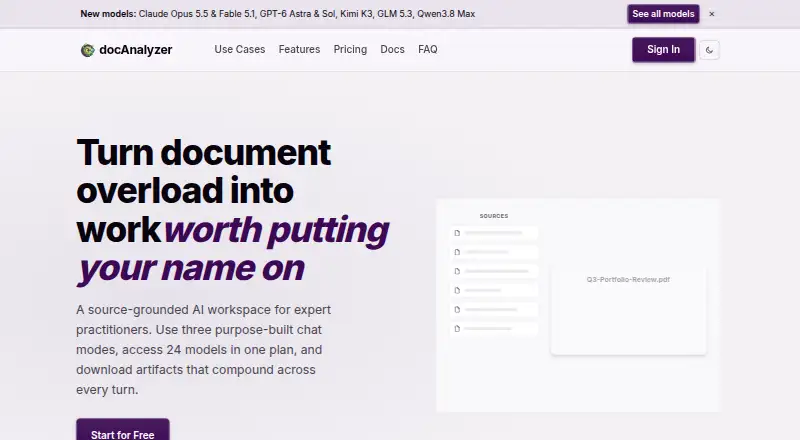
What docAnalyzer is
docAnalyzer is an AI workspace for analyzing documents and creating new deliverables grounded in their contents. Ask docAnalyzer handles requests across a workspace, Focus chat works with selected sources, and Co-work chat supports editing notes. Claims can link back to a supporting page, section, or spreadsheet cell in a source viewer. Batch workflows cover data extraction, document-level questions and summaries, reference audits, rewrites, and SEO metadata. The workspace can produce PDFs, spreadsheets, charts, diagrams, and ZIP files, and it applies OCR to scanned pages in more than 40 languages. Supported inputs include PDFs, office documents, EPUB, spreadsheets, text, HTML, and web pages; standalone image, audio, and video uploads are not supported. Paid plans can import selected Zotero or Mendeley references, while Google Drive and OneDrive connectors are unavailable. API access is paid-plan only. The company says documents are not used to train models and data is encrypted in transit and at rest.
Good
- Citations link claims to specific source locations.
- OCR handles scanned pages in 40+ languages.
- Batch workflows include extraction, summaries, and audits.
- Exports include PDFs, spreadsheets, charts, and diagrams.
Watch out
- Standalone image, audio, and video uploads are unsupported.
- Google Drive and OneDrive connectors are unavailable.
- API access is limited to paid plans.
- Free Community plan has monthly upload limits.
Who it suits
It suits expert practitioners, from students and researchers to public-sector teams, who need to analyze source documents and turn them into structured outputs. Developers needing programmatic document access must choose a paid plan.
Verdict
docAnalyzer combines source-linked document analysis, OCR, and multiple output formats in one workspace. Check its upload limits, integrations, and plan requirements against your workflow before choosing it.
Plans and prices
From docAnalyzer's own pricing page, checked 29 Sep 2026.
| Plan | Price | What it gives you |
|---|---|---|
| Community | Free | Document analysis, chat, notes and monthly credits; monthly upload limits; no API access |
| Basic | $8 a month | 100 credits/month · 3 workspaces · 50 labels each · Share, Notes, Chatbot, OCR, Lab models, BYOK and API access · US$ 8 per month |
| Pro | $16 a month | 200 credits/month · Unlimited workspaces and labels · Share, Notes, Chatbot, OCR, Lab models, BYOK and API access · US$ 16 per month |
| Team | $18 a month | Minimum 3 seats · 600 credits/month per seat · Shared workspaces · Real-time collaboration · US$ 18 / seat / month |
| Pro Plus | $30 a month | 800 credits/month · Apex models · Max upload allowance · All Pro features · US$ 30 per month |
| Enterprise | $32 a month | Minimum 5 seats · 600 credits/month per seat · Apex models · Tailored AI agents and automation · Designated support manager · SAML sign-on · US$ 32 / seat / month |
The facts
Each one read from docAnalyzer's own pages, with the date it was checked.
What it does
- API
- The API lets developers upload, manage, and interact with documents programmatically, and is available on paid plans.checked 29 Sep 2026
- Audience
- The maker describes the product as a workspace for expert practitioners, with users ranging from PhD students to public-sector ministries.checked 29 Sep 2026
- Chat modes
- It offers Ask docAnalyzer for workspace-wide requests, Focus chat for selected sources, and Co-work chat for editing notes.checked 29 Sep 2026
- Citations
- Cited claims link to the supporting page, section, or spreadsheet cell in the source viewer.checked 29 Sep 2026
- Data handling
- Documents remain until the user deletes them or closes the account; account data is deleted within 30 days of account closure.checked 29 Sep 2026
- Files and OCR
- It generates downloadable outputs such as PDFs, spreadsheets, charts, diagrams, and ZIPs, and automatically OCRs scanned pages in 40+ languages.checked 29 Sep 2026
- Integrations
- Paid plans can import selected references from Zotero or Mendeley; the feature page says Google Drive and OneDrive connectors are not available.checked 29 Sep 2026
- Limits
- The security page lists plan-dependent maximum document sizes of 20 MB to 500 MB and storage of 100 MB to 50 GB per seat.checked 29 Sep 2026
- Product
- docAnalyzer is a source-grounded AI workspace that analyzes documents and produces new deliverables.checked 29 Sep 2026
- Security
- The company says customer documents are not used to train models and data is encrypted in transit with TLS and at rest with AES-256.checked 29 Sep 2026
- Support
- Enterprise includes a designated support manager and SLA, and the company provides an email contact for vulnerability reports.checked 29 Sep 2026
- Supported files
- It supports PDFs, Word and PowerPoint documents, OpenDocument, RTF, EPUB, Excel, Markdown, plain text, HTML, and web pages by URL; standalone image, audio, and video uploads are unsupported.checked 29 Sep 2026
- Workflows
- Batch workflows include data extraction, per-document questions and summaries, reference audits, Humanizer rewrites, and SEO metadata.checked 29 Sep 2026
The company
- Company
- docAnalyzer was started in late 2023 by Christophe Le Bars and is a product of AI For Verticals, Inc.checked 29 Sep 2026
- Founded
- 2023checked 28 Sep 2026
- Headquarters
- 169 Madison Ave, New York, NY 10016, United Stateschecked 28 Sep 2026
The full review of docAnalyzer
Overview
docAnalyzer is a source-grounded document workspace for asking questions, working with notes, and turning document collections into downloadable outputs. It suits researchers and other practitioners who need traceable answers and batch processing; its reliance on web access and the absence of Google Drive and OneDrive connectors may rule it out for other workflows.
Its strongest case is the combination of citations, OCR, and batch workflows. The trade-off is that useful capacity and features depend on plan, while image, audio, and video files cannot be uploaded as standalone sources.
Key features
Three chat modes target different scopes: Ask docAnalyzer handles workspace-wide requests, Focus chat works with selected sources, and Co-work chat helps edit notes. Cited claims link to the relevant page, section, or spreadsheet cell in the source viewer, making answers easier to check against their origin than uncited summaries.
Batch workflows cover data extraction, per-document questions and summaries, reference audits, Humanizer rewrites, and SEO metadata. That range is useful for repeatable work across document sets, rather than only one-off PDF questions. Outputs can include PDFs, spreadsheets, charts, diagrams, and ZIPs.
Automatic OCR supports scanned pages in 40+ languages. Supported inputs include PDF, Word, PowerPoint, OpenDocument, RTF, EPUB, Excel, Markdown, plain text, HTML, and web pages by URL. Multiple PDFs can be used in a chat. Standalone image, audio, and video uploads are unsupported, so media-heavy workflows need another tool.
Paid plans can import selected references from Zotero or Mendeley. Google Drive and OneDrive connectors are unavailable, a meaningful gap for teams whose source libraries live in those services. The API supports programmatic document upload, management, and interaction, but requires a paid plan.
The company says customer documents are not used to train models, and data is encrypted in transit with TLS and at rest with AES-256. Documents remain until deleted by the user or the account is closed; account data is deleted within 30 days of account closure. Plan-dependent limits range from 20 MB to 500 MB maximum document size and 100 MB to 50 GB storage per seat. The listed maximum file size is 50 MB, so check the applicable plan allowance against your actual files.
Pricing
Community is free and includes document analysis, chat, notes, and monthly credits, but monthly upload limits and no API access make it a constrained starting point rather than a full automation tier. There is no free trial.
Basic costs $8 a month, billed US$ 8 per month, and includes 100 credits/month, 3 workspaces, 50 labels each, sharing, notes, chatbot, OCR, Lab models, BYOK, and API access. It is the lowest paid tier for users who need the API or those tools but can work within its credit and workspace caps.
Pro costs $16 a month, billed US$ 16 per month, with 200 credits/month, unlimited workspaces and labels, and the same listed feature set as Basic. It suits users who need room to organize more projects, though its credit allowance is only twice Basic's.
Team is $18 per seat per month, billed US$ 18 / seat / month, with a 3-seat minimum, 600 credits/month per seat, shared workspaces, and real-time collaboration. It is aimed at groups that need shared work rather than an individual buyer; the seat minimum makes it a more substantial commitment than the per-seat price alone suggests.
Pro Plus costs $30 a month, billed US$ 30 per month, and includes 800 credits/month, Apex models, the maximum upload allowance, and all Pro features. It fits an individual needing higher capacity and those models, but costs more than Pro without describing an unlimited credit allowance.
Enterprise costs $32 per seat per month, billed US$ 32 / seat / month, with a 5-seat minimum, 600 credits/month per seat, Apex models, tailored AI agents and automation, a designated support manager, and SAML sign-on. It is the team option for organizations needing those controls and support; its minimum is five seats. No annual term is stated for these monthly prices.
Platforms
docAnalyzer is available on the web, and its API is available on paid plans. That favors browser-based and programmatic workflows, not users seeking a dedicated mobile or desktop app.
Who it's for
The product is positioned for expert practitioners, with an audience ranging from PhD students to public-sector ministries. Individual researchers can benefit from cited answers and scanned-document OCR; teams can use shared workspaces and collaboration on Team, while organizations that need SAML sign-on, tailored automation, or a support manager have an Enterprise tier. It is less suitable when cloud-drive connectors, standalone media uploads, or generous free use are essential.
Pros and cons
- Pros: Citations point back to specific source locations, helping readers verify claims.
- Pros: OCR in 40+ languages and broad document-format support cover scanned and mixed-format collections.
- Pros: Batch workflows and many downloadable formats serve repeatable analysis and delivery tasks.
- Cons: Google Drive and OneDrive connectors are unavailable, while Zotero and Mendeley imports require a paid plan.
- Cons: Free use has monthly upload limits, and the API is paid-only.
- Cons: Standalone image, audio, and video uploads are unsupported; web is the listed access platform.
Alternatives
For more connector coverage, consider Anara: its Pro plan includes Google Drive, Notion, and OneDrive connectors, alongside 300MB or 10,000 pages per upload.
AI PDF Reader is an alternative for readers seeking a freemium PDF reader across iOS, macOS, and Windows.
DeepPDF is worth considering for its browser extension and web access; its beta Pro plan is free and includes 200 PDFs at 50 MB/PDF.
PDF.chat is another API-and-web option, with a Starter plan at $5 a month and 750 pages per month.
AskYourPDF may fit users who want mobile and extension access as well as web and API platforms; it also offers a free trial.
Sharly AI is a web-based alternative with a free tier capped at 10 documents/month and 50 messages/month.
pdfAssistant.ai offers a free-forever Starter tier with monthly credits, but full downloads require a paid plan.
ChatDOC is an alternative for users who want API and web access; its free plan supports PDF uploads with daily and total upload and question caps.
For broader category comparisons, browse AI PDF Assistants and AI PDF Tools.
Verdict
Choose docAnalyzer if your work centers on document collections and you value answers linked to exact source locations, OCR, and batch outputs in one web workspace. Its paid tiers provide a clear route from individual API use to collaboration and enterprise controls. Look elsewhere if cloud-drive connectors, standalone media uploads, or desktop and mobile apps are central to your workflow.
Alternatives to docAnalyzer
- 1

ChatPDF
Free planAndroidiOSWebAPI8.2From $89.99 a year - 2

AskYourPDF
Free planAndroidiOSWebAPI8.1From $11.99 a month - 3

Audeus
Free planAndroidiOSWebExtension7.9From $9.92 a month - 4
Paperpal
Free planWebExtensionmacOSWindows7.9From $139 a year - 5

PDF.chat
Free planWebAPI7.4From $48 a year - 6

Anara
Free planiOSWebExtensionmacOS7.0Free plan