Digler
The facts below are what the maker publishes about Digler, checked and dated. Our editors have not written about it yet.
The facts
Each one read from Digler's own pages, with the date it was checked.
What it does
- Contributions
- The project invites contributions including file format decoders, carving heuristics, performance work, CLI improvements, tests, and documentation.checked 12 Oct 2026
- Development status
- The README describes Digler as being in early development and cautions that some bugs may exist.checked 12 Oct 2026
- Disk inputs
- It can analyze disk image formats such as .dd and .img, or directly access physical disks.checked 12 Oct 2026
- Disk sources
- It can analyze disk image formats such as .dd and .img or access physical disks directly.checked 12 Oct 2026
- Early development
- The README says Digler is in early development and may contain bugs.checked 12 Oct 2026
- Filesystem analysis
- It can recover deleted files across filesystems including NTFS, FAT32, and ext4, even when metadata is lost.checked 12 Oct 2026
- Filesystem independence
- It can recover deleted files across filesystems including NTFS, FAT32, and ext4, even when metadata is lost.checked 12 Oct 2026
- File types
- The project says it can recover documents, images, audio, and archives, and lists RAR 4, RAR 5, and SQLite scanners in release notes.checked 12 Oct 2026
- Forensic reports
- Digler generates reports in Digital Forensics XML (DFXML) format and can use those reports to recover selected files.checked 12 Oct 2026
- Intended users
- The README describes Digler as suitable for professionals and casual users and welcomes open-source contributions, including from people interested in digital forensics.checked 12 Oct 2026
- Interfaces
- Digler provides both a command-line interface and a desktop application.checked 12 Oct 2026
- Known limitations
- The initial release notes say some features are experimental, mounting is Linux-only, and disk image format support is limited in that release.checked 12 Oct 2026
- License
- Digler is released under the MIT License.checked 12 Oct 2026
- Operating systems
- Linux,macOS,Windowschecked 19 Sep 2026
- Plugins
- A plugin architecture lets users add custom file scanners and support for additional file formats.checked 12 Oct 2026
- Purpose
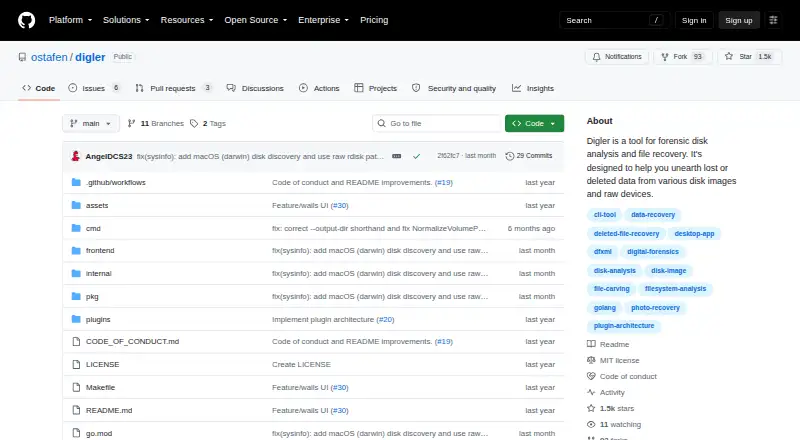
- Digler is a tool for forensic disk analysis and file recovery from disk images and raw devices.checked 12 Oct 2026
- Recovery sources
- disk images,raw devices,physical disks,disk partitionschecked 19 Sep 2026
- Recovery workflow
- Users can scan first and then recover selected files using the generated DFXML report.checked 12 Oct 2026
- Release limitation
- The v0.0.1 release notes say mounting was Linux-only, some features were experimental, and supported disk image formats were limited at that release.checked 12 Oct 2026
- Reports
- Digler generates reports in Digital Forensics XML (DFXML) format.checked 12 Oct 2026
Money
- Free plan
- Yeschecked 19 Sep 2026
Where it runs
- Linux mounting
- On Linux, scan results can be mounted as a FUSE filesystem so recovered files can be browsed without copying them first.checked 12 Oct 2026
- Supported platforms
- Precompiled binaries are available for Linux, macOS, and Windows.checked 12 Oct 2026
Alternatives to Digler
- 1
EaseUS Data Recovery Wizard
Free planAndroidiOSmacOSWindows9.0Free plan - 2

Disk Drill
Free planmacOSWindows8.4From $89 a year - 3
MiniTool Power Data Recovery
Free planmacOSWindows8.2From $89 a year - 4
DoYourData Recovery
Free planiOSmacOSWindows8.2From $69 a year - 5
AOMEI FastRecovery
Free planWindows8.1Free plan - 6

Hetman Partition Recovery
LinuxmacOSWindows7.9$97.95 one-time