Desktop Frames+
Desktop Frames+ is a free Windows utility that groups and organizes desktop icons in virtual frames.
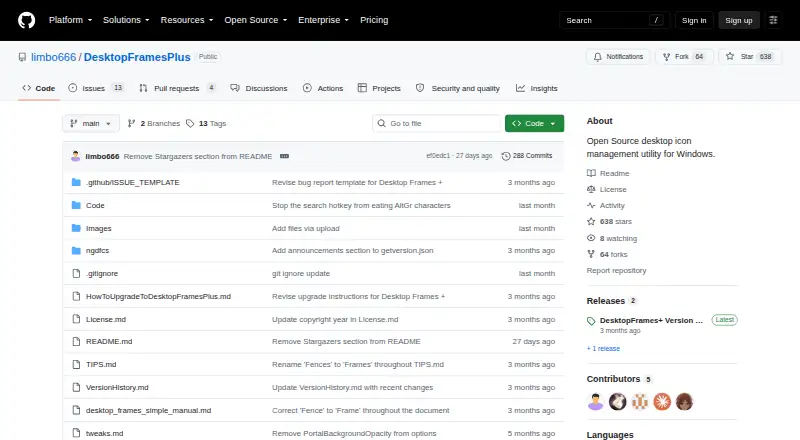
What Desktop Frames+ is
Desktop Frames+ is a free Windows utility that groups and organizes desktop icons in virtual frames. Data Frames hold shortcuts, Portal Frames mirror folder contents, and Note Frames provide space for quick text. Frames can have multiple tabs, and workspace profiles can be switched manually or when selected programs launch. Smart Desktop can sort incoming files into chosen Portal Frames or folders according to user-defined rules. SpotSearch finds and launches shortcuts across frames; Peek Behind, Rollup, and Auto-hide control their visibility. Supported items include files, folders, web links, Microsoft Store apps, Steam games, and Spotify URIs. You can customize frame colors, wallpaper-matched tints, launch animations, and icons. The project makes daily backups of layouts, configurations, and shortcuts, and supports exporting frames or tabs; relative paths help with portability. Download it from GitHub Releases, extract the ZIP, and run Desktop Frames.exe. The project specifies Windows 10/11 compatibility and says only user-writable locations are compatible. It uses the MIT License and is provided without warranty.
Good
- Three frame types cover shortcuts, folders, and notes.
- Profiles can switch when selected programs launch.
- Daily backups and frame exports are supported.
- Free and open source.
Watch out
- Windows 10/11 is the specified platform.
- Only user-writable locations are compatible.
- The software is provided without warranty.
Who it suits
Desktop Frames+ suits Windows users who want desktop icons and files organized into customizable areas. It may also suit people who switch between workspace profiles or want to sort incoming files automatically.
Verdict
Desktop Frames+ offers several ways to organize desktop items, with profiles, search, and automatic sorting. It is limited to Windows 10/11 and carries no warranty under its stated license terms.
Plans and prices
From Desktop Frames+'s own pricing page, checked 3 Oct 2026.
| Plan | Price | What it gives you |
|---|---|---|
| Desktop Frames+ | Free | Free and open source · portable · Windows 10/11 |
The facts
Each one read from Desktop Frames+'s own pages, with the date it was checked.
What it does
- Backups and portability
- The software makes daily backups of layouts, configurations, and shortcuts and supports exporting frames or tabs; it uses relative paths for portability.checked 3 Oct 2026
- Customization
- Users can customize frame colors and tint, match frame colors to wallpaper, choose launch animations, and assign custom icons.checked 3 Oct 2026
- Download and install
- The project directs users to GitHub Releases; installation is to extract the ZIP and run Desktop Frames.exe.checked 3 Oct 2026
- File organization
- Smart Desktop can move incoming files into specified Portal Frames or folders using user-defined rules.checked 3 Oct 2026
- Frame types
- It offers Data Frames for shortcuts, Portal Frames that mirror folder contents, and Note Frames for quick text.checked 3 Oct 2026
- License and warranty
- The project uses the MIT License, which states that the software is provided “AS IS” without warranty.checked 3 Oct 2026
- Maintainer
- The repository credits Nikos Georgousis as the maintainer and says the project is based on BirdyFences by HakanKokcu.checked 3 Oct 2026
- Purpose
- Desktop Frames+ creates virtual frames on the desktop to group and organize icons.checked 3 Oct 2026
- Search and visibility
- SpotSearch finds and launches shortcuts across frames, while Peek Behind, Rollup, and Auto-hide control frame visibility.checked 3 Oct 2026
- Support
- The maker asks users to report problems through GitHub issues and invites donations through Liberapay or PayPal.checked 3 Oct 2026
- Supported items
- It supports files, folders, web links, Microsoft Store apps, Steam games, and Spotify URIs.checked 3 Oct 2026
- Tabs and profiles
- Frames support multiple tabs, and workspace profiles can switch manually or automatically when selected programs launch.checked 3 Oct 2026
Where it runs
- Platform and limitation
- The project states compatibility with Windows 10/11 and says only user-writable locations are compatible.checked 3 Oct 2026
Alternatives to Desktop Frames+
- 1
BitDock
Free planWindows7.2Free plan - 2

DeskBox
Free planOpen sourceWindows7.0Free plan - 3
iTop Easy Desktop
Free planWindows6.6From $11.99 a year - 4
Tabbles
Free planAPIExtensionWindows6.6From €3 a year - 5

AutoShelf
Free planmacOS6.5$19.99 one-time - 6
Right Click Enhancer
Free planWindows6.5$9.99 one-time