DataRecovery
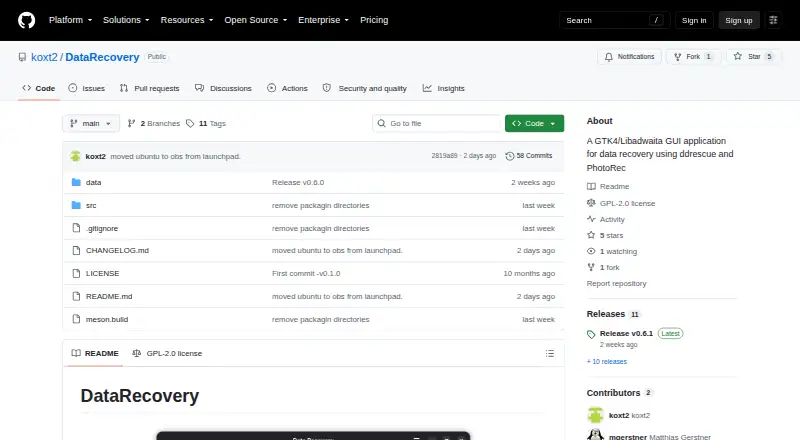
The facts below are what the maker publishes about DataRecovery, checked and dated. Our editors have not written about it yet.
The facts
Each one read from DataRecovery's own pages, with the date it was checked.
What it does
- Dependencies
- The source installation instructions list ddrescue, TestDisk, rdfind, UDisks2, and Polkit among the dependencies.checked 12 Oct 2026
- Disk space requirement
- The README warns that significant disk space is required because images are created before files are recovered.checked 12 Oct 2026
- Drive health
- The README lists SMART data monitoring as an application option.checked 12 Oct 2026
- Drive imaging
- For physical devices, it creates disk images in four ddrescue passes before PhotoRec recovers files.checked 12 Oct 2026
- Drive monitoring
- The application can check SMART reports and monitor SMART data for drives.checked 12 Oct 2026
- Drive safety
- The workflow automatically detects and handles mounted partitions to prevent corruption.checked 12 Oct 2026
- Duplicate removal
- It can optionally remove duplicate files using rdfind.checked 12 Oct 2026
- File selection
- Users can choose which file types to recover and add custom file signatures.checked 12 Oct 2026
- License
- The repository identifies the project as GPL-2.0-or-later.checked 12 Oct 2026
- Mount safety
- The application automatically detects and handles mounted partitions to prevent corruption.checked 12 Oct 2026
- Operating systems
- Linuxchecked 19 Sep 2026
- Pricing
- The repository page and README do not state a price or offer a trial.checked 12 Oct 2026
- Purpose
- DataRecovery is a GTK4/Libadwaita frontend for PhotoRec that uses ddrescue to image drives before recovering files.checked 12 Oct 2026
- Recovery options
- Users can save images, remove duplicates, keep corrupted files, select file types, and add custom file signatures.checked 12 Oct 2026
- Recovery scope
- The README says it recovers all files, not only deleted ones, and organizes them by file type.checked 12 Oct 2026
- Recovery sources
- storage devices; disk image fileschecked 19 Sep 2026
- Recovery tools
- The project uses GNU ddrescue for imaging, PhotoRec/TestDisk for recovery, and optionally rdfind for duplicate detection and removal.checked 12 Oct 2026
- Recovery workflow
- It can recover files from storage devices or existing disk image files, then organize recovered files by extension.checked 12 Oct 2026
- Security changes
- The v0.6.0 release notes say privileged operations were hardened against unsafe device paths and symbolic-link attacks, with validation added for device paths, output locations, ownership IDs, and temporary directories.checked 12 Oct 2026
- Storage requirement
- The project warns that recovery requires significant disk space because it creates images before recovering files from them.checked 12 Oct 2026
Money
- Free plan
- Yeschecked 19 Sep 2026
Where it runs
- Linux availability
- The README provides installation instructions for openSUSE, Fedora, Debian, Ubuntu, and Arch Linux, plus building from source.checked 12 Oct 2026
- Linux distributions
- The README lists installation packages or instructions for openSUSE, Fedora, Debian, Ubuntu, and Arch Linux.checked 12 Oct 2026
The company
- Maker
- The repository is published under the GitHub account koxt2.checked 12 Oct 2026
Alternatives to DataRecovery
- 1
EaseUS Data Recovery Wizard
Free planAndroidiOSmacOSWindows9.0Free plan - 2

Disk Drill
Free planmacOSWindows8.4From $89 a year - 3
MiniTool Power Data Recovery
Free planmacOSWindows8.2From $89 a year - 4
DoYourData Recovery
Free planiOSmacOSWindows8.2From $69 a year - 5
AOMEI FastRecovery
Free planWindows8.1Free plan - 6

Hetman Partition Recovery
LinuxmacOSWindows7.9$97.95 one-time