
Csound
Csound is a free sound and music computing system used to create music software and make music.
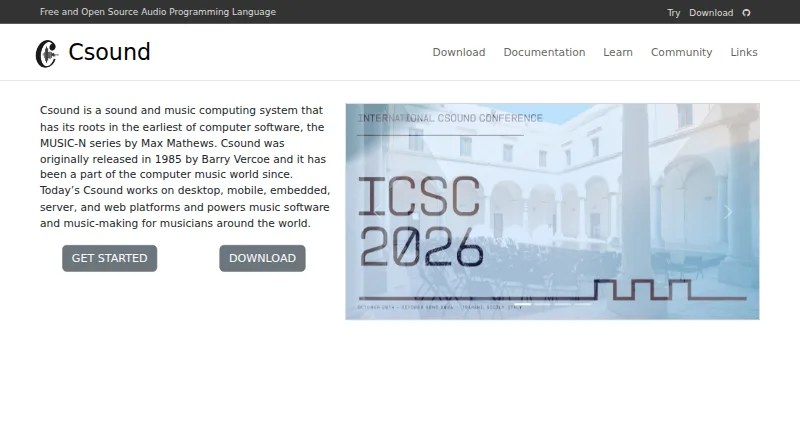
What Csound is
Csound is a free sound and music computing system used to create music software and make music. Its uses include electroacoustic works, algorithmic jam sessions, app development, and game audio projects. The programming system has more than 1,500 opcodes and supports traditional and functional syntax. Getting-started material demonstrates MIDI keyboard and real-time audio input, synthesis, envelopes, and filtering. Csound code can run in a browser through the Csound Web IDE or be explored interactively in the FLOSS Manual without installing the software. The project links frontends such as Cabbage, CsoundQt, and Blue, as well as interfaces or wrappers for JavaScript, Python, Unity, Android, and iOS. Downloads or packages are listed for Windows, macOS, several Linux distributions, Android, and Web Assembly; an iOS SDK is also linked. Barry Vercoe released Csound in 1985. Support channels listed by the project include mailing lists, a forum, Discord, Slack, and Stack Overflow.
Good
- Free sound and music computing system.
- Includes more than 1,500 opcodes.
- Code can run in a browser without installation.
- Interfaces are linked for JavaScript, Python, Unity, Android, and iOS.
Watch out
- Frontends are developed by their own teams.
- Apple or Windows may warn that Csound is not trusted.
Who it suits
Csound suits musicians and developers who want a programming-based system for sound and music, including app or game audio work. Browser use and linked language interfaces may suit people exploring it without a conventional standalone workflow.
Verdict
Csound provides a broad programming environment for music and sound work, with browser access and interfaces for several development ecosystems. Users should note that frontends are maintained by their own teams and that platform trust warnings may appear.
Plans and prices
From Csound's own pricing page, checked 15 Oct 2026.
| Plan | Price | What it gives you |
|---|---|---|
| Csound | Free | free and open-source audio programming system · desktop, mobile, embedded, server and web platforms |
The facts
Each one read from Csound's own pages, with the date it was checked.
What it does
- Audio and MIDI
- The getting-started guide demonstrates MIDI keyboard input, real-time audio input, synthesis, envelopes, and filtering.checked 29 Sep 2026
- Community forum
- The forum has dedicated Newbies, Developers, Web Csound, CsoundQt and Blue categories, plus a read-only mailing-list archive.checked 15 Oct 2026
- Current development
- The GitHub repository describes the develop branch as Csound 7 and says the 6.x line is end-of-life with no further releases planned.checked 15 Oct 2026
- Documentation depth
- The canonical manual is version 6.18.0 and contains command syntax, realtime I/O, configuration, language reference and extensive opcode sections.checked 15 Oct 2026
- Downloads
- The download page lists Windows, macOS, Debian, Ubuntu, Fedora, Arch, Android, and Web Assembly downloads or packages.checked 29 Sep 2026
- Frontend responsibility
- The maker says frontends are developed by their own teams and links their documentation for users.checked 29 Sep 2026
- Frontends
- Official download links list Cabbage, CsoundQt and Blue as separate frontends.checked 15 Oct 2026
- Getting-started format
- Csound .csd files contain CsOptions, CsInstruments and CsScore sections, and the manual supplies runnable example files.checked 15 Oct 2026
- History
- Barry Vercoe originally released Csound in 1985 after its development at MIT.checked 15 Oct 2026
- Integrations
- The maker links Csound frontends Cabbage, CsoundQt, and Blue, and provides wrappers or interfaces for JavaScript, Python, Unity, Android, and iOS.checked 29 Sep 2026
- Latest release news
- GitHub lists Csound 7.0.0-beta.18 as the latest release, dated October 1, with WebAssembly debugger callbacks, software-bus support and iOS example updates among its changes.checked 15 Oct 2026
- Licence
- The source repository distributes Csound under the GNU Lesser General Public License version 2.1 or later.checked 15 Oct 2026
- Limit: accessibility
- A SourceForge reviewer reported that CsoundQt was not accessible for blind users and that no accessible frontend was available at the time of review.checked 15 Oct 2026
- Limit: documentation gaps
- A SourceForge reviewer praised the Android implementation but complained that examples and opcode or .csd documentation were difficult to find and sometimes inconsistent.checked 15 Oct 2026
- Limit: learning curve
- Independent reviews describe Csound as programming-intensive, difficult for beginners and frustrating when debugging or learning from scratch.checked 15 Oct 2026
- Limit: production workflow
- The independent CSOUND Information page says Csound is not a replacement for a full realtime production synthesizer and is poor for easy General MIDI playback.checked 15 Oct 2026
- MIDI and realtime
- Csound includes realtime audio and MIDI input/output facilities, including MIDI message, virtual keyboard and realtime-performance opcodes.checked 15 Oct 2026
- Networking
- Csound documents OSC, network, remote-opcode and Ableton Link integrations.checked 15 Oct 2026
Where it runs
- Browser use
- Csound code can run in a browser without installing Csound through the Csound Web IDE or interactively in the FLOSS Manual.checked 29 Sep 2026
- iOS availability
- The download page links an iOS SDK and says the latest Csound 7 beta installers for iOS are available from the relevant GitHub Actions page.checked 29 Sep 2026
- Limit: Android editor
- AppBrain user comments report a buggy or unusable built-in editor, frequent crashes on supplied .csd files and problems opening files.checked 15 Oct 2026
- Platforms
- The maker says Csound works on desktop, mobile, embedded, server, and web platforms.checked 29 Sep 2026
The company
- Company structure
- The official site presents Csound as a community project, while the independent review describes its maintainers as unpaid volunteer developers.checked 15 Oct 2026
- Founded
- 1985checked 23 Sep 2026
The full review of Csound
Overview
Csound is a programming environment for creating music software and working with sound. It is best suited to musicians and developers who want to build or shape their own sound systems rather than choose a fixed instrument. Its reach across code, browser tools, and multiple platforms is a strong draw; the trade-off is that its related frontends are maintained separately.
Its modular workflow suits projects from electroacoustic music and algorithmic sessions to app development and game audio. Csound code can run in a browser through the Csound Web IDE without a local installation, and the FLOSS Manual offers interactive use. That makes it possible to explore the system before committing to a local setup, though the core appeal remains its programming approach.
For a broader category comparison, see Sound Design Software.
Key features
Csound offers more than 1,500 opcodes and supports traditional and functional syntax. That breadth gives sound programmers many building blocks and more than one way to structure work, but it is a programming toolkit, not a shortcut to a ready-made production workflow. The getting-started guide demonstrates MIDI keyboard and real-time audio input alongside synthesis, envelopes, and filtering, spanning both live input and sound generation and shaping.
The maker links the Cabbage, CsoundQt, and Blue frontends, and provides wrappers or interfaces for JavaScript, Python, Unity, Android, and iOS. These connections make Csound relevant both to standalone music work and to software projects. Frontends have their own development teams and documentation, so users choosing one should expect its particulars to depend on that tool rather than the core system alone.
There is an official plugin repository and a separate Csound plugins repository that includes the risset plugin manager. The repositories extend the surrounding ecosystem, though users should distinguish these resources from the frontends and their separately maintained documentation.
Pricing
Csound is free and open source. The Csound plan costs nothing and is described as a free and open source audio programming language. There are no paid tiers to weigh against a reduced free version, making it a straightforward choice for users who want a capable programming system without a software price.
Platforms
Csound supports Windows, macOS, Linux, iOS, Android, and web use. The download page lists packages for Windows, macOS, Debian, Ubuntu, Fedora, Arch, and Android, as well as Web Assembly. It also links an iOS SDK and says the latest Csound 7 beta installers for iOS are available through the relevant GitHub Actions page. Apple or Windows may warn that Csound is not trusted because the project cannot pay those companies' licensing costs; that warning is worth anticipating when installing it.
Help is available through user and developer mailing lists, a forum, Discord, Slack, and Stack Overflow. This gives newcomers and experienced users several routes to ask questions, while the separate frontend teams remain the right source for frontend-specific documentation.
Who it's for
Csound is a strong fit for programmers making music or sound systems, composers exploring algorithmic or electroacoustic work, and developers integrating sound into apps or games. Browser access gives curious users a way to try code without installing the core system first. It is less suitable for someone seeking a finished instrument or a conventional, fixed production workflow without programming.
Pros and cons
- Pros: More than 1,500 opcodes, two syntax styles, and examples spanning MIDI, live audio, synthesis, and processing make it a broad foundation for sound programming.
- Pros: Browser use, platform coverage, and interfaces for several programming ecosystems allow Csound to fit both exploratory work and software development.
- Pros: The free, open-source plan avoids a software cost for users who want to build their own tools and systems.
- Cons: The programming-centered approach is a poor match for users who want a ready-made instrument rather than a system to shape through code.
- Cons: Frontends are maintained by their own teams, so users must account for separate tools and documentation.
- Cons: Apple or Windows trust warnings may appear during installation because the project cannot pay the companies' licensing costs.
Alternatives
Bespoke Synth is worth considering for users who want an open-source modular synthesizer with more than 190 modules and builds for Windows, Mac, and Linux. SuperCollider is another free option for users looking for a programming-oriented sound tool across Linux, macOS, Windows, and web. Pure Data suits users seeking free software with no paid plans or usage limits stated on its pages, on Linux, macOS, or Windows.
Vital may suit synth-focused users who want a free tier with 75 presets, 25 wavetables, and full synth features, with an optional $5 a month subscription. MSoundFactory is a freemium alternative for Windows and macOS users. Quanta 2 is a paid option for users who prefer a $99, paid once perpetual license with no subscription and no DRM.
MASCHINE is a paid alternative for macOS and Windows users considering its Maschine 3 software update or Maschine 3 with Maschine Central plans. Trilian is a paid macOS and Windows option, with a full product download at $299, paid once.
Verdict
Choose Csound if you want a free, modular programming environment for building music and sound systems, especially when browser access or software-development interfaces matter. Its scale and platform reach are compelling, but users who want a ready-made instrument or a single centrally maintained frontend should look elsewhere.
Getting started
- Visit the Csound website and choose a listed download or package for your platform.
- Alternatively, run Csound code in the Csound Web IDE in a browser.
- Explore the getting-started guide for MIDI or real-time audio input, synthesis, envelopes, and filtering.
- Choose a linked frontend such as Cabbage, CsoundQt, or Blue, or use a listed wrapper or interface.
- Use the project's support channels, including its forum, mailing lists, Discord, Slack, or Stack Overflow.
Questions
Does Csound cost anything?
Csound is free and open source. The listed plan price is free.
Which platforms can run Csound?
Supported platforms include Windows, macOS, Linux, iOS, Android, and the web. Downloads or packages are listed for several Linux distributions and Web Assembly, and an iOS SDK is linked.
Can I use Csound without installing it?
Yes. Csound code can run in a browser through the Csound Web IDE, and the FLOSS Manual supports interactive use without installing Csound.
What can I use Csound to make?
The maker describes uses in electroacoustic works, algorithmic jam sessions, app development, and game audio projects.
Who originally released Csound?
Barry Vercoe originally released Csound in 1985.
What help and frontend options are available?
The project links Cabbage, CsoundQt, and Blue frontends, and lists user and developer mailing lists, a forum, Discord, Slack, and Stack Overflow for help.
Alternatives to Csound
- 1

Vital
Free planOpen sourceLinuxmacOSSelf-hostedWindows8.0From $5 a month - 2

Pure Data
Free planOpen sourceAndroidiOSAPILinux7.8Free plan - 3
SynthMaster 3
Free planiOSmacOSWindows7.7$99 one-time - 4
Bespoke Synth
Free planLinuxmacOSWindows6.9$20 one-time - 5
MSoundFactory
Free planmacOSWindows6.6$55 one-time - 6
Quanta 2
iOSLinuxmacOSWindows6.6$99 one-time