CoreEQ
CoreEQ is a free system-wide equalizer for macOS, processing audio from music, video, calls, games, and other applications.
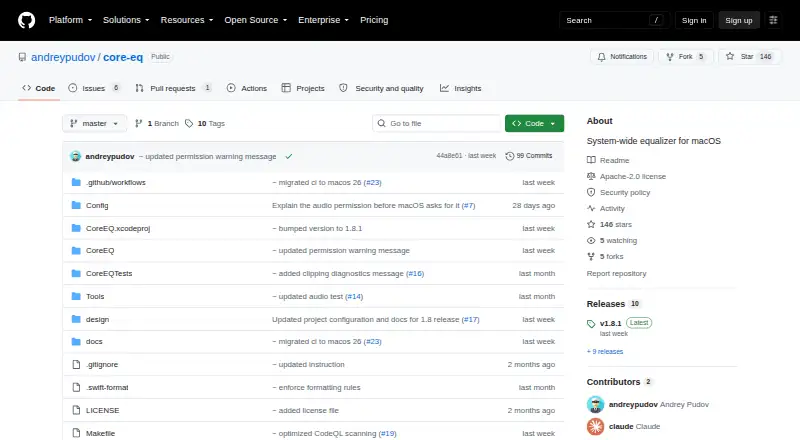
What CoreEQ is
CoreEQ is a free system-wide equalizer for macOS, processing audio from music, video, calls, games, and other applications. It uses Apple’s Core Audio process-tap API without a virtual audio driver or kernel extension. The filter chain combines an eleven-band ISO octave graphic equalizer with up to sixteen parametric bells, shelves, and pass filters. It includes 22 built-in presets, custom presets, automatic gain, and A/B comparison. AutoEQ and EqualizerAPO presets can be imported or exported. Settings can be saved for each output device, while menu bar controls adjust bass, mid, and treble over any preset. The maker describes CoreEQ as local software that does not record, store, or transmit captured audio; its security policy says it opens no network sockets or listening ports. CoreEQ requires macOS 14.2 or later and permission to record system audio. Installation is available through Homebrew, a release ZIP, or a source build requiring Xcode 16 or later.
Good
- Processes audio system-wide
- Uses no virtual driver or kernel extension
- Provides 22 built-in presets
- Supports AutoEQ and EqualizerAPO presets
- Saves settings per output device
Watch out
- Requires macOS 14.2 or later
- Needs permission to record system audio
- Release builds are unsigned and unnotarized
Who it suits
CoreEQ suits macOS users who want system-wide equalization across applications and output devices. It is also relevant to users working with AutoEQ or EqualizerAPO presets.
Verdict
CoreEQ offers extensive system-wide controls, preset handling, and per-device settings without a virtual audio driver. macOS requirements and the unsigned first-launch state should be considered before installation.
The facts
Each one read from CoreEQ's own pages, with the date it was checked.
What it does
- Audio processing
- It uses Apple’s Core Audio process-tap API without a virtual audio driver or kernel extension.checked 3 Oct 2026
- Distribution limitation
- The maker says release builds are currently unsigned and unnotarized, so macOS may block first launch.checked 3 Oct 2026
- Download and installation
- The project offers installation through Homebrew, a prebuilt release ZIP, or a source build requiring Xcode 16 or later; release builds are currently unsigned and unnotarized.checked 3 Oct 2026
- Equalizer controls
- Its filter chain combines an eleven-band ISO octave graphic equalizer with up to sixteen parametric bells, shelves, and pass filters.checked 3 Oct 2026
- Integrations
- CoreEQ can import and export AutoEQ and EqualizerAPO presets.checked 3 Oct 2026
- License
- The repository identifies CoreEQ as licensed under Apache License 2.0.checked 3 Oct 2026
- Network and storage
- The security policy describes CoreEQ as a local, single-user menu bar app with no network sockets, listening ports, or built-in update mechanism; presets and per-device settings are stored in the user's UserDefaults.checked 3 Oct 2026
- No driver
- CoreEQ says it uses no virtual audio driver or kernel extension, and passes audio straight back when it is quit.checked 3 Oct 2026
- Preset compatibility
- CoreEQ can import and export AutoEQ and EqualizerAPO presets.checked 3 Oct 2026
- Presets
- It includes 22 built-in presets and supports custom presets, automatic gain, and A/B comparison.checked 3 Oct 2026
- Presets and comparisons
- It includes 22 presets, supports custom presets, automatic gain matching, and A/B comparison of two versions of a preset.checked 3 Oct 2026
- Privacy
- The maker says CoreEQ does not record, store, or transmit captured audio; its security policy describes it as a local app that opens no network sockets or listening ports.checked 3 Oct 2026
- Purpose
- CoreEQ is a system-wide equalizer for macOS that processes audio from music, video, calls, games, and other applications.checked 3 Oct 2026
- Recording behavior
- CoreEQ says it steps aside during screen recording that captures system audio to prevent doubled audio.checked 3 Oct 2026
- Requirements
- CoreEQ requires macOS 14.2 or later and permission to record system audio.checked 3 Oct 2026
- Security reporting
- The security policy asks users to report vulnerabilities privately through GitHub and says reporters will receive an acknowledgement within a few days.checked 3 Oct 2026
- Security support
- The security policy supports the current 1.x major line only, requests private vulnerability reports through GitHub, and says reporters will receive an acknowledgement within a few days.checked 3 Oct 2026
- Support
- The README directs users to the guide’s troubleshooting section and says Settings → Diagnostics creates a report to attach to a bug report.checked 3 Oct 2026
- System requirements
- CoreEQ requires macOS 14.2 or later and permission to record system audio.checked 3 Oct 2026
- What it does
- CoreEQ is a system-wide equalizer for macOS that processes audio from any application using Apple's Core Audio process-tap API.checked 3 Oct 2026
Where it runs
- Per-device settings
- Settings can be saved per output device, and menu bar controls provide bass, mid, and treble adjustments over any preset.checked 3 Oct 2026
Alternatives to CoreEQ
- 1
EQBase
Free planAPImacOS7.2From $39.99 a year - 2
Nahimic
Free planAndroidiOSmacOSWindows7.2Free plan - 3
FxSound
Free planOpen sourceWindows7.1Free plan - 4
PC Equalizer
Free planWindows7.1$20 one-time - 5
DeskFX Audio Enhancer
Free planmacOSWindows6.6From $34.99 a year - 6
JamesDSP
Free planAndroidAPILinux6.4Free plan