
Color Grabber
Color Grabber is a Windows utility that copies the color beneath the cursor to the clipboard.
What Color Grabber is
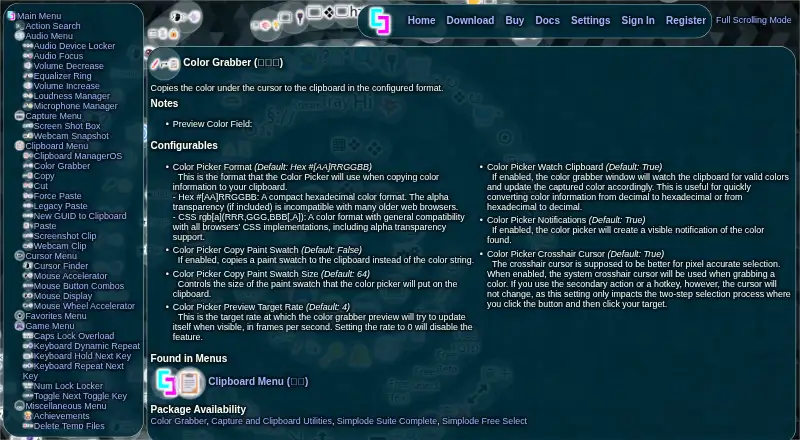
Color Grabber is a Windows utility that copies the color beneath the cursor to the clipboard. It outputs hexadecimal by default, with CSS rgb[a] also available, and can copy a paint swatch instead of a color string; the default swatch size is 64. A system crosshair cursor supports pixel-accurate selection in a two-step process. If clipboard watching is enabled, the window updates when it finds valid colors on the clipboard. The preview targets four frames per second by default, and visible color notifications are enabled by default. Color Grabber is included in the Color Grabber, Capture and Clipboard Utilities, Simplode Suite Complete, and Simplode Free Select packages. The free plan lets users choose one premium feature or feature set at a time, with the choice changeable once every 24 hours. The download page describes a 24-hour trial of premium features that can be renewed up to three times. Simplode Suite supports Windows 10 and may partially work on older Windows versions. The maker describes the download as around 10 megabytes.
Good
- Copies hexadecimal or CSS rgb[a] color values
- Can copy a paint swatch
- Crosshair cursor supports pixel-accurate selection
- Clipboard watching updates the window with valid colors
Watch out
- Simplode Free Select allows one feature choice at a time
- Free choice can change only once every 24 hours
- Older Windows versions may only partially work
Who it suits
Color Grabber suits Windows users who need to capture colors from their screen and copy them in a usable format. Its clipboard monitoring and swatch options may also suit users who work with copied colors.
Verdict
Color Grabber provides direct screen-color copying with several output choices and optional clipboard monitoring. The free selection limit and Windows support scope are worth noting before choosing a package.
Plans and prices
From Color Grabber's own pricing page, checked 15 Oct 2026.
| Plan | Price | What it gives you |
|---|---|---|
| Simplode Free Select | Free | one premium feature selection · selection change wait of 24 hours |
| Simplode Suite - Color Grabber DLC | $0.99, paid once | requires Simplode Suite base application · Windows 10 minimum · one-time Steam purchase |
| Simplode Suite All Packages + Virtual Touch Screen 2 bundle | $18.40, paid once | 24 included items · includes Color Grabber · one-time Steam purchase |
The facts
Each one read from Color Grabber's own pages, with the date it was checked.
What it does
- Base-suite requirements
- The base suite lists minimum requirements of Windows 10, 1 GHz processor, 1 GB RAM, DirectX 9, and 12 MB storage.checked 15 Oct 2026
- Clipboard monitoring
- Clipboard watching can detect valid color values and update the captured color.checked 15 Oct 2026
- Color formats
- The picker supports hexadecimal # [AA]RRGGBB and CSS rgb[a](RRR,GGG,BBB[,A]) output.checked 15 Oct 2026
- Crosshair selection
- A system crosshair cursor can be enabled for pixel-accurate two-step picking.checked 15 Oct 2026
- Developer
- Steam identifies Simplode LLC as the Color Grabber developer and publisher.checked 15 Oct 2026
- DLC dependency
- Steam requires the Simplode Suite base application for the Color Grabber DLC to run.checked 15 Oct 2026
- Documentation
- The suite advertises online and offline documentation plus extensive video documentation for roughly 100 actions, 30 menus, and 300 settings.checked 15 Oct 2026
- Documentation generation
- The application can automatically generate local documentation and optionally include a text-file version.checked 15 Oct 2026
- Download size
- The maker describes the Simplode Suite download as about 10 megabytes.checked 15 Oct 2026
- Genre tags
- Steam categorizes the DLC under Casual, Design & Illustration, Utilities, Pixel Graphics, Software, and Indie.checked 15 Oct 2026
- Help system
- Help content can be opened locally or configured to go directly to online documentation.checked 15 Oct 2026
- Included packages
- Color Grabber is listed in the Color Grabber, Capture and Clipboard Utilities, Simplode Suite Complete, and Simplode Free Select packages.checked 4 Oct 2026
- Languages
- Steam lists 29 interface languages for the DLC, with English native and other languages automated translations.checked 15 Oct 2026
- Latest notable update
- The February 19, 2026 release added per-monitor brightness controls and fixes for Windows 11 24H2 display, tiling, and overlay issues.checked 15 Oct 2026
- Limit: administrative rights
- Official documentation says some features only partly work or do not work without administrator privileges.checked 15 Oct 2026
- Limit: standalone use
- Color Grabber is sold as a package or DLC component rather than as an independent application on Steam.checked 15 Oct 2026
- Notifications
- Visible color notifications are enabled by default.checked 15 Oct 2026
- Package availability
- Color Grabber is listed in the Color Grabber, Capture and Clipboard Utilities, Simplode Suite Complete, and Simplode Free Select packages.checked 15 Oct 2026
- Paint swatch copying
- It can copy a paint swatch image instead of a color string.checked 15 Oct 2026
- Pixel selection
- A system crosshair cursor can be used for pixel accurate selection in the two-step selection process.checked 4 Oct 2026
Money
- Free access model
- Simplode Suite provides many free features and lets users choose one premium feature for free through Free Select.checked 15 Oct 2026
- Free choice limit
- Free Select permits one selection at a time, and the selection cannot be changed for 24 hours.checked 4 Oct 2026
- Limit: trial changes
- A February 15, 2022 changelog entry says the automatic free-trial system was removed because new users were overwhelmed by the feature count.checked 15 Oct 2026
Where it runs
- Limit: platform scope
- The official and Steam listings describe Windows support and do not list macOS, Linux, iOS, Android, or web versions.checked 15 Oct 2026
Alternatives to Color Grabber
- 1
ArgyllCMS
Free planOpen sourceAPILinuxmacOSSelf-hosted7.4Free plan - 2
OpenColorIO
Free planOpen sourceAPILinuxmacOSSelf-hosted7.3Free plan - 3
EIZO ColorNavigator 7
Free planAPILinuxmacOSWindows6.8Free plan - 4
Bodoni pressSIGN
WebmacOSWindows6.6$1,195 one-time - 5

Calman
iOSmacOSWindows6.3From $549 a year - 6
ColourSpace
Free planmacOSWindows6.3Free plan