
CodeHS
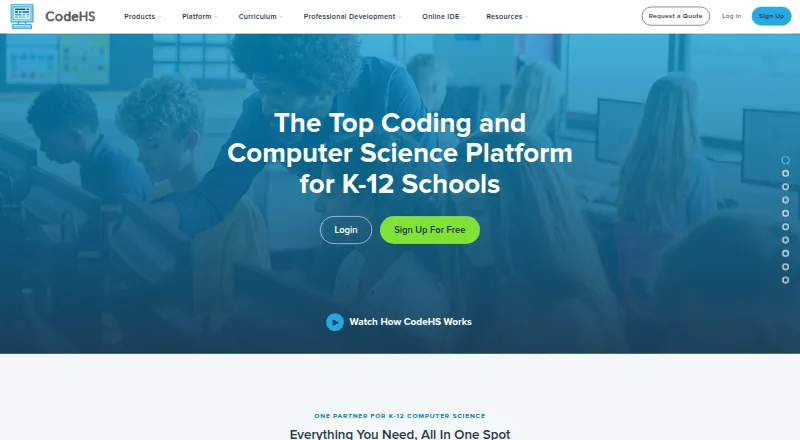
CodeHS provides computer science curriculum, tools, and resources for teachers, students, and schools, with offerings for K–12 education.
What CodeHS is
CodeHS provides computer science curriculum, tools, and resources for teachers, students, and schools, with offerings for K–12 education. Its catalog has more than 100 customizable, standards-aligned courses spanning computer science, cybersecurity, artificial intelligence, and digital literacy. The browser-based editor supports 10+ languages, including Python, Java, JavaScript, and C++. Classroom tools include autograders, in-editor help, code history, and a blocks-to-text experience. The learning management system gives teachers visibility into class progress, assignment grading, and students’ coding process. Listed AI features include hints, grading, Ask AI, and Vibe Coding; the free-versus-Pro comparison places AI grading and hints among Pro features. The permanent Free teacher plan requires no credit card and has no per-student fees, but does not include downloads. Individual Learner All Access is $99 a month or $990 a year. CodeHS says it is not an accredited school or online course provider, so Individual Learner students do not receive official grades or academic credit upon completion. Most integrations require a school license.
Good
- Offers 100+ customizable, standards-aligned courses.
- Browser editor supports 10+ programming languages.
- Classroom tools include autograders and code history.
- Free teacher plan has no per-student fees.
- Lists integrations with major classroom platforms.
Watch out
- Free teacher plan does not include downloads.
- Most integrations require a school license.
- Individual learners do not receive official grades or credit.
Who it suits
CodeHS suits K–12 teachers and schools seeking computer science courses and classroom management tools. Individual learners can access courses, but should note that completion does not provide official grades or academic credit.
Verdict
CodeHS combines a broad course catalog with browser-based coding and classroom management tools. The free teacher plan has no per-student fees, while Individual Learner All Access costs $99.00 USD monthly or $990.00 USD yearly.
Plans and prices
From CodeHS's own pricing page, checked 23 Sep 2026.
| Plan | Price | What it gives you |
|---|---|---|
| Free | Free | Free teacher plan with 100+ courses · Browser-based code editor · Automatic code submission and section management · Permanent free plan |
| All Access | $99 a month | Subscription access to the individual learner course catalog · Billed monthly |
| All Access | $990 a year | Subscription access to the individual learner course catalog · Billed annually; receive two months of access for free |
| Free (teacher) | Free | 100+ courses · no per-student fees · browser-based editor · section and roster management |
| Individual Learner All Access (monthly) | $99 a month | Access to all Individual Learner courses · Billed monthly |
| Individual Learner All Access (annual) | $990 a year | Access to all Individual Learner courses · two months of access for free · Billed annually |
| District | Priced on request | 2+ teachers in a district · Request a quote |
| School | Priced on request | 2+ teachers at a single school · licenses are per teacher · Request a quote |
| Starter | Priced on request | 1 teacher · no co-teachers · up to 100 students · Request a quote |
The facts
Each one read from CodeHS's own pages, with the date it was checked.
What it does
- AI features
- The site describes AI hints, AI grading, Ask AI, and Vibe Coding; its free-versus-Pro comparison lists AI grading and hints among Pro features.checked 28 Sep 2026
- Audience and purpose
- CodeHS provides computer science curriculum, tools, and resources for teachers, students, and schools, with offerings for K–12 education.checked 28 Sep 2026
- Classroom management
- The LMS provides class progress visibility, assignment grading, and insight into students’ coding process.checked 28 Sep 2026
- Course catalog
- The platform offers more than 100 customizable, standards-aligned courses across computer science, cybersecurity, artificial intelligence, and digital literacy.checked 28 Sep 2026
- Individual learner limitation
- CodeHS says it is not an accredited school or online course provider, and Individual Learner students do not receive official grades or academic credit upon completion.checked 28 Sep 2026
- Integration limits
- The integrations page says most integrations require a school license, while a district license adds automatic rostering over LTI 1.3.checked 28 Sep 2026
- Integrations
- CodeHS lists integrations with Google Classroom, Canvas, Schoology, Blackboard, Clever, ClassLink, Brightspace by D2L, Buzz, and Moodle.checked 28 Sep 2026
- Paid from
- 99checked 23 Sep 2026
- Privacy and security
- CodeHS provides a channel for reporting security bugs and vulnerabilities and links to its Privacy Center.checked 28 Sep 2026
- Professional development
- CodeHS offers an annual PD Membership for $395 per teacher per year, including mini courses, workshops, and microcredential exams.checked 28 Sep 2026
- Support
- The CodeHS Pro plan description includes a dedicated Customer Success Manager.checked 28 Sep 2026
- Teaching tools
- The classroom IDE includes autograders, in-editor help, code history, and a blocks-to-text experience.checked 28 Sep 2026
Where it runs
- Browser IDE
- The CodeHS editor runs in a browser and supports 10+ languages, including Python, Java, JavaScript, and C++.checked 28 Sep 2026
The company
- Founded
- 2012checked 23 Sep 2026
- Headquarters
- Chicago, Illinois, United Stateschecked 23 Sep 2026
Money
- Free plan
- Yeschecked 23 Sep 2026
- Free-plan terms
- CodeHS Free is described as a permanent teacher plan with no credit card requirement, no downloads, and no per-student fees.checked 28 Sep 2026
The full review of CodeHS
Overview
CodeHS is a K–12 computer science teaching and learning platform that combines course content, coding practice, and classroom tools. It is best suited to teachers and schools that want curriculum and student work management in one place. Individual learners can subscribe to courses, but should not expect school credit or official grades.
Its breadth is the draw: the catalog spans more than 100 customizable, standards-aligned courses, and students can code in a browser. The trade-off is that school integrations generally require a school license, while individual access is a substantial recurring purchase.
For more options, browse our Coding Learning Software guide.
Key features
Curriculum and coding practice
Course topics include computer science, cybersecurity, artificial intelligence, and digital literacy. Project-based learning is supported, and the browser editor works with more than 10 languages, including Python, Java, JavaScript, and C++. The wider language list also includes SQL, HTML, CSS, and React Native. That range makes CodeHS relevant beyond introductory coding, though the catalog’s classroom orientation is more compelling for educators than for someone seeking a standalone credential.
Classroom tools
Teachers get autograders, in-editor help, code history, and a blocks-to-text experience in the classroom IDE. The LMS adds assignment grading, class progress visibility, and insight into students’ coding process. Together, these tools connect instruction with review rather than leaving teachers to manage coding work separately.
AI and integrations
CodeHS describes AI hints, AI grading, Ask AI, and Vibe Coding; its plan comparison identifies AI hints and grading as Pro features. Integrations include Google Classroom, Canvas, Schoology, Blackboard, Clever, ClassLink, Brightspace by D2L, Buzz, and Moodle. Most integrations require a school license, and automatic rostering over LTI 1.3 requires a district license, which may put the most seamless setup out of reach for smaller or individual users.
Privacy and security
CodeHS provides a channel for reporting security bugs and vulnerabilities and links to its Privacy Center.
Pricing
CodeHS is freemium, with no free trial. The permanent Free teacher plan costs nothing and requires no credit card or per-student fees. It includes 100+ courses, a browser-based editor, and section and roster management; the free-plan description also includes automatic code submission and section management. This is a practical starting point for a teacher who can work within the free offering, rather than a student subscription.
Paid school plans are Starter, School, and District, all at custom pricing. Starter is for one teacher and up to 100 students. School is aimed at schools with multiple teachers or more than 100 students, while District is for district-wide programs. A school license is generally needed for integrations; district licensing adds automatic rostering over LTI 1.3. Pro includes a dedicated Customer Success Manager.
Individual Learner All Access costs $99 a month billed monthly, or $990 a year billed annually. Both provide access to all Individual Learner courses; the annual option includes two months of access for free. All Access is designed for learners paying for course access themselves, but it does not provide official grades or academic credit: CodeHS is not an accredited school or online course provider.
Professional development is a separate option: the annual PD Membership costs $395 per teacher per year and includes mini courses, workshops, and microcredential exams.
Platforms
CodeHS is available on web, Android, and iOS. Its browser-based editor is central to the coding experience, so the platform’s device availability does not change the classroom emphasis of its tools.
Who it's for
CodeHS fits K–12 teachers and schools looking for customizable curriculum alongside coding, grading, and classroom progress tools. Its free teacher plan is especially useful where no per-student charge matters and the included course and roster features are sufficient. Districts that need automatic LTI 1.3 rostering have a clear reason to consider district licensing.
It is a weaker fit for an individual learner seeking accredited instruction, official grades, or academic credit. The individual subscription offers course access, not a recognized school outcome.
Pros and cons
- Broad, adaptable curriculum: More than 100 standards-aligned courses cover four computing-related areas, giving teachers scope to fit content to their program.
- Useful classroom workflow: Autograders, code history, assignment grading, and progress visibility support both reviewing results and following student work.
- No per-student charge on Free: The permanent teacher plan avoids student fees and credit-card requirements, making it an accessible starting point.
- School integrations can raise the bar: Most integrations require a school license, and automatic LTI 1.3 rostering is reserved for district licensing.
- Individual access is costly for a course catalog: The monthly plan is $99 a month; even the annual price of $990 a year buys no official grades or academic credit.
Alternatives
freeCodeCamp is the better fit for readers who prioritize a free, open-source option; it is available on Android, iOS, and web, and its BSD-3 licensing permits incorporation into coursework without special permission.
Mimo is worth considering if a learner wants a freemium option with a free trial and mobile apps; its Basic plan limits course, career-path, and AI Tutor access.
Progate offers introductory lessons free, with its Plus Plan — 12 Month priced at $9.92, paid once and a total of $119.00 paid at registration. Choose it when those introductory lessons or that annual purchase structure suit better than CodeHS’s classroom-centered approach.
Codecademy is another freemium option with a free Basic plan for exploring the service and web, iOS, and Android availability; it may suit learners seeking that entry point instead of CodeHS’s teacher and school tools.
Scrimba has a free tier with introductory courses, limited challenges, and Explainers, and is available on web and as an extension. It is a reasonable alternative for someone who wants to start with those free materials.
MIT App Inventor is a free educational platform for building Android and iOS apps, making it a focused alternative when app creation is the priority.
Scratch provides a free platform for creating and sharing projects. Choose it when that free creation-and-sharing focus is a better match than CodeHS’s school curriculum and management suite.
Tynker is a freemium alternative with a yearly plan at $10 a month billed $120 annually for one year of self-guided courses for up to three children; its quarterly plan costs $12 a month billed $36 quarterly. It is worth comparing for families seeking those child-focused plan terms.
Verdict
CodeHS is a strong choice for K–12 educators and schools that want a substantial computer science catalog paired with browser coding and classroom management. Its permanent no-per-student-fee teacher plan lowers the barrier to adopting the core classroom workflow. Look elsewhere if you need academic credit as an individual learner, or if school-license and district-license requirements make the integrations you need impractical.
Getting started
- Open the CodeHS website
- Choose the Free teacher plan, a school or district plan, or Individual Learner All Access
- Create a teacher, school, district, or individual learner account
- Open courses in the browser-based editor
- Connect a supported classroom platform if your license allows integration
Limits worth knowing
The Free teacher plan is permanent and includes 100+ courses, a browser editor, and section and roster management, but no downloads. Individual Learner All Access is $99 a month or $990 a year; individual learners do not receive official grades or academic credit.
Questions
Does CodeHS have a free plan?
Yes. The Free teacher plan is permanent, requires no credit card, and has no per-student fees.
How much is Individual Learner All Access?
The monthly plan costs $99 a month. The annual plan costs $990 a year and includes two months of access for free.
Which devices can use CodeHS?
CodeHS lists Android, iOS, and web platforms.
Does CodeHS offer a free trial?
No free trial is listed.
Which programming languages are supported?
The browser editor supports more than 10 languages, including JavaScript, Python, Java, C++, SQL, HTML, CSS, and React Native.
Do integrations require a particular license?
Most integrations require a school license. A district license adds automatic rostering over LTI 1.3.
Alternatives to CodeHS
- 1
Codecademy
Free planAndroidiOSWeb8.1Free plan - 2

Kodable
Free planAndroidiOSWeb8.1From $119.99 a year - 3
Khan Academy
Free planAndroidiOSWeb7.7From $10 a year - 4
Scratch
Free planAndroidWebmacOSWindows7.4From $35 a year - 5
CodeMonkey
AndroidiOSWeb6.9From $11 a month - 6

freeCodeCamp
Free planAndroidiOSWeb6.9Free plan