Coconut Secure Cloud Browser
Coconut Secure Cloud Browser runs browser-based work apps and AI tools inside remote cloud sessions, rather than on the user's device.
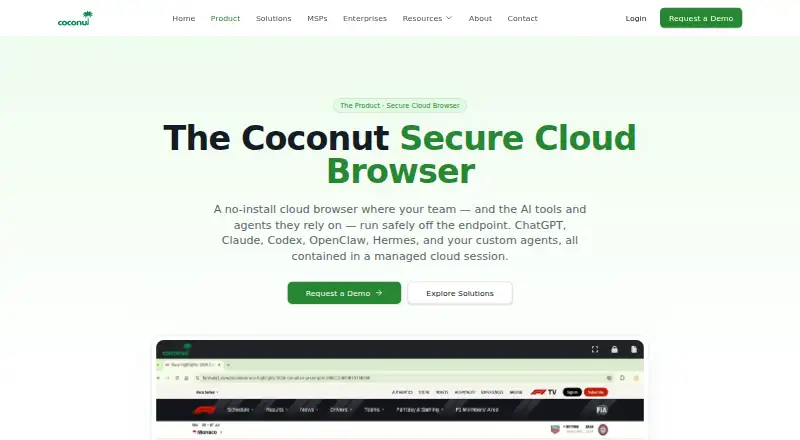
What Coconut Secure Cloud Browser is
Coconut Secure Cloud Browser runs browser-based work apps and AI tools inside remote cloud sessions, rather than on the user's device. Users sign in through a device browser without installing endpoint software or agents. Supported work apps include Google Workspace, Microsoft 365, Salesforce, Jira, ServiceNow, and Workday; listed AI tools include ChatGPT, Claude, Codex, Gemini, Copilot, OpenClaw, Hermes, and custom browser agents.
Admins can manage users, organizations, licenses, and access centrally. URL allowlists and blocklists can be scoped by organization, team, or user, and GenAI tools can be allowed by team. Session-level records show which AI tools and agents were used. Coconut says cloud isolation keeps malicious sites, phishing links, and browser exploits away from endpoints, and that sessions leave no local data or cached credentials when they end. File transfer controls and data loss prevention are listed capabilities. The cloud service offers session regions in N. Virginia and Mumbai. MSPs can manage multiple client organizations, allocate seats between customers, and apply per-tenant policies. Pricing is available on request.
Good
- No endpoint software or agents to install.
- URL rules can be scoped by organization, team, or user.
- Session-level records show AI tool and agent use.
- Includes file transfer controls and data loss prevention.
- MSPs can manage multiple client organizations.
Watch out
- Pricing is available on request.
- Sessions run in the cloud, not on the endpoint.
- Available session regions listed are N. Virginia and Mumbai.
Who it suits
Coconut is aimed at SMBs, MSPs, and enterprises seeking browser security and governed AI access. Its listed use cases include BYOD, contractor access, SaaS access, GenAI governance, and MSP-managed workplace offerings.
Verdict
Coconut centralizes browser-based work and AI tools in cloud sessions, with controls for access and visibility. Teams considering it should account for its cloud deployment and request pricing.
The facts
Each one read from Coconut Secure Cloud Browser's own pages, with the date it was checked.
What it does
- Admin controls
- Admins can manage users, organizations, licenses, and access centrally, with URL allowlists and blocklists scoped by organization, team, or user.checked 5 Oct 2026
- AI governance
- Admins can allowlist GenAI tools per team and see session-level records of which AI tools and agents were used.checked 5 Oct 2026
- AI tools and agents
- Coconut lists ChatGPT, Claude, Codex, Gemini, Copilot, OpenClaw, Hermes, and custom browser agents among the tools it can contain or govern.checked 5 Oct 2026
- AI visibility
- The product provides session-level visibility into which AI tools and agents were used.checked 5 Oct 2026
- Cloud regions
- The product page shows N. Virginia and Mumbai as available session regions.checked 5 Oct 2026
- Intended customers
- Coconut says it is built for SMBs, MSPs, and enterprises seeking browser security and safe AI adoption.checked 5 Oct 2026
- Intended users
- The company describes Coconut as purpose-built for SMBs, MSPs, and enterprises seeking browser security and safe AI adoption.checked 5 Oct 2026
- Local data
- The product page says sessions leave no local data or cached credentials on the device when they end.checked 5 Oct 2026
- MSP management
- MSPs can manage multiple client organizations, allocate seats between customers, and set per-tenant policies.checked 5 Oct 2026
- No-install access
- Users can sign in from any device without endpoint software, agents, or setup.checked 5 Oct 2026
- No installation
- Users sign in from a device browser without installing endpoint software or agents.checked 5 Oct 2026
- Product
- Coconut is a cloud-hosted browser where work apps and AI tools run in an isolated cloud session instead of on the user's device.checked 5 Oct 2026
- Session data
- The maker says sessions leave no local data or cached credentials on the user's device when they end.checked 5 Oct 2026
- Support
- Coconut says its MSP support includes escalations, partner contacts, and shared playbooks.checked 5 Oct 2026
- Threat containment
- The maker says malicious sites, phishing links, and browser exploits run in isolated cloud sessions to protect endpoints.checked 5 Oct 2026
- URL policy
- Admins can allowlist or blocklist URLs and scope access by organization, team, or user.checked 5 Oct 2026
- Use cases
- The maker identifies BYOD, contractor access, GenAI governance, SaaS access, browser-based VDI replacement, and MSP-managed workplace offerings as use cases.checked 5 Oct 2026
Where it runs
- App compatibility
- The product is described as running browser-based apps, including Google Workspace, Microsoft 365, Salesforce, Jira, ServiceNow, and Workday.checked 5 Oct 2026
- Browser isolation
- Coconut says browser sessions run in the cloud, isolating malicious sites and suspicious links from the endpoint.checked 5 Oct 2026
The company
- Company
- Coconut is a product of Mnemonix LLC.checked 5 Oct 2026
- Company history
- The company page says Mnemonix LLC began building secure cloud infrastructure in 2015+.checked 5 Oct 2026
- Maker
- Coconut is a product of Mnemonix LLC.checked 5 Oct 2026
Alternatives to Coconut Secure Cloud Browser
- 1

Kasm Workspaces
Free planOpen sourceAndroidiOSWebAPI8.6From $10 a month - 2

Netzilo Enterprise Browser
Free planAndroidiOSWebAPI8.0From $12 a month - 3
BrowserGap
Free planWebAPILinuxmacOS7.5$3.81 one-time - 4

Check Point Harmony SASE
AndroidiOSWebLinux7.3 - 5

iboss Cloud
AndroidiOSWebAPI7.1 - 6

Authentic8 Silo
WebAPIExtension6.5From $1,450 a year