CM/ECF
CM/ECF is the U.S. federal courts’ web-based electronic filing system, founded in 2001.
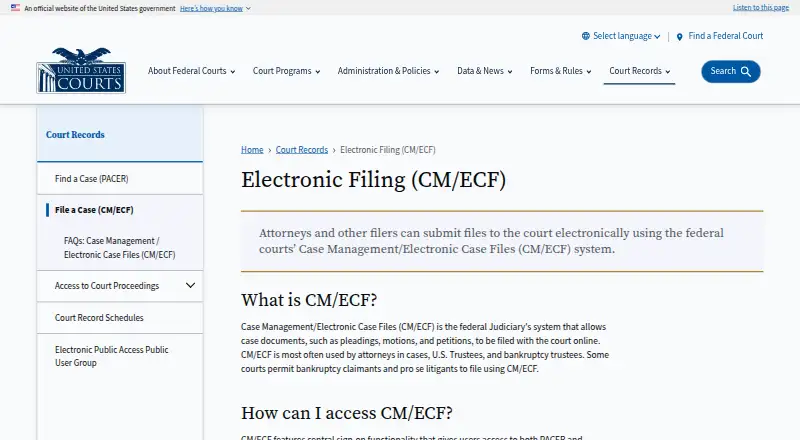
What CM/ECF is
CM/ECF is the U.S. federal courts’ web-based electronic filing system, founded in 2001. It covers appellate, district and bankruptcy courts. Users can file court documents electronically, track filing status and receive electronic service. Its scope makes it relevant to people handling filings in the covered federal courts, rather than a general document-management tool. CM/ECF is available on the web and has a free plan. Its listed functions center on electronic filing and the related status and service processes. Those looking for software for state courts or other legal workflows will not find those areas specified here. For federal appellate, district and bankruptcy court filings, its coverage and filing-related functions are the main points to consider.
Good
- Covers federal appellate, district and bankruptcy courts
- Available on the web
- Tracks filing status
- Supports electronic service
- Free plan
Watch out
- Coverage is limited to listed federal court types
- Web platform only
Who it suits
It suits people who need to file documents or track filings in U.S. federal appellate, district or bankruptcy courts.
Verdict
CM/ECF brings electronic filing, status tracking and electronic service together for the covered federal courts. Its free plan and web access are useful considerations for people filing in those courts.
Plans and prices
From CM/ECF's own pricing page, checked 5 Oct 2026.
| Plan | Price | What it gives you |
|---|---|---|
| CM/ECF electronic filing | Free | PACER charges for viewing additional case records · court-issued filing access required · No added fee for filing documents over the Internet; existing court filing fees still apply. |
The facts
Each one read from CM/ECF's own pages, with the date it was checked.
What it does
- Central sign-on
- A central sign-on account provides access to both PACER and electronic filing, while filing requires a PACER account and access issued by an individual court.checked 5 Oct 2026
- Computer requirements
- The FAQ lists a personal computer running Windows or Mac OS X, internet service, and a web browser among filing requirements.checked 5 Oct 2026
- Docket updates
- Electronic filings automatically create docket entries and update docket sheets immediately.checked 5 Oct 2026
- Document access
- Attorneys and the public can view and download case information, docket sheets, and filed documents through PACER, subject to court restrictions.checked 5 Oct 2026
- File format
- CM/ECF accepts documents in PDF format.checked 5 Oct 2026
- Filing availability
- At a court's option, registered attorneys can file online 24 hours a day, seven days a week.checked 5 Oct 2026
- Modernization
- The Judiciary says it is modernizing its case management system and describes plans for PACER unified search and other improvements.checked 5 Oct 2026
- Notifications
- After an electronic filing, the system emails a Notice of Electronic Filing with links to the filed document and docket sheet to the filer and registered case participants.checked 5 Oct 2026
- PACER access fees
- PACER record access is listed at ten cents per page, with most documents capped at the equivalent of 30 pages ($3.00); transcripts and docket sheets are excluded from the cap.checked 5 Oct 2026
- Privacy responsibility
- Filers must acknowledge their responsibility to redact personal identifier information each time they log in.checked 5 Oct 2026
- Purpose
- CM/ECF lets federal courts maintain electronic case files and accept court documents filed over the Internet.checked 5 Oct 2026
- Training and support
- Each court offers CM/ECF training, and PACER provides learning aids and FAQs.checked 5 Oct 2026
- Users
- It is used most often by attorneys, U.S. Trustees, and bankruptcy trustees; some courts allow bankruptcy claimants and self-represented litigants to file.checked 5 Oct 2026
The company
- Founded
- 2001checked 23 Sep 2026
The full review of CM/ECF
CM/ECF is the federal courts’ system for electronic case files and internet filing. It suits attorneys and trustees working in covered federal courts, as well as some bankruptcy claimants and self-represented litigants where their court permits filing. Its strongest case is practical: filing, docket updates and electronic service are tied together without an added system fee.
Overview
Coverage spans U.S. federal appellate, district and bankruptcy courts, but access is court-dependent. A central sign-on account connects PACER and electronic filing; submitting documents still requires a PACER account and filing access issued by the individual court. That makes CM/ECF a focused choice for people with business in those courts, not a general-purpose filing platform.
Registered attorneys may file online around the clock when a court enables that option. Accepted documents are PDFs. A filing creates a docket entry and updates the docket sheet immediately, while the filer and registered case participants receive an emailed Notice of Electronic Filing with links to the document and docket sheet. The joined workflow is useful for keeping case activity visible, though access and filing privileges remain tied to each court.
Attorneys and the public can access case information, docket sheets and filed documents through PACER, subject to court restrictions. PACER access costs ten cents per page; most documents are capped at the equivalent of 30 pages ($3.00), but transcripts and docket sheets are outside that cap. The filing system itself does not add a fee, but existing court filing fees and PACER viewing charges still matter.
Key features
- Filing and docket tracking: Electronic submissions create docket entries and update docket sheets immediately, reducing the gap between filing and seeing the case record reflect it.
- Electronic service: The system emails a Notice of Electronic Filing and links to the filed document and docket sheet to the filer and registered participants. That provides a built-in notice alongside filing.
- Privacy reminder: Filers must acknowledge their responsibility to redact personal identifier information at every login. It is a useful prompt, but the redaction responsibility remains with the filer.
- Court-based preparation: Each court offers CM/ECF training, and PACER supplies learning aids and FAQs. This support is relevant for new filers, though procedures and access are court-issued.
Pricing
CM/ECF electronic filing — free. There is no added fee for filing documents over the Internet. This is the right fit for eligible filers who want court electronic filing without a separate system charge; it does not waive existing court filing fees, and viewing additional case records through PACER can cost extra.
There is no free trial because the filing plan is free. The meaningful limits are operational rather than plan tiers: a PACER account and court-issued filing access are required, courts determine who may file, and PACER viewing fees apply. The system accepts PDFs, so filers need documents in that format.
Platforms
CM/ECF is accessed on the web. Filing requirements include a personal computer running Windows or Mac OS X, internet service and a web browser. This covers the stated desktop environments, but no mobile filing support is established.
Who it's for
CM/ECF is best for attorneys, U.S. Trustees and bankruptcy trustees filing in participating federal courts. It can also suit bankruptcy claimants and self-represented litigants where a court allows them to file. Public users who only need to view records should account for PACER charges and court restrictions; those outside federal court workflows should look to another service.
Pros and cons
- Pro: Filing adds no system fee. Internet filing is free, a meaningful advantage when court filing charges still apply separately.
- Pro: Filing and case updates connect directly. Automatic docket updates and emailed notices help filers and registered participants follow activity.
- Pro: Broad federal coverage. It serves appellate, district and bankruptcy courts, with access governed by each court.
- Con: Access is not universal. Filing requires PACER and court-issued access, and some groups may file only where their court permits.
- Con: Record viewing can add cost. PACER charges per page, with docket sheets and transcripts excluded from the usual document cap.
- Con: PDF is the accepted format. Filers must prepare submissions accordingly, and remain responsible for redacting personal identifiers.
Alternatives
For a broader comparison, browse Legal E-Filing Software. Choose LegalAtoms if its free plans and Android, iOS, browser-extension and web access better suit your workflow. MyFileRunner is worth considering for web-based eServices, with its full-service eService free and a paid self-service eFiling option.
Court File America offers free web e-filing, though an EFSP fee may apply in addition to court fees. For state-provided web filing and e-service, consider eFileTexas.gov, where transaction and service fees may apply. eLawServices has a free basic plan, but it cannot submit word processor files and has no fax service.
iDocket eFile charges no iDocket fee for e-filing, while statutory court fees and a 2.89% state e-filing credit-card transaction fee may apply. LegalConnect is a paid alternative with a turnkey system and APIs, with e-filing priced by state. FileTime charges per submission and includes mobile access, reporting, filing data export, proofs and customer support in its Basic Plan.
Verdict
Choose CM/ECF if you file in a covered federal court and can obtain that court’s access: it combines electronic submission, immediate docket updates and service notices without an added filing-system fee. Look elsewhere if you need filing outside those courts, broader access than your court permits, or want to avoid PACER charges for record viewing.
Getting started
- Open the U.S. Courts CM/ECF page.
- Use a personal computer running Windows or Mac OS X with internet service and a web browser.
- Create or use a PACER account for access to PACER and electronic filing.
- Obtain filing access from the individual court.
- Prepare documents in PDF format and acknowledge the redaction responsibility when logging in.
- Use the training offered by your court or PACER learning aids and FAQs.
Limits worth knowing
Electronic filing has no added system fee, but existing court filing fees still apply. PACER record access costs ten cents per page; most documents are capped at $3.00, while transcripts and docket sheets are excluded from that cap.
Questions
Is CM/ECF free?
There is no added fee for filing documents over the Internet, but existing court filing fees still apply.
Does CM/ECF have a free trial?
No free trial is listed; the filing plan is free.
Which courts does CM/ECF cover?
It serves U.S. federal appellate, district and bankruptcy courts.
Do I need PACER to file?
Yes. Filing requires a PACER account and access issued by the individual court.
What does PACER access cost?
Record access is listed at ten cents per page. Most documents are capped at the equivalent of 30 pages, or $3.00; transcripts and docket sheets are excluded from the cap.
What document format does CM/ECF accept?
CM/ECF accepts documents in PDF format.
Alternatives to CM/ECF
- 1
C-Track
Web5.4 - 2
DAWSON
AndroidiOSWeb5.3 - 3
Case Information System (CIS)
AndroidiOSWeb5.2 - 4
Forecourt Judicial Case Management System
AndroidiOSWeb5.2 - 5
PROWARE Court Case Management
AndroidiOS5.0 - 6
tpt-court
WebLinuxmacOSWindows5.0