Clockwork Orange
Clockwork Orange manages desktop wallpapers for KDE Plasma 6, Windows 10/11, and macOS 13+.
What Clockwork Orange is
Clockwork Orange manages desktop wallpapers for KDE Plasma 6, Windows 10/11, and macOS 13+. It can select random images from local directories, distribute choices fairly across sources, and assign a separate image to each monitor. On KDE Plasma, it can rotate the lock-screen image independently of the desktop wallpaper.
Download plugins fetch images from Wallhaven and DuckDuckGo Images on hourly, daily, or weekly schedules, with a file limit for each source. Access to Wallhaven’s full catalogue requires an API key. The app tracks image URLs and content hashes to prevent repeat downloads, even after a downloaded file is deleted. Users can blacklist an image from the window; its file is deleted, and later copies are removed too.
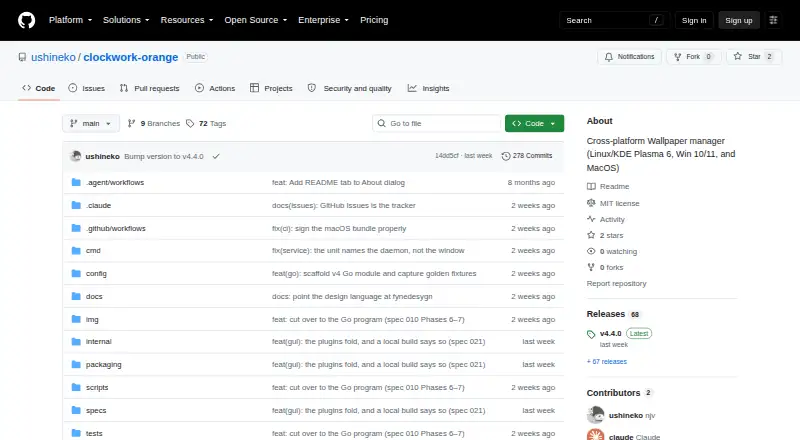
Version 4 is a native Go program with a command-line binary that also serves as the daemon, plus a Fyne desktop window with plugin controls, history, blacklist management, settings, and appearance options. Linux users can run it as a systemd user service. It is free and distributed under the MIT License.
Good
- Supports KDE Plasma 6, Windows 10/11, and macOS 13+.
- Can assign one image per monitor.
- Rotates KDE lock-screen images separately.
- Tracks duplicates using URLs and content hashes.
- Free under the MIT License.
Watch out
- Wallhaven’s full catalogue requires an API key.
- macOS app is not notarised.
- Configuration and history are stored in local YAML and SQLite files.
Who it suits
Clockwork Orange suits people who want automatic wallpaper rotation across supported desktops, including separate images for multiple monitors. It may also suit KDE Plasma users who want lock-screen images rotated separately.
Verdict
Clockwork Orange combines local wallpaper selection with scheduled downloads and duplicate tracking. Check the platform-specific setup requirements first, especially the macOS signing and quarantine steps.
The facts
Each one read from Clockwork Orange's own pages, with the date it was checked.
What it does
- Background operation
- On Linux it can run as a systemd user service; on all supported platforms it can run in a window with a tray icon.checked 7 Oct 2026
- Blacklist
- Marking an image in the window deletes the file and stores its hash so a later plugin download of that image is deleted too.checked 7 Oct 2026
- Configuration
- The application uses a YAML configuration file and stores download history and blacklist data in SQLite databases.checked 7 Oct 2026
- Configuration and storage
- Configuration, download history, and blacklist data are stored locally in YAML and SQLite files under the user's home directory.checked 7 Oct 2026
- Download schedule
- Image plugins can run hourly, daily, or weekly, and each source can have a configured file limit.checked 7 Oct 2026
- Duplicate tracking
- It records downloaded image URLs and content hashes to avoid downloading the same image again, including after its file is deleted.checked 7 Oct 2026
- Image history
- It records downloads by URL and content hash to avoid fetching the same image again, even after its file is deleted.checked 7 Oct 2026
- Image sources
- Download plugins fetch images from Wallhaven and DuckDuckGo Images; Wallhaven's full catalogue requires an API key.checked 7 Oct 2026
- Installation
- The README describes Arch Linux and Debian/Ubuntu packages, source installation on Linux, and downloadable zip files for Windows and macOS.checked 7 Oct 2026
- Interface
- The desktop window includes plugin controls, download review, history, blacklist management, settings, and appearance options.checked 7 Oct 2026
- License
- The project is released under the MIT License, which permits use, copying, modification, and distribution without restriction, subject to its conditions.checked 7 Oct 2026
- Lock screen
- On KDE Plasma, it can rotate the lock-screen image and use a different image for the desktop.checked 7 Oct 2026
- Purpose
- Clockwork Orange manages desktop wallpapers for KDE Plasma 6, Windows 10/11, and macOS 13+.checked 7 Oct 2026
- Release downloads
- The releases page lists version 4.3.1 as the latest release and shows six assets for it.checked 7 Oct 2026
- Rotation
- It supports timed rotation, including hourly, daily, and weekly download intervals, and can choose one image per monitor.checked 7 Oct 2026
- Supported systems
- The project describes support for KDE Plasma 6, Windows 10/11, and macOS 13+.checked 7 Oct 2026
- Version 4
- Version 4 is a native Go program with a command-line binary that also serves as the daemon and a desktop window built with Fyne.checked 7 Oct 2026
- Wallhaven limit
- A Wallhaven API key is needed to access its full catalogue.checked 7 Oct 2026
- Wallpaper rotation
- It selects random wallpapers from local directories, choosing sources fairly, and can assign one image per monitor.checked 7 Oct 2026
- Wallpaper sources
- It selects images from local folders and downloads them through Wallhaven and DuckDuckGo Images plugins.checked 7 Oct 2026
Money
- Free plan
- Yeschecked 20 Sep 2026
Where it runs
- Linux service
- On Linux, it can run as a systemd user service that reloads configuration changes within about two seconds.checked 7 Oct 2026
- macOS distribution
- The macOS app is ad-hoc signed and not notarised, and the README says users must clear its quarantine flag after moving it to Applications.checked 7 Oct 2026
- macOS signing
- The README says the macOS app is signed ad hoc, is not signed with an Apple Developer ID, and is not notarised.checked 7 Oct 2026
Alternatives to Clockwork Orange
- 1

Backdrops
Free planAndroidiOSWebmacOS8.0$1.99 one-time - 2

Vivid Walls
Free planWebmacOSWindows7.5$9.99 one-time - 3

DesktopHut
Free planAndroidWebExtensionmacOS7.3Free plan - 4
Hydra
Free planOpen sourceWebAPILinuxSelf-hosted7.3Free plan - 5
EarthDesk
iOSmacOSWindows7.2From $14.99 a year - 6
Day & Night
Free planmacOS7.1$0.99 one-time