
ClickView
ClickView is a video learning platform for schools, with standards-aligned educational videos for K–12 lessons.
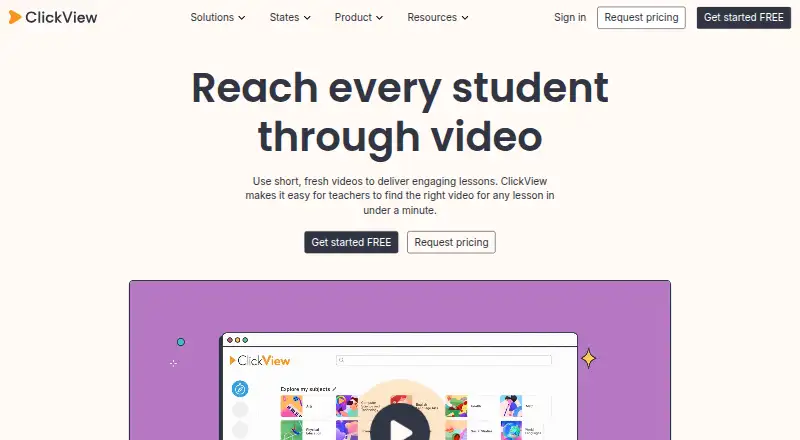
What ClickView is
ClickView is a video learning platform for schools, with standards-aligned educational videos for K–12 lessons. Teachers can use prepared interactive quizzes or create quizzes from videos, including videos they upload. Quiz results can show which questions students found difficult and who skipped or did not watch a video. Teachers can upload videos, create clips and playlists, and share material with students. ClickView lists rostering integrations including ClassLink, Clever, Google Classroom, Microsoft, PowerSchool, Schoology, Canvas, and Blackboard. Its Canvas plugin lets educators search ClickView and My Videos and embed videos in course pages. The free teacher account costs nothing; school access starts at 10 video streams per month, with colleague invitations raising the allowance to 35. Annual school or district subscriptions offer unlimited streaming, but no price is listed. Apps and web access are available, and offline video viewing is documented on iOS and Android. ClickView lists AWS hosting in Australia and the United States and says it does not sell student personal information to advertisers or target ads to students or children.
Good
- Standards-aligned videos are available for K–12 lessons.
- Teachers can create quizzes from uploaded videos.
- Quiz results identify difficult questions and missed viewing.
- Offline video viewing is documented on iOS and Android.
Watch out
- Free school access starts at 10 monthly streams.
- Annual school and district subscription prices are not listed.
Who it suits
ClickView is aimed at K–12 teachers and schools that want educational videos, interactive quizzes, and tools to share classroom content. The free teacher account may suit educators who can work within the school’s monthly stream allocation.
Verdict
ClickView brings classroom video, quizzes, and sharing tools together for schools. Teachers should check whether the free stream allowance fits their needs or whether an institutional subscription is appropriate.
Plans and prices
From ClickView's own pricing page, checked 19 Oct 2026.
| Plan | Price | What it gives you |
|---|---|---|
| Free | Free | Free signup; school or institution access |
| Free teacher account | Free | Free access for teachers; free school allocation is 10 video streams per month, with up to 35 streams per month by inviting colleagues |
| School or district subscription | Priced on request | Annual subscriptions are available; full institutional access includes unlimited streaming |
| School subscription | Priced on request | Quote required; pricing varies by school size, region, feature access and licensing |
The facts
Each one read from ClickView's own pages, with the date it was checked.
What it does
- Analytics
- Analytics report viewers, viewing progress, devices, watch percentage, heatmaps and interactive-question results.checked 19 Oct 2026
- Audience
- ClickView describes itself as a video solution for schools and lists elementary, middle, high school, and district offerings.checked 29 Sep 2026
- Canvas support
- The Canvas plugin lets educators search ClickView and My Videos and embed videos in course pages.checked 29 Sep 2026
- Curriculum alignment
- Videos are presented as standards-aligned and curriculum-linked for classroom use.checked 19 Oct 2026
- Data hosting
- ClickView lists AWS hosting in Australia and the United States and says platform data is held in its encrypted AWS environment.checked 29 Sep 2026
- District analytics
- District analytics compare video use across schools and allow leaders to manage access restrictions.checked 19 Oct 2026
- Documentation
- The help center provides step-by-step guides for analytics, interactive videos, sharing, administration, integrations and Local Cache installation.checked 19 Oct 2026
- Integration methods
- Administrators can connect learning-management and library systems through LTI, RSS and custom applications.checked 19 Oct 2026
- Integrations
- Official integrations include Microsoft Teams, Google Classroom, Canvas, Moodle, Schoology, Blackboard, Brightspace, OneNote, Clever and ClassLink.checked 19 Oct 2026
- Interactive quizzes
- Teachers can use pre-made interactive quizzes or create quizzes from videos, including videos they upload.checked 29 Sep 2026
- LTI support
- ClickView supports both LTI 1.1 and LTI 1.3 for learning-management-system connections.checked 19 Oct 2026
- Praise: content library
- An independent G2 reviewer praised ClickView’s video resource library and reported positive student learning outcomes.checked 19 Oct 2026
The company
- Company headquarters
- LinkedIn lists ClickView headquarters in Pyrmont, New South Wales, Australia.checked 19 Oct 2026
- Company legal name
- The Google Play listing identifies the developer as CLICKVIEW PTY LIMITED.checked 19 Oct 2026
- Company size
- LinkedIn lists ClickView in the 51–200 employee range.checked 19 Oct 2026
- Founded
- LinkedIn lists ClickView as founded in 2003.checked 19 Oct 2026
- Headquarters
- Sydney, Australiachecked 23 Sep 2026
Money
- Free account limit
- Free school access starts at 10 video streams per month; each accepted colleague invitation adds five, up to 35 streams per month.checked 29 Sep 2026
- Limit: cost and curriculum gaps
- WuKong identifies higher cost than free alternatives and limited International Baccalaureate coverage as weaknesses.checked 19 Oct 2026
- Limit: price transparency
- Independent coverage says ClickView does not publish prices and normally sells through school or district subscriptions requiring a quote.checked 19 Oct 2026
- Praise: ad-free classroom use
- WuKong’s review praises teacher-vetted, ad-free videos without external links or suggested-video distractions.checked 19 Oct 2026
Where it runs
- Interactive videos
- Teachers can turn videos into interactive lessons by adding questions, images, captions and annotations.checked 19 Oct 2026
- Limit: app reliability complaints
- Apple reviews include complaints that the player failed to launch and that watch history was not recorded.checked 19 Oct 2026
- Mobile apps
- The iOS app provides access to videos and resources on iPhone and iPad, and ClickView documents offline video viewing on iOS and Android.checked 29 Sep 2026
The full review of ClickView
Overview
ClickView is a school video platform for K–12 educators who want to bring standards-aligned video into lessons and pair it with classroom activities. Its strongest case is the combination of quizzes, sharing tools and student response insights; its free access is better treated as a modest starting allowance than a school-wide solution.
Founded in 2003 and headquartered in Sydney, ClickView serves elementary, middle and high schools, as well as districts. It sits among educational video libraries as a classroom-oriented option rather than simply a place to find videos.
Key features
Video activities and student insights
Teachers can use ready-made interactive quizzes or build quizzes from videos, including their own uploads. Results show which questions students found difficult, as well as who skipped or did not watch a video. That makes ClickView useful when video is part of an assigned lesson and teachers want visibility into participation and responses, though these insights do not replace broader assessment.
Uploads, clips and sharing
Teachers can upload videos, create clips and playlists, and share materials with students. This gives schools room to use their own content alongside the platform's educational videos. Downloads and offline viewing on iOS and Android are supported, a practical advantage when students need to watch away from a connection.
School systems and privacy
ClickView lists rostering integrations for ClassLink, Clever, Google Classroom, Microsoft, PowerSchool, Schoology, Canvas and Blackboard. Its Canvas plugin allows educators to search ClickView and My Videos and embed material in course pages. Schools already using those systems may find the classroom workflow a better fit than a standalone video service.
ClickView says it uses tiered platform access, regularly changed passwords, encryption and systems that record platform access. It also says it does not sell student personal information to advertisers or target advertising to students or children. Its AWS hosting is in Australia and the United States, with platform data held in an encrypted AWS environment.
Pricing
Free teacher account: free. Free school access begins at 10 video streams per month. Each accepted colleague invitation adds five streams, up to 35 per month. That is useful for trying the classroom workflow or serving limited use, but the cap can constrain regular use across a school.
School or district subscription: custom pricing. Annual subscriptions provide full institutional access with unlimited streaming. This is the more suitable route for schools that need dependable, school-wide use; the trade-off is moving from a free account to a paid institutional arrangement.
A free trial is available. No trial length or renewal terms are stated.
Platforms
ClickView is available on the web, Android and iOS. Its iPhone and iPad app provides access to videos and resources, and offline video viewing is documented for both mobile platforms. That helps extend access beyond classroom computers, though the strongest set of tools is aimed at teacher-led school use.
Who it's for
ClickView is best suited to K–12 teachers and schools that want video, quizzes and sharing in a single classroom workflow, especially where student viewing and quiz responses matter. The capped free account may work for a teacher or small trial; a school expecting broad, regular streaming should consider the annual institutional subscription. It is less compelling for someone seeking only free public video or general-purpose entertainment.
Pros and cons
- Pros: Video-based quizzes and response insights help teachers see both difficult questions and missed viewing.
- Pros: Teacher uploads, clips, playlists and student sharing support lessons built around school content as well as the library.
- Pros: Broadly named rostering integrations and a Canvas embedding plugin can fit existing school workflows.
- Cons: Free access starts at just 10 streams a month; even with colleague invitations it tops out at 35, limiting sustained school-wide use.
- Cons: Unlimited streaming requires an annual school or district subscription with custom pricing, so institutions cannot assess its cost from a published rate.
Alternatives
PBS LearningMedia is a free web option for PreK–12 educators and students, with an account required for all features; choose it when free access matters more than ClickView's school streaming and classroom tools.
TED-Ed is free on the web for creating and consuming lessons, a better fit when lesson creation is the priority rather than a school video platform.
Into Film+ is free for English state schools funded by the Department for Education with a valid PVS Licence, and offers a catalogue of more than 600 titles; choose it if that eligibility and film catalogue fit your school.
NFB Education is another freemium option for Android, iOS and web; its institutional licence requires contacting NFB.
Australian Screen Online (ASO) Education is freely available on the web.
Open Yale Courses offers free public access without registration, but does not provide Yale course credit, a degree or a certificate.
BrainPOP is a freemium alternative with a free trial and iOS and web access; its family plans may suit households looking for child-focused access rather than a school subscription.
NFSA Digital Resource Finder is a free web alternative.
Verdict
ClickView is a strong fit for K–12 schools that want video to function as part of a lesson, with quizzes, sharing and signals about student viewing in the same platform. Its main drawback is the sharp divide between a tightly capped free account and custom-priced unlimited institutional access. Choose it when those teaching tools justify a school subscription; look elsewhere when a small free allowance or open-ended public access is the priority.
Getting started
- Visit the ClickView website.
- Use the free teacher account or consider a school or district subscription.
- Access ClickView through web, Android, or iOS.
- Teachers can upload videos, make clips or playlists, and share content with students.
- If using Canvas, search ClickView or My Videos through the plugin and embed videos in course pages.
Limits worth knowing
The free teacher account provides free school access starting at 10 video streams per month. Each accepted colleague invitation adds five streams, up to 35 per month; annual school or district subscriptions include unlimited streaming.
Questions
Does ClickView have a free plan?
Yes. The free teacher account costs nothing.
How many streams are included with free school access?
Free school access starts at 10 video streams per month. Accepted colleague invitations add five streams each, up to 35 streams monthly.
What platforms does ClickView support?
The listed platforms are Android, iOS, and web.
Can students watch videos offline?
ClickView documents offline video viewing on iOS and Android.
Which school integrations are listed?
ClickView lists ClassLink, Clever, Google Classroom, Microsoft, PowerSchool, Schoology, Canvas, and Blackboard.
What does a school or district subscription include?
Annual subscriptions are available, and full institutional access includes unlimited streaming.
Alternatives to ClickView
- 1

Scholastic Watch and Learn Library
iOSWebmacOSWindows7.4From $650 a year - 2
VideoLectures.NET
Free planiOSWebLinuxmacOS7.4Free plan - 3
Gil Hedley Integral Anatomy
Free planWeb7.3From $150 a year - 4
Sage Video
Web6.9From $4,680 a year - 5

National Theatre Collection
Free planWeb6.8Free plan - 6

BrainPOP
iOSWeb6.7From $119 a year