
ClickHome
ClickHome is business software for residential construction companies, with modules spanning customer management, pre-construction, scheduling, field work, t…
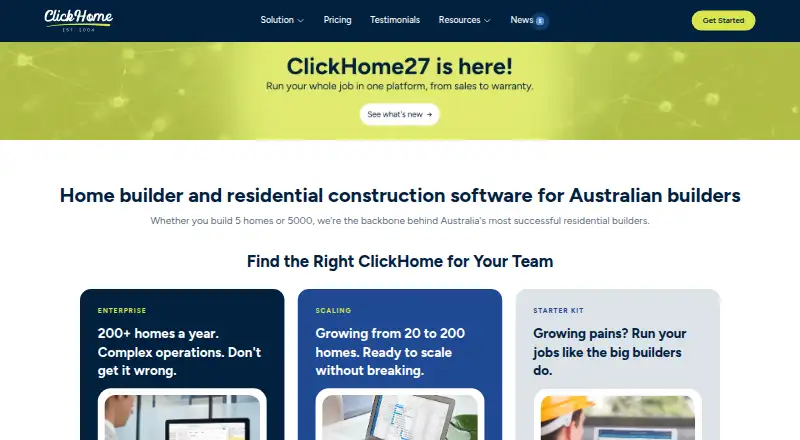
What ClickHome is
ClickHome is business software for residential construction companies, with modules spanning customer management, pre-construction, scheduling, field work, trade coordination, customer portals, and post-handover maintenance. Its lead system captures enquiries from websites, display homes, referrals, and property portals, then scores and assigns them to consultants. Listed integrations include HubSpot via Zapier, Mailchimp, Google Ads, DocuSign, Xero, and Microsoft Teams. ClickHome is not a financial or accounting system, so customers still need a separate system for general ledger and accounts. Enterprise customers can use ClickHome-hosted hosting or deploy on-premise or in a private cloud. ClickHome Cloud advertises secure AWS hosting; Enterprise Hosted includes hosting, updates, backups, and monitoring managed by ClickHome. Cloud has a 30-day free trial with no credit card required. Build is a one-off $225 per job, with a five-job minimum; Manage is $375 per job and Succeed is $550 per job, each one-off for the full job lifecycle with the same minimum. The company says it was built in Perth in 2004 for Australian residential builders.
Good
- Modules cover pre-construction through maintenance
- Lead system scores and assigns enquiries
- Integrations include Xero and DocuSign
- Cloud trial lasts 30 days with no card required
- Enterprise supports hosted, on-premise, or private cloud
Watch out
- Not a financial or accounting system
- Build, Manage, and Succeed require a five-job minimum
- Support requests must come through an authorised contact
Who it suits
ClickHome suits residential builders ranging from small teams scaling up to established mid- and high-volume builders. It may fit companies seeking connected sales, construction, and post-handover workflows, provided they keep a separate financial system.
Verdict
ClickHome brings residential construction workflows into one application, with several plan and deployment options. Factor in the separate accounting requirement and the five-job minimum on listed per-job plans when assessing fit.
Plans and prices
From ClickHome's own pricing page, checked 30 Sep 2026.
| Plan | Price | What it gives you |
|---|---|---|
| Connect | $100 a month | Branded customer portal · online tenders · selections and wishlists · job updates and messaging · maintenance and warranty requests · Optional add-on to Cloud; billing basis beyond the displayed monthly price is not stated. |
| Cloud Connect | A$100 a month | branded customer portal · online tenders · selections/wishlists · progress messaging · maintenance requests · lead capture · monthly add-on |
| Build | $225, paid once | construction call-sheets · supervisor iPad app · trade callups · photo uploads · SWMS/check-ins · web access · cloud hosting · per job; minimum spend 5 jobs |
| Manage | $375, paid once | all Build features · pre-construction workflows · progress claims · variations · RFQs · document compliance · cost tracking · maintenance/defects · per job; minimum spend 5 jobs |
| Succeed | $550, paid once | all Manage features · leads and sales automation · quotes/contracts · selections · variation pricing · margin control · real-estate portals · Zapier · cross-job scheduling · per job; minimum spend 5 jobs |
| Enterprise / Hosted | Priced on request | all modules · hosted or on-premises · custom workflows · legacy/custom APIs · multiple business units · custom development · deep reporting · enterprise per-build licensing with volume pricing |
| Enterprise Hosted / On Prem | Priced on request | All modules · hosted or on-premise · custom workflows and integrations · custom development and reporting · Contact Sales; enterprise per-build licensing with volume-based pricing. |
The facts
Each one read from ClickHome's own pages, with the date it was checked.
What it does
- Accounting limitation
- ClickHome is not a financial or accounting system, so customers still need a separate financial system for general ledger and accounts.checked 30 Sep 2026
- API and extensibility
- Enterprise materials describe API endpoints, webhooks, staging environments, direct SQL access and event triggers.checked 15 Oct 2026
- API services
- Support documentation says ClickHome web services provide field-device synchronisation, MyHome and APIs.checked 15 Oct 2026
- Customer portal
- MyHome lets customers view progress, photos and documents, submit selections and communicate with builders.checked 15 Oct 2026
- Deployment
- Enterprise customers can use ClickHome-hosted hosting or deploy on-premise or in a private cloud, with direct SQL access described for on-premise.checked 30 Sep 2026
- Documentation and support
- The support portal provides knowledge-base articles, installation guidance, release notes and remote-support requirements.checked 15 Oct 2026
- Finance control
- The finance module tracks committed costs, forecasts stage spending and measures performance across jobs and business units.checked 15 Oct 2026
- Inspections and compliance
- Field users capture inspections, signatures, defects, photos and SWMS compliance with audit reporting.checked 15 Oct 2026
- Integrations
- Listed integrations include Xero, HubSpot, JobFile, DocuSign, HIA Online, SMS, Sage, SharePoint, Databuild, BEAMS and Facebook Business Suite.checked 15 Oct 2026
- Intended customers
- ClickHome says its products serve residential builders ranging from small teams scaling up to established mid- and high-volume builders.checked 30 Sep 2026
- Lead management
- The lead system captures enquiries from websites, display homes, referrals, and property portals, scores leads, and assigns them to consultants.checked 30 Sep 2026
- Legacy mobile limitation
- The ClickHome 3 requirements page says Apple iPhone is unsupported, with iPad and Windows tablets supported for that version.checked 15 Oct 2026
- Legal entity
- Australian Business Register lists CLICKHOME GROUP PTY LTD as an active Australian private company with main business location WA 6000.checked 15 Oct 2026
- Limit: flexibility
- G2 reviewers criticize limited customization and difficulty changing sections or areas for different business needs.checked 15 Oct 2026
- Limit: pricing transparency
- A Trustburn reviewer complained that product pricing was not published.checked 15 Oct 2026
- Limit: usability
- G2 reviewers report an outdated or cluttered interface, difficult learning curve and occasional slow loading.checked 15 Oct 2026
- Notable news
- ClickHome announced ClickHome27 in July 2026 with AI assistance, rebuilt mobile apps, job costing, dashboards and contract-duration management.checked 15 Oct 2026
- Praise: configurability
- A CrowdReviews reviewer praised configurability and integration with other systems, while describing the overall solution as very good.checked 15 Oct 2026
- Praise: workflow coverage
- G2 reviewers repeatedly praise centralized job management, workflow visibility, communication and reduced delays.checked 15 Oct 2026
The company
- Company history
- ClickHome says it was built in Perth in 2004 for Australian residential builders.checked 30 Sep 2026
- Company size
- LinkedIn lists ClickHome Construction Software as privately held with 11–50 employees.checked 15 Oct 2026
- Founded
- 2004checked 28 Sep 2026
- Founded and headquarters
- LinkedIn lists the company as founded in 2001 and headquartered in Perth, Australia.checked 15 Oct 2026
Where it runs
- Current field app
- The ClickHome27 Field App runs on iPhone, iPad, Windows and Android phones and tablets and includes an AI assistant.checked 15 Oct 2026
The full review of ClickHome
ClickHome is a residential construction platform that connects lead handling, pre-construction, job delivery, customer communication and post-handover work. It suits builders moving beyond spreadsheets into coordinated sales and construction operations. Its breadth is valuable, but buyers must budget for separate accounting and assess whether the plan structure matches their pipeline.
Overview
Built in Perth in 2004 for Australian residential builders, ClickHome targets both growing teams and established mid- and high-volume businesses. The system follows a job from enquiry through maintenance, covering CRM, scheduling, field activity, trades and customer portals rather than focusing on a single construction function.
That end-to-end scope is its central advantage. It is less suitable as a standalone back-office system: ClickHome is not a general-ledger or accounting product, so a separate financial platform remains necessary.
Key features
The lead system gathers enquiries from websites, display homes, referrals and property portals, scores them and assigns them to consultants. Succeed extends this with sales automation, quotes and contracts, customer selections and real-estate portal integrations, creating the clearest route from prospect to signed build.
Construction coverage includes pre-construction workflows, schedules, trade coordination, call-sheets, compliance, progress claims, variations and approvals. Build supplies an iPad supervisor app, trade file packs and callups, site-compliance tools and a web app. Manage adds pre-construction, finance workflows, document compliance, maintenance and defects. Customer-facing tools include branded portals, online tenders, selections and wishlists, job updates, messaging, and maintenance or warranty requests.
Integrations listed by the maker include HubSpot through Zapier, Mailchimp, Google Ads, DocuSign, Xero and Microsoft Teams. Enterprise customers can choose ClickHome hosting, on-premise deployment or a private cloud, with direct SQL access described for on-premise installations. ClickHome Cloud uses AWS hosting; Enterprise Hosted includes managed hosting, updates, backups and monitoring.
Pricing
ClickHome Cloud offers a 30-day trial without a credit card. The Connect plan costs $100 a month as an optional Cloud add-on and provides the branded portal, tenders, selections, job messaging and maintenance requests.
Build costs $225 per job, paid once for that job’s full life, with a five-job minimum. It covers call-sheets, the iPad supervisor app, trade packs and callups, site compliance and web access. Manage is $375 per job, also one-off and subject to the five-job minimum, adding pre-construction, claims, variations, approvals, finance workflows, document compliance, maintenance and defects.
Succeed costs $550 per job on the same terms and adds lead and sales automation, quotes, contracts, selections, real-estate integrations, Zapier and cross-job scheduling. Enterprise Hosted / On Prem is custom-priced with volume-based per-build licensing and includes all modules, deployment choice, custom workflows, integrations, development and reporting. The five-job floor makes Build through Succeed harder to justify for occasional or very small operators.
Platforms
ClickHome supports Android, iOS, web, Windows, API and self-hosted deployment. Field applications are available for iPad and Windows, while ClickHome27 is described as also supporting iPhone and Android. Enterprise requirements specify Windows Server 2016 or later, Windows 10 or later client machines and iPadOS for iPad mobility. Telephone support runs 7:00am–4:00pm AWST, and requests must come from an authorised organisational contact.
Who it's for
Choose ClickHome if you are a residential builder needing one operational thread from marketing lead to defects and warranty work, particularly when trade, customer and multi-job coordination are priorities. Succeed fits builders wanting sales and construction joined together; Build suits teams focused on site execution; Manage is for those needing claims, approvals, compliance and aftercare. Look elsewhere if accounting must be native or fewer than five jobs makes per-job licensing uneconomic.
Pros and cons
- Pro: Broad residential coverage links CRM, construction, field, customer and maintenance workflows.
- Pro: Enterprise hosting choices and custom development support complex IT and reporting requirements.
- Pro: The 30-day Cloud trial requires no credit card.
- Con: General ledger and accounts require a separate financial system.
- Con: Build, Manage and Succeed each require a five-job minimum.
- Con: Support is restricted to authorised contacts during defined AWST hours.
Alternatives
Buildxact is the better starting point for buyers wanting a free plan, free trial and Android, iOS and web access, with its free tier offering five complimentary credits and AI estimating. Beam suits a very small team seeking a no-cost web plan for up to two users and five free AI estimates, though it has no free trial. BuildBook is worth considering for users who prefer a freemium Android, iOS and web product; its Solo plan is $79 a month.
Hyphen CRM is a paid Android, iOS and web CRM sold through a demo. Builder Software Tools, Konstria and Buildern are paid alternatives with Android, iOS and web coverage; Buildern’s Starter plan is $225 a month when billed annually, with two seats. BuildTools Bidding targets custom home builders and remodelers, starting at $499 a month on a 12-month commitment with guided onboarding.
For a wider comparison, see Home Builder Software.
Verdict
ClickHome is a strong choice for residential builders that need connected sales, construction, field, customer and maintenance workflows, especially at mid-to-high volume. Choose it for that breadth and its deployment flexibility; choose another platform when native accounting is essential or the five-job minimum makes the commercial model disproportionate to your workload.
Alternatives to ClickHome
- 1
Buildxact
Free planAndroidiOSWebAPI8.3From $199 a month - 2
ConstructionOnline
Free planAndroidiOSWebAPI8.3From $300 a year - 3

BuildBook
AndroidiOSWeb7.9From $200 a year - 4

Build Method
AndroidiOSWeb7.6From $99 a month - 5
Buildern
AndroidiOSWeb7.4From $50 a month - 6

Constructive
AndroidiOSWeb6.9A$60 one-time