Calibre-Web
Calibre-Web is a free, GPL v3-licensed web application for browsing, reading, and downloading eBooks kept in a Calibre database.
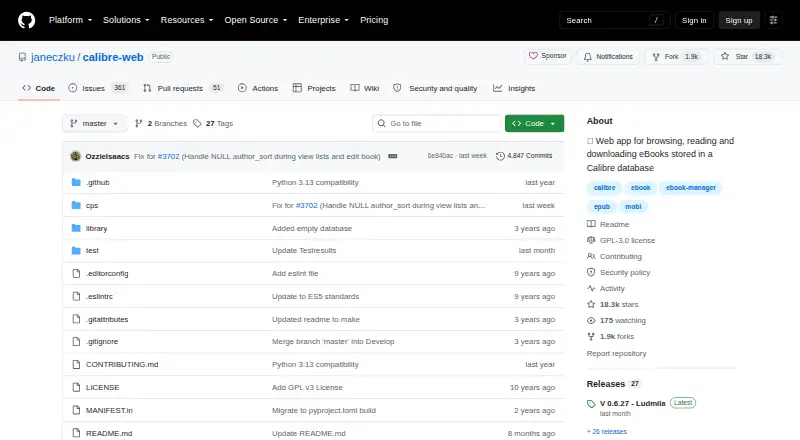
What Calibre-Web is
Calibre-Web is a free, GPL v3-licensed web application for browsing, reading, and downloading eBooks kept in a Calibre database. It offers search and filtering, custom shelves, metadata editing, and plugin-based metadata downloads. Readers can open supported formats in a browser or upload books in several formats, including audio. Supported formats include TXT, PDF, EPUB, KEPUB, CBZ, CBT, CBR, DJVU, and DJV; the project wiki also identifies readers for EPUB, comics, TXT, and PDF. An OPDS feed lets eBook reader apps reach the library, and a one-click option sends books to e-readers. Kobo syncing is available with the optional Kepubify tool. Administrators can manage users and permissions, restrict downloads for logged-in users, allow public registration, and hide content by category. Authentication options include LDAP, Google and GitHub OAuth, and proxy authentication. It runs on web, Windows, macOS, Linux, and self-hosted deployments. Installation guidance covers pip in a Python virtual environment and pre-built Docker images. Python 3.7 or newer is required; ImageMagick is needed for EPUB cover extraction.
Good
- Free under the GPL v3 license.
- Offers search, filtering, shelves, and metadata editing.
- OPDS access and one-click e-reader sending.
- Supports user permissions and category-based content hiding.
Watch out
- Requires a Calibre database.
- Kobo syncing requires optional Kepubify.
- EPUB cover extraction requires ImageMagick.
Who it suits
Calibre-Web suits readers who want to manage and access a Calibre-based eBook library through a browser or reader app. Its user controls and authentication options may also suit people managing a shared library.
Verdict
Calibre-Web combines library management, browser reading, and e-reader access in a free self-hosted application. Check its database, Python, and cover-extraction requirements before setting it up.
Plans and prices
From Calibre-Web's own pricing page, checked 8 Oct 2026.
| Plan | Price | What it gives you |
|---|---|---|
| Calibre-Web | Free | GPL v3 licensed software · requires a Calibre database |
The facts
Each one read from Calibre-Web's own pages, with the date it was checked.
What it does
- Access management
- It provides user management with per-user permissions, logged-in-user download restrictions, public registration, and category-based content hiding.checked 8 Oct 2026
- Authentication
- Supported authentication options include LDAP, Google and GitHub OAuth, and proxy authentication.checked 8 Oct 2026
- Installation
- The README recommends installation with pip in a Python virtual environment and also links to pre-built Docker images for LinuxServer x64 and aarch64.checked 8 Oct 2026
- Kobo
- Calibre-Web can sync Kobo devices with a Calibre library; Kobo support requires the optional Kepubify tool.checked 8 Oct 2026
- Library tools
- Features include advanced search and filtering, custom shelves, metadata editing, and metadata downloads through extensible plugins.checked 8 Oct 2026
- License
- The project is licensed under the GPL v3 License.checked 8 Oct 2026
- Purpose
- Calibre-Web is a web app for browsing, reading, and downloading eBooks stored in a Calibre database.checked 8 Oct 2026
- Reader integrations
- An OPDS feed lets eBook reader apps access the library, and the app can send eBooks to e-readers with one click.checked 8 Oct 2026
- Reading
- It supports in-browser reading for multiple formats and can upload books in various formats, including audio formats.checked 8 Oct 2026
- Requirements
- The README requires Python 3.7 or newer and says ImageMagick is needed for EPUB cover extraction.checked 8 Oct 2026
- Security reporting
- The security policy asks users to report security issues to the email address listed there and says to upgrade to the latest version to receive vulnerability fixes.checked 8 Oct 2026
- Support
- The project points users to its wiki FAQ and Discord community for help, and asks bug reporters to file issues in the repository.checked 8 Oct 2026
- Wiki readers
- The project wiki says four eBook readers are available and identifies EPUB, comics, TXT, and PDF readers.checked 8 Oct 2026
Alternatives to Calibre-Web
- 1
Librera Reader
Free planOpen sourceAndroidiOSWebExtension8.5$5.99 one-time - 2

Readest
Free planOpen sourceAndroidiOSWebLinux8.4From $4.99 a month - 3

BookFusion
Free planAndroidiOSWebAPI8.0From $2.99 a month - 4

FBReader
Free planAndroidiOSLinuxmacOS7.6$14.99 one-time - 5
KyBook 3
Free planiOSmacOS7.5From $14.99 a year - 6
Libby
Free planAndroidiOSWebmacOS7.3Free plan