Buy Me a Pie!
Buy Me a Pie! is a shopping-list app for creating, organizing and sharing lists across Android, iOS, macOS and the web.
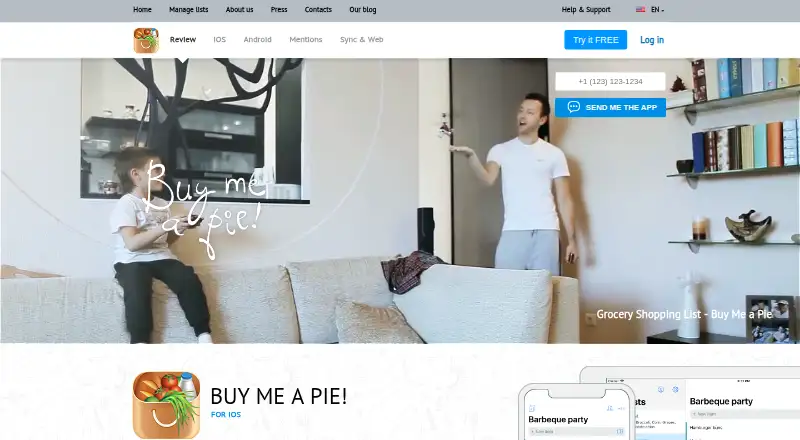
What Buy Me a Pie! is
Buy Me a Pie! is a shopping-list app for creating, organizing and sharing lists across Android, iOS, macOS and the web. Users can invite others to a whole account or to individual lists, including people who have not registered by sending an email invitation. Lists created on the website are available on users’ devices in real time. A predefined grocery dictionary and color groups help organize items. Each account uses a login name and PIN, and the service stores data in the cloud for access through its website and supported devices. The free plan includes 3 shopping lists and sharing with 2 other accounts. Pro plans allow unlimited lists and list-sharing users, additional color groups, an ad-free experience and premium support. Pro costs $2.99 a month, $29.99 a year, or $49.99, paid once. The listed free option also includes a 30-day trial. The terms set an average availability target of 97%, excluding maintenance downtime.
Good
- Lists sync across devices in real time.
- Invite registered or unregistered people by email.
- Grocery dictionary and color groups organize items.
- Available on Android, iOS, macOS and web.
Watch out
- Free plan is limited to 3 lists.
- Free sharing is limited to 2 other accounts.
- Pro costs $2.99 a month, $29.99 a year, or $49.99, paid once.
- Availability target excludes maintenance downtime.
Who it suits
It suits individuals or households who want to manage grocery lists across devices and share them with others. The free plan is limited to 3 lists and sharing with 2 other accounts.
Verdict
Buy Me a Pie! combines shared, cloud-stored lists with real-time access across its listed platforms. The free plan has clear list and sharing limits; Pro removes those caps for a listed fee.
Plans and prices
From Buy Me a Pie!'s own pricing page, checked 3 Oct 2026.
| Plan | Price | What it gives you |
|---|---|---|
| Free | Free | 3 shopping lists · share with 2 other accounts · 8 color groups |
| Buy Me a Pie! Pro monthly | $2.99 a month | Unlimited shopping lists · share lists with unlimited users · additional color groups · ads-free · premium support · $2.99 a month |
| Buy Me a Pie! Pro yearly | $29.99 a year | Unlimited shopping lists · share lists with unlimited users · additional color groups · ads-free · premium support · $29.99 a year |
| Buy Me a Pie! Pro lifetime license | $49.99, paid once | Unlimited shopping lists · share lists with unlimited users · additional color groups · ads-free · premium support · $49.99 with a one-time payment |
The facts
Each one read from Buy Me a Pie!'s own pages, with the date it was checked.
What it does
- Account access
- Each user account has its own login name and PIN.checked 3 Oct 2026
- Availability
- The terms state an average availability target of 97%, with maintenance downtime excluded from the SLA.checked 3 Oct 2026
- Cloud storage
- The terms state that user data is stored in the cloud and can be retrieved through different devices or the website.checked 3 Oct 2026
- Privacy data
- The privacy policy says the service may collect account login and PIN, email, shopping list names and contents, and subscription receipts.checked 3 Oct 2026
- Product organization
- The service includes a predefined grocery item dictionary and color categories for sorting list items.checked 3 Oct 2026
- Purpose
- Buy Me a Pie! is a tool for creating, managing and sharing shopping lists.checked 3 Oct 2026
- Security
- The privacy policy says the company takes reasonable steps to protect personal data and encrypts transmission on pages where payment information is provided.checked 3 Oct 2026
- Shared lists
- Users can invite other people to their lists, and can also invite unregistered people by email.checked 3 Oct 2026
- Support
- The support site offers a knowledge base, new support tickets and ticket status checks; Pro includes premium support.checked 3 Oct 2026
- Synchronization
- Users can share their whole account or invite people to individual lists to keep lists in sync.checked 3 Oct 2026
- Web lists
- The website lets users create multiple shopping lists and see them on their devices in real time.checked 3 Oct 2026
The company
- Headquarters
- Bangkok, Thailandchecked 28 Sep 2026
- Maker and location
- The terms identify Buzzworthy Vibe Co., Ltd as the maker, and the about page says the team has been based in Bangkok, Thailand since 2022.checked 3 Oct 2026
Where it runs
- Mobile platforms
- The maker links to Buy Me a Pie! apps for iOS and Android.checked 3 Oct 2026
The full review of Buy Me a Pie!
Buy Me a Pie! is a shopping-list app for people who want their lists shared and synced across devices. It suits households that can work within the free plan’s small list and sharing caps, or are willing to pay for Pro.
Overview
The service combines shopping lists on Android, iOS, macOS and the web, with cloud storage and real-time syncing. You can share an individual list or your whole account; inviting someone by email does not require them to be registered. That flexibility is useful for coordinating a household, though the free plan’s three-list and two-account limits may be restrictive for larger groups or frequent list-making.
Organization is practical rather than elaborate: a predefined grocery dictionary and color groups help sort items. Each account uses a login name and PIN. The privacy policy says the service may collect those credentials, email, list names and contents, and subscription receipts. It describes reasonable protection measures and encryption on pages where payment information is provided. The terms set an average availability target of 97%, excluding maintenance downtime, so the service is not promising uninterrupted access.
Key features
- Shared lists: Invite people to individual lists or share an account to keep lists in sync. Email invitations can reach unregistered users, which reduces friction for occasional collaborators.
- Real-time access: Create multiple lists on the website and see them on devices. Cloud storage supports retrieving account data across devices, but this also makes the service dependent on its online availability.
- Item organization: A built-in grocery dictionary and color categories make routine lists easier to scan; Pro adds more color groups for users who need extra distinctions.
- Support: The support site provides a knowledge base, ticket submission and ticket-status checks. Pro adds premium support, a useful paid-plan distinction for users who want a higher support tier.
Pricing
The free plan costs nothing and includes up to 3 shopping lists, sharing with 2 other accounts and 8 color groups. It is a sensible starting point for a small household with modest list needs, but those caps are the main reason to upgrade.
Buy Me a Pie! Pro monthly costs $2.99 a month, billed $2.99 a month. Pro yearly costs $29.99 a year, billed $29.99 a year. Both provide unlimited shopping lists, sharing with unlimited users, additional color groups, an ad-free experience and premium support. The yearly plan costs less than twelve monthly payments at the stated rates, but commits the buyer to an annual term.
The Buy Me a Pie! Pro lifetime license costs $49.99, paid once, billed $49.99 with a one-time payment, and includes the same Pro benefits. It may suit someone expecting long-term use who prefers not to renew monthly or yearly; unlike the subscriptions, it requires a larger upfront payment. The free plan has no charge.
Platforms
Buy Me a Pie! is available on Android, iOS, macOS and the web. That mix suits households using different device types, with the website also offering list creation and access. Linux and Windows are not among its supported platforms.
Who it's for
Choose Buy Me a Pie! if your priority is shared, cloud-stored shopping lists that stay in sync across mobile, Mac and web access. The free plan works best for a small group with no more than three lists and two other accounts. Pro is the more practical fit for larger households, people maintaining many lists, or users who value extra categories and premium support.
Look elsewhere if you need more than the free plan’s caps but do not want a paid subscription, or if Linux or Windows support is essential. The 97% average availability target may also matter to anyone who expects dependable access at every moment.
Pros and cons
- Pros: Real-time syncing and cloud access keep lists available across four platforms; individual-list and account sharing accommodate different household arrangements; unregistered people can be invited by email.
- Pros: Pro removes the list and sharing caps and adds color groups, ad-free use and premium support, with monthly, yearly and lifetime payment options.
- Cons: The free plan stops at three lists, two other accounts and eight color groups, so active or larger households may reach its limits quickly.
- Cons: The terms’ 97% average availability target excludes maintenance, which is a meaningful caveat for users relying on the service while shopping.
- Cons: The privacy policy says list names and contents may be collected, which may not suit users who prefer not to store shopping details in a cloud service.
Alternatives
Browse Shopping List Apps for more options. Choose KitchenOwl if you want a free, open-source option with self-hosting and broader platform coverage, including Linux and Windows. OurGroceries is worth considering if you want all features and list sharing on its free plan and can accept ads in a few screens, or pay $1 a month to remove them.
AnyList may suit users who want recipe importing alongside core list creation and sharing: its free plan includes up to five imported web recipes. BuyBye is another freemium option, with a free allowance of five lists and up to two people per list, plus a recipe box and current-week meal planning. Bring! is a free alternative whose core functions include shared lists, recipes and special offers. GroceryShare offers a free plan with grocery lists, smart categories, shopping mode and basic recipes. Groly may fit users who want a free self-hosted Docker setup with access controlled through admin invitations. Grocery Buddy is a free Android and iOS alternative with all features included.
Verdict
Buy Me a Pie! is a good fit for households that want shared, cloud-synced lists across phones, Mac and web access, and are comfortable with the free plan’s tight caps or the cost of Pro. Its strongest reason to choose it is flexible sharing paired with real-time access on four platforms. Look elsewhere if you need a wider free allowance, Linux or Windows support, or less reliance on a cloud service.
Getting started
- Open https://buymeapie.com/
- Create an account with a login name and PIN
- Use the website or install the iOS or Android app
- Create shopping lists and organize items with color groups
- Invite people to the whole account or to individual lists
- Start with Free or use the 30-day trial before choosing Pro
Limits worth knowing
The Free plan permits three shopping lists, sharing with two other accounts and eight color groups. Pro removes those limits and adds additional color groups, no ads and premium support.
Questions
What does Buy Me a Pie! cost?
The Free plan costs nothing. Pro costs $2.99 a month, $29.99 a year or $49.99, paid once.
Which platforms are supported?
Buy Me a Pie! is available on Android, iOS, macOS and the web.
Can I share lists with people without accounts?
Yes. Individual lists can be shared by inviting unregistered people through email.
Is there a free trial?
A 30-day trial is offered.
What does Pro add?
Pro provides unlimited shopping lists and sharing, additional color groups, an ads-free experience and premium support.
Alternatives to Buy Me a Pie!
- 1

OurGroceries
Free planAndroidiOSWebAPI8.0From $6 a year - 2
AnyList
Free planAndroidiOSWebExtension7.3From $9.99 a year - 3

Grocery AI
Free planAndroidiOSmacOS7.2From $59.99 a year - 4

mitlist
Free planAndroidiOSWebAPI7.2From €29.99 a year - 5
BuyBye
Free planAndroidiOSWeb7.1Free plan - 6
List Buddy
Free planAndroidiOSWeb7.1From $29.99 a year